? Waystone Warps
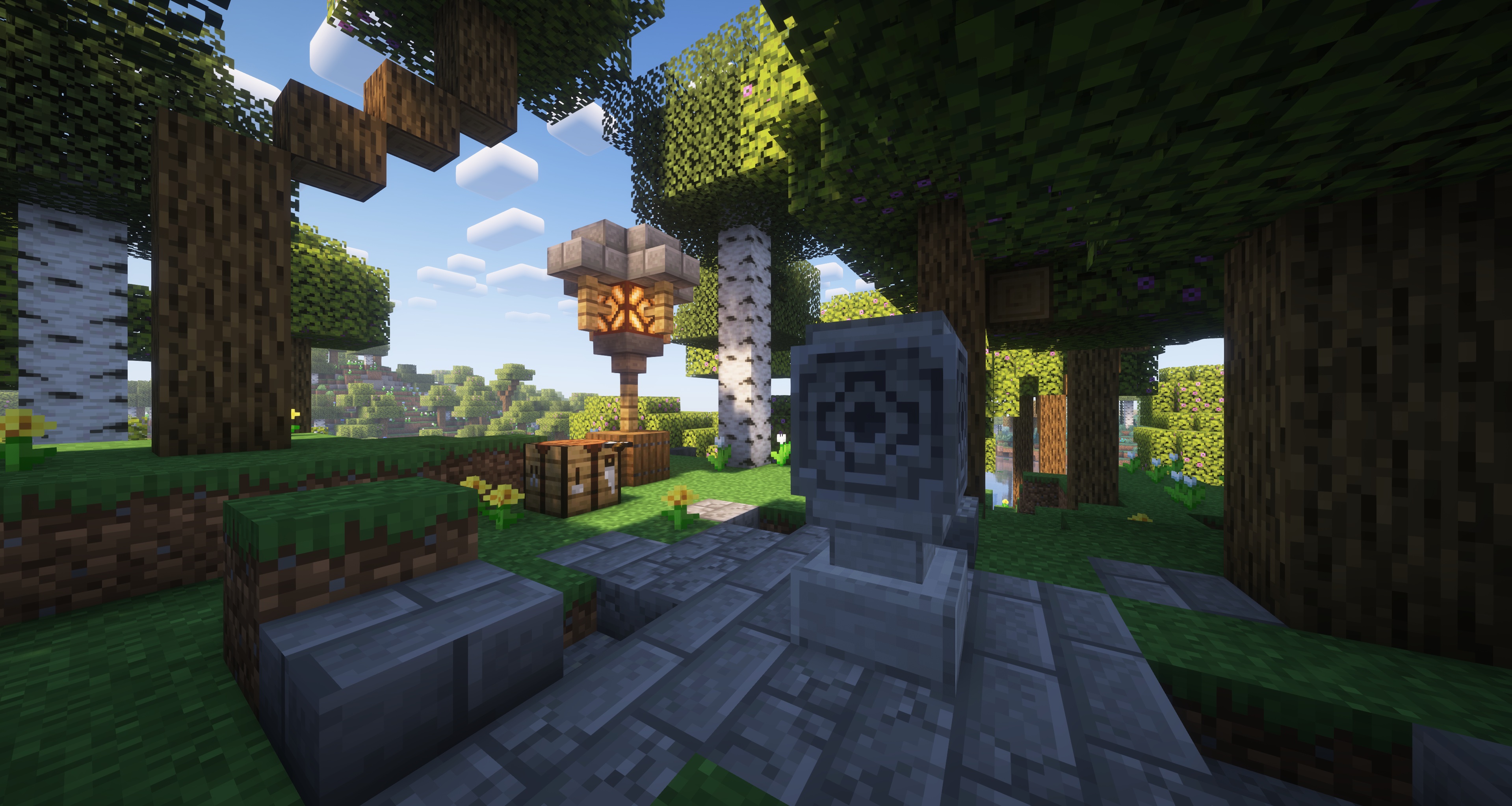
通过 Waystone Warps 插件改变你的旅行体验!制作并放置界石(waystones)以在世界各处设置传送点。在探索过程中发现其他人放置的新界石,并在它们之间轻松传送。让你的旅途更加顺畅,因为你知道随时可以瞬间传送回家,或者只需点击一下即可访问朋友所在的地方。
以下是你可以期待的一些酷炫功能:
- 基于物理的设定 - 传送点通过与世界中实体的界石结构绑定,使体验更加沉浸。
- 直观的 GUI 菜单 - 使用点击菜单即可管理所有界石。再也不用输入命令了。
- 轻松管理权限 - 将界石限制为仅你自己使用,对好友开放,或将其公开供所有人发现。
- 传送费用 - 让你的玩家为之努力吧!更改传送所需的经验值、物品,甚至可以使用提供经济系统的插件。
安装方法
从 Releases 选项卡下载最新的发布版本(.jar 文件),并将其放入服务器的 plugins 文件夹中。
若要启用额外功能(如按玩家/权限组设置权限和传送次数限制),你还需要安装
Vault 以及一个兼容的权限和聊天元数据提供商。LuckPerms 是处理这两者的推荐插件。
快速上手
要建立界石传送点,请在平滑石头方块上放置一个锚地石(lodestone),然后右键点击该锚地石。这将打开一个创建菜单,你可以在其中命名你的传送点。一旦界石传送点建立完成,你将看到各种与传送点管理相关的选项。
要发现其他玩家制作的界石,请右键点击界石,观察粒子颜色变化。
要传送到界石,请手持指南针右键点击。这将显示一个列出你已发现的所有界石的菜单。点击你想传送到的界石即可进行传送。
权限说明
- waystonewarps.command.warpmenu - 允许使用 warpmenu 命令打开允许玩家传送到传送点的菜单。
- waystonewarps.bypass.open_menu - 允许访问以打开管理菜单。
- waystonewarps.bypass.access_control - 允许访问以更改访问控制。
- waystonewarps.bypass.manage_players - 允许访问以管理玩家。
- waystonewarps.bypass.rename - 允许访问以重命名界石。
- waystonewarps.bypass.icon - 允许访问以更改界石图标。
- waystonewarps.bypass.relocate - 允许访问以重新定位界石。
- waystonewarps.admin.invalids.list - 允许使用 list 命令。
- waystonewarps.admin.invalids.remove - 允许使用 remove 命令。
- waystonewarps.admin.invalids.removeall - 允许使用 removeall 命令。
- waystonewarps.teleport - 允许传送
- waystonewarps.teleport.interworld - 允许传送到未发现的传送点
- waystonewarps.teleport.cooldown_bypass - 允许绕过冷却计时器
- waystonewarps.create - 允许创建传送点
- waystonewarps.discover - 允许发现传送点
按玩家设置限制
确保已安装 Vault 提供商以便按照安装部分所述设置限制。每个 Vault 提供商插件都有其实现此功能的方式。由于 LuckPerms 是推荐的提供商,以下说明将以它为例进行操作。
要为玩家设置元数据,请使用命令:
/lp group <group_name> meta set <limit_name> <desired_number>
针对群组:
/lp user <user_name> meta set <limit_name> <desired_number>
以下是你可以设置的不同限制:
- waystonewarps.warp_limit - 定义玩家可以创建的界石传送点数量。
- waystonewarps.teleport_cost - 定义传送所需的花费。
- waystonewarps.teleport_timer - 定义传送所需的时间。
从源代码构建
要求
编译步骤
git clone https://gitlab.com/Mizarc/waystonewarps.git
cd waystone-warps/
./gradlew shadowJar
生成的 .jar 二进制文件位于 build/libs 文件夹中。
支持
如果你遇到任何错误、崩溃或意外行为,请在此仓库中 提交 Issue。
许可证
Waystone Warps 采用宽松的 MIT 许可证授权。更多信息请参阅 LICENSE。
? Waystone Warps
Transform your travels with the Waystone Warps plugin! Craft and place waystones to set up teleportation points throughout your world. Discover new waystones placed by others as you explore and easily teleport between them. Streamline your journey across the world knowing you can always teleport back home in a snap, or simply visit your friends in an instant.
Here are some of the cool features you can expect:
- Physically Grounded - Warps are bound via a physical waystone structure in the world, making the experience much more immersive.
- Intuitive GUI Menus - Your entire waystone can be managed using click menus. Never need to type a command ever again.
- Manage Access Easily - Limit your waystones to only you, open it up to your friends, or leave it out there for the public to find.
- Teleportation Fees - Let your players work for it! Change teleportation costs between xp, items, or even a provided economy plugin.
Installation
Download the latest release (.jar file) from the releases tab and place it in your server's plugins folder.
For additional functionality such as per player/rank permissions and warp limits, you must install
Vault as well as a compatible permission and chat
metadata provider. LuckPerms is a recommended plugin for handling both.
Getting Started
To establish a waystone warp, place down a lodestone on top of a smooth stone block, then right click the lodestone. This opens up a creation menu where you are able to
name your warp. Once the waystone warp is established, you will be presented with various options to do with warp management.
To discover waystones made by other players, right click a waystone and watch the particles change colours.
To teleport to waystones, right click with a compass in hand. This will bring up a menu listing all your discovered waystons. Click on the waystone of choice to teleport to it.
Permissions
- waystonewarps.command.warpmenu - Allows the use of the warpmenu command to open up the menu that allows players to teleport to warps.
- waystonewarps.bypass.open_menu - Allows access to open the management menu.
- waystonewarps.bypass.access_control - Allows access to change the access control.
- waystonewarps.bypass.manage_players - Allows access to manage players.
- waystonewarps.bypass.rename - Allows access to rename the waystone.
- waystonewarps.bypass.icon - Allows access to change the waystone icon.
- waystonewarps.bypass.relocate - Allows access to relocate the waystone.
- waystonewarps.admin.invalids.list - Allows usage of the list command.
- waystonewarps.admin.invalids.remove - Allows usage of remove command.
- waystonewarps.admin.invalids.removeall - Allows usage of removeall command.
- waystonewarps.teleport - Allows teleportation
- waystonewarps.teleport.interworld - Allows teleportation to undiscovered warps
- waystonewarps.teleport.cooldown_bypass - Allows bypassing the cooldown timer
- waystonewarps.create - Allow the creation of warps
- waystonewarps.discover - Allow the discovery of warps
Per Player Limits
Ensure that you have a Vault provider installed to set limits as described out in the installation section. Each Vault
provider plugin has its own way of implementing this feature. As LuckPerms is the recommended provider, instructions
will make use of it as such.
To set a metadata for a player, use command:
/lp group <group_name> meta set <limit_name> <desired_number>
For groups:
/lp user <user_name> meta set <limit_name> <desired_number>
Here are the different limits you can set:
- waystonewarps.warp_limit - Defines how many waystone warps a player can create.
- waystonewarps.teleport_cost - Defines how much it costs to teleport.
- waystonewarps.teleport_timer - Defines how long it takes to teleport.
Building from Source
Requirements
Compiling
git clone https://gitlab.com/Mizarc/waystonewarps.git
cd waystone-warps/
./gradlew shadowJar
Built .jar binary can be found in the build/libs folder.
Support
If you encounter any bugs, crashes, or unexpected behaviour, please open an issue in this repository.
License
Waystone Warps is licensed under the permissive MIT license. Please view LICENSE for more info.


 插件

 插件
 插件
 插件

 插件

 插件
评论 0
登录后参与评分
还没有评论,来抢沙发吧