Minecraft Java 版装甲鞘翅
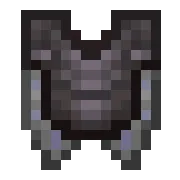
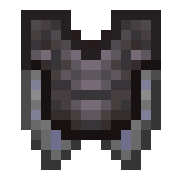
这个数据包解决了我玩 Minecraft 终局生存模式时最大的痛点之一:必须在鞘翅的实用性和胸甲的防御/自定义之间做出选择。装甲鞘翅让你能够将任何原版胸甲与鞘翅无缝融合,同时保留护甲值、耐久度、附魔以及完整的视觉自定义功能。
特性
完整的护甲属性: 将鞘翅与胸甲融合后,它会获得该胸甲的所有防御特性,包括护甲点数、韧性、耐久度和可附魔性。
无限自定义(需要资源包): 支持所有 7 种胸甲材质、18 种护甲纹饰图案、10 种纹饰材质,以及所有染色皮革长衫颜色变体,拥有独特的物品和玩家纹理。
不可摧毁设计: 就像原版鞘翅一样,装甲鞘翅在耐久耗尽时不会永久损坏。破损的装甲鞘翅会更新其自定义物品纹理以反映破损状态,以符合原版机制。
基于材质的修复: 修复现在需要与你胸甲匹配的材料(例如,钻石装甲鞘翅需要钻石来修复,而不是幻影膜)。原版鞘翅仍然使用幻影膜进行修复。
全面的附魔兼容: 兼容所有标准胸甲附魔(四种保护类变体仍然互斥)。
不使用资源包的情况
虽然强烈建议使用资源包以获得完整的视觉体验,但数据包本身可以独立运行:
如果你不想使用资源包,穿着装甲鞘翅时你的躯干部分将显示为空白/透明。所有功能性机制(护甲属性、飞行、耐久度和修复)仍会按预期工作。
使用方法
在锻造台上,将你的胸甲放入装备槽,然后将鞘翅放入增强材料槽,并将模板槽留空。输出结果将是经过修改的鞘翅,具有所用胸甲对应的标签和效果。
分离装甲鞘翅
在砂轮处,放入你想要分离成独立 armor/elytra 部件的装甲鞘翅。胸甲将保留任何护甲纹饰、染料或附魔。鞘翅将失去所有物品组件标签,包括附魔,并恢复为全新的鞘翅。
重要提示
由于技术限制,融合后无法应用护甲纹饰或升级模板。如果愿意,你可以分离部件并在稍后重新附着。确保在将胸甲与鞘翅组合之前,胸甲已完全升级为下界合金、染色并使用了护甲纹饰进行自定义。一旦融合,纹饰和模板就无法更改或应用,因此在应用任何新纹饰之前,你需要先将其分离。
安装
从下载页面下载数据包和资源包。
数据包: 将 .zip 文件放入 Minecraft 世界的 datapacks 文件夹中(saves/YourWorldName/datapacks)。如果世界已经打开,在游戏中运行 /reload。
资源包: 将资源包 .zip 文件放入 resourcepacks 文件夹,并在游戏的资源包菜单中启用它。
Armored Elytra for Minecraft Java Edition
This datapack solves one of my biggest gripes in endgame survival Minecraft: having to choose between an Elytra's utility and the defense/customization of chestplates. Armored Elytra lets you seamlessly merge any vanilla chestplate with an Elytra, keeping armor values, durability, enchantments, and full visual customization.
Features
Full Armor Stats: Merging an Elytra with a chestplate grants it all the defensive qualities of that chestplate, including armor points, toughness, durability, and enchantability.
Infinite Customization (Requires Resource Pack): Supports all 7 chestplate materials, all 18 Armor Trim Patterns, 10 Trim Materials, and all Dyed Leather Tunic color variants with unique item and player textures.
Unbreakable Design: Armored Elytras cannot permanently break when depleted, just like vanilla Elytras. Broken Armored Elytra updates its custom item texture to reflect a broken state to conform to vanilla mechanics
Material-Based Repairs: Repairs now require the material matching your chestplate (e.g., a Diamond Armored Elytra requires Diamonds to repair instead of Phantom Membranes). Vanilla Elytras still use Phantom Membranes.
Comprehensive Enchanting: Compatible with all standard chestplate enchantments (the four Protection variants remain mutually exclusive).
Using Without the Resource Pack
While the resource pack is heavily recommended for the full visual experience, the datapack is fully functional on its own:
If you don't want to use the resource pack, your torso will appear blank/invisible while wearing an Armored Elytra. All functional mechanics (armor stats, flight, durability, and repairs) will still work as intended.
How to Use
At a Smithing Table, place your chestplate into the equipment slot, then place your Elytra into the augmenting material slot and leave the template slot empty. The output will be a modified Elytra with the corresponding tags and effects of the used chestplate.
Detaching Armored Elytra
At a Grindstone, drop your Armored Elytra that you wish to separate into individual armor/elytra pieces. Chestplates will retain any Armor Trims, Dyes, or Enchantments. Elytra will lose all Item Component tags, including enchantments, and return to a fresh Elytra.
Important Notes
Due to technical limitations, you cannot apply Armor Trims or upgrade templates after merging. If you so desire, you may separate the pieces and later reattach them. Make sure your chestplate is fully upgraded to Netherite, dyed, customized with an Armor Trim before combining it with the Elytra. Trims and templates cannot be changed or applied once fused, so you will need to detach them before applying any new trims
Installation
Download both the Datapack and the Resource Pack from the download page.
Datapack: Place the .zip file into your Minecraft world's datapacks folder (saves/YourWorldName/datapacks). Run /reload in-game if the world is already open.
Resource Pack: Place the resource pack .zip file into your resourcepacks folder and enable it in your game's Resource Pack menu.
 数据包

 数据包
 数据包

 数据包

 数据包

 数据包

评论 0
登录后参与评分
还没有评论,来抢沙发吧