guikit — 游戏内 GUI 编辑器
菜单是在世界中构建的,而不是通过编写 .mcfunction 文件。
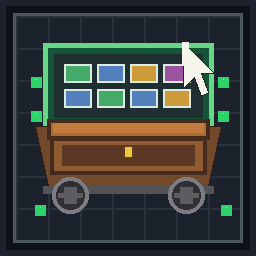
矿车中的箱子就是屏幕。左键点击即为点击操作。定义保存在
storage guikit:lib(随世界保存)并能在 /reload 后存活。
目标:Minecraft Java 26.3(min_format / max_format 121)。
底层的矿车/点击/重绘引擎是旧的 guikit 运行时。创作方式已从
#guikit:fill / #guikit:probe 框架移至编辑器。
安装
将此包放入世界的 datapacks 文件夹中并执行 /reload。
首次加载时,它会生成一个已发布的 Welcome 菜单,以便有东西可以打开。
游玩
任何人(无需管理员权限):
/trigger guikit.open
这将打开已发布菜单的列表。聊天栏会提示一次相同的命令。
加入游戏的玩家会被告知一次。
编辑(仅限操作员)
/function 需要 2 级权限,因此编辑器仅限操作员使用:
/function guikit:editor/open
/function guikit:help
- 菜单列表 —— 绿宝石用于创建菜单,书本用于打开它。
- 编辑器箱子 —— 0–25 号槽位属于菜单。右下角的书本为工具
(不属于菜单的一部分)。实际 27 格菜单的第 26 号槽位需从“工具”进入编辑第 26 号槽位。
- 手持你想要用作图标的物品,左击一个槽位,然后在对话框中选择操作。
- 工具:翻页、重命名、容器、超时、发布/隐藏、预览、删除。
预览即为真实的菜单。聊天栏会提示执行 /function guikit:editor/resume 以返回。
点击可执行的操作
| 操作 |
效果 |
| 装饰 |
仅图标,不可点击 |
| 给予手持物品 |
给予该物品,可选固定消耗(钻石/绿宝石/金/铁) |
| 消息 |
纯文本 tellraw(interpret:false) |
| 关闭 |
关闭菜单 |
| 跳转至页面 |
页面 0–8 |
| 打开另一个菜单 |
选择器,无需手动输入 ID |
| 切换 |
按玩家开启/关闭,关闭时显示灰色染料 |
| 计数器 +1 |
按玩家分数,有上限值,数值在聊天栏打印 |
| 音效 |
六种内置音效之一,仅点击者能听到 |
| 网页链接 |
聊天栏中的可点击 https 链接;菜单会关闭以便查看聊天 |
| 命令 |
存储的命令,详见下方的信任模型 |
| 点击规则 |
确认(2 秒内的第二次点击)、按玩家冷却时间(3/10/30 秒)或所需标签(vip、member、staff) |
点击规则位于槽位对话框中,在放置操作之后。Keep 保留规则原样。标签无需手动输入:操作员通过 /tag <player> add vip(或 member / staff)授予它们。一个按钮可以有多个规则。当冷却计时进行时,图标变为壁垒。
其他玩家
菜单矿车跟随其所有者。当任何其他玩家在 8 格范围内时,minecraft:interaction 实体站在矿车上(比 chests boat 或矿车更宽更高),并接管右键点击。它不能被骑乘:乘客坐在矿车上方,而 interaction 的碰撞箱仅向上扩展,因此不会遮挡点击区域。
- 其他玩家会收到“该菜单属于另一位玩家。”
- 如果所有者在有人靠近时点击,会收到“有人太近了……”。锁定状态会一直保持,直到其他玩家离开。
- 强行取出小部件也不会触发操作:每个图标都盖上了所有者的 ID 印记,并从其他人那里剥离。
- 这不会踢出已经打开的矿车。原版无法在不关闭所有者界面的情况下关闭某个玩家的箱子。被盗的图标会被删除;菜单仍会超时关闭。
容器预设:箱子、漏斗(5 个槽位)、 barrels、末影箱、锁箱、潜影盒、铜箱。
主题箱子仍然是带有不同面板和标题的 chest_minecart —— Minecraft 没有可召唤的 barrel 实体。
漏斗菜单仅有 0–4 号槽位;编辑器会将其余槽位标记为红色。
超时是指菜单保持打开的时间(15–180 秒)。编辑器本身使用较长的超时时间,以防止对话框被自动关闭。
信任模型
- 构建菜单需要
/function(操作员权限)。
- 给予/消息/音效/页面/切换/计数器 不运行任意命令。
- 命令 小部件以数据包函数权限(默认 2 级)运行,作为点击的玩家,针对任何可以打开菜单的玩家。这与按钮背后的命令方块具有相同的信任度。不要在其中放入玩家输入的文本。命令对话框本身不拒绝任何内容:不要在命令中包含撇号(
'),否则保存行将无法解析。
- 名称、消息和描述不能包含
" 或 \。对话框文本会被转义到函数调用中;函数将其作为字符串存储,随后使用 interpret:false 显示消息。
- 菜单 ID 是生成的(
m1, m2, …)。玩家从不手动输入它们。
备份/检查:
/data get storage guikit:lib
存储方式
storage guikit:lib
  order: ["m1", "m2"]
  menus.m1: {n, name, container, timer, published, pages:[{widgets:[...]}]}
guikit:reg 每次 /reload 时都会重建(这是引擎的工作)。已保存的菜单由 guikit:runtime/register 从 guikit:lib 重新注册。请勿执行 data remove storage guikit:lib。
每位玩家的编辑器状态存储在 storage guikit:ed p<pid> 中,关闭时不会清除,因此对话框可以恢复编辑器。
从命令方块打开菜单
function guikit:play/open_id {menu:"m1"}
m1 是生成的 ID(可通过 /data get storage guikit:lib order 查看)。
引擎笔记(高级)
#guikit:register, #guikit:fill, #guikit:probe, #guikit:clear_tags 和 #guikit:on_close
仍然存在且不是 replace: true,因此其他数据包仍可以添加监听器。
#guikit:on_open 是新增的:它在矿车绑定后且在第一次重绘前运行。
编辑器的 fill/probe 除非此 open 设置 guikit:ed pending,否则为空操作。
小部件助手(guikit:widget/*)是编辑器绘制时使用的。绘制的图标还存储了 own(打开者的 UID),以便剥离被盗的物品堆。
新建菜单请优先使用编辑器。手写的 #guikit:fill 数据包仍可与其并存;
请勿清除该数据包中的 guikit:lib。
点击检测仍然以“小部件物品落入背包”为准。
clear 通过 custom_data~{guikit:{w:1b}} 进行过滤,且仅在计数之后运行。
如果世界重置了所有背包,请参阅 guikit:internal/selftest —— 该 bug 从未被证实。
限制
- 未在实时 26.3 客户端中验证。加载资源包并阅读
latest.log。
mecha 不能替代;它不验证宏行。
- 编辑器槽位 26 是工具按钮。槽位 26 的存储小部件在游戏/预览中仍然显示。
- 图标为物品 ID,而非完整堆叠(不会复制手持物品的附魔)。
- 漏斗菜单:槽位 5+ 不显示。
- 命令小部件与链接会被宏展开。名称中的引号或命令中的撇号会导致保存失败,而不是注入第二个命令(原版没有命令分隔符,但损坏的宏行仍会导致保存失败)。
- 对话框按钮由玩家执行,因此需要操作员权限。这就是为什么编辑使用
/function 而游玩是通过点击箱子/触发器。
- 两名操作员编辑同一菜单:最后写入者生效。
- 驴/骡子容器仍由引擎注册并被拒绝(未更改)。
- 交互锁不能替代实时 26.3 测试。当其他人在 8 格范围内时,
F3+B 会显示防护框。
- 当防护框出现时,已经打开箱子的玩家不会被强制关闭。不要杀死马车来踢出他们;那样也会关闭所有者。
- 点击规则标签仅有
vip、member 和 staff。没有自由输入的标签。
guikit — in-game GUI editor
Menus are built in the world, not by writing .mcfunction files.
A chest minecart is the screen. Left-click is the click. Definitions live in
storage guikit:lib (saved with the world) and survive /reload.
Target: Minecraft Java 26.3 (min_format / max_format 121).
The cart / click / redraw engine underneath is the old guikit runtime. Authoring
moved off the #guikit:fill / #guikit:probe framework and into an editor.
Install
Drop this pack in the world's datapacks folder and /reload.
On first load it seeds a published Welcome menu so there is something to open.
Play
Anyone (no operator permission):
/trigger guikit.open
That opens the list of published menus. A one-time chat line suggests the same command.
Joining players are told once.
Edit (operators)
/function is permission level 2, so the editor is operator-only:
/function guikit:editor/open
/function guikit:help
- Menu list — emerald creates a menu, a book opens it.
- Editor chest — slots 0–25 are the menu. The bottom-right book is Tools
(not part of the menu). Slot 26 of a real 27-slot menu is edited from Tools → Edit slot 26.
- Hold the item you want as the icon, left-click a slot, pick an action in the dialog.
- Tools: pages, rename, container, timeout, publish / hide, preview, delete.
Preview is the real menu. Chat suggests /function guikit:editor/resume to come back.
What a click can do
| Action |
Effect |
| Decoration |
Icon only, not clickable |
| Give held item |
Gives that item, optional fixed cost (diamond / emerald / gold / iron) |
| Message |
Plain tellraw (interpret:false) |
| Close |
Closes the menu |
| Go to page |
Pages 0–8 |
| Open another menu |
Picker, no typed ids |
| Toggle |
Per-player on/off, gray dye when off |
| Counter +1 |
Per-player score, clamped, value printed in chat |
| Sound |
One of six built-in sounds, only the clicking player hears it |
| Web link |
Clickable https link in chat; the menu closes so chat is visible |
| Command |
Stored command, see trust model below |
| Click rules |
Confirm (second click within 2 seconds), per-player cooldown (3 / 10 / 30 seconds), or a required tag (vip, member, staff) |
Click rules are on the slot dialog, after the action is placed. Keep leaves a rule as it is. Tags are not typed: an operator grants them with /tag <player> add vip (or member / staff). A button can have more than one rule. While a cooldown is running the icon is a barrier.
Other players
A menu cart follows its owner. While anyone else is within 8 blocks, a minecraft:interaction stands on the cart (wider and taller than a chest boat or minecart) and takes the right-click. It is not ridden: a passenger sits above the cart, and an interaction's hitbox only grows upward, so it would not cover the click.
- The other player gets “That menu belongs to another player.”
- The owner, if they click while someone is that close, gets “Someone is too close…”. The lock stays up until the other player steps away.
- Taking a widget out anyway does not run the action: each icon is stamped with the owner's id and stripped from anyone else.
- This does not kick a cart that is already open. Vanilla cannot close one player's chest without closing the owner's too. Stolen icons are deleted; the menu still times out.
Container presets: chest, hopper (5 slots), barrel, ender chest, trapped chest, shulker box, copper chest.
Themed chests are still a chest_minecart with a different pane and title — Minecraft has no barrel entity to summon.
A hopper menu only has slots 0–4; the editor marks the rest red.
Timeout is how long the menu stays open (15–180 seconds). The editor itself uses a long timeout so a dialog does not eat it.
Trust model
- Building menus requires
/function (operator).
- Give / message / sound / page / toggle / counter do not run arbitrary commands.
- A command widget runs at datapack function permission (default 2), as the clicking player, for any player who can open the menu. Same trust as a command block behind a button. Do not put player-typed text in it. The command dialog rejects nothing by itself: do not put an apostrophe (
') in the command, or the save line will not parse.
- Names, messages and lore must not contain
" or \. Dialog text is escaped into the function call; the function stores it as a string and later shows messages with interpret:false.
- Menu ids are generated (
m1, m2, …). Players never type them.
Backup / inspect:
/data get storage guikit:lib
How it is stored
storage guikit:lib
  order: ["m1", "m2"]
  menus.m1: {n, name, container, timer, published, pages:[{widgets:[...]}]}
guikit:reg is still rebuilt every /reload (that is the engine). Saved menus are
registered again from guikit:lib by guikit:runtime/register. Do not data remove storage guikit:lib.
Per-player editor state is storage guikit:ed p<pid> and is not wiped on close, so a dialog can resume the editor.
Opening a menu from a command block
function guikit:play/open_id {menu:"m1"}
m1 is the generated id (/data get storage guikit:lib order).
Engine notes (advanced)
#guikit:register, #guikit:fill, #guikit:probe, #guikit:clear_tags and #guikit:on_close
still exist and are not replace: true, so another pack can still add a listener.
#guikit:on_open is new: it runs after the cart is bound and before the first redraw.
The editor's fill/probe no-op unless this open set guikit:ed pending.
Widget helpers (guikit:widget/*) are what the editor draws with. Drawn icons also store own (the opener's uid) so a stolen stack can be stripped.
Prefer the editor for new menus. A hand-written #guikit:fill pack still works beside it;
do not clear guikit:lib from that pack.
Click detection is still “the widget item landed in the inventory”.
clear is filtered by custom_data~{guikit:{w:1b}} and only runs after a count.
See guikit:internal/selftest if a world wipes inventories — that bug was never proven.
Limits
- Not verified in a live 26.3 client. Load the pack and read
latest.log.
mecha is not a substitute; it does not validate macro lines.
- Editor slot 26 is the Tools button. The stored widget for slot 26 still shows in play / preview.
- Icons are item ids, not full stacks (no enchantments copied off the held item).
- Hopper menus: slots 5+ are not shown.
- Command widgets and links are macro-expanded. Quotes in a name, or an apostrophe in a command, fail that save instead of injecting a second command (vanilla has no command separator, but a broken macro line is still a failed save).
- Dialog buttons run as the player, so they need operator permission. That is why editing is
/function and playing is a chest click / trigger.
- Two operators editing the same menu: last write wins.
- Donkey / mule containers are still registered by the engine and still refused (unchanged).
- The interaction lock is not a substitute for a live 26.3 test.
F3+B shows the guard box while someone else is within 8 blocks.
- A player who already has the chest open when the guard appears is not force-closed. Do not kill the cart to kick them; that closes the owner as well.
- Click-rule tags are only
vip, member, and staff. There is no free-typed tag.

 数据包

 数据包
 数据包

 数据包
 数据包

 数据包

评论 0
登录后参与评分
还没有评论,来抢沙发吧