


SinglePlayer Library 是一个轻量级的实用工具库,专为数据包和模组设计,旨在帮助开发者在无需为项目创建单独版本的情况下,支持单人游戏环境。它提供了一种简单的方法来检测并启用仅适用于单人游戏的特性或设置,使那些通常需要手动配置或使用命令的项目能够为单人玩家提供流畅的体验。

- 极致轻量:极低的性能开销,专为最大化性能而设计。
- 易于集成:无需复杂的设置即可为数据包和模组添加单人游戏支持。
- 极速运行:经过优化,以最低的影响高效运行。
- 对开发者友好:作为可复用的基础架构,便于其他项目基于此开发。
- 原生支持单人游戏:提供单人游戏支持,无需手动进行权限设置。
- 多版本兼容:支持多个 Minecraft 版本,同时保持简单的集成方式。

SinglePlayer Library 使用标签(Tags)来提供一种简单的方法,让项目能够检测和处理单人游戏环境。
该库会每隔 1 秒检查一次玩家,以尽可能降低对性能的影响。与每秒运行 20 次的正常 Minecraft 刻(tick)函数不同,SinglePlayer Library 仅每秒执行一次检查,从而提供一个轻量且稳定的系统。

使用 splib_active 来运行仅在单人世界中生效的特性或设置。
请注意,以下代码只有在函数被执行时才会运行。命名空间 my_pack 不会由数据包或模组自动创建,你需要自行实现并构建其结构。
check.mcfunction
execute unless entity @s[tag=splib_active] run function my_pack:tellraw_missing_library
execute if entity @s[tag=splib_active] run function my_pack:singleplayer_settings
use_feature.mcfunction
execute if entity @s[tag=splib_active] run function my_pack:feature/run
execute unless entity @s[tag=splib_active] run function my_pack:feature/blocked
other.mcfunction
execute unless entity @s[tag=splib_active] run function my_pack:performance/low_mode

支持哪些 Minecraft 版本?
SinglePlayer Library 支持 Minecraft Java Edition **1.17 到 1.21+** 版本。
这会添加任何游戏玩法特性吗?
不会。SinglePlayer Library 是一个开发者实用工具库,本身不添加任何游戏玩法特性。它为其他项目提供了用于实现单人游戏特定特性和设置的基础。
我可以在付费项目中使用该库吗?
可以。允许开发者将此库用于产生收益的项目。
但是,该库本身必须保持免费,不得出售、设置付费墙或作为付费产品重新分发。
玩家需要安装它吗?
只有在使用该库的项目需要时才需要安装。否则,它本身不会产生任何影响。
我可以修改或重新分发该库吗?
你可以将其作为依赖项在你的项目中使用,但不得重新上传、出售、作为独立产品重新分发,或声称这是你自己的作品。

数据包(单人游戏 / 服务器)
- 下载数据包。
- 将其放入你世界的
datapacks 文件夹中。
- 退出并重新进入世界。在 YouTube 上搜索如何安装数据包 ↗
- 提示:使用
/datapack list 和 tag <targets> list 验证是否已正确安装。

模组版本(客户端 / 服务器)
- 将模组文件安装到
mods 文件夹中。
- 使用兼容的加载器启动游戏或服务器。
- 无需额外设置。在 YouTube 上搜索如何安装模组 ↗
- 提示:如果安装正确,它将会出现在 mod menu 中。
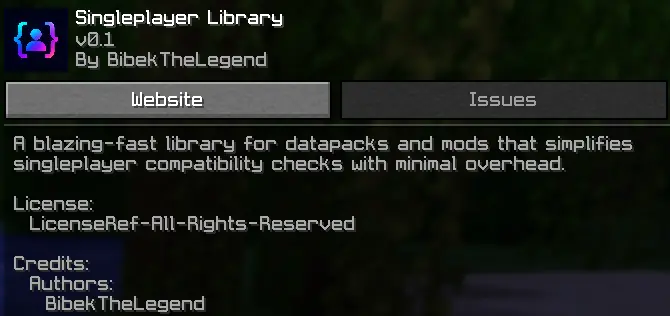
SinglePlayer Library is a lightweight utility library for datapacks and mods that helps developers support singleplayer environments without creating separate versions of their projects.
It provides a simple way to detect and enable singleplayer-specific features or settings, allowing projects that normally require manual setup or commands to work smoothly for singleplayer users.
- Ultra Lightweight : Minimal overhead designed for maximum performance.
- Easy Integration : Add singleplayer support to datapacks and mods without complex setup.
- Blazing Fast : Optimized to run efficiently with minimal impact.
- Developer Friendly : Built as a reusable foundation for other projects.
- Singleplayer Ready : Provides singleplayer support without requiring manual permission setup.
- Multi Version Support : Supports multiple Minecraft versions while keeping the same simple integration.
SinglePlayer Library uses tags to provide a simple way for projects to detect and handle singleplayer environments.
The library checks players at a 1-second interval to keep performance impact as low as possible. Unlike normal Minecraft tick functions that run 20 times per second, SinglePlayer Library only performs its check once per second, providing a lightweight and stable system.
-
splib_active
Indicates that the player has been detected by SinglePlayer Library and is running in a supported singleplayer environment. Projects can use this tag to enable singleplayer-specific features or settings.
-
splib_ignore
This tag is intended for developers and server owners. Players with this tag will be excluded from SinglePlayer Library handling, preventing splib_active from being automatically added.
Use splib_active to run features or settings that should only apply in singleplayer worlds.
Keep in mind that the code below does not run until the function is executed. The namespace my_pack is not automatically created by a datapack or mod you must implement and structure it yourself.
check.mcfunction
execute unless entity @s[tag=splib_active] run function my_pack:tellraw_missing_library
execute if entity @s[tag=splib_active] run function my_pack:singleplayer_settings
use_feature.mcfunction
execute if entity @s[tag=splib_active] run function my_pack:feature/run
execute unless entity @s[tag=splib_active] run function my_pack:feature/blocked
other.mcfunction
execute unless entity @s[tag=splib_active] run function my_pack:performance/low_mode
What Minecraft versions are supported?
SinglePlayer Library supports Minecraft Java Edition versions from **1.17 to 1.21+**.
Does this add any gameplay features?
No. SinglePlayer Library is a developer utility and does not add gameplay features by itself. It provides a foundation that other projects can use for singleplayer-specific features and settings.
Can I use it in monetized projects?
Yes. Developers are allowed to use this library in projects that generate revenue.
However, the library itself must remain free and cannot be sold, paywalled, or redistributed as a paid product.
Is it required for players to install?
Only if a project using it requires the library. Otherwise, it has no effect on its own.
Can I modify or redistribute the library?
You may use it as a dependency in your projects, but you may not reupload, sell, redistribute it as a standalone product, or claim it as your own.
Datapack (Singleplayer / Server)
- Download the datapack.
- Place it in your world's datapacks folder.
- Exit and rejoin the world. Search on youtube how to install datapack ↗
- Tip: Use
/datapack list and tag <targets> list to verify that it is installed correctly.
Mod Version (Client / Server)
- Install the mod file into your
mods folder.
- Launch the game or server with a compatible mod loader.
- No additional setup required. Search on youtube how to install mod ↗
- Tip: It will appear in the mod menu if installed correctly.



 数据包
 数据包
 数据包
 数据包

 数据包

 数据包

评论 0
登录后参与评分
还没有评论,来抢沙发吧