
Skull [Portable]
在生存模式中获取并自定义玩家头颅!
?安装方法
选择下载纯数据包版本还是模组版本,并按照相应步骤操作。
数据包
- 1) 下载数据包
- 2) 选择要安装数据包的存档世界,并进入其 "datapacks" 文件夹
- 3) 将下载的数据包文件(Skull [Portable])复制到此文件夹中
- 4) 加入该世界并运行
/reload命令
模组
- 1) 下载模组
- 2) 进入你的
mods文件夹(原版启动器的路径为.minecraft/mods) - 3) 将下载的 .jar 文件(Skull [Portable])放入此文件夹
- 4) 加入该世界并运行
/reload命令
?功能说明
Skull [Portable] 允许你仅使用书与笔来制作和自定义玩家头颅。
如何制作和自定义玩家头颅
?制作空白玩家头颅
一个空白玩家头颅可以使用以下任意一种材料进行合成:
|
?使用纹理值自定义玩家头颅
- 1) 前往 Minecraft Heads
- 2) 选择一个头颅并打开其对应页面;然后,滚动至
For Developers部分并复制value字段的值 - 3) 将复制的
value粘贴到书与笔中 - 4) 在副手中持有相应数量的玩家头颅
- 5) 在主手中持有包含该
value的书 - 6) 交换手持物品以自定义该头颅(默认交换手持物品的按键为
F)
?使用玩家名称自定义玩家头颅
- 1) 在书与笔上书写该玩家的名称
- 2) 在副手中持有相应数量的玩家头颅
- 3) 在主手中持有已签署的书
- 4) 交换手持物品以自定义该头颅(默认交换手持物品的按键为
F)
YouTube 展示视频
设置
重新加载后,你可以通过点击 [Config] 按钮或运行以下命令来访问设置 -> /function skull_portable:config
设置菜单包括以下内容:
- [玩家头颅] 使用后替换已签署的书:(默认为
True) - [自定义头颅] 使用后清除书页内容:(默认为
True)
?如何卸载
数据包
要卸载该数据包,请运行命令 /function skull_portable:uninstall。当卸载过程完成后,聊天栏中将发送一条确认消息。
模组
要卸载模组版本,你需要运行 /function skull_portable:uninstall 命令。然后关闭游戏,并从 .minecraft/mods 文件夹中移除 jar 文件。
?外部链接
Skull [Portable]
Obtain and Customize Player Heads in Survival!
?How to Install
Choose if you want to download the pure Data Pack version or the Mod version and follow the steps accordingly.
Data Pack
- 1) Download the Datapack
- 2) Chose the world you want to install the Data Pack in and navigate to its "datapacks" folder
- 3) Copy the downloaded Data Pack file (Skull [Portable]) into this folder
- 4) Join the world and run
/reloadcommand
Mod
- 1) Download the Mod
- 2) Navigate to your
modsfolder (for the vanilla launcher the path is.minecraft/mods - 3) Put the downloaded .jar file (Skull [Portable]) into this folder
- 4) Join the world and run
/reloadcommand
?Features
Skull [Portable] allow you to Craft and Customize player heads using just a Book and Quill.
How to craft and customize a Player Head
?Craft a Blank Player Head
A Blank Player Head can be crafted using any of the following materials:
|
?Customize a Player Head using a texture value
- 1) Head over Minecraft Heads
- 2) Choose a head and open its relative page; Then, scroll to the
For Developersand copy thevaluefield - 3) Paste the copied
valuein a Book and Quill - 4) Hold the desired number of player heads in your off-hand
- 5) Hold the book with the
valuein your main-hand - 6) Swap hands to customize the head (Default key to swap hands is
F)
?Customize a Player Head using a player name
- 1) Sign a Book and Quill with the name of the player
- 2) Hold the desired number of player heads in your off-hand
- 3) Hold the signed book in your main-hand
- 4) Swap hands to customize the head (Default key to swap hands is
F)
YouTube Showcase
Settings
You can access the settings upon reloading by clicking on the [Config] button or by running the following command -> /function skull_portable:config
The settings menu includes the following:
- [Player head] Replace signed book after use: (defaults to
True) - [Custom Head] Erase book pages after use: (defaults to
True)
?How to Uninstall
Data Pack
To uninstall the Data Pack run the command /function skull_portable:uninstall. When the uninstallation process is completed a confirmation message will be sent in the chat.
Mod
To uninstall the Mod version you need to run /function skull_portable:uninstall command. Then you close the game and remove the jar file from your .minecraft/mods folder.
?External links

下载 Skull [Portable]
需要联机服务器吗?
稳定流畅、一键部署,几分钟即可和朋友联机开服
最低仅需 8 元/月 即可畅快联机
下载 Skull [Portable]
下载 Skull [Portable]
需要联机服务器吗?
稳定流畅、一键部署,几分钟即可和朋友联机开服
最低仅需 8 元/月 即可畅快联机
下载 Skull [Portable]
下载 Skull [Portable]
需要联机服务器吗?
稳定流畅、一键部署,几分钟即可和朋友联机开服
最低仅需 8 元/月 即可畅快联机
下载 Skull [Portable]
需要联机服务器吗?
稳定流畅、一键部署,几分钟即可和朋友联机开服
最低仅需 8 元/月 即可畅快联机
下载 Skull [Portable]
需要联机服务器吗?
稳定流畅、一键部署,几分钟即可和朋友联机开服
最低仅需 8 元/月 即可畅快联机
下载 Skull [Portable]
下载 Skull [Portable]
需要联机服务器吗?
稳定流畅、一键部署,几分钟即可和朋友联机开服
最低仅需 8 元/月 即可畅快联机
下载 Skull [Portable]
1.3.4 版本,适用于 Minecraft 26.3
? 通用
- 已更新至 26.3
关于这个资源的讨论、问题反馈与使用心得
还没有讨论,来发第一帖吧
你是这个资源的作者?登录后可认领此资源。
相似资源
 数据包

此数据包添加了属于阿瓦里海盗的独特结构,将他们的独特风格带入你的 Minecraft 世界!兼容性:1.20 至 26.3
 数据包

为下界添加了名为“贝尔泽布城堡”的新闻结构,以及新的 Boss、新工具、新物品、新敌人和新音乐唱片!
 数据包

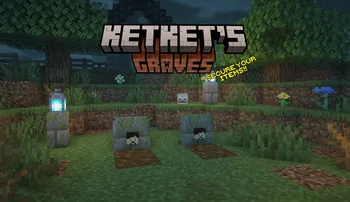
这个数据包会在玩家死亡时生成一个坟墓,安全地保存他们的物品。无需担心丢失,随时取回你的财物!
 数据包

数据包:逐体素雕刻自定义 3D 南瓜!
 数据包

扩展、调整并平衡流浪商人。包含新物品和 200+ 交易,以及可调整的生成率
 数据包

用于制作发光方块的数据包
评论 0
登录后参与评分
还没有评论,来抢沙发吧