Way(More)Points 以一种对原版较为友好的方式,为 Minecraft 添加了 超过 500 万 个自定义航点。将指南针投掷到测向仪上即可在世界中的该位置标记航点,然后你可以按需染色并自定义图标!

创建/移除航点
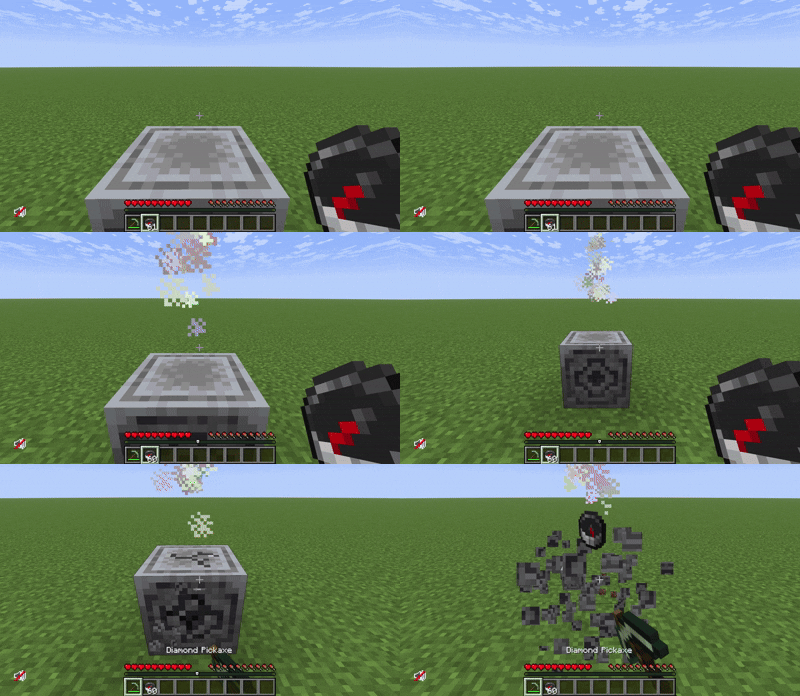
将指南针投掷在测向仪上方即可创建测向仪航点。如果你不再需要该位置的航点,只需破坏测向仪即可。
航点颜色
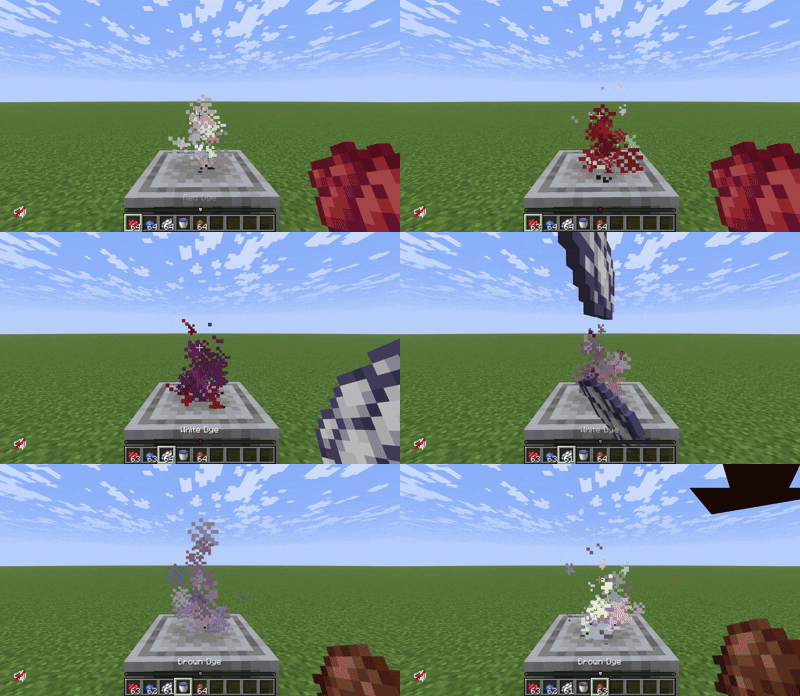
Way(More)Points 允许你像给皮革盔甲染色一样为航点染色,这意味着你的航点可以拥有超过 500 万种颜色之一!由于染色皮革盔甲的代码已使用命令重写,你可以使用任何在线皮革颜色计算器来选择航点的颜色。更改测向仪航点的颜色非常简单:只需将染料投掷到 激活状态的测向仪 上,观察颜色混合即可!不喜欢你调出的颜色?只需向测向仪投掷一个水桶即可清除其颜色。
航点图标
Way(More)Points 新增了 11 种图标,以帮助识别不同类型的航点。玩家航点仍使用原版的方形图标,但你的测向仪航点将使用其中一种新图标。更改航点图标就像将物品投掷到 激活状态的测向仪 上一样简单。
“图钉”图标
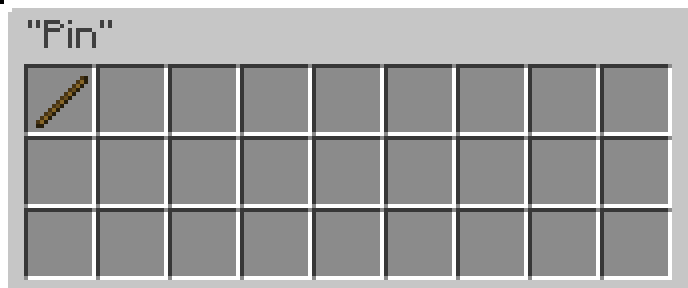
这是测向仪航点的默认图标。你可以使用木棍将测向仪航点恢复为“图钉”图标。

“家”图标
你可以使用任意门将测向仪航点设置为“家”图标。


“传送门”图标
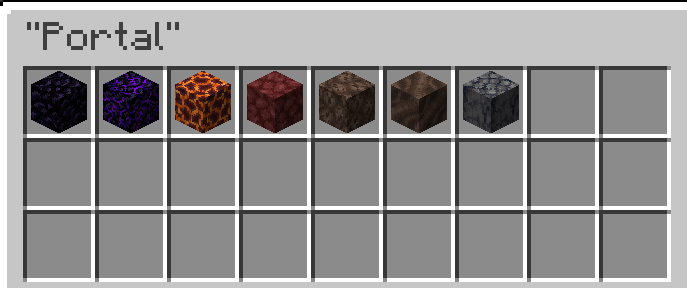
你可以使用黑曜石、哭泣的黑曜石、岩浆块、下界岩、灵魂沙、灵魂土或玄武岩将测向仪航点设置为“传送门”图标。

“要塞”图标
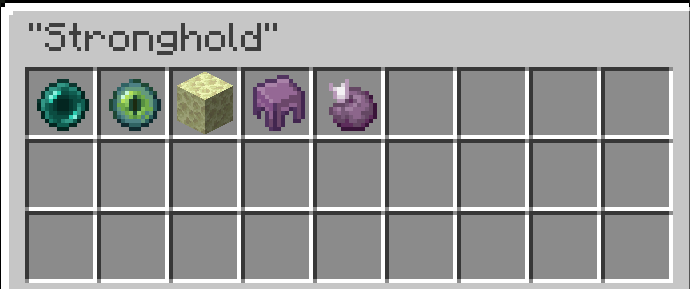
你可以使用末影珍珠、末影之眼、末地石、潜影贝壳或紫颂果将测向仪航点设置为“要塞”图标。

“心形”图标
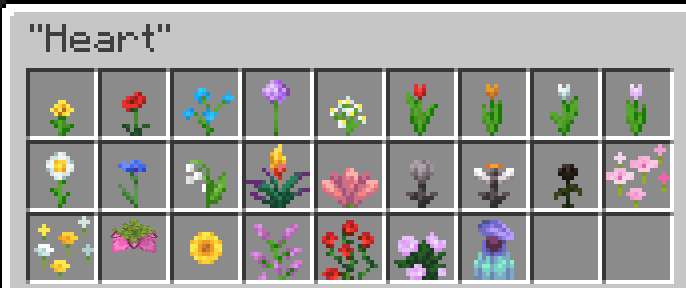
你可以使用任意花朵将测向仪航点设置为“心形”图标。

“山峰”图标
你可以使用石头、深板岩、花岗岩、闪长岩、安山岩、方解石、凝灰岩、滴水石、黑石、圆石或深板岩圆石将测向仪航点设置为“山峰”图标。


“镐子”图标
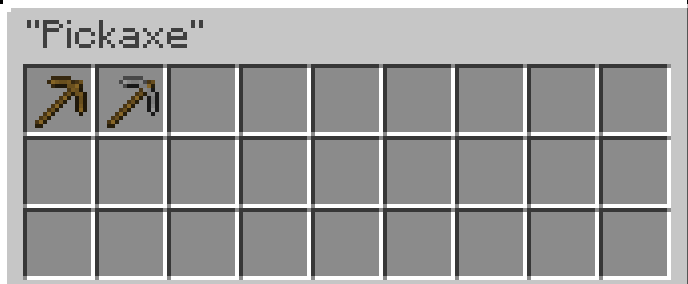
你可以使用木镐或石镐将测向仪航点设置为“镐子”图标。

“剑”图标
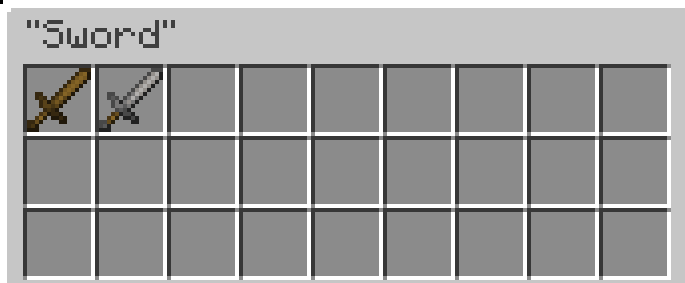
你可以使用木剑或石剑将测向仪航点设置为“剑”图标。

“生物”图标
你可以使用骨头、羽毛、线、皮革、兔皮、墨囊、发光墨囊、龟甲、犰狳鳞甲、粘液球、火药、腐肉或蜘蛛眼将测向仪航点设置为“生物”图标。


“树木”图标
你可以使用任意主世界树苗将测向仪航点设置为“树木”图标。


“食物”图标
你可以使用苹果、西瓜片、甜浆果、发光浆果、小麦、胡萝卜、马铃薯、有毒马铃薯、甜菜根、面包、任何生肉或任何作物种子将测向仪航点设置为“食物”图标。


注意事项
破坏已激活的导向针时,你只会获得导向针和指南针的掉落物。染料或图标修改器不会掉落。
Way(More)Points adds over 5 million new custom waypoints to Minecraft in a vanilla-friendly(ish) way. Throw a compass on a lodestone to mark its position in your world on the waypoint bar, then dye and customize the icon to your liking!
Creating/Removing Waypoints
Lodestone waypoints can be created by throwing a compass on top of a lodestone. If you no longer want a waypoint at that location, just break the lodestone.
Waypoint Colors
Way(More)Points lets you dye waypoints just like leather armor, meaning your waypoints can be any of over 5 million colors! The code for dyeing leather armor was rewritten with commands, meaning you can use any online leather color calculator to pick your waypoint color. Changing the color of a lodestone waypoint is easy: just throw dyes onto an activated lodestone and watch the colors combine! Don't like the color you created? Just throw a water bucket onto the lodestone to clear its colors.
Waypoint Icons
Way(More)Points adds 11 new icons to help identify different types of waypoints. Player waypoints still use the vanilla square icon, but your lodestone waypoints will use one of the new icons. Changing the icon of your waypoint is as easy as throwing an item onto an activated lodestone.
"Pin" Icon
This is the default icon for lodestone waypoints. You can revert your lodestone waypoint to the "pin" icon with a stick.
"Home" Icon
You can set your lodestone waypoint to the "home" icon using any door.
"Portal" Icon
You can set your lodestone waypoint to the "portal" icon using obsidian, crying obsidian, magma, netherrack, soul sand, soul soil, or basalt.
"Stronghold" Icon
You can set your lodestone waypoint to the "stronghold" icon using an ender pearl, eye of ender, endstone, shulker shell, or chorus fruit.
"Heart" Icon
You can set your lodestone waypoint to the "heart" icon using any flower.
"Mountain" Icon
You can set your lodestone waypoint to the "mountain" icon using stone, deepslate, granite, diorite, andesite, calcite, tuff, dripstone, blackstone, cobblestone, or cobbled deepslate.
"Pickaxe" Icon
You can set your lodestone waypoint to the "pickaxe" icon using a wooden or stone pickaxe.
"Sword" Icon
You can set your lodestone waypoint to the "sword" icon using a wooden or stone sword.
"Mob" Icon
You can set your lodestone waypoint to the "mob" icon using a bone, feather, string, leather, rabbit hide, ink sac, glow ink sac, turtle scute, armadillo scute, slime ball, gunpowder, rotten flesh, or spider eye.
"Tree" Icon
You can set your lodestone waypoint to the "tree" icon using any overworld sapling.
"Food" Icon
You can set your lodestone waypoint to the "food" icon using an apple, watermelon slice, sweet berry, glow berry, wheat, carrot, potato, poisonous potato, beetroot, bread, any raw meat, or any crop seed.
Notes
Upon breaking an activated lodestone, you will only get the lodestone and compass back. None of the dyes or icon modifiers are dropped.


 数据包

 数据包
 数据包

 数据包

 数据包

 数据包

评论 0
登录后参与评分
还没有评论,来抢沙发吧