欢迎来到Amethyst Valley,这是一款精心打造的自定义 Minecraft 世界,专为热爱探索、建造和壮丽景观的玩家设计。
该地图坐落在一个巨大的陨石坑状地形中,拥有广阔的平坦平原,非常适合大型建筑、生存基地或自定义冒险场景。山谷被宏伟且发光的山脉完全环绕,这些山脉在夜晚熠熠生辉,营造出一种原版游戏中从未有过的魔幻氛围。
主要特色:
-
令人惊叹的紫晶山脉:一条雄伟连绵的山脉环绕整个山谷,日夜景色各异,从任何角度都能提供绝美的背景。
-
生机勃勃的植物与自定义树木:探索一片茂密的神秘森林,这里遍布自定义的垂坠式紫藤树、发光灯笼以及深紫色和蓝色的花海。
-
震撼人心的夜景:体验真正充满魔力的夜晚,绚丽的极光横跨星空,非常适合电影级摄影和沉浸式游戏体验。
-
巨大的陨石坑地形:从空中俯瞰,可以领略山谷的真正规模,展现出完美的碗状陨石坑地形,将你的世界与周围生成的世界隔离开来。
-
对建筑师友好的地形:山谷中心拥有广阔、开阔的绿色平原和平坦表面,无需大量地形改造即可轻松建造 sprawling 城市、城堡或生存家园。
规格与安装
安装方法:
-
从“文件”选项卡下载世界 zip 文件。
-
将文件夹解压到 Minecraft saves 目录中。
-
启动 Minecraft,选择单人游戏,然后在Amethyst Valley中开启你的旅程!
如果你喜欢这张地图,请留言、点赞,并欢迎分享你在山谷中的建筑截图!
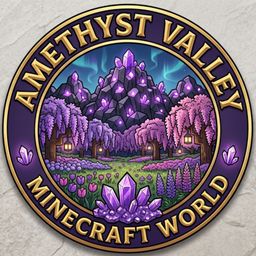
Welcome to Amethyst Valley, a meticulously crafted custom Minecraft world designed for players who love exploration, building, and stunning landscapes.
Nestled within a massive crater-like formation, this map features an expansive, flat plain ideal for mega-builds, survival bases, or custom adventure setups. The valley is completely encircled by magnificent, glowing mountain ranges that come alive at night, creating a magical atmosphere unlike anything in the vanilla game.
Key Features:
-
Stunning Amethyst Mountains: A majestic, continuous mountain range that encircles the entire valley, beautifully illuminated both day and night to provide a scenic backdrop from any angle.
-
Vibrant Flora & Custom Trees: Explore a dense, mystical forest filled with custom drooping wisteria-like trees, glowing lanterns, and fields of deep purple and blue flowers.
-
Breathtaking Nightscapes: Experience a truly magical night with a vibrant aurora borealis stretching across the starry sky, perfect for cinematic photography and immersive gameplay.
-
Massive Crater Topography: An aerial view reveals the true scale of the valley, showcasing a perfect bowl-shaped crater terrain that isolates your world from the rest of the generation.
-
Builder-Friendly Terrain: The heart of the valley offers vast, open green fields with flat surfaces, making it incredibly easy to start sprawling cities, castles, or survival homes without heavy terraforming.
Specifications & Installation
How to Install:
-
Download the world zip file from the Files tab.
-
Extract the folder into your Minecraft saves directory.
-
Launch Minecraft, select Singleplayer, and embark on your journey in Amethyst Valley!
If you love the map, please leave a comment, give it a like, and feel free to share screenshots of your builds in the valley!
评论 0
登录后参与评分
还没有评论,来抢沙发吧