Winter Fair
圣诞节服务器出生点与节日冬季大厅

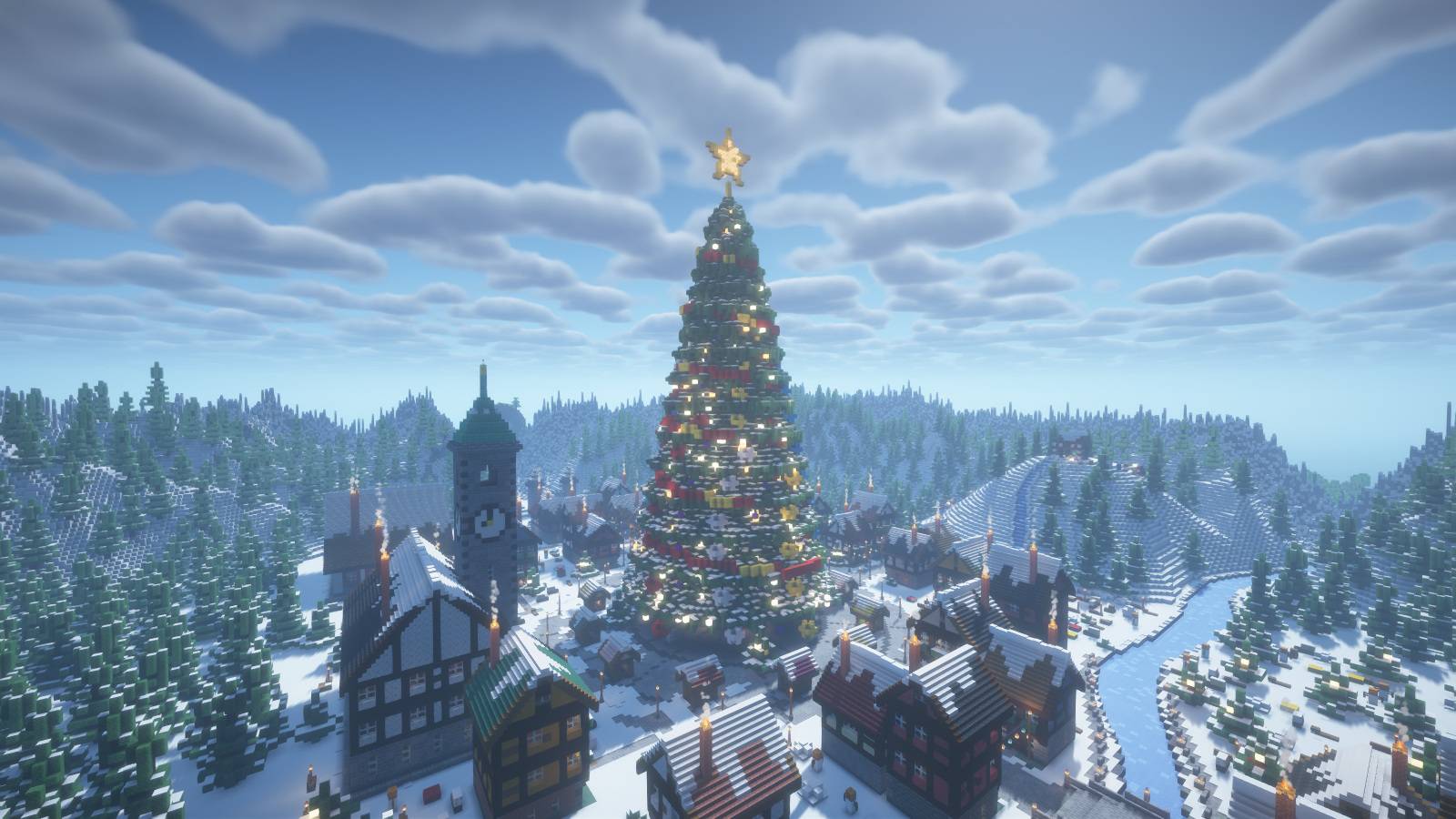
抵达一座被白雪覆盖的火车站,沿着主街走向一棵巨大的装饰圣诞树。中央广场周围环绕着木筋墙房屋、市场摊位和温暖的灯光,将村庄变成了一个节日聚会场所。
探索集市
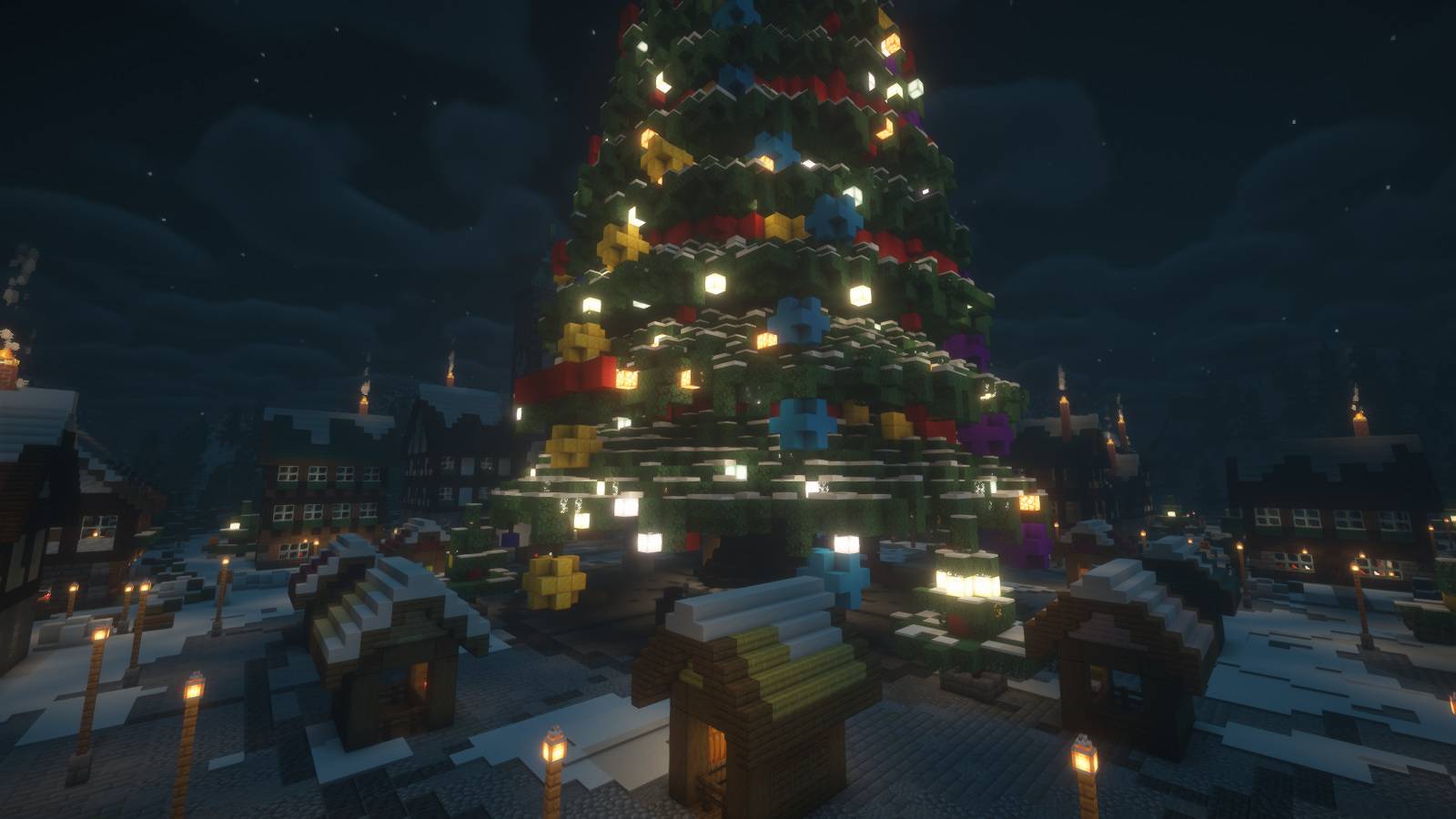
- 一棵带有发光星形顶饰、装饰品和礼物的巨大圣诞树
- 一个设有节日摊位的圆形市场广场
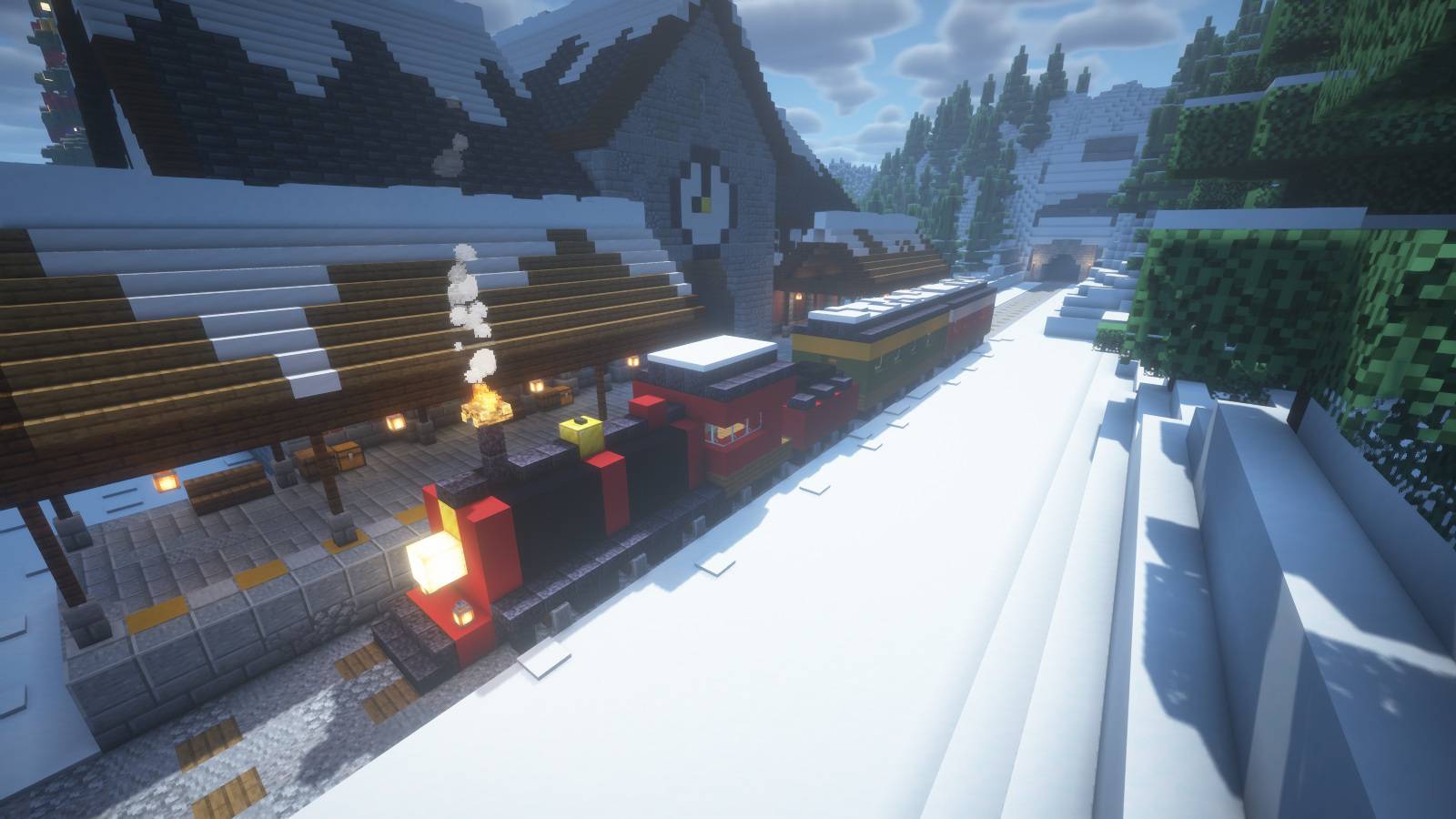
- 一座火车站、机车和乘客车厢
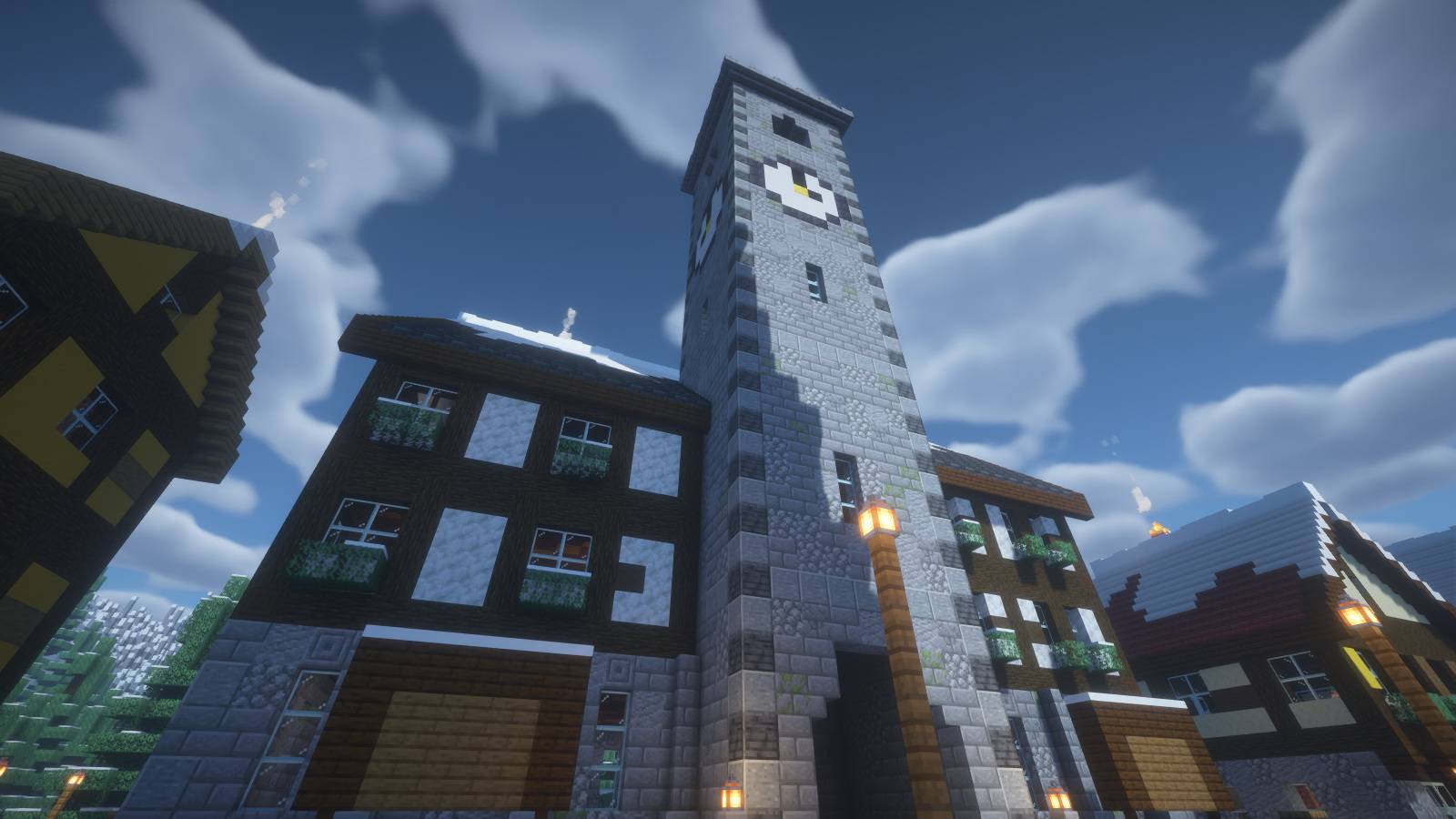
- 一座带有时钟塔的城市大厅
- 玩具工坊和细节丰富的雪景街道
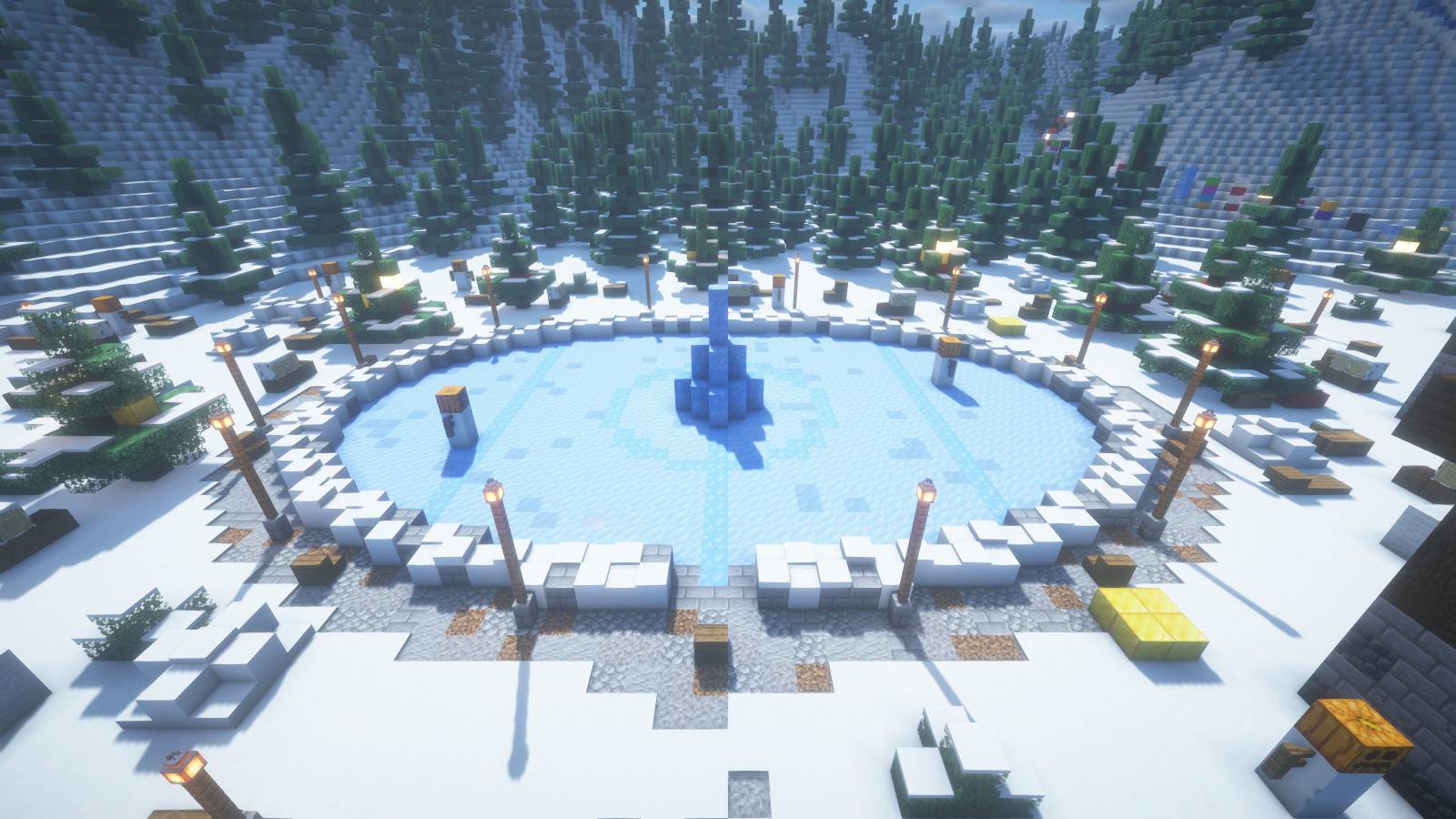
- 溜冰场、结冰的河流和桥梁
- 雪橇山坡以及通往山顶小屋的跑酷路线
乘火车抵达
钟楼与村庄街道
溜冰场与雪景环境
夜幕降临后的节日灯光
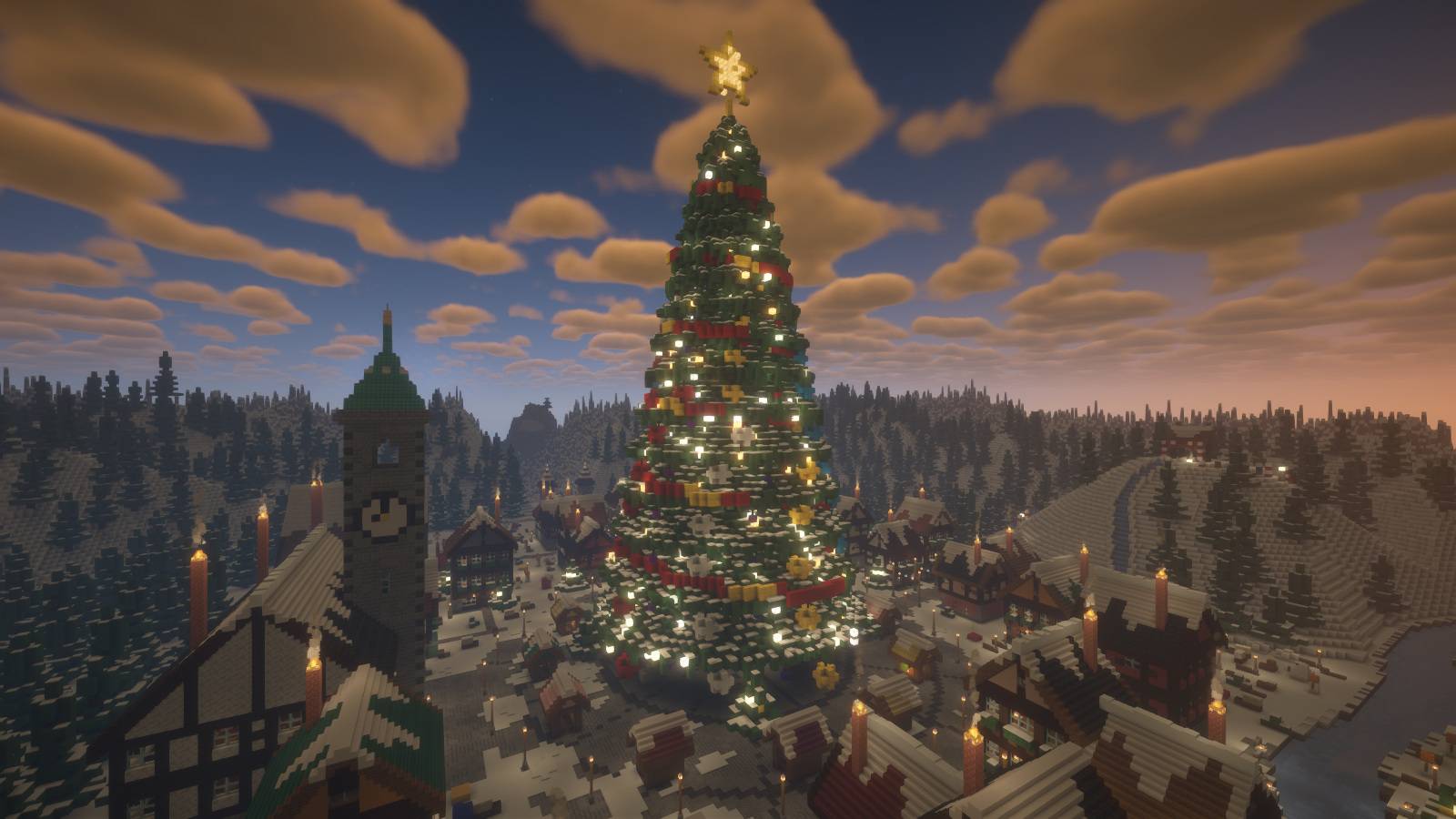
专为季节性服务器打造
可将 Winter Fair 用作圣诞节出生点、节日大厅、冬季活动枢纽或节日建筑世界。布局中包含用于模式 NPC、商人、箱子、排行榜、挂机区和倒计时全息投影的装饰地点。这些仅为建筑位置:插件、NPC、传送门、商店、倒计时和小游戏逻辑均未预配置。
下载内容包含
- 即开即用的 Java 版世界存档
- 可选的 400 x 140 x 400 方块 Litematica 结构图
- 安装说明及服务器槽位坐标指南
安装方法
解压压缩包,将 Winter Fair 文件夹放入你的 Minecraft saves(存档)文件夹中。在 Java Edition 1.21.4 中打开即可。该世界以创造模式开始,无需任何模组。
对于可选的 .litematic 文件,请在兼容的 Java 客户端上使用 Litematica。将结构图原点放置在世界的 Y=51 处,使其结冰河流与海平面 Y=62 对齐。
随附的世界已将结构图原点置于 (96, 51, 96)。指南中的槽位坐标均相对于此原点计算。这是一个自定义出生点区域,并非完整的生存服务器或预配置的小游戏。
截图
使用 Minecraft Java Edition 拍摄,并可选搭配 BSL 光影。光影不包含在内,也不是打开世界所必需的。
Winter Fair
Christmas server spawn & festive winter lobby

Arrive at a snowy railway station and follow the main street toward a giant decorated Christmas tree. Around the central square, timber-framed houses, market stalls and warm lights turn the village into a holiday gathering place.
Explore the fair
- A giant Christmas tree with a glowing star, decorations and presents
- A circular market square with festive stalls
- A railway station, locomotive and passenger carriages
- A town hall with a clock tower
- A toy workshop and detailed snowy village streets
- An ice rink, frozen river and bridge
- A snowy sled hill and a parkour route toward the summit hut
Arrive by train

Clock tower and village streets

Ice rink and snowy surroundings

Holiday lights after dark


Built for seasonal servers
Use Winter Fair as a Christmas spawn, holiday lobby, winter event hub or a festive building world. The layout includes decorated locations for mode NPCs, traders, crates, leaderboards, an AFK area and a countdown hologram. These are building locations: plugins, NPCs, portals, shops, countdowns and minigame logic are not preconfigured.
Included in the download
- Ready-to-open Java Edition world
- Optional 400 x 140 x 400 block Litematica schematic
- Installation instructions and a server-slot coordinate guide
Installation
Extract the archive and place the Winter Fair folder in your Minecraft saves folder. Open it in Java Edition 1.21.4. The world starts in Creative mode and requires no mods.
For the optional .litematic, use Litematica on a compatible Java client. Place the schematic origin at world Y=51 to align its frozen river with sea level Y=62.
The included world places the schematic origin at (96, 51, 96). Slot coordinates in the guide are relative to that origin. This is a custom spawn area, not a complete survival server or preconfigured minigame.
Screenshots
Captured in Minecraft Java Edition with optional BSL shaders. Shaders are not included or required to open the world.
评论 0
登录后参与评分
还没有评论,来抢沙发吧