
本模组添加了由 IC2 能量系统(EU)驱动的力场。
要开始使用,你需要一个力场核心(Forcefield Core)。将核心连接到电源。注意:1 EU = 10 forcepower。
接下来你需要一个投影仪(Projector)。有多种类型的投影仪,每种都会生成不同形状的力场。激活或停用投影仪后会有冷却时间,在此期间无法再次激活或停用,以防止滥用。
投影仪
所有类型的投影仪都需要一个投影仪基座。你可以通过用强化石合成来“编程”图案:
- 区域投影仪(Area projector),会在投影仪中心创建一个立方体或球形力场。
- 管道投影仪(Tube projector),会创建管状力场,从投影仪向一个或两个方向延伸。你可以使用扳手来改变投影仪的朝向。
- 平板投影仪(Plate projector,以前称为 deflector),会在投影仪前方一定距离处创建平面力场。使用扳手来改变投影仪的朝向。
- 线性投影仪(Line projector,以前称为 directional projector)——默认情况下它只能在其前方创建线状力场,但你可以在线性投影仪旁边放置线性投影仪扩展器,使其在该方向投射平面力场。
- 反应堆 containment field 投影仪——参见核反应堆部分。
链接
好了,你现在有了一个力场核心和某种投影仪。接下来做什么?
首先,你需要制作一张空白卡。然后将卡片放入力场核心中以编码该核心的频率。你可以立即取出它。或者,只需使用空白卡右键点击核心即可对其进行编码。
将已编码的卡片放入投影仪中,以将投影仪与核心链接(通过 GUI 或右键点击)。如果核心有足够的能量,你可以对投影仪施加红石信号来激活它。
升级
所有升级都可以对角相邻地放置在投影仪旁——它们不需要有面直接接触投影仪:
- 伪装升级(Camouflage upgrade)——将其放置在投影仪旁边,可以使来自该投影仪的力场看起来像另一个方块。注意:目前仅支持某些原版方块。
- 方块切割升级(Block cutter upgrade)——将其放置在投影仪旁边,该投影仪将能够破坏挡在力场路径中的方块。适用于所有投影仪。
- 圆顶升级(Dome upgrade)——使区域或管道投影仪仅创建其力场的上半部分(半球、半立方体或半管)。仅适用于区域和管道投影仪。
- 范围升级(Range upgrade)——允许投影仪离其链接的核心更远。仅适用于力场核心。
- 存储升级(Storage upgrade)——允许力场核心存储更多能量。仅适用于力场核心。
- 水下升级(Underwater upgrade)——如果在管道或区域投影仪上使用,当投影仪开启时,投影仪内的水和熔岩方块将被摧毁。仅适用于管道和区域投影仪。
- 电击升级(Zapper upgrade)——使力场变红并伤害接触它的实体。它还会破坏船只。
- 抑制器升级(Inhibitor upgrade)——防止在其他具有抑制器的核心激活之后出现的来自不同核心的力场出现在其附加的力场内部。仅适用于区域投影仪。
核反应堆
将一个 reactor containment field 投影仪放置在距反应堆一个方块的位置(即投影仪和反应堆之间有一个方块的间隙;允许其接触腔室),或直接放在零腔室反应堆旁边。当它收到红石信号时,它将在反应堆周围创建一个 3x3x3 或 5x5x5 的力场。如果你被困在力场中,你可以通过打破这个方块出来。
在 GUI 中有一个名为 “reactorwatercool” 的选项。如果设置为 true,则在力场激活时内部会有水,但这会增加额外的能量消耗。
如果反应堆超过其最大热量的 75%,投影仪应自动激活,并像安装了方块切割升级一样破坏力场路径中的方块,以 containment 任何爆炸。这在 1.2.5 版本中已知有效,但在 1.3.2 的反应堆大修中未经测试。
反应堆连接器可以放置在反应堆力场的墙壁上,接触反应堆或腔室,以传导红石信号和电力穿过力场。它们是防爆的。
MFD
使用 MFD 右键点击力场投影仪的任何一侧,即可沿该侧的方向移动力场(例如,点击顶部使其向下移动)。Shift+右键点击则沿相反方向移动。力场开启时无法移动。
栅栏
这些源自旧模组 DeFence:
- 链式栅栏通常是不可破坏的,但可以使用切割工具瞬间破坏。
- 带刺铁丝网栅栏类似于蛛网和仙人掌——减缓玩家速度并造成伤害。
密码门
密码门也来自 DeFence。
使用 GUI 设置 1 到 4 位数的访问代码。任何知道访问代码的人都可以打开门。如果你没有放置这扇门,你就无法破坏它,除非它处于开启状态或者你在创造模式。
(原始模组由 immibis 制作。原始描述来自 IC2 论坛)
存档通知
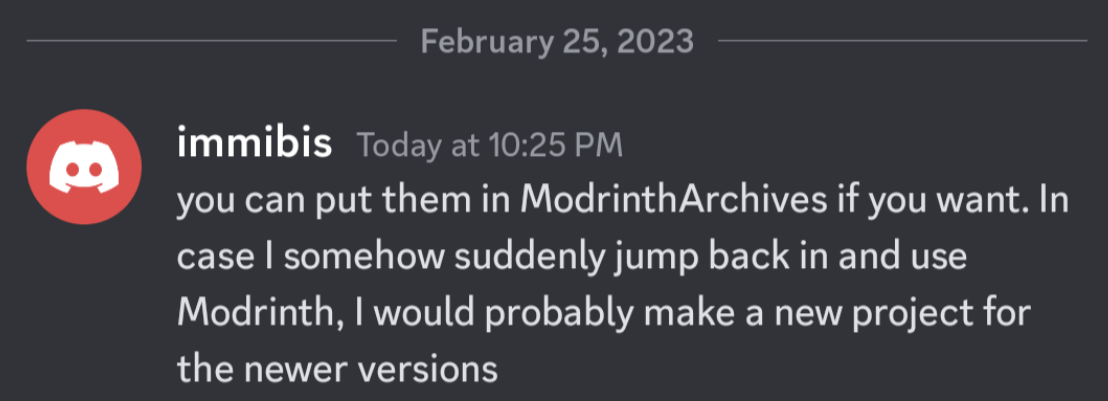
此模组已被弃用,上传仅为存档目的。它最初由 immibis 创建。经原作者许可,已上传至 Modrinth 上的 ModrinthArchives 账户。
This mod adds forcefields powered by IC2's energy system - EU.
To get started with this, you will need a Forcefield Core. Connect the core to a source of power. Note that 1 EU = 10 forcepower.
Now you need a projector. There are several types of projectors, and each of them create a differently shaped forcefield. There is a cooldown time after activating or deactivating a projector in which it may not be activated or deactivated again, to prevent spam.
Projectors
All of the types of projectors require a projector base. You "program" it with a pattern by crafting it with reinforced stone:
- Area projector, which creates either a cube or a sphere centred on the projector.
- Tube projector, which creates a tube-shaped forcefield, extending in one or both directions from the projector. You can use a wrench to change the direction the projector faces.
- Plate projector (previously called a deflector), which creates a flat forcefield some distance in front of the projector. Use a wrench to change the direction the projector faces.
- Line projector (previously called a directional projector) - by default it can only create a forcefield in a line in front of it, but you can place line projector extenders next to it to make it project a flat forcefield in that direction.
- Reactor containment field projector - see the Nuclear Reactors section.
Linking
Okay, so you've got a forcefield core and a projector of some sort. Now what?
First, you need to craft a blank card. Then place the card in the forcefield core to code it with that core's frequency. You can remove it immediately. Alternatively, simply right click the core with a blank card to encode it.
Place the coded card in the projector to link the projector to the core (either via the GUI or by right clicking). You can then apply a redstone signal to the projector to activate it, if the core has enough power.
Upgrades
All upgrades can be placed diagonally adjacent to projectors - they don't need to have a face touching the projector:
- Camouflage upgrade - by placing one next to a projector, you can make the forcefield from that projector look like another block. Note: Only certain vanilla blocks are currently supported.
- Block cutter upgrade - by placing one next to a projector, that projector will be able to break blocks if they're in the way of the forcefield. Works on all projectors.
- Dome upgrade - makes an area or tube projector only create the upper half of its forcefield (a half-sphere, half-cube or half-tube). Only works on area and tube projectors.
- Range upgrade - allows projectors to be placed further from their linked core. Only works on forcefield cores.
- Storage upgrade - allows forcefield cores to store more energy. Only works on forcefield cores.
- Underwater upgrade - if used on a tube or area projector, water and lava blocks inside the projector will be destroyed when the projector is turned on.Only works on tube and area projectors.
- Zapper upgrade - makes the forcefield turn red and hurt entities that touch it. It also breaks boats.
- Inhibitor upgrade - prevents fields from different cores which are activated after the one with the inhibitor from appearing inside the field it's attached to. Only works on area projectors.
Nuclear Reactors
Place a reactor containment field projector one block away from a reactor (so there is a one-block gap between the projector and the reactor; it is acceptable to have it touching a chamber), or directly next to a zero-chamber reactor. When it gets a redstone signal, it will create a 3x3x3 or 5x5x5 forcefield around the reactor. If you manage to get yourself stuck in the forcefield, you can get out by breaking this block.
In the GUI is an option called "reactorwatercool." If set to true, there will be water inside the forcefield when it is active, for an extra energy cost.
If the reactor exceeds 75% of its maximum heat, the projector should automatically activate and will destroy blocks in the way of the forcefield, as if you had a block cutter upgrade, to contain any explosion. This is known to work in 1.2.5, but untested with the reactor overhaul in 1.3.2.
Reactor connectors can be placed in the wall of a reactor field, touching the reactor or a chamber, to conduct redstone signals and electricity through the forcefield. They are explosion-proof.
MFD
Right click any side of a force field projector with an MFD to move the field in the direction of that side (For example, click the top to move it down). Shift-click to move in the opposite direction. You cannot move forcefields while they are on.
Fences
These are from the old mod DeFence:
- Chain link fences are indestructible normally, but can be broken instantly with cutters.
- Barbed wire fences act like webs and cacti - slowing the player down and hurting them.
Code Doors
Code doors are also from DeFence.
Use the GUI to set a 1 to 4 digit access code. Anyone who knows the access code can open the door. If you didn't place the door, you can't break it, unless it's open or you're in creative.
(Original mod by immibis. Original description from the IC2 forums)
Archival notice
This mod is abandoned and has been uploaded for archival purposes. It was originally created by immibis. It has been uploaded to Modrinth under the ModrinthArchives account with permission from the original author.

下载 Advanced Repulsion Systems
下载 Advanced Repulsion Systems
下载 Advanced Repulsion Systems
下载 Advanced Repulsion Systems
下载 Advanced Repulsion Systems
下载 Advanced Repulsion Systems
下载 Advanced Repulsion Systems
下载 Advanced Repulsion Systems
下载 Advanced Repulsion Systems
下载 Advanced Repulsion Systems
暂无更新日志
关于这个资源的讨论、问题反馈与使用心得
还没有讨论,来发第一帖吧
你是这个资源的作者?登录后可认领此资源。
相似资源
 模组

一个用于收集生物掉落物的多区块模组。
 模组
AE2:一款流行的自动化与存储模组
 模组

基于 GTCEu 1.12.2 的现代 GregTech
 模组

让你能够在世界中的任何位置定位结构。
 模组
高科技机械、强大的能量生成、炫酷的小工具以及更多内容。现已登陆 Modrinth!
 模组

一款轻量级模组,允许服务器管理员对抗透视作弊者。
评论 0
登录后参与评分
还没有评论,来抢沙发吧