AdventureBlocks StationAPI for Minecraft Beta 1.7.3
适用于 b1.7.3 的冒险方块!障碍与特殊效果!
障碍方块
障碍方块的合成配方为:2 个灵魂沙、1 个石质压力板以及所需障碍方块颜色的染料。
(注意:青色、玉色和靛蓝色障碍方块需要使用特殊物品合成:钻石、史莱姆球以及无法获取的下界传送门)
- 障碍方块 = 普通基岩不可见方块(这是唯一无法合成的障碍方块)
- 青色、玉色和靛蓝色障碍方块 = 各自拥有独立的按键切换阻挡状态
- 青色默认开启阻挡
- 玉色默认关闭阻挡
- 靛蓝色默认关闭阻挡
- 红色障碍方块 = 阻挡一切(可通过红石信号切换为灰色障碍)
- 灰色障碍方块 = 不阻挡任何内容(可通过红石信号切换为红色障碍)
- 橙色障碍方块 = 锁定状态下进行阻挡
- 使用钥匙光环全局切换锁定/解锁状态
- [不可合成] 使用“打开效果方块”全局解锁
- [不可合成] 使用“关闭效果方块”全局锁定
- 黄色障碍方块 = 白天进行阻挡
- 蓝色障碍方块 = 夜间进行阻挡
- 淡蓝色障碍方块 = 下雨时进行阻挡
- 淡灰色障碍方块 = 雷暴天气时进行阻挡
- 粉色障碍方块 = 阻挡被动型生物
- 绿色障碍方块 = 阻挡怪物型生物
- 紫色障碍方块 = 阻挡非玩家生物
- 青色障碍方块 = 仅阻挡玩家
- 黄绿色障碍方块 = 仅在玩家未潜行时阻挡玩家
- 洋红色障碍方块 = 阻挡未处于着火状态的实体
- 棕色障碍方块 = 阻挡掉落物方块
- 白色障碍方块 = 阻挡活体实体
- 黑色障碍方块 = 阻挡非活体实体
光环方块
- 光环 = 仅用于合成配方的道具(黑曜石周围放置4个黄色染料)
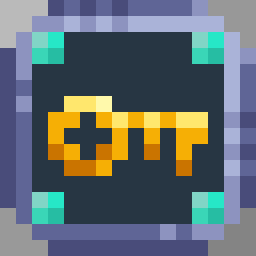
- 钥匙光环 = 切换橙色障碍方块的锁定状态(一次性消耗品,可通过光环和金锭合成)
效果方块
所有方块仅在实体碰撞时激活
- 打开效果方块:禁用橙色障碍方块的碰撞判定
- 关闭效果方块:启用橙色障碍方块的碰撞判定
- 加速效果方块:在方块内移动时增加速度
- 减速效果方块:在方块内移动时降低速度
- 冻结效果方块:定期将水源变为冰源,将熔岩源变为黑曜石,并移除流动液体(5x5 立方体区域)
- 融化效果方块:定期将冰变为水源,将黑曜石变为熔岩源方块(5x5 立方体区域)
- 通电效果方块:定期点燃下界岩,点燃熔炉,并将红石火把变为普通火把(5x5 立方体区域)
- 断电效果方块:定期熄灭火焰和熔炉,并将普通火把变为未点亮的红石火把(5x5 立方体区域)
- 陷阱效果方块:定期引燃 TNT,播放音符盒声音,将蜘蛛网变为双层台阶,将双层台阶变为蜘蛛网(5x5 立方体区域)
- 堆积效果方块:召唤一个掉落物方块
- 粒子效果方块:在方块位置定期生成单个粒子
- 环绕效果方块:在方块位置周围定期生成粒子
- 死亡效果方块:瞬间杀死接触它的任何活体实体
- 治疗效果方块:将接触它的任何活体实体完全恢复生命值
- 护甲效果方块:穿过该方块的玩家若有空余护甲槽位,将获得全套锁链护甲
- 剑效果方块:穿过该方块的玩家若空余快捷栏槽位,将获得一把金剑
- 箱子效果方块:强制打开箱子界面并充当末影箱(此方块的所有箱子库存相互链接)
- 告示牌效果方块:显示可编辑的告示牌(在玩家实体碰撞时触发)
- Boss 效果方块:在玩家 10 格范围内生成一只巨人
- 只有玩家和掉落物方块可以触发召唤
- 玩家一次只能召唤一只巨人,且世界上的其他巨人会在召唤时被移除
- 掉落物方块可以召唤更多巨人,但请注意这通常会导致严重的卡顿
- 掉落物方块生成的巨人位置并非随机,而是精确出现在 Boss 效果方块的位置,这与玩家召唤不同
- 世界效果方块:将世界重生点设置为该方块位置(在玩家实体碰撞时触发)
使用 Prism Launcher 安装
- 下载 Babric 的 Prism Launcher 实例:
- 安装 Java 17 并将实例设置为使用该版本:
- 将 GlassConfigAPI 3.0.2+ 添加到实例的 mods 文件夹:
- 将 Glass Networking 添加到实例的 mods 文件夹:
- 将 StationAPI 添加到实例的 mods 文件夹:
- 将 ZastavkaAPI 添加到实例的 mods 文件夹:
- (可选)将 Mod Menu 添加到实例的 mods 文件夹:
- 将此模组添加到实例的 mods 文件夹:
- 运行并享受吧!?
反馈
有什么建议想要添加的内容吗?欢迎通过创建 Issue 分享。懂编程并想自己动手实现?请查看下方如何开始。
贡献
感谢考虑做出贡献!要开始操作,请先 Fork 此仓库,进行修改,然后提交 PR。
如果你是 StationAPI 的新手,建议观看以下关于 Babric/StationAPI Minecraft 模组开发的视频:
AdventureBlocks StationAPI for Minecraft Beta 1.7.3
Adventure blocks for b1.7.3! Barriers and Special Effects!
- Requires Zastavka API (used to check entity collisions)
- Mod works on Multiplayer with GlassConfigAPI version 3.0+ used to sync configs!
Barrier Blocks
Crafting recipes for barrier blocks is two soul sand, stone pressure plate, and dye color of desired barrier block
(Note that Aqua, Jade, and Indigo use special items to craft: diamonds, slime, and unobtainable nether portal)
- Barrier Block = Normal Bedrock Invisible Block (This is the only uncraftable barrier block)
- Aqua, Jade, and Indigo Barrier Blocks = Blocking is toggled for each with their own hotkey
- Aqua default blocking
- Jade default non-blocking
- Indigo default non-blocking
- (Also makes nether portal sounds on player collision occasionally)
- Red Barrier Block = Blocks everything (toggled to gray barrier via redstone)
- Gray Barrier Block = Blocks nothing (toggled to red barrier via redstone)
- Orange Barrier Block = Blocks when locked
- Use Key Orb to toggle locked/unlocked globally
- [Not Craftable] Use "Open Effect Block" to unlock globally
- [Not Craftable] Use "Close Effect Block" to lock globally
- Yellow Barrier Block = Blocks during the day
- Blue Barrier Block = Blocks at night
- Light Blue Barrier Block = Blocks during the rain
- Light Gray Barrier Block = Blocks during thunderstorms
- Pink Barrier Block = Blocks passive mobs
- Green Barrier Block = Blocks monster mobs
- Purple Barrier Block = Blocks non-player mobs
- Cyan Barrier Block = Blocks players only
- Lime Barrier Block = Blocks players only when they are not sneaking
- Magenta Barrier Block = Blocks entities that are not on fire
- Brown Barrier Block = Blocks falling blocks
- (This includes sand, gravel, and primed TNT)
- White Barrier Block = Blocks living entities
- Black Barrier Block = Blocks non-living entities
Orb Blocks
- Orb = Does nothing used in crafting recipes (four yellow dye around an obsidian block)
- Key Orb = Toggles orange barrier blocks (one time use, craftable via orb and gold ingot)
Effect Blocks
All blocks activate only on collision with an entity
- Open Effect Block, disables orange barrier block collision
- Close Effect Block, enables orange barrier block collision
- Accelerate Effect Block, increases speed while within block if moving
- Decelerate Effect Block, decreases speed while within block if moving
- Freeze Effect Block, periodically changes water source to ice and lava source to obsidian and removes flowing liquid (5x5 cube)
- Melt Effect Block, periodically changes ice to water source and obsidian to lava source blocks (5x5 cube)
- On Effect Block, periodically lights netherrack on fire, lights furnaces, and changes redstone torches to regular torches (5x5 cube)
- Off Effect Block, periodically puts out fires, furnaces, and changes regular torches to unlit redstone torches (5x5 cube)
- Trap Effect Block, periodically ignites TNT, plays note blocks, changes cobwebs to double slabs, and double slabs to cobwebs (5x5 cube)
- Pile Effect Block, summons a falling block
- Particle Effect Block, periodically summons a single particle at block location
- Surround Effect Block, periodically summons particles around a block location
- Death Effect Block, instantly kills any living entity that touches it
- Heal Effect Block, heals any living entity that touches it to full health
- Armor Effect Block, equips any player that walks through it with a full set of chain-mail armor for any empty armor slots
- Sword Effect Block, sets the selected hotbar slot of any player that walks through it to a gold sword if the slot is empty
- Chest Effect Block, forces chest screen open and acts as an ender chest (chest inventories are all linked for this block)
- Sign Effect Block, displays editable sign (on player entity collision)
- Boss Effect Block, spawns a giant within 10 blocks of the player
- Only players and falling blocks can trigger the summon
- Players can only summon one giant at a time and all other giants in the world will be removed upon summon
- Falling blocks can summon more giants, but be warned this tends to cause massive lag
- Falling block giant summon spawn position is not random and will occur exactly at location of boss effect block unlike player summons
- World Effect Block, sets world spawn to block location (on player entity collision)
Installation using Prism Launcher
- Download an instance of Babric for Prism Launcher:
- Install Java 17 and set the instance to use it:
- Add GlassConfigAPI 3.0.2+ to the mod folder for the instance:
- Add Glass Networking to the mod folder for the instance:
- Add StationAPI to the mod folder for the instance:
- Add ZastavkaAPI to the mod folder for the instance:
- (Optional) Add Mod Menu to the mod folder for the instance:
- Add this mod to the mod folder for the instance:
- Run and enjoy! ?
Feedback
Got any suggestions on what should be added next? Feel free to share it by creating an issue. Know how to code and want to do it yourself? Then look below on how to get started.
Contributing
Thanks for considering contributing! To get started fork this repository, make your changes, and create a PR.
If you are new to StationAPI consider watching the following videos on Babric/StationAPI Minecraft modding:

 模组

 模组
 模组

 模组
 模组
 模组
评论 0
登录后参与评分
还没有评论,来抢沙发吧