
Auto 1e-7 Stepping
一款小型实用模组,使 1e-7 步进机制更易于使用
如果你不知道什么是 1e-7 步进,这里有一个快速(且不一定最准确)的解释,帮助你理解该机制的基本原理:
|
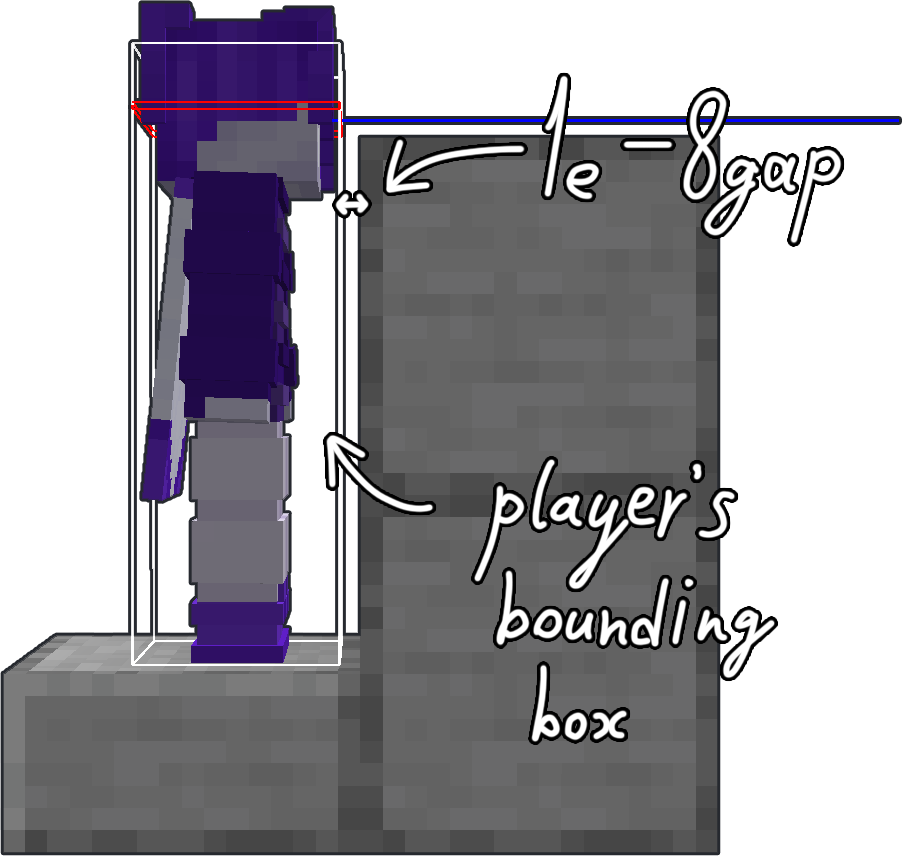
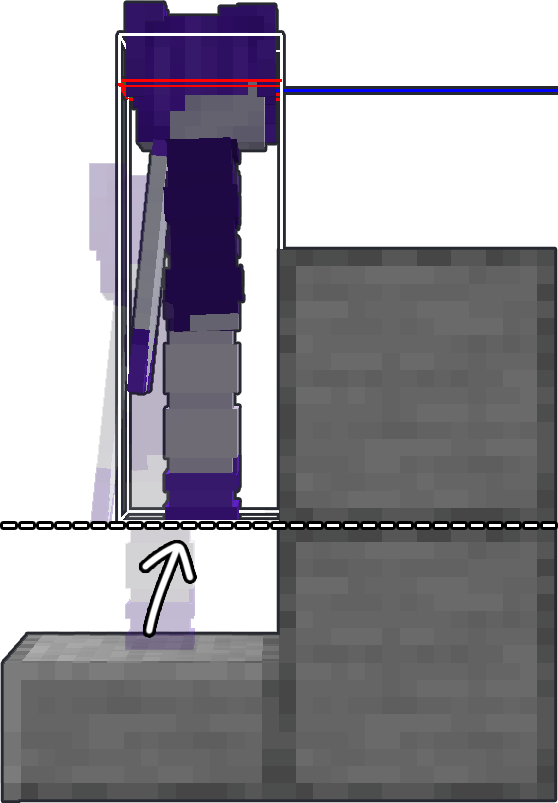
如果你沿任何轴移动的距离小于硬编码值 1e-7(即 0.0000001),则该移动会被取消。这就引出了碰撞检测。当你即将与方块发生碰撞时——Minecraft 不会让你这样做,而是将你的位置设置在方块边缘附近,使得你与该方块的距离约为 1e-8。然后游戏会对移动向量进行平方运算,如果结果小于 1e-7,则移动被取消。
你可以在这里找到关于此机制工作原理的更详细解释(*点击*)。 |
|
注意
本模组需要安装 Fabric API 和 Yet Another Config Lib 才能正常工作!
使用方法
要定位自身,你必须先撞向墙壁。
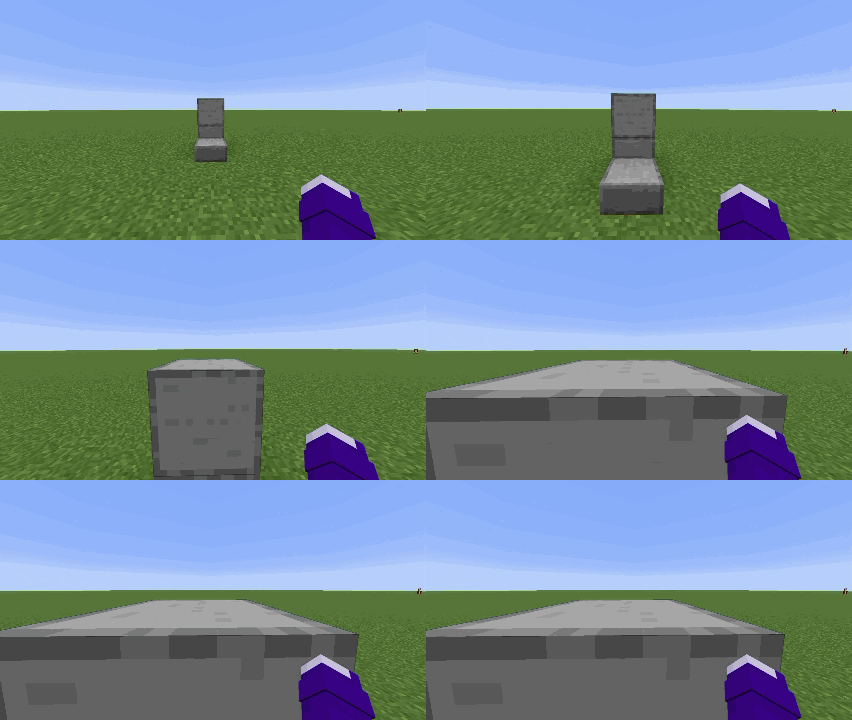
然后按下定位键
默认按键绑定为 "O"
或者运行命令
/auto1e7 positioning
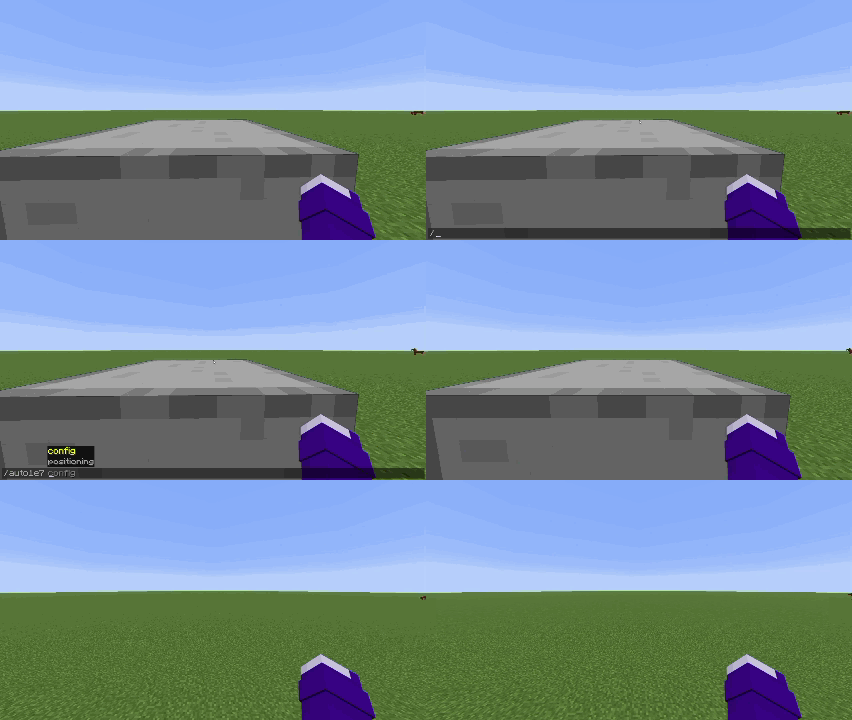
|
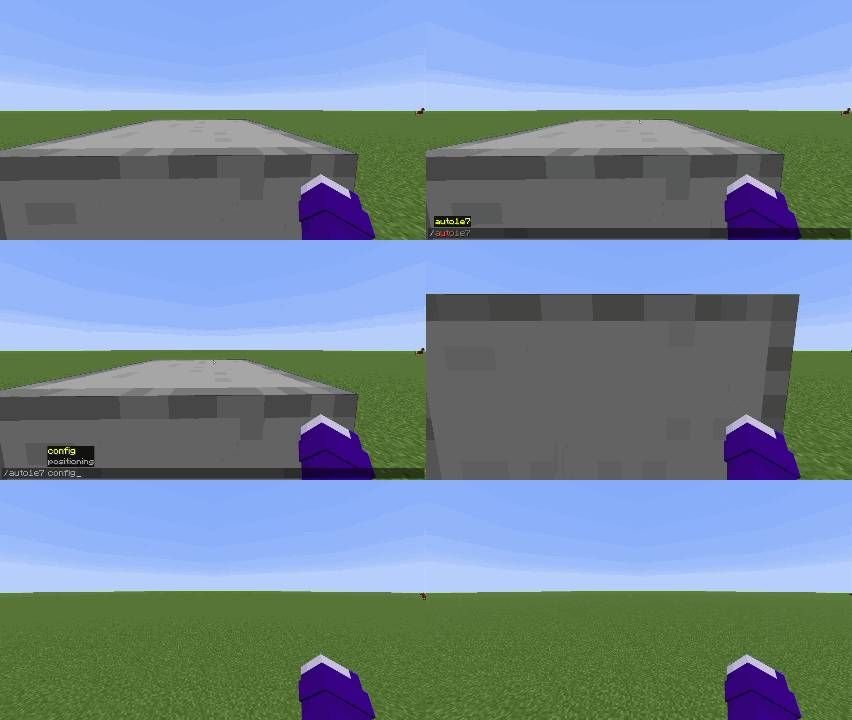
|
| 第一种定位模式 | 第二种定位模式 |
你有两种定位模式:
- 数据包模式(向服务器发送包含所需精确位置的数据包)
- 脚本模式(执行一系列玩家可手动执行的操作,但速度稍快)
你可以通过在 ModMenu 选项卡中打开配置界面,或使用以下命令来切换定位模式:
/auto1e7 config
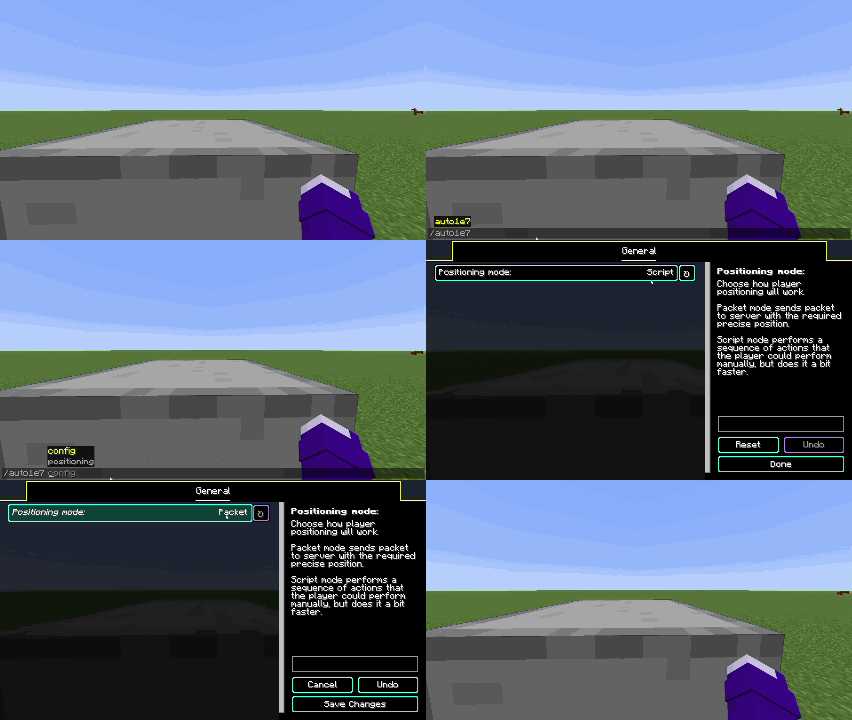
支持的语言
- 英语
- 俄语(可能不完全准确)
- 简体中文(可能不完全准确)
如果你想帮助翻译本模组——你可以在 Discord 上联系我 scany_alt
如果发现 bug——请在 GitHub Issues 页面 报告
Auto 1e-7 Stepping
Little utility mod to make 1e-7 stepping mechanics easier to use
If you don't know what 1e-7 stepping is, here's quick (and not the most accurate) explanation to understand the basic principals of this mechanic:
|
If you move along any axis less than the hardcoded value of 1e-7 (or 0.0000001) — the movement gets canceled. This brings us to the collision checks. When you're about to collide with a block — Minecraft doesn't let you do it and sets your position next to the edge of a block so the distance to it is about 1e-8. Then the game squares the movement vector and if the result is less than 1e-7 — movement gets canceled.
Here you can find more detailed explanation of how this mechanics works (*click*). |
|
ATTENTION
This mod requires Fabric API and Yet Another Config Lib to work correctly!
HOW TO USE
To position yourself you have to hit a wall first.
Then press positioning key
By default keybind is set to "O"
Or run the command
/auto1e7 positioning
|
|
|
| First positioning mode | Second positioning mode |
You have two positioning modes:
- Packet (sends packet on server with exact position you need to be moved)
- Script (performs series of actions that player can perform manually, but does it a bit faster)
You can switch between positioning modes by opening the config screen in modmenu tab or by using the command
/auto1e7 config
Languages supported
- English
- Russian (may be not 100% accurate)
- Simplified Chinese (may be not 100% accurate)
If you want to help with mod translation — you can contact me on discord scany_alt
If you found a bug — please report it on GitHub's Issues page

下载 Auto 1e-7 Stepping
下载 Auto 1e-7 Stepping
下载 Auto 1e-7 Stepping
需要联机服务器吗?
稳定流畅、一键部署,几分钟即可和朋友联机开服
最低仅需 8 元/月 即可畅快联机
下载 Auto 1e-7 Stepping
需要联机服务器吗?
稳定流畅、一键部署,几分钟即可和朋友联机开服
最低仅需 8 元/月 即可畅快联机
下载 Auto 1e-7 Stepping
需要联机服务器吗?
稳定流畅、一键部署,几分钟即可和朋友联机开服
最低仅需 8 元/月 即可畅快联机
下载 Auto 1e-7 Stepping
需要联机服务器吗?
稳定流畅、一键部署,几分钟即可和朋友联机开服
最低仅需 8 元/月 即可畅快联机
下载 Auto 1e-7 Stepping
需要联机服务器吗?
稳定流畅、一键部署,几分钟即可和朋友联机开服
最低仅需 8 元/月 即可畅快联机
下载 Auto 1e-7 Stepping
需要联机服务器吗?
稳定流畅、一键部署,几分钟即可和朋友联机开服
最低仅需 8 元/月 即可畅快联机
下载 Auto 1e-7 Stepping
需要联机服务器吗?
稳定流畅、一键部署,几分钟即可和朋友联机开服
最低仅需 8 元/月 即可畅快联机
下载 Auto 1e-7 Stepping
需要联机服务器吗?
稳定流畅、一键部署,几分钟即可和朋友联机开服
最低仅需 8 元/月 即可畅快联机
移植到 26.3
关于这个资源的讨论、问题反馈与使用心得
还没有讨论,来发第一帖吧
你是这个资源的作者?登录后可认领此资源。
相似资源
 模组

显示你正在注视的方块的信息。(适用于 Minecraft 1.16+ 的 Hwyla/Waila 分支)
 模组
在游戏画面角落显示附近世界地形、玩家、生物和实体的地图。可创建路径点,帮助你找到标记过的位置。
 模组

查看物品与配方
 模组
使用 JavaScript 编辑配方、添加自定义物品、编写世界事件!
 模组
AE2:一款流行的自动化与存储模组
 模组
那是什么?一个 Waila/Hwyla 的分支。
评论 0
登录后参与评分
还没有评论,来抢沙发吧