AutoReconnect [1.20.1][Fabric][客户端]
描述
此模组会在你断开连接时自动尝试重新连接回服务器。
默认情况下,它将在 3、10、30 和 60 秒后进行 4 次尝试。
免责声明: 使用风险自负。在多人服务器/领域中使用此模组时,建议先咨询管理员是否允许使用该模组。
功能
通用:
- 断开连接屏幕上有一个额外的按钮,无需返回主菜单即可直接重连
- 可通过 Mod Menu 进行配置
AutoReconnect:
- 断开连接后自动重连
- 多次尝试
- 每次尝试之间可设置单独的延迟时间
- 无限次尝试(可选,重复最后一次尝试)
- 仍支持手动重连
- 显示倒计时并可取消
- 适用于服务器、领域甚至单人游戏
AutoMessage:
- 重连后自动发送消息/命令,例如加入特定大厅或打招呼
(不会在手动(重)连时触发)
- 消息之间以及第一条消息之前的延迟
- 为每个服务器、领域或单人世界配置消息(详情见下文)
额外功能:
要求/安装/设置
此模组适用于 Fabric,并需要 Fabric API、ClothConfig 和 Mod Menu。
- 如果你还没有设置 Fabric 配置文件,请下载并安装 Fabric,并根据喜好设置配置文件
- 下载以下模组并将它们放入你的配置文件的模组文件夹中:
(请注意下载的版本,确保模组适用于 Fabric(而非 Forge)且对应正确的 Minecraft 版本)
- 设置:
- 启动 Minecraft,在主标题界面点击“Mods”
- 在左侧的模组列表中找到并选择此模组
- 点击左侧列表中此模组图标上方的配置按钮,或者选中模组后点击右上角的配置按钮
- 该模组的配置界面将打开,外观应与以下截图类似
兼容性/支持
- Mod Menu
- 正确显示模组图标、名称和作者
并提供指向 GitHub 项目页面和 GitHub Issues 页面的链接
- 提供在游戏内配置模组的图形用户界面
- AuthMe
- 如果你正在重新验证会话以重新登录,自动重连的倒计时将会停止
详情
AutoReconnect:
- 可以通过向延迟列表中添加严格为正的值(秒数)来配置尝试次数。列表中的每个值都会触发一次延迟重连尝试。
- 如果不配置任何尝试次数,则可以禁用此功能。此时仅支持手动重连。
- 可以启用“无限”标志,配置最后一次尝试无限重复
- 可以通过按下带有“✕”的按钮或按 Escape 键来取消倒计时
AutoMessages:
- 仅在进行了自动重连尝试时才会执行,即你没有自己点击重连按钮或首次连接时不触发。
- 可以针对多个特定的服务器、领域或单人世界。在“AutoMessages”部分下为每一个创建配置,并输入服务器、领域或单人世界的名称。
- 可以配置延迟时间(毫秒)。这个延迟时间将应用于加入世界后的每一对消息之间,以及第一条消息之前。
未来计划
- 修改内部结构以捕获 quickPlay 连接(或模组/替代启动器直接连接到某处),这些连接不经过 UI
- 实现从被踢入大厅时的重连(功能请求 issue #22)
- 条件性重连,例如配置模组在 moderator 将你踢出时不进行重连(功能请求 issue #36)
- 我 没有 计划将此模组移植到 Forge
反馈、建议、错误与问题
截图
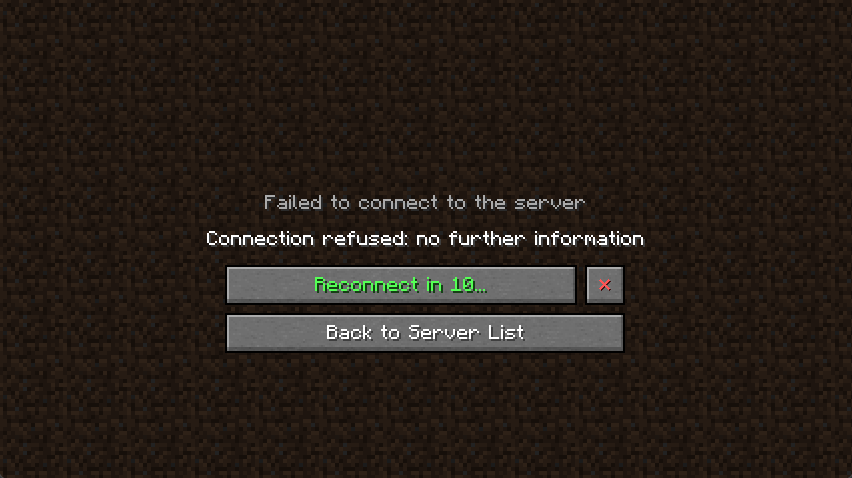
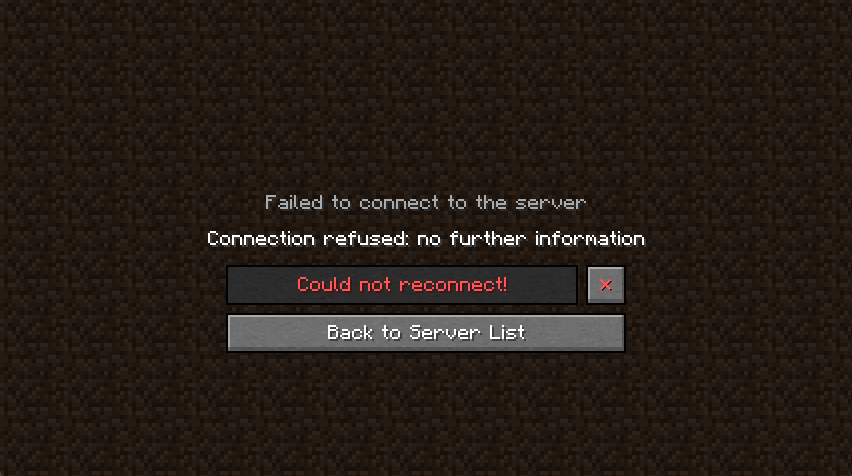
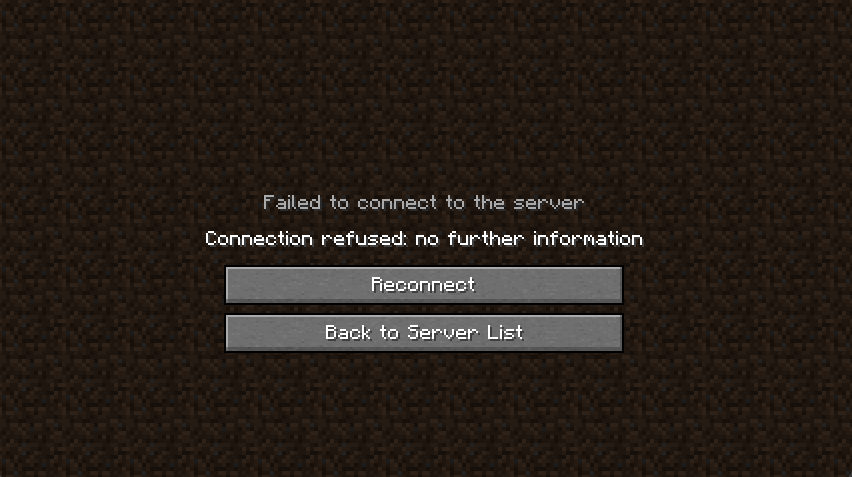
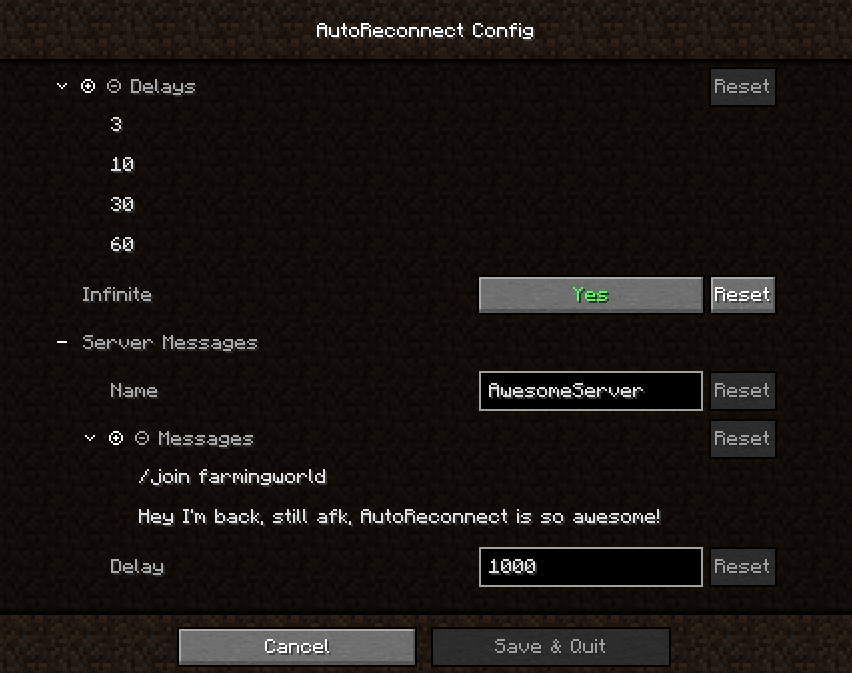
(最后一个已过时)
许可证
本模组及其代码根据 GNU Lesser General Public Licence v3.0 许可协议提供。
如果你在整合包中使用本模组的代码或模组本身,若能通过链接提及我,我将不胜感激。
AutoReconnect [1.20.1][Fabric][Client]
Description
This mod will automatically try to reconnect you back to a server if you got disconnected.
By default, it will make 4 attempts after 3, 10, 30 and 60 seconds.
Disclaimer: Use at your own risk. When using this on a multiplayer server/realm you might want to check with the admins first whether it's okay to use this mod.
Features
General:
- Additional button on the disconnect screen which will reconnect you without having to go back to the menu first
- Configurable through Mod Menu
AutoReconnect:
- Automatically reconnect after getting disconnected
- Multiple attempts
- Individual delays between attempts
- Infinite attempts (Optional, repeats last attempt)
- Manual reconnect still possible
- Countdown is showing and can be canceled
- Works for servers, realms and even singleplayer
AutoMessage:
- Automatically send messages/commands after reconnecting, e.g. to join a certain lobby or just say hi
(Doesn't trigger when (re)connecting manually)
- Delay between messages and before the first one
- Configure messages for each server, realm or singleplayer world (for details see below)
Extras:
- Supports Mod Menu and AuthMe (for details see below)
- The disconnect screen (like many other screens) can be exited by pressing escape
- After being disconnected from a singleplayer world, you won't end up on the multiplayer screen. A fix has been implemented for (Bug MC-46502)
Requirements/Installation/Setup
This mod works on Fabric and requires the Fabric API, ClothConfig and Mod Menu
- If you don't have a fabric profile set up, download and install Fabric and set up a profile to your likings
- Download the following mods and put them in the mod folder of your profile:
(Be careful with the versions you download, make sure the mods are for fabric (not forge) and the right version of minecraft)
- Setup:
- Start up minecraft and when you see the title screen, click on "Mods"
- Find and select this mod in the list of mods to your left
- Click on the configuration button on top of the icon of this mod in the list on the left or the one at the top right if you selected the mod
- The configuration of this mod should open and look similar to the screenshots below
Compatibility/Support
- Mod Menu
- Properly shows the mod icon, name and author
and provides a link for the github project page and the github issues page
- Graphical user interface to configure the mod in-game
- AuthMe
- Countdown for automatic reconnect will stop if you're re-authenticating to revalidate your session
Details
AutoReconnect:
- Attempts can be configured by adding strictly positive values (delay in seconds) to the list of delays. For each value in that list a delayed attempt will be made to reconnect you.
- Can be disabled by simple not configuring any attempts. Only manual reconnects are possible then.
- The "infinite" flag can be enabled to configure the last attempt to repeat infinitely
- The countdown can be cancelled by pressing the button with the "✕" or by pressing escape
AutoMessages:
- Will only be executed if an automatic reconnect attempt has been made, so you didn't click on the reconnect button yourself or connect the first time.
- Can target multiple specific servers, realms or singleplayer worlds. Create a configuration under the section "AutoMessages" for each one and enter the name of the server, realm or singleplayer world.
- A delay (in milliseconds) can be configured. This delay will be the same between every message and before the first message after the instant you join the world.
Future plans
- Modify internal structures to pick up quickPlay connects (or mods/alternative launchers directly connecting you to somewhere) which don't go through the ui
- Reconnect from being kicked into a lobby (feature request issue #22)
- Conditional reconnects, e.g. configure the mod not to reconnect when a moderator kicked you (feature request issue #36)
- I'm not planning to port this mod to forge
Feedback, Suggestions, Bugs & Issues
- For feedback and suggestions please create an issue on github or write a comment on curseforge
- If you found a bug or an issue, make sure to give a detailed description of the issue and post the latest logs, or a potential crash report, preferably by using something like pastebin.
Screenshots
(Last one outdated)
Licence
This mod and its code is available under the GNU Lesser General Public Licence v3.0.
If you use code from this mod or the mod itself in a mod pack I would appreciate it if you would mention me by linking to this page.


 模组

 模组
 模组

 模组
 模组
 模组
评论 0
登录后参与评分
还没有评论,来抢沙发吧