
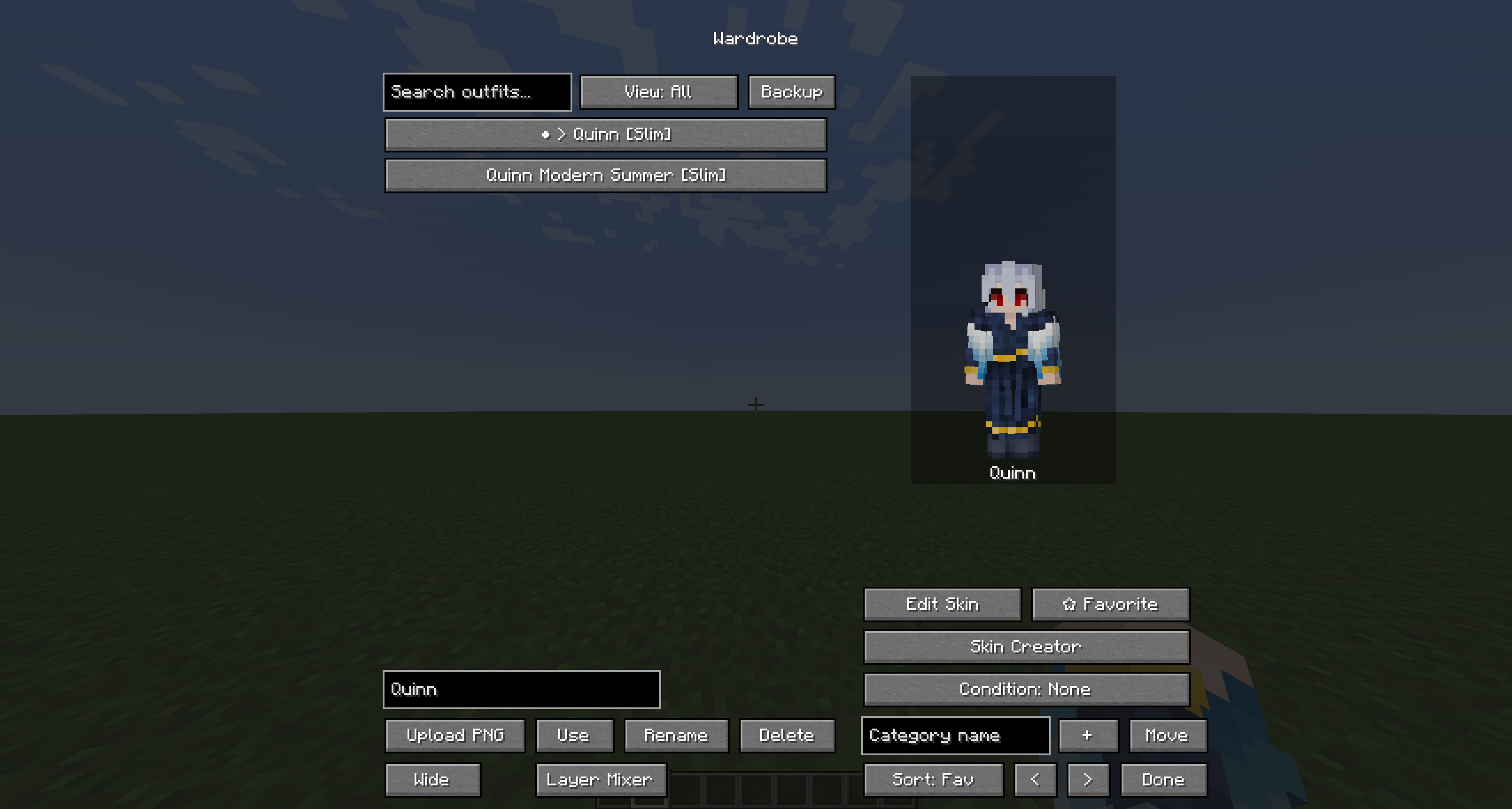
Aniko 的 Avatar Editor 为 Minecraft 添加了一个衣柜/皮肤编辑器,你可以在游戏中更换、编辑或制作皮肤并立即生效,无需重新登录。
/wardrobe - 打开衣柜菜单,该菜单可访问所有编辑器
抱歉,我在功能描述方面有些偷懒。
功能
游戏内衣柜与即时皮肤切换(你可以上传皮肤并在游戏内即时切换,无需重新登录)
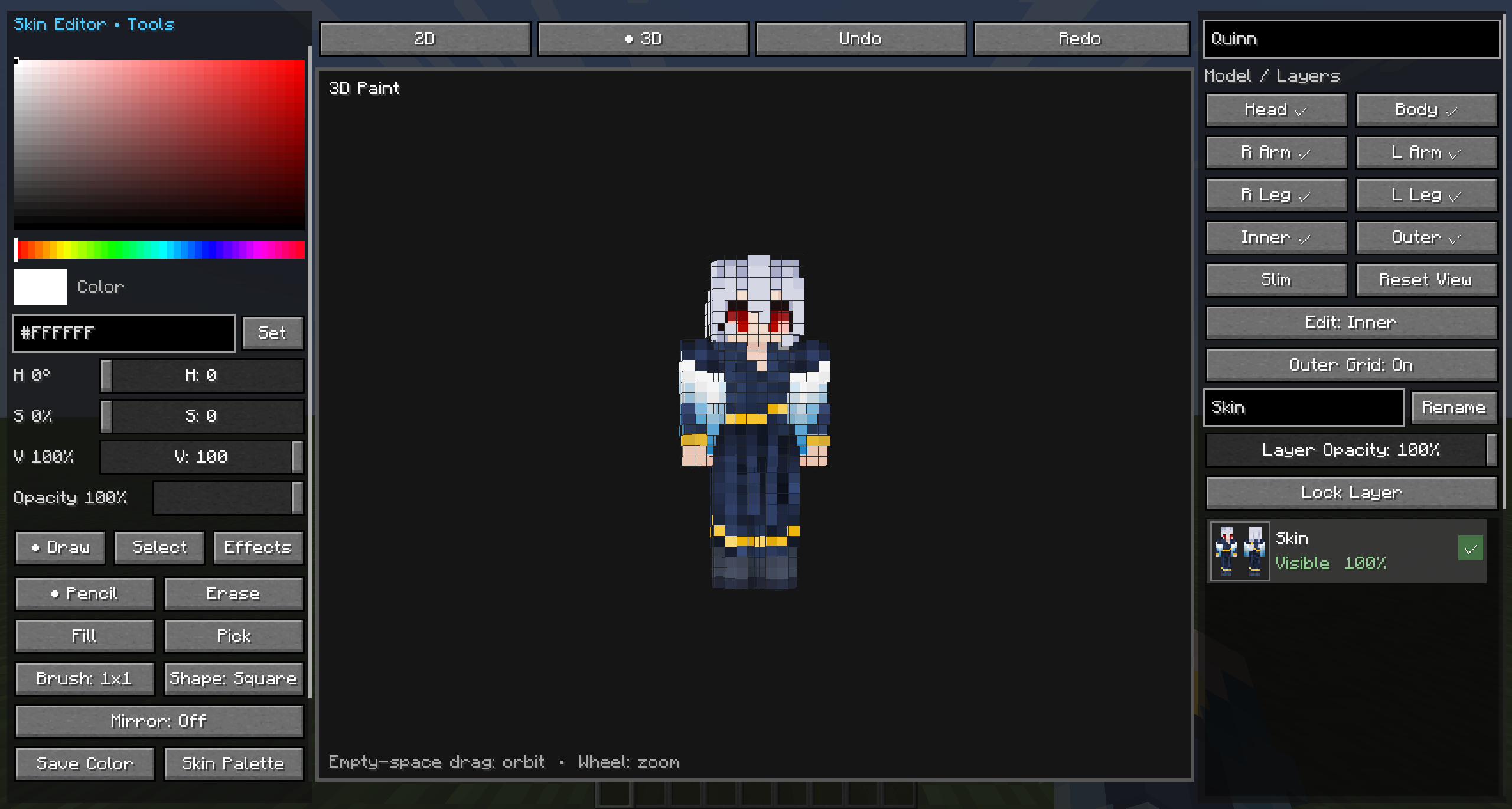
2D、3D 及像素网格皮肤创建与编辑(你可以直接在衣柜内置的皮肤编辑器中编辑皮肤。你也可以使用皮肤编辑器导入、导出或从头创建皮肤。)
皮肤图层与键盘快捷键(皮肤编辑器的便捷性功能)
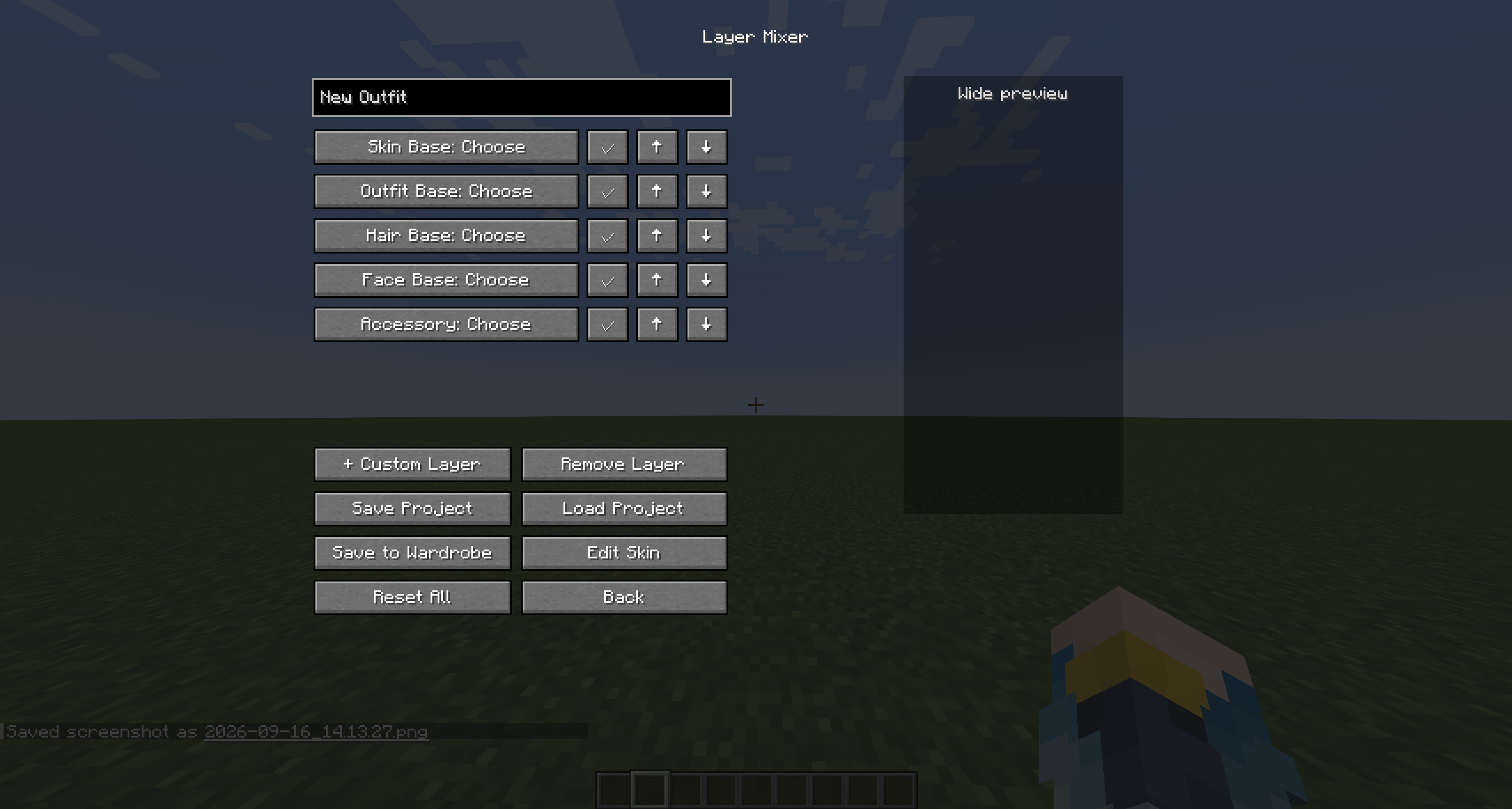
图层混合器(允许混合和搭配基础层,如果你经常制作基础层,这会使得制作皮肤更容易;完成后可以进入皮肤编辑器修复任何不一致之处。)
皮肤编辑器中包含许多常规的皮肤制作工具,但我不在此一一列举!部分工具在图片中有所展示,其他可以在游戏内找到。(更多图片请参阅画廊)
如果有任何错误或功能建议,你可以在 Discord 上私信我 @asioko。由于这是首个版本,并且同时发布了八个游戏版本,目前存在错误是在预期之中的。
截至 2026年10月12日,已修复跨所有版本的近期错误:3D 皮肤编辑器中躯干顶部方向相反,以及导致 2D 皮肤编辑器出现严重帧率下降的错误。
Aniko's Avatar Editor adds a Wardrobe/Skin Editor to Minecraft, where you can change into, edit, or make skins live in-game, all without having to relog.
/wardrobe - opens up the wardrobe menu that leads to all the editors
Sorry, I am a little lazy in the feature description.
Features
In-Game Wardrobe & Instant Skin Switching (You can upload and instantly switch to skins in-game without having to relog)
Skin Creator 2D, 3D, & Pixel Grid Skin Editing (You can edit skins directly in-game with the skin editor built directly into the wardrobe) You can also Import, Export, or create skins from scratch with the skin editor.
Skin Layers & Keyboard Shortcuts (QOL features for the skin editor)
Layer Mixer (Allows the mixing and matching of bases to make skins easier if you're a person who makes a lot of bases, can go to the skin editor when finished to fix any inconsistencies.)
Includes many regular skin-making tools in the skin editor, though I will not list them all here! Some are shown in the photos, others can be found in-game. (More Pictures in Gallery)
If there are any bugs or feature suggestions, you can message me on @asioko on Discord. I do expect there to be bugs currently, as this is it's first version along with it being release on eight game versions!
Bugs recently fixed across all versions as of 10/12/26; top face of the torso being backwards in the 3D skin editor & a bug that caused massive frame drops in the 2D skin editor.

下载 Avatar Editor (A)
需要联机服务器吗?
稳定流畅、一键部署,几分钟即可和朋友联机开服
最低仅需 8 元/月 即可畅快联机
下载 Avatar Editor (A)
需要联机服务器吗?
稳定流畅、一键部署,几分钟即可和朋友联机开服
最低仅需 8 元/月 即可畅快联机
下载 Avatar Editor (A)
需要联机服务器吗?
稳定流畅、一键部署,几分钟即可和朋友联机开服
最低仅需 8 元/月 即可畅快联机
下载 Avatar Editor (A)
下载 Avatar Editor (A)
下载 Avatar Editor (A)
需要联机服务器吗?
稳定流畅、一键部署,几分钟即可和朋友联机开服
最低仅需 8 元/月 即可畅快联机
下载 Avatar Editor (A)
需要联机服务器吗?
稳定流畅、一键部署,几分钟即可和朋友联机开服
最低仅需 8 元/月 即可畅快联机
下载 Avatar Editor (A)
需要联机服务器吗?
稳定流畅、一键部署,几分钟即可和朋友联机开服
最低仅需 8 元/月 即可畅快联机
下载 Avatar Editor (A)
需要联机服务器吗?
稳定流畅、一键部署,几分钟即可和朋友联机开服
最低仅需 8 元/月 即可畅快联机
下载 Avatar Editor (A)
需要联机服务器吗?
稳定流畅、一键部署,几分钟即可和朋友联机开服
最低仅需 8 元/月 即可畅快联机
修复了3D编辑器中躯干顶面渲染方向错误的问题
关于这个资源的讨论、问题反馈与使用心得
还没有讨论,来发第一帖吧
你是这个资源的作者?登录后可认领此资源。
相似资源
 模组

显示你正在注视的方块的信息。(适用于 Minecraft 1.16+ 的 Hwyla/Waila 分支)
 模组
在游戏画面角落显示附近世界地形、玩家、生物和实体的地图。可创建路径点,帮助你找到标记过的位置。
 模组

查看物品与配方
 模组
使用 JavaScript 编辑配方、添加自定义物品、编写世界事件!
 模组
AE2:一款流行的自动化与存储模组
 模组
那是什么?一个 Waila/Hwyla 的分支。
评论 0
登录后参与评分
还没有评论,来抢沙发吧