
Biome Replacer 是一款简单且易于使用的实用模组,用于移除不需要的生物群系。
功能
- 配置简单: 使用直观语法的属性文件即可轻松配置
- 专为数据包设计: 可轻松配置 Terralith 或其他世界生成数据包*
- (有限的)模组集成: 移除那些自身没有配置功能的模组中的生物群系**
- 服务端运行: 无需安装客户端(除非你希望在单人游戏中使用!)
- 广泛兼容: 从 1.18.2 到最新的 Minecraft 版本,均得到同等支持
- 性能影响微乎其微: 仅在世界启动时运行一次,不会拖慢生成速度
*请注意,Biome Replacer 无法改变地形形状。这意味着你无法将海洋变为陆地、创建纯海洋世界等。
**目前支持的生物群系库仅限 TerraBlender 和 Blueprint,因此你无法更改 Biolith 的生物群系等。尽管如此,BR 不应崩溃,并能与大多数世界生成模组良好共存。
设置方法
- 安装模组,然后运行一次客户端/服务器以生成配置文件
- 在
config文件夹中找到biome_replacer.properties - 添加你的替换规则(见下文示例),然后加载世界
如果出错,聊天栏会显示警告信息。请检查生物群系 ID 是否有拼写错误,并重试。 如果仍有问题,请参阅我们的 故障排除指南 以解决常见错误。
提示:在客户端中,修改规则后无需每次重启游戏,只需离开并重新进入世界即可。
示例
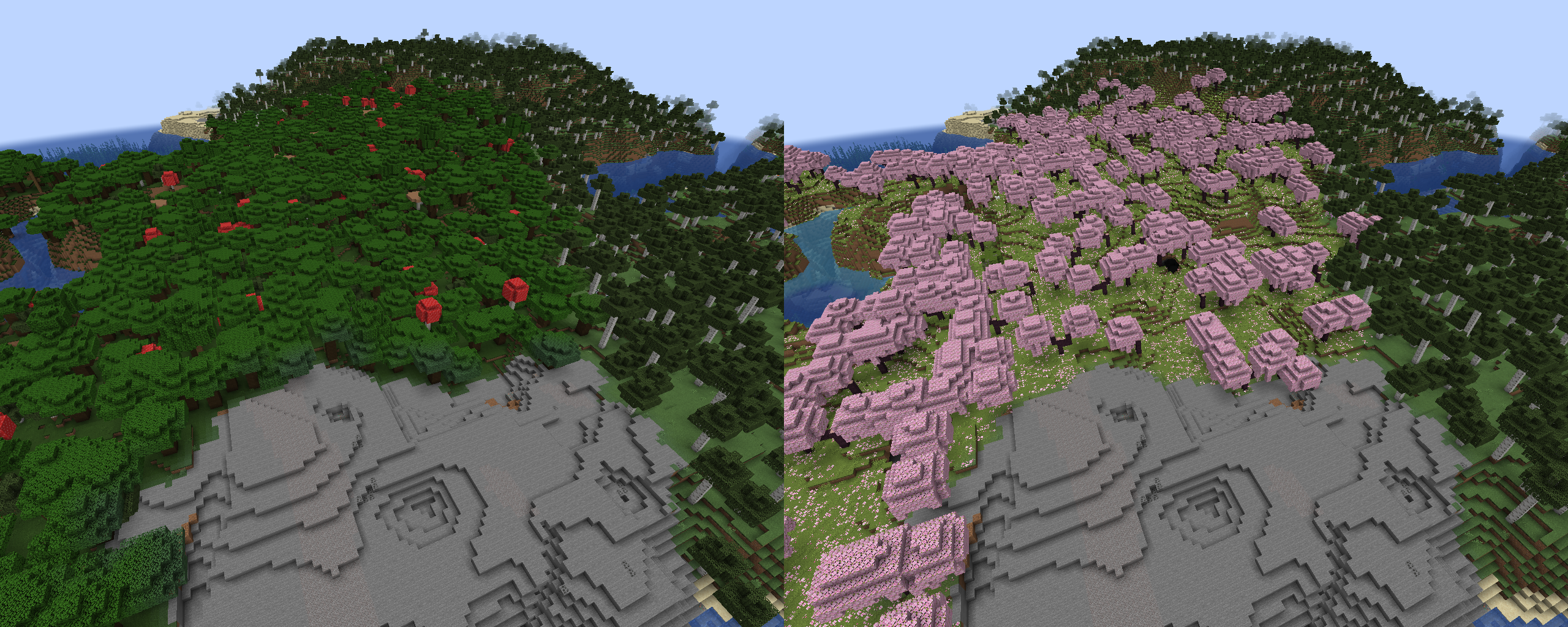
规则遵循 旧生物群系 > 新生物群系 的格式。以下是原版生物群系的示例:
minecraft:dark_forest > minecraft:cherry_grove
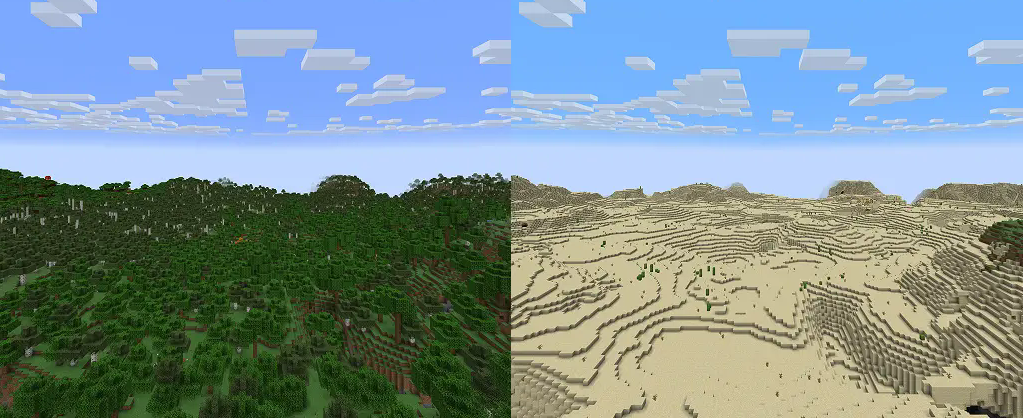
支持使用生物群系标签:
#minecraft:is_forest > minecraft:desert
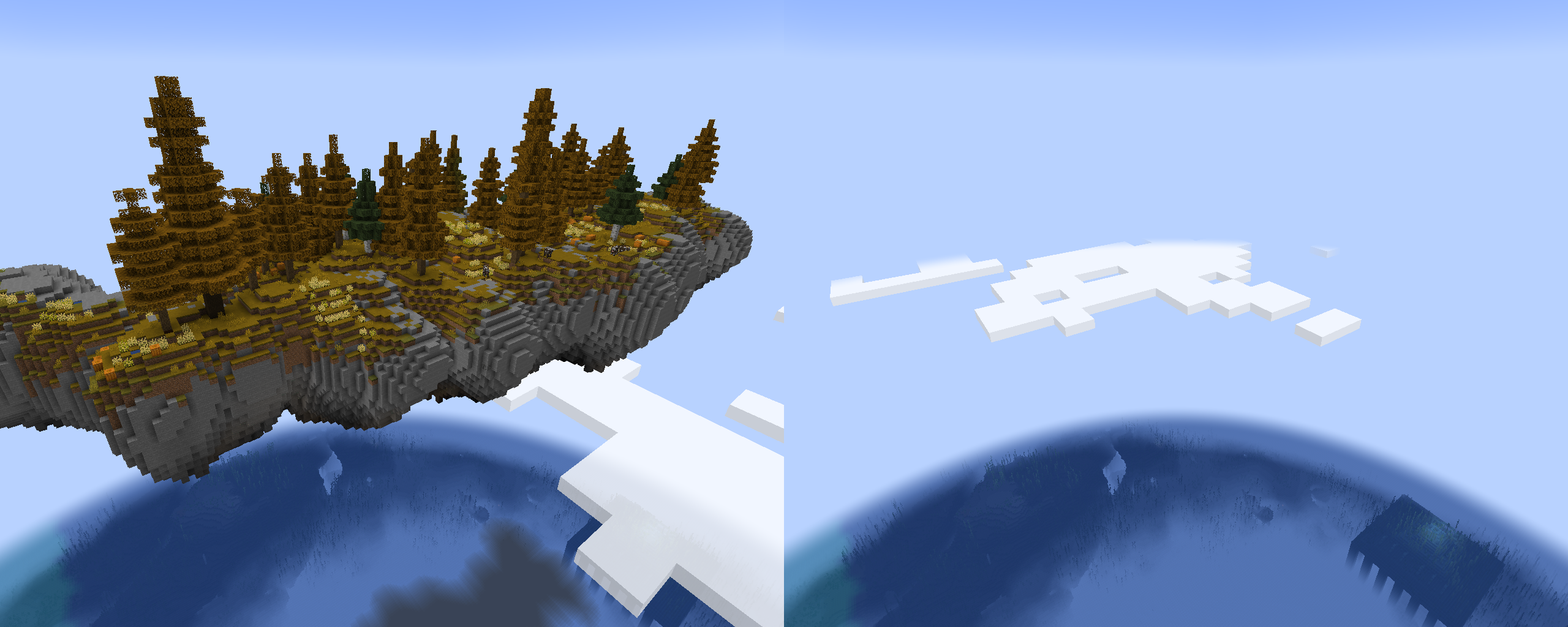
可以使用 "null" 关键字完全移除生物群系。例如,以下规则将移除 Terralith 的天空岛:
terralith:skylands_autumn > null
terralith:skylands_winter > null
terralith:skylands_spring > null
terralith:skylands_summer > null
你也可以使用生物群系标签达到相同效果:
#terralith:skylands > null
重要提示:如果不谨慎操作,对原版或数据包中的生物群系使用此方法可能导致崩溃或破坏生物群系分布。 在用于你重视的世界之前,请务必充分测试!
高级功能
若要针对特定维度,请使用带有维度 ID 的标头:[模组ID:维度ID]。其后的规则将仅应用于指定的维度。
(注意:这通常不需要,除非你有自定义维度生成了相同的生物群系,而你只想针对其中一个)
[minecraft:overworld]
minecraft:desert > null

[custom:dimension]
minecraft:desert > minecraft:badlands
资源
Biome Replacer is a simple and easy-to-use utility mod for removing unwanted biomes
Features
- Easy configuration: Simple properties file with intuitive syntax
- Designed for datapacks Configure Terralith or other worldgen packs with ease*
- (Limited) mod integration: Remove biomes from a mod that has no configuration of its own**
- Server-side: No client installation needed (unless you want to use it in singleplayer, of course!)
- High availability: From 1.18.2 up to the most current Minecraft version, all equally supported
- Negligible performance impact: Runs only once on world start, does not slow down the generation
*Please note that Biome Replacer cannot change terrain shape. This means that it's impossible to change oceans to land, create ocean-only worlds, etc.
**The only currently supported biome libraries are TerraBlender & Blueprint, so you won't be able to change Biolith biomes, for example. Still, BR should not break, and will work fine alongside most world generation mods.
Setup
- Install the mod, then run your client/server once to generate configuration file
- Find
biome_replacer.propertiesin theconfigfolder - Add your replacement rules (see examples below), then load up the world
If you made any mistakes, you will see warnings in chat. Check for typos in your biome IDs, and try again. If you still have issues, check out our troubleshooting guide for solutions to common mistakes.
Tip: on client, you don't deed to restart the game every time you change your rules, you can simply leave and enter the world again.
Examples
Rules follow the format old_biome > new_biome. Here is an example with vanilla biomes:
minecraft:dark_forest > minecraft:cherry_grove
Using biome tags is supported:
#minecraft:is_forest > minecraft:desert
it's possible to completely remove biomes using a "null" keyword. For example, these rules will remove Terralith's skylands:
terralith:skylands_autumn > null
terralith:skylands_winter > null
terralith:skylands_spring > null
terralith:skylands_summer > null
You can also use a biome tag to achieve the same effect:
#terralith:skylands > null
Important: if you're not careful, using this method on biomes from vanilla and datapacks can cause crashes, or mess up biome distribution. Please test thoroughly before using it in a world you care about!
Advanced features
To target specific dimensions, use headers with dimension ID: [mod:dimension]. Rules following it will only be applied to a specified dimension.
(Note that this typically isn't needed, unless you have custom dimensions that generate the same biomes, and you want to target only one of them)
[minecraft:overworld]
minecraft:desert > null

[custom:dimension]
minecraft:desert > minecraft:badlands
Resources

下载 Biome Replacer
需要联机服务器吗?
稳定流畅、一键部署,几分钟即可和朋友联机开服
最低仅需 8 元/月 即可畅快联机
下载 Biome Replacer
需要联机服务器吗?
稳定流畅、一键部署,几分钟即可和朋友联机开服
最低仅需 8 元/月 即可畅快联机
下载 Biome Replacer
下载 Biome Replacer
需要联机服务器吗?
稳定流畅、一键部署,几分钟即可和朋友联机开服
最低仅需 8 元/月 即可畅快联机
下载 Biome Replacer
需要联机服务器吗?
稳定流畅、一键部署,几分钟即可和朋友联机开服
最低仅需 8 元/月 即可畅快联机
下载 Biome Replacer
需要联机服务器吗?
稳定流畅、一键部署,几分钟即可和朋友联机开服
最低仅需 8 元/月 即可畅快联机
下载 Biome Replacer
需要联机服务器吗?
稳定流畅、一键部署,几分钟即可和朋友联机开服
最低仅需 8 元/月 即可畅快联机
下载 Biome Replacer
需要联机服务器吗?
稳定流畅、一键部署,几分钟即可和朋友联机开服
最低仅需 8 元/月 即可畅快联机
下载 Biome Replacer
下载 Biome Replacer
提醒:如果您过去使用过 Biome Replacer 并计划升级到 Minecraft 26.1+,您需要采取行动以防止世界损坏。
更多信息请参见:
更新日志:
- 修复了当同时安装 Biome Replacer、Adventure Platform 和 Terrablender 时偶尔出现的崩溃问题
- 改进了维度 ID 解析
关于这个资源的讨论、问题反馈与使用心得
还没有讨论,来发第一帖吧
你是这个资源的作者?登录后可认领此资源。
相似资源
 模组

显示你正在注视的方块的信息。(适用于 Minecraft 1.16+ 的 Hwyla/Waila 分支)
 模组

原版世界生成优化模组
 模组
在游戏画面角落显示附近世界地形、玩家、生物和实体的地图。可创建路径点,帮助你找到标记过的位置。
 模组

查看物品与配方
 模组
使用 JavaScript 编辑配方、添加自定义物品、编写世界事件!
 模组
AE2:一款流行的自动化与存储模组
评论 0
登录后参与评分
还没有评论,来抢沙发吧