
Boat Fly
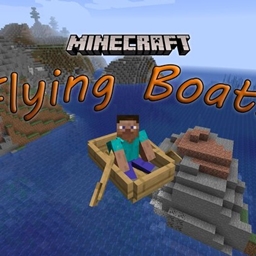
骑乘船只时飞行,并控制你的船只速度。现已支持服务端配置——服务器管理员可以为所有玩家限制或自定义功能。
功能
船只飞行——在船上按 B 键切换飞行模式。你的船会离开水面,你可以通过跳跃键上升。
速度控制——按 I 键增加速度,按 O 键降低速度。速度以每秒方块数(blocks per second)为单位计量,默认值为 8 blocks/s。你也可以使用 /boatspeed <value> 命令来设定精确的速度值。
飞行与速度的交互方式:当你开启飞行时,出于安全考虑(高速飞行可能难以预测),你的速度会重置为 8 blocks/s。开启飞行后,你仍然可以使用 I/O 键或 /boatspeed 命令来提高速度——但在极高数值下请务必小心。当飞行关闭时,速度控制独立工作。
注意:在 Hypixel 等拥有反作弊系统的服务器上使用该模组可能会导致被封禁。
所有按键绑定均可在“控制”菜单中更改。
服务端配置(7.0.0 新增)
在服务端安装相同的 JAR 文件以解锁管理功能。首次启动时会在 config/boatfly.json 生成配置文件。服务器管理员可以:
- 完全禁用飞行——玩家无法切换飞行
- 锁定速度——防止玩家更改速度
- 设置默认速度——应用于所有玩家加入时
- 设置最大/最小速度——限制玩家能达到的最快或最慢速度
- 禁用特定按键绑定——分别阻止飞行切换、加速或减速按键
- 禁用 /boatspeed 命令
配置会在玩家连接时自动同步给客户端。所有默认设置均为宽松模式——如果你安装了模组但未修改配置,一切将像以前一样正常工作。
如果服务器未安装该模组,客户端将在完全不受限的情况下运行(兼容原版服务器)。
示例配置:仅快速船只(无飞行)
{
  "flight": { "enabled": false },
  "speed": { "allowPlayerChange": true, "defaultSpeed": 12.0, "max": 30.0, "min": 5.0 },
  "keybinds": { "flightToggle": false, "speedUp": true, "speedDown": true },
  "command": { "boatspeedEnabled": true }
}
设置 "max": -1 表示不设速度上限(此为默认值)。
依赖要求
- Minecraft 26.1+
- Fabric Loader 0.19.2+
- Fabric API
链接
- GitHub:
此模组适用于 1.17–26.2 版本。点击文件页面的“查看全部”以查看所有版本。
以下视频展示了飞行和速度功能的工作原理:
好友列表的按键冲突。Minecraft 26.3 将新的好友列表绑定到 O 键,这与“降低船只速度”的默认按键相同。Boat Fly 保留 O 键以保持现有按键绑定不变。如果两个动作同时触发,请打开选项,然后进入控制,再到按键绑定,重新绑定“降低船只速度”或“好友”中的任意一个。重置所有设置会将两者都恢复为 O 键。
Boat Fly
Fly while riding a boat and control your boat's speed. Now with server-side configuration — server admins can restrict or customize features for all players.
Features
Boat Flight — Press B to toggle flight while in a boat. Your boat lifts off the water and you can ascend with the jump key.
Speed Control — Press I to increase speed, O to decrease. Speed is measured in blocks per second, with a default of 8 blocks/s. You can also use the /boatspeed <value> command to set an exact speed.
How flight and speed interact: When you toggle flight ON, your speed resets to 8 blocks/s as a safety measure (high speeds while flying can be unpredictable). After flight is on, you can still increase your speed with I/O keys or /boatspeed — just be careful at very high values. Speed control works independently when flight is off.
Note: Using this mod on servers like Hypixel that have anti-cheat will likely get you banned.
All keybinds can be changed in the Controls menu.
Server-Side Configuration (New in 7.0.0)
Install the same JAR on your server to unlock admin controls. A config file is generated at config/boatfly.json on first boot. Server admins can:
- Disable flight entirely — players cannot toggle flight
- Lock speed — prevent players from changing speed
- Set a default speed — applied to all players on join
- Set a max/min speed — cap how fast or slow players can go
- Disable specific keybinds — block the flight toggle, speed up, or speed down keys individually
- Disable the /boatspeed command
Configuration is sent to clients automatically when they connect. All defaults are permissive — if you install the mod and don't touch the config, everything works exactly like before.
If the server doesn't have the mod installed, the client works fully unrestricted (vanilla server compatibility).
Example Config: Fast Boats Only (No Flight)
{
  "flight": { "enabled": false },
  "speed": { "allowPlayerChange": true, "defaultSpeed": 12.0, "max": 30.0, "min": 5.0 },
  "keybinds": { "flightToggle": false, "speedUp": true, "speedDown": true },
  "command": { "boatspeedEnabled": true }
}
Set "max": -1 for no speed cap (the default).
Requirements
- Minecraft 26.1+
- Fabric Loader 0.19.2+
- Fabric API
Links
- GitHub:
This mod is available for versions 1.17–26.2. Click VIEW ALL on the files page to see every version.
Here is a video showing how the flight and speed features work:
Keybind conflict with the friends list. Minecraft 26.3 binds the new friends list to O, the same default as Decrease Boat Speed. Boat Fly keeps O so existing keybinds stay the same. If both actions fire, open Options, then Controls, then Key Binds, and rebind either Decrease Boat Speed or Friends. Reset All puts both back on O.
下载 Boat Fly
需要联机服务器吗?
稳定流畅、一键部署,几分钟即可和朋友联机开服
最低仅需 8 元/月 即可畅快联机
下载 Boat Fly
需要联机服务器吗?
稳定流畅、一键部署,几分钟即可和朋友联机开服
最低仅需 8 元/月 即可畅快联机
下载 Boat Fly
需要联机服务器吗?
稳定流畅、一键部署,几分钟即可和朋友联机开服
最低仅需 8 元/月 即可畅快联机
下载 Boat Fly
需要联机服务器吗?
稳定流畅、一键部署,几分钟即可和朋友联机开服
最低仅需 8 元/月 即可畅快联机
下载 Boat Fly
需要联机服务器吗?
稳定流畅、一键部署,几分钟即可和朋友联机开服
最低仅需 8 元/月 即可畅快联机
下载 Boat Fly
需要联机服务器吗?
稳定流畅、一键部署,几分钟即可和朋友联机开服
最低仅需 8 元/月 即可畅快联机
下载 Boat Fly
需要联机服务器吗?
稳定流畅、一键部署,几分钟即可和朋友联机开服
最低仅需 8 元/月 即可畅快联机
下载 Boat Fly
需要联机服务器吗?
稳定流畅、一键部署,几分钟即可和朋友联机开服
最低仅需 8 元/月 即可畅快联机
下载 Boat Fly
需要联机服务器吗?
稳定流畅、一键部署,几分钟即可和朋友联机开服
最低仅需 8 元/月 即可畅快联机
下载 Boat Fly
需要联机服务器吗?
稳定流畅、一键部署,几分钟即可和朋友联机开服
最低仅需 8 元/月 即可畅快联机
与好友列表的按键冲突。Minecraft 26.3 将新的好友列表绑定到 O,这与“降低船只速度”的默认按键相同。Boat Fly 保留 O 作为其按键,以便现有的按键绑定保持不变。如果两个动作同时触发,请打开选项(Options),然后进入控制(Controls)和按键绑定(Key Binds),重新绑定“降低船只速度”或“好友列表”。重置所有按键会将两者都恢复为 O。
关于这个资源的讨论、问题反馈与使用心得
还没有讨论,来发第一帖吧
你是这个资源的作者?登录后可认领此资源。
相似资源
 模组

显示你正在注视的方块的信息。(适用于 Minecraft 1.16+ 的 Hwyla/Waila 分支)
 模组
使用 JavaScript 编辑配方、添加自定义物品、编写世界事件!
 模组

查看物品与配方
 模组
在游戏画面角落显示附近世界地形、玩家、生物和实体的地图。可创建路径点,帮助你找到标记过的位置。
 模组
AE2:一款流行的自动化与存储模组
 模组
那是什么?一个 Waila/Hwyla 的分支。
评论 0
登录后参与评分
还没有评论,来抢沙发吧