> 描述:
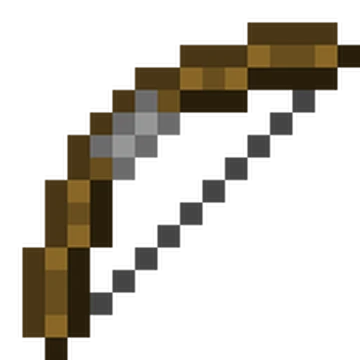
Bow Boostin 是一款适用于 Minecraft 1.21.11 的 Fabric 客户端模组,用于自动化弓冲刺移动技巧——即奔跑、跳跃、迅速将弓垂直拉满,箭矢落下时将玩家向前击退。这是一种合法且高效的移动方式,但手动操作既别扭又依赖时机。本模组只需按下单个按键即可自动完成整个序列。
工作原理
当你触发冲刺时,模组会按严格顺序执行状态机:
- 保存当前摄像机角度
- 确保你正在疾跑
- 跳跃
- 等待至跳跃顶点(此时向上速度接近零)
- 将摄像机瞬间或平滑旋转至配置的角度(默认 78°)
- 保持拉弓状态配置的刻数
- 释放,向上射出箭矢
- 恢复摄像机至原始角度
- 进入冷却期,在此期间不允许再次触发冲刺
在上述过程开始前,模组会检查你是否手持弓、是否有箭矢以及是否站在地面上。如果任何条件未满足,你将收到一条简短的错误提示且不会发生任何动作。
要求
- Minecraft 1.21.11
- Fabric Loader 0.19.2 或更高版本
- Fabric API
- Java 21+
键位绑定
默认情况下,冲刺功能绑定在 B 键上。你可以在键位设置中的 Bow Boostin 类别下找到它。你可以在此重新绑定,或使用下文描述的 /bboost keybind 命令。
命令
所有配置均通过 /bboost 命令进行。所有参数均支持 Tab 补全。
/bboost
显示完整的帮助菜单,列出所有可用的子命令及其功能说明。
/bboost toggle
启用或禁用整个模组。禁用后,按下冲刺键将无任何效果。如果你希望在不卸载模组或更改键位的情况下快速关闭它,此功能非常有用。
/bboost mode <toggle|hold>
控制键位的行为方式。
- toggle - 按下一次键触发一次冲刺。你需要松开并再次按下才能触发下一次。这是默认模式。
- hold - 目前功能相同;一次按下触发一次冲刺,需要重新按下。此区分是为未来开发预留的。
/bboost delay <ticks>
设置两次冲刺之间的冷却时间,单位为刻(20 刻 = 1 秒)。接受 0 到 200 的值。默认为 0,意味着你可以尽可能快地连续触发冲刺(只要序列完成)。设置延迟可以让你更好地控制节奏,避免意外连续触发多次冲刺。
/bboost angle <degrees>
设置模组在射击前将你的摄像机向上旋转的角度(单位:度)。接受 10 到 89 的值。默认为 78°。更高的角度会使箭矢更直接地射向正上方,这通常能获得最大的击退距离。你可能需要根据具体情况对此进行调整实验。
/bboost draw <ticks>
设置弓在释放前保持拉满状态的刻数。接受 1 到 20 的值。默认为 3 刻(150 毫秒)。更长的拉弓时间会使弓充能更多,从而影响箭矢速度和最终的击退力度。在 3 刻时,弓远未达到完全充能状态——目标是发射一枚低速箭矢,使其迅速呈弧线落回地面,而非一发威力巨大、飞向远方的满力射击。
/bboost movement <snap|smooth>
控制冲刺序列中摄像机的移动方式。
- snap - 摄像机瞬间跳转到目标角度并立即返回。这是默认选项,也是最可靠的。
- smooth - 摄像机使用缓出曲线在 4 刻内平滑过渡到目标角度并返回。视觉效果更好,但会增加几刻的时间。
/bboost keybind <key>
无需进入键位设置菜单即可更改冲刺键。你可以传递键名,如 r、g、mouse.left 等。模组会自动识别正确的内部键名——你不需要输入 key.keyboard.r,直接输入 r 即可。鼠标按钮的格式为 mouse.left、mouse.right 等。
/bboost status
在聊天栏打印当前配置信息。显示模组是否启用、当前键位、模式、摄像机移动风格、角度、拉弓时间和冷却时间。
注意事项
- 如果在序列过程中打开任何界面(物品栏、聊天窗口等),冲刺会自动中止,并尝试干净地恢复摄像机角度。
- 模组支持任意背包槽位的箭矢,包括光灵箭和药水箭。
- 弓可以位于主手或副手。
- 设置项目前不跨会话保存——重启后你需要重新应用所有更改。
> Description:
Bow Boostin is a client-side Fabric mod for Minecraft 1.21.11 that automates the bow boost movement technique - that thing where you sprint, jump, quick-draw a bow straight up, and the arrow comes back down and knocks you forward. It's a legitimately fast way to travel, but pulling it off manually is awkward and timing-dependent. This mod handles the whole sequence for you with a single keypress.
How It Works
When you trigger a boost, the mod runs through a tightly sequenced state machine:
- Saves your current camera angle
- Makes sure you're sprinting
- Jumps
- Waits until you're at the peak of the jump (when your upward velocity drops to near zero)
- Snaps or smoothly rotates your camera up to your configured angle (default 78°)
- Holds the bow draw for a configurable number of ticks
- Releases, firing the arrow upward
- Restores your camera to where it was
- Enters a cooldown period before allowing another boost
Before any of this happens, the mod checks that you're actually holding a bow, that you have arrows, and that you're on the ground. If any of those conditions aren't met, you'll get a quick error message and nothing happens.
Requirements
- Minecraft 1.21.11
- Fabric Loader 0.19.2 or newer
- Fabric API
- Java 21+
Keybind
The boost is bound to B by default. It shows up in your keybind settings under the Bow Boostin category. You can rebind it there, or use the /bboost keybind command described below.
Commands
Everything is configured through the /bboost command. Tab completion works on all arguments.
/bboost
Shows the full help menu with a list of every available subcommand and what it does.
/bboost toggle
Enables or disables the mod entirely. When disabled, pressing the boost key does nothing. Useful if you want to quickly turn it off without uninstalling or changing your keybind.
/bboost mode <toggle|hold>
Controls how the keybind behaves.
- toggle - Press the key once to trigger one boost. You have to release and press again for another. This is the default.
- hold - Functionally the same right now; one press fires one boost and you need to re-press. The distinction is there for future development.
/bboost delay <ticks>
Sets a cooldown between boosts, measured in ticks (20 ticks = 1 second). Accepts values from 0 to 200. Default is 0, meaning you can chain boosts as fast as the sequence completes. Setting a delay gives you more control if you find yourself accidentally triggering back-to-back boosts.
/bboost angle <degrees>
Sets the angle in degrees that the mod rotates your camera upward before firing. Accepts values from 10 to 89. Default is 78°. Higher angles send the arrow more directly overhead, which is generally what you want for maximum knockback distance. You might want to experiment with this depending on your situation.
/bboost draw <ticks>
Sets how many ticks the bow is held drawn before releasing. Accepts 1 to 20. Default is 3 ticks (150ms). A longer draw charges the bow more, which affects arrow velocity and ultimately how much knockback you get. At 3 ticks the bow isn't anywhere near fully charged — the goal is a low-velocity arrow that arcs back down quickly, not a fully powered shot that flies off into the distance.
/bboost movement <snap|smooth>
Controls how the camera moves during the boost sequence.
- snap - Your camera instantly jumps to the target angle and back. This is the default, and it's the most reliable.
- smooth - The camera interpolates to the target angle and back over 4 ticks using an ease-out curve. It looks nicer but adds a few ticks to the sequence.
/bboost keybind <key>
Changes the boost key without going into the keybind settings menu. You can pass a key name like r, g, mouse.left, etc. The mod will figure out the correct internal key name — you don't need to type key.keyboard.r, just r is fine. Mouse buttons use the format mouse.left, mouse.right, etc.
/bboost status
Prints your current configuration to chat. Shows whether the mod is enabled, your current keybind, mode, camera movement style, angle, draw time, and cooldown.
Notes
- The boost aborts automatically if you open any screen (inventory, chat, etc.) mid-sequence and tries to restore your camera angle cleanly.
- The mod works with arrows in any inventory slot, including spectral and tipped arrows.
- The bow can be in either your main hand or your offhand.
- Settings are not currently saved between sessions — you'll need to re-apply any changes after restarting.

 模组
 模组

 模组

 模组
 模组

 模组
评论 0
登录后参与评分
还没有评论,来抢沙发吧