
本模组添加了相机和用于展示图片的画框。相机可以拍摄你游戏中的真实画面。
功能特性
- 右键点击图片即可展示
- 可将图片放入图片画框中
- 可将图片放入相册中
- 可将图片放入 lectern(讲台)中
- 支持复制图片
- 支持上传自定义图片
- 图片画框最大可调整至 8 x 8 方块大小
- 图片物品会保存拍摄日期和摄影师姓名
- 每拍摄一张图片,相机会消耗一张纸(可在配置文件中修改)
- 相机支持多种滤镜效果
- 兼容多人游戏
- 图片保存在世界文件夹中
拍摄图片
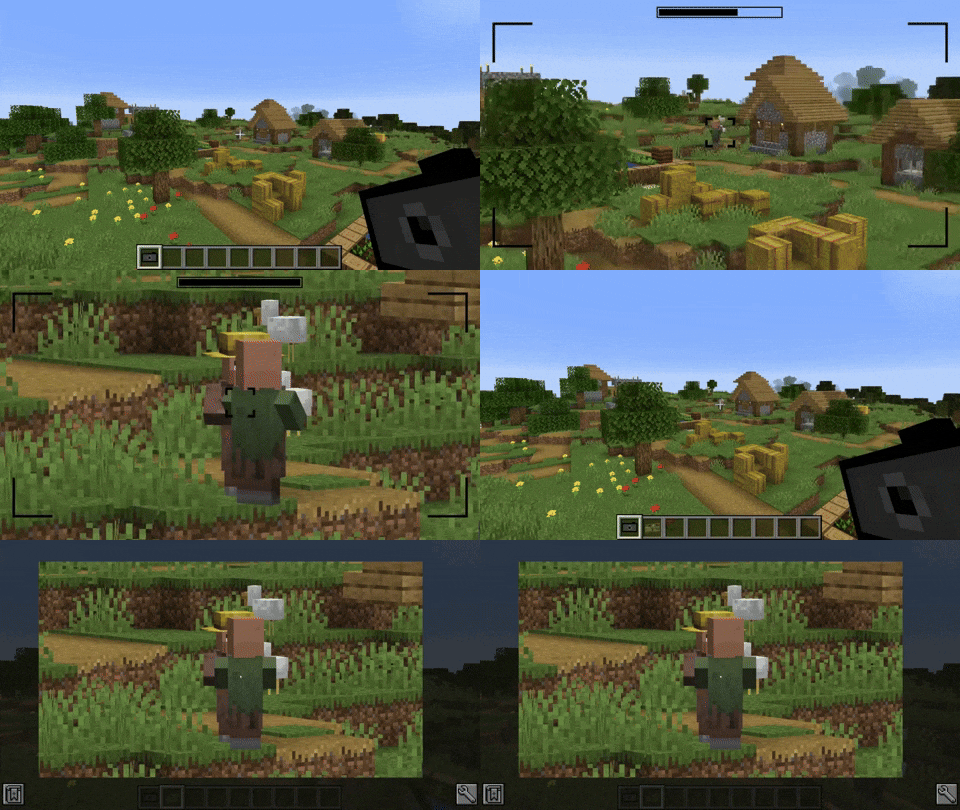
右键点击相机即可进行拍摄。 此时会进入相机的取景器界面。 再次右键点击即可对当前视角拍摄照片。 图片将保持与你的 Minecraft 窗口相同的比例保存。
滤镜
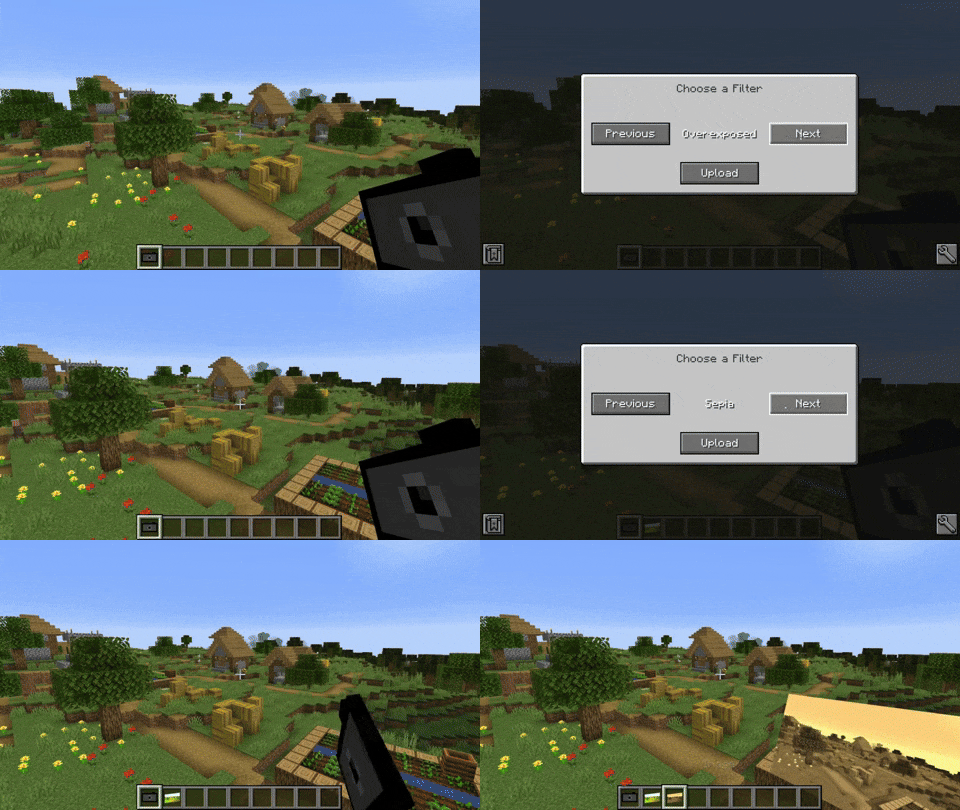
相机可以为图片应用滤镜效果。按住 Shift + 右键点击相机可打开 GUI 界面以选择滤镜。
可用滤镜
- 黑白
- 棕褐色
- 去饱和
- 过曝
- 过饱和
- 模糊
- 反色
缩放
你可以滚动鼠标滚轮来放大或缩小视图。
查看图片
你可以右键点击图片物品直接查看,或者将其放入图片画框中进行展示。
相册
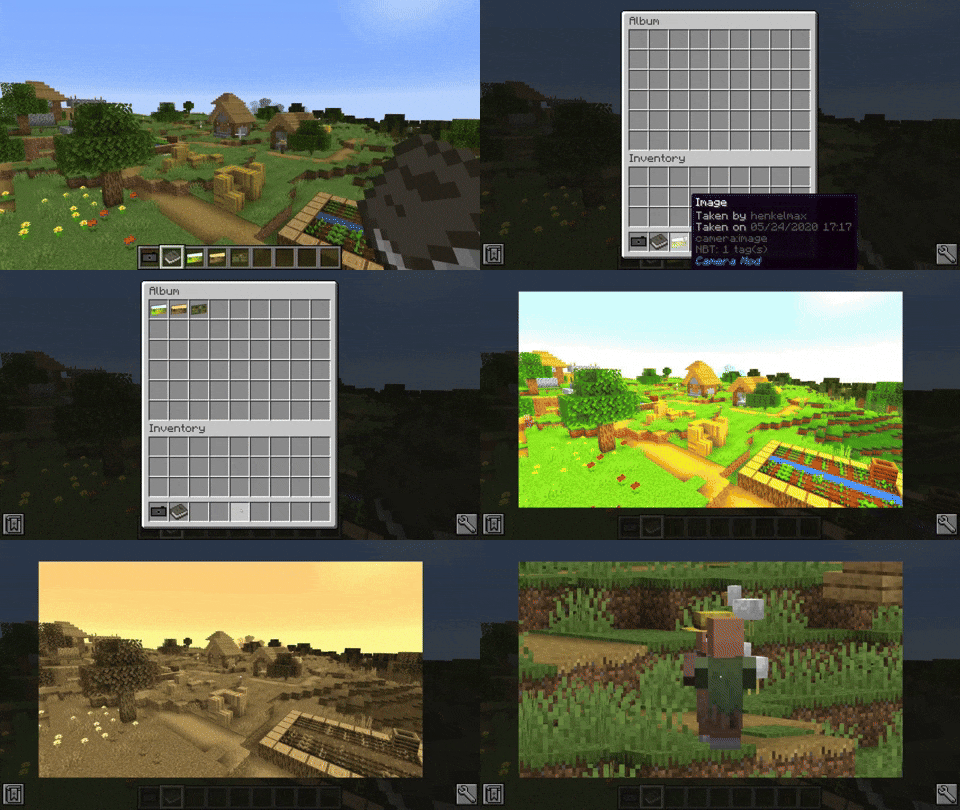
相册最多可容纳 54 张图片。按住 Shift + 右键点击相册可添加图片。右键点击相册即可查看其中包含的图片。通过上下滚动或使用方向键上/下,可以切换当前查看的图片。
图片画框
图片画框允许你将图片放置在世界中。只需将图片画框物品放置在墙壁上即可。按住 Shift + 右键点击图片画框可打开 GUI 界面以调整画框大小。直接点击调整按钮可在指定方向上放大画框。如果按住 Shift 并点击按钮,则会在该方向上缩小画框。要在画框中显示图片,请手持所选图片并右键点击画框。要移除画框中的图片,只需再次右键点击画框即可。
合成配方
在合成台中,将图片与一张纸组合即可复制图片。
This mod adds a Camera and a frame for the images. The Camera takes real images of your game.
Features
- Images can be displayed by right-clicking the image
- Images can be put into image frames
- Images can be put into albums
- Images can be put into lecterns
- Images can be copied
- Custom images can be uploaded
- Image Frames can be resized up to 8 x 8 blocks
- Date and photographer name are stored with the image item
- The Camera consumes a piece of paper for every taken image (Configurable)
- The Camera has multiple filters that can be applied
- Multiplayer compatible
- Images are saved in the world folder
Taking an Image
Images can be taken by right-clicking a camera. This brings you to the viewfinder of the camera. Right-clicking again takes an image of the perspective you are currently seeing. Images are saved with the same ratio as your Minecraft window.
Filters
The camera is able to apply filters to the image. By sneak + right-clicking the camera a GUI opens where the filter can be chosen.
Available filters
- Black and White
- Sepia
- Desaturated
- Overexposed
- Oversaturated
- Blurry
- Inverted
Zooming
You can zoom in and out by scrolling.
Viewing an Image
You can either look at the image by right-clicking the image item or by putting it in an image frame.
The Album
The album can hold up to 54 images. You can add images by sneak + right-clicking the album. You can view the contained images by right-clicking the album. By scrolling up and down or pressing the arrow-up/down key, you can switch the currently viewed image.
The Image Frame
The image frame allows you to place your image in the world. Just place the image frame item on a wall. Sneak + right-clicking the image frame opens a GUI that allows you to resize the frame. Just clicking the resize buttons enlarges the frame in the given direction. If you sneak and click the button the frame will be downsize the frame in that direction. To display an image in the frame right-click it with the chosen image in hand. To remove it from the frame just right-click the frame again.
Recipes
Images can be copied by combining it with a piece of paper in the crafting table.
下载 Camera Mod
下载 Camera Mod
下载 Camera Mod
下载 Camera Mod
需要联机服务器吗?
稳定流畅、一键部署,几分钟即可和朋友联机开服
最低仅需 8 元/月 即可畅快联机
下载 Camera Mod
需要联机服务器吗?
稳定流畅、一键部署,几分钟即可和朋友联机开服
最低仅需 8 元/月 即可畅快联机
下载 Camera Mod
需要联机服务器吗?
稳定流畅、一键部署,几分钟即可和朋友联机开服
最低仅需 8 元/月 即可畅快联机
下载 Camera Mod
下载 Camera Mod
下载 Camera Mod
下载 Camera Mod
- 更新至最新 NeoForge 版本
关于这个资源的讨论、问题反馈与使用心得
还没有讨论,来发第一帖吧
你是这个资源的作者?登录后可认领此资源。
相似资源
 模组

一个用于收集生物掉落物的多区块模组。
 模组

显示你正在注视的方块的信息。(适用于 Minecraft 1.16+ 的 Hwyla/Waila 分支)
 模组
使用 JavaScript 编辑配方、添加自定义物品、编写世界事件!
 模组

查看物品与配方
 模组
在游戏画面角落显示附近世界地形、玩家、生物和实体的地图。可创建路径点,帮助你找到标记过的位置。
 模组
AE2:一款流行的自动化与存储模组
评论 0
登录后参与评分
还没有评论,来抢沙发吧