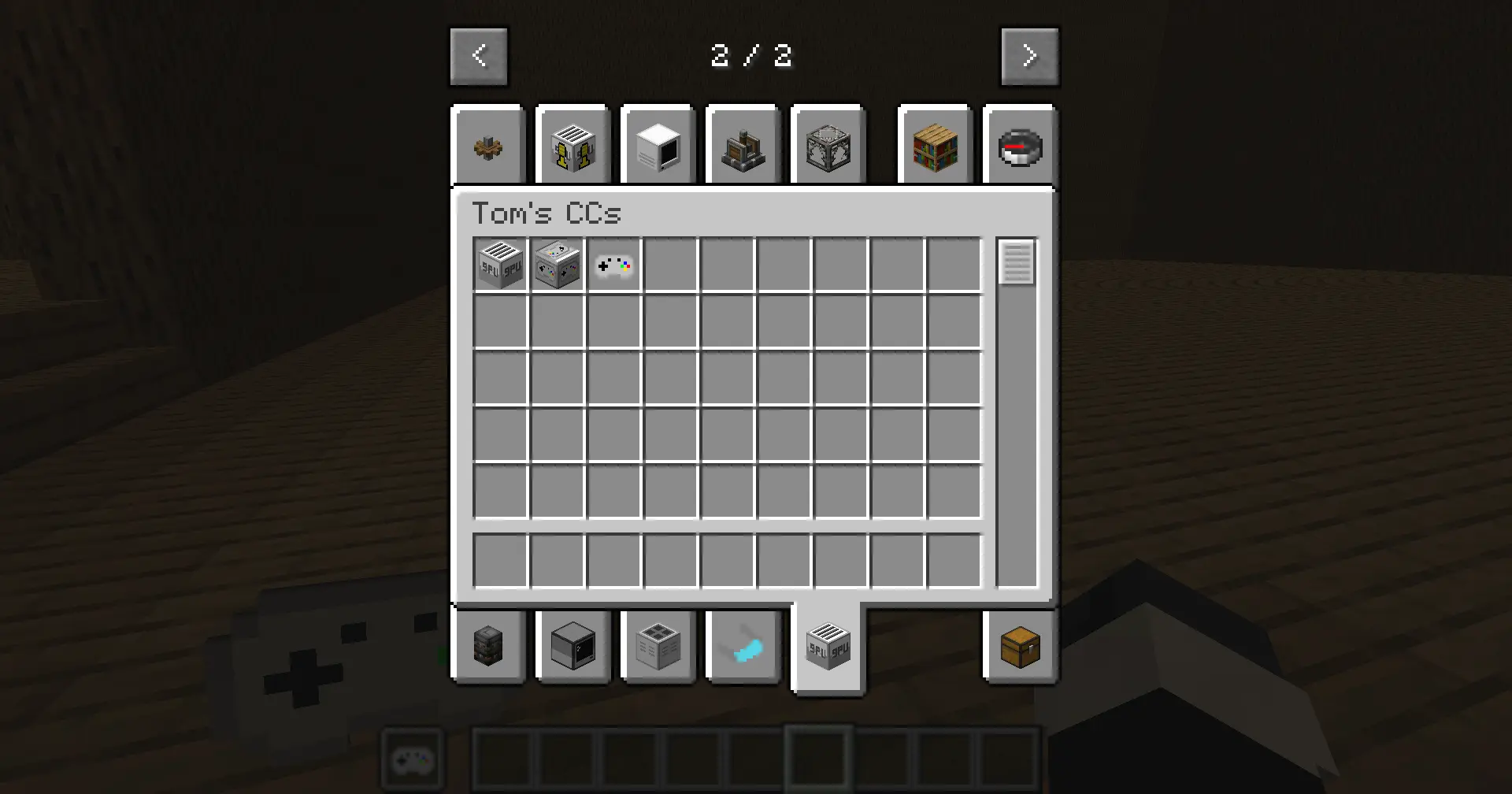
CC: Gamepads 添加了一个 CC:Tweaked 外围设备方块,使 ComputerCraft 计算机能够读取玩家真实的游戏手柄/控制器输入。
控制器状态在玩家客户端读取,发送至服务器,并通过绑定的 Gamepad Peripheral(游戏手柄外围设备)暴露给 Lua。该功能适用于单人游戏、局域网以及专用多人服务器。
要求
Minecraft 1.21.1
NeoForge 21.1.x
CC:Tweaked 1.117.1
使用方法
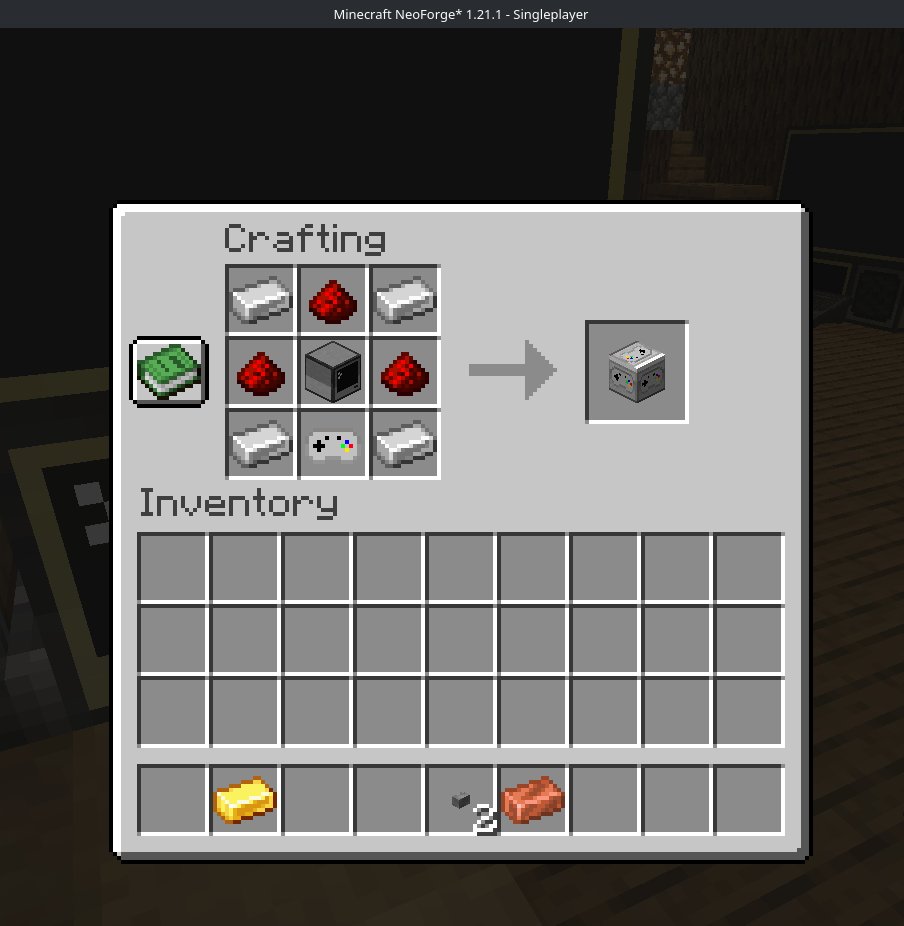
将 Gamepad Peripheral 方块放置在 CC:Tweaked 计算机旁边,或通过调制解调器连接至计算机。
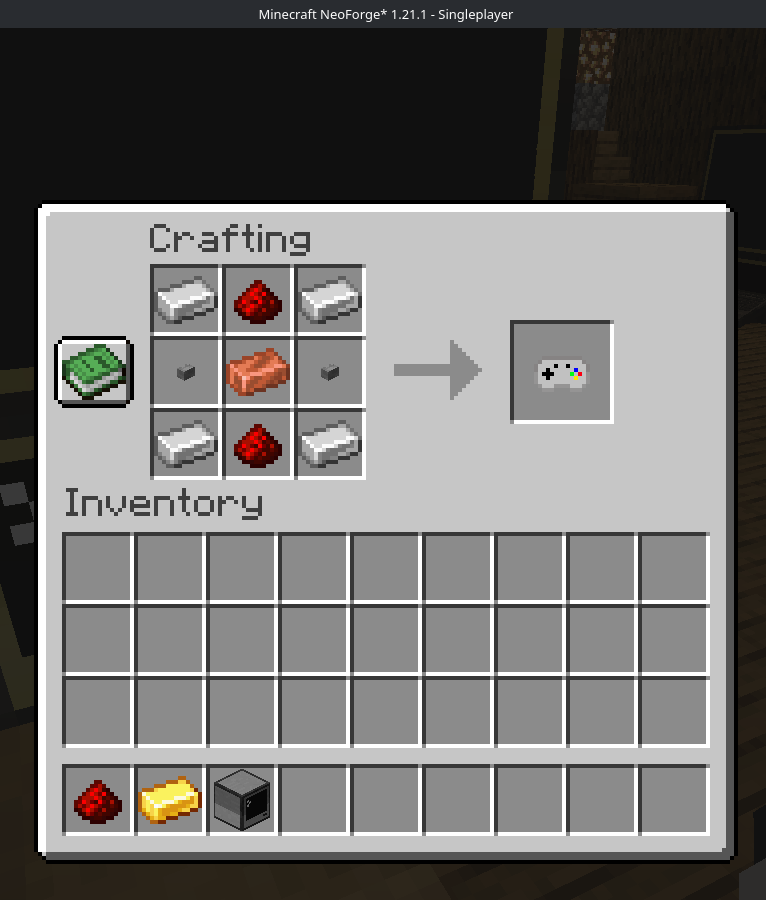
手持一个 Gamepad 物品。
按住 Shift 并使用 Gamepad 物品右键点击 Gamepad Peripheral 以进行绑定。
将已绑定的 Gamepad 物品保持在主手或副手中。
通过蓝牙插入/连接你的控制器,并在计算机上运行 Lua 代码。
最多允许 4 名玩家同时向同一个 Gamepad Peripheral 发送输入。每位玩家获得一个从 1 到 4 的插槽。
Lua 外围设备
像使用其他任何 CC:Tweaked 外围设备一样包装此外围设备:
local pad = peripheral.find("gamepad")
函数
getPlayers()
返回已连接控制器状态的列表。
每项包含:
slot: 玩家插槽,1 到 4
player: 玩家名称
playerId: 玩家 UUID
controllerId: 客户端控制器 ID
controllerName: 控制器名称
guid: 控制器 GUID
buttons: 编号按钮表
buttonNames: 命名按钮表
axes: 编号轴表
axisNames: 命名轴表
updatedAt: 服务器时间戳
getState(slot)
返回单个插槽的完整状态表。
如果该插槽未绑定控制器,则抛出错误。
isDown(slot, button)
如果按下了编号按钮,返回 true。
按钮:
A
B
X
Y
左 bumper
右 bumper
Back/select
Start
Guide/home
左摇杆
右摇杆
D-pad up
D-pad right
D-pad down
D-pad left
isButtonDown(slot, name)
如果按下了命名按钮,返回 true。
名称:
a b x y
leftBumper rightBumper
back select start guide home
leftStick rightStick
dpadUp dpadRight dpadDown dpadLeft
getAxis(slot, axis)
返回编号轴的值。
轴:
左 X,-1 到 1
左 Y,-1 到 1
右 X,-1 到 1
右 Y,-1 到 1
左扳机,0 到 1
右扳机,0 到 1
getAxisValue(slot, name)
返回命名轴的值。
名称:
leftX leftY rightX rightY leftTrigger rightTrigger
getMaxPlayers()
返回 4。
getButtonCount()
返回 15。
getAxisCount()
返回 6。
事件
当控制器状态发生变化时,连接的计算机会接收:
cc_events, "gamepad", slot, playerName, controllerId
示例:
local event, kind, slot, player, controllerId = os.pullEvent("cc_events")
if kind == "gamepad" then
print(player .. " updated slot " .. slot)
end
示例 Lua 程序
这将打印插槽 1 的基本状态,并在按下 Start 时退出。
local pad = peripheral.find("gamepad")
if not pad then
error("No gamepad peripheral found")
end
print("Waiting for gamepad input...")
while true do
local event, kind, slot, player = os.pullEvent("cc_events")
if kind == "gamepad" and slot == 1 then
local lx = pad.getAxisValue(1, "leftX")
local ly = pad.getAxisValue(1, "leftY")
local a = pad.isButtonDown(1, "a")
local b = pad.isButtonDown(1, "b")
term.clear()
term.setCursorPos(1, 1)
print("Player: " .. player)
print(("Left stick: %.2f %.2f"):format(lx, ly))
print("A: " .. tostring(a))
print("B: " .. tostring(b))
print("Start exits")

if pad.isButtonDown(1, "start") then
  break
end
end
end
多人服务器注意事项
仅接受来自发送该输入的玩家的控制器输入。
玩家必须手持绑定到目标外围设备的 Gamepad 物品。
控制器 ID 和 GUID 将在服务器端进行验证。
在接受状态之前,会验证数据包大小、字符串长度、按钮数量、轴数量和轴值。
当玩家断开连接或其控制器列表发生变化时,玩家状态将被清除。
CC: Gamepads adds a CC:Tweaked peripheral block which lets ComputerCraft computers read real gamepad/controller input from players.
The controller is read on the player client, sent to the server, and exposed to Lua through a bound Gamepad Peripheral. This works in singleplayer, LAN, and dedicated multiplayer servers.
Requirements
Minecraft 1.21.1
NeoForge 21.1.x
CC:Tweaked 1.117.1
How To Use
Place a Gamepad Peripheral block next to, or connected by modem to, a CC:Tweaked computer.
Hold a Gamepad item.
Sneak-right-click the Gamepad Peripheral with the Gamepad item to bind it.
Keep the bound Gamepad item in your main hand or off hand.
Plug in/connect with bluetooth your/a controller and run Lua code on the computer.
Up to 4 players can send input to the same Gamepad Peripheral at once. Each player gets a slot from 1 to 4.
Lua Peripheral
Wrap the peripheral like any other CC:Tweaked peripheral:
local pad = peripheral.find("gamepad")
Functions
getPlayers()
Returns a list of connected controller states.
Each entry includes:
slot: player slot, 1 to 4
player: player name
playerId: player UUID
controllerId: client controller id
controllerName: controller name
guid: controller GUID
buttons: numbered button table
buttonNames: named button table
axes: numbered axis table
axisNames: named axis table
updatedAt: server timestamp
getState(slot)
Returns the full state table for one slot.
Throws an error if no controller is bound to that slot.
isDown(slot, button)
Returns true if a numbered button is held.
Buttons:
A
B
X
Y
Left bumper
Right bumper
Back/select
Start
Guide/home
Left stick
Right stick
D-pad up
D-pad right
D-pad down
D-pad left
isButtonDown(slot, name)
Returns true if a named button is held.
Names:
a b x y
leftBumper rightBumper
back select start guide home
leftStick rightStick
dpadUp dpadRight dpadDown dpadLeft
getAxis(slot, axis)
Returns a numbered axis value.
Axes:
Left X, -1 to 1
Left Y, -1 to 1
Right X, -1 to 1
Right Y, -1 to 1
Left trigger, 0 to 1
Right trigger, 0 to 1
getAxisValue(slot, name)
Returns a named axis value.
Names:
leftX leftY rightX rightY leftTrigger rightTrigger
getMaxPlayers()
Returns 4.
getButtonCount()
Returns 15.
getAxisCount()
Returns 6.
Events
When controller state changes, attached computers receive:
cc_events, "gamepad", slot, playerName, controllerId
Example:
local event, kind, slot, player, controllerId = os.pullEvent("cc_events")
if kind == "gamepad" then
print(player .. " updated slot " .. slot)
end
Example Lua Program
This prints basic state for slot 1 and exits when Start is pressed.
local pad = peripheral.find("gamepad")
if not pad then
error("No gamepad peripheral found")
end
print("Waiting for gamepad input...")
while true do
local event, kind, slot, player = os.pullEvent("cc_events")
if kind == "gamepad" and slot == 1 then
local lx = pad.getAxisValue(1, "leftX")
local ly = pad.getAxisValue(1, "leftY")
local a = pad.isButtonDown(1, "a")
local b = pad.isButtonDown(1, "b")
term.clear()
term.setCursorPos(1, 1)
print("Player: " .. player)
print(("Left stick: %.2f %.2f"):format(lx, ly))
print("A: " .. tostring(a))
print("B: " .. tostring(b))
print("Start exits")

if pad.isButtonDown(1, "start") then
  break
end
end
end
Multiplayer Notes
Controller input is only accepted from the player who sent it.
The player must be holding a Gamepad item bound to the target peripheral.
Controller IDs and GUIDs are verified server-side.
Packet sizes, string lengths, button counts, axis counts, and axis values are validated before the state is accepted.
Player state is cleared when they disconnect or when their controller list changes.


 模组

 模组

 模组
 模组

 模组
 模组
评论 0
登录后参与评分
还没有评论,来抢沙发吧