压缩/超大晶格存储 (C.E.L.L.S.)
常见问题解答
我的压缩存储单元在 ME chests 的 GUI 中不会刷新,直到我重新打开它
这是 ME Chest 实现的一个限制,因为它不监听网络上的变化。它只监听玩家手动插入的内容,这与压缩存储单元的虚拟物品配合得不好。这个问题纯粹是视觉上的,离开 GUI 并重新打开即可解决。
我有超过 9.2+ 亿亿的物品,但终端显示的数量远少于这个数
可能是因为你的 AE2 版本无法处理 Long 类型的溢出(截至目前,AE2-UEL 0.56.7 尚不支持),导致计数回绕并显示错误的值。这纯粹是一个显示问题,你的物品在存储单元中是安全的。Cell Terminal 应该能显示正确的数值,因为它不会累积多个存储单元的内容,而是单独显示每个存储单元。
如何轻松地将一个存储单元的内容传输到另一个?
如果你是为了升级存储单元而询问,你可以通过将存储单元与所需的组件一起合成来轻松完成此操作。注意,这仅适用于 CELLs 模组中的同类型存储单元(物品/流体/压缩),且如果不为空的话(不同类型在空的情况下可以工作)。这意味着 1k 超密度物品存储单元 + 16k 超密度物品组件 => 16k 超密度物品存储单元 + 1k 超密度物品组件。可配置存储单元有类似的系统,但仅适用于可配置存储单元,因为它们的外壳不同(它们无论如何都不支持超密度组件)。
C.E.L.L.S. 支持哪些模组?
该模组需要 AE2-UEL。它还支持:
- MixinBooter:允许 C.E.L.L.S. 的存储单元堆叠至 64。如果没有它,允许堆叠会导致与 ME Chest 的复制漏洞。还为 JEI 存储单元预览提供物品数量显示。
- JEI:导入接口拖放和快速添加功能、创意存储单元拖放功能以及 JEI 存储单元预览功能
- Thaumic Energistics:可配置存储单元组件、创意存储单元、导出/导入接口
- Mekanism Energistics:可配置存储单元组件、创意存储单元、导出/导入接口
- ProjectEX:EMC 存储单元
为什么精华导入接口需要拉取卡?
因为 Thaumcraft 的精华传输系统是拉取式的:任何导入都需要拉取,而任何导出都是被动的。管道每隔几个刻拉取一次,罐子也从管道中拉取同样的东西。这样做基本上等同于使用拉取卡,但会有更多的延迟或更低的吞吐量。拉取卡允许接口以更优化和控制的方式进行拉取。
为什么增加类型数量时有如此严重的警告?
由于 Minecraft 和 AE2 的限制:
- 让我们以默认的包大小 2MB 为例。除非你使用模组来增加它,否则这就是你固定的值。一件附魔的盔甲可能占用数百到数千字节的 NBT 数据,一个普通驱动器可以存储 10 个存储单元,所以 2MB / 1000B / 10 个存储单元 = 在你达到限制之前只有可怜的 200 种不同的物品。这真的不多!
- 如果一个区块包含超过该限制 跨所有机器/容器,该区块将无法加载并踢出所有尝试加载它的玩家。这是原版 Minecraft 的限制。这就是你应该将 NBT 密集型内容隔离并分离到不同的区块和网络中的原因,以避免将自己封禁在该区块中。被困在那个区块中将导致崩溃循环,直到你使用 NBT 编辑器手动将玩家移动到不同的区块,或者移除违规的机器。有办法避免这个问题,但它们会带来性能成本,并且不能解决下面固有的 AE2 设计问题。
- 如果网络的总 NBT 大小超过此限制,AE2 会将你从网络中踢出。这意味着单个网络上所有存储单元的总合并 NBT 大小。当然,创建一个单独的网络可以缓解这个问题,但不能解决其根本原因。就 NBT 大小而言,超密度存储单元并不比常规存储单元大多少,因为额外的容量与物品本身的 NBT 大小相比可以忽略不计。
- TL;DR:物品数量本身并不重要,重要的是你存储的内容。
特性
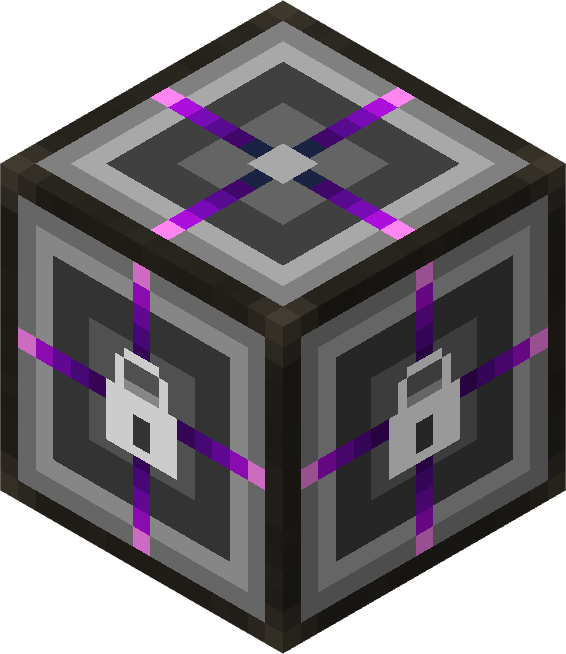 导入接口(物品、流体、气体、精华)
一个作为过滤接口用于将内容导入 ME 网络的方块。它需要配置以允许特定内容,并可用于从不一定具有过滤导出能力的机器(Woot、终极怪物农场等)将物品/流体导入网络。它没有任何拉取、导出/库存或制作能力,仅作为导入接口工作。
每个槽的上半部分用于过滤器,下半部分用于实际导入。可以在 GUI 中配置槽的大小,如果导出目标已满,则可以在接口中保留更多/更少数量的每种物品/流体(最高可达 long 的最大值,外部 I/O 受 Minecraft 限制为 max int)。轮询率也可以配置,允许以固定间隔(以刻为单位)而不是 AE2 的自适应速率导入内容。
导入接口最适合那些不试图合并物品堆的机器,因为插入槽对物品去向没有影响。只有成为过滤器的一部分及其专用槽中的剩余空间才重要。
这些接口持有 36 个槽,可以使用容量卡扩展至最多 5 倍。
导出接口(物品、流体、气体、精华)
与导入接口对应,允许将内容从 ME 网络导出到任何外部管道。插槽大小和轮询速率同样适用。
未定义
Essentia 导出接口开箱即用支持存储总线、Essentia 接口、Thaumatorium(奥术实验室)和注魔台。管道也能工作,但受限于其每次只能处理 1 种 essentia 类型的限制。
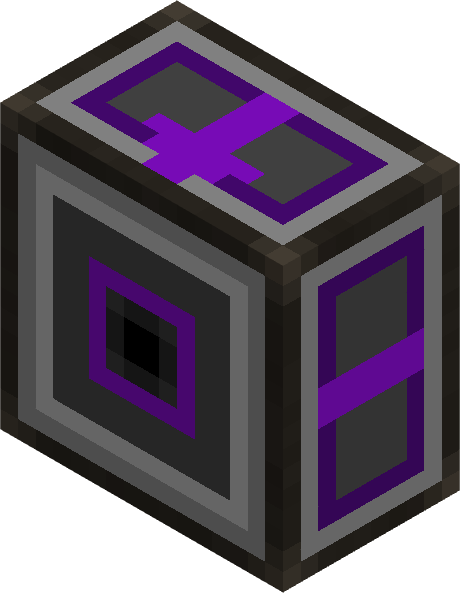 子网代理
一种由两个方块组成的多部分结构,通过可配置的过滤窗口将两个 ME 网络连接在一起。与经典的 AE2 子网桥接器(接口上的存储总线)不同,子网代理具有以下特性:
- 无循环保证:代理网络会自动检测并防止环路,因此像
A → B → A 这样的循环拓扑不会导致幽灵物品或强制更新。
- 无多跳保证:代理仅为主网络提供对子网本地存储的 1 跳可见性,且不会在子网上的其他代理之间进行链式连接。这意味着,对于
B → A → C → D,C 可以看到 A 和 B,但 D 无法通过 A 看到 B 的内容。这防止了在复杂子网拓扑中事件呈指数级膨胀,使性能影响保持在可控范围内。
- 最多 25 * 63 个过滤槽位:过滤器采用分页显示,并可以通过容量卡进行扩展(最多 24 个升级槽位,具体取决于配置),从而在需要时共享子网的大部分资源。
- 单向或双向操作:默认情况下,代理为只读模式(主网络可以查看并从子网中提取物品,但不能反向推送)。这种设计是有意为之,以避免网络中的每一个插入的物品都要针对每一个子网代理的过滤器检查插入操作,即使它们仅用于单向暴露内容。但是,你可以向子网代理添加插入卡以暴露内容,使其变为双向,允许主网络也通过代理将物品推回子网(当然,仍需遵守过滤器规则)。
- 通用资源支持:相同的子网代理适用于物品、流体、气体和 essentia。使用过滤器 GUI 中的资源类型切换按钮,可以在物品/流体/气体/essentia “编码”模式之间切换。编码模式不会影响代理可以从子网暴露的内容,它仅在向过滤器添加内容时使用。若要控制代理暴露的资源类型,可以使用侧边按钮启用/禁用通道(默认为全部禁用,以便选择性地暴露特定通道)。
- 过滤事件转发:代理仅转发与过滤器匹配的变化,因此网络只会看到你希望它看到的内容。这也意味着,如果主网络中的某些内容发生变化但不符合任何过滤器条件,子网将看不到这些变化,从而不会在子网端触发不必要的更新。
它是什么
子网代理以一对电缆零件的形式出现,必须放置在与对方跨一个方块边界相对的位置,就像指向 ME 接口的存储总线一样:
- 子网代理(后端):位于你想要共享内容的网络的电缆上。这是你的“源”端。
- 子网代理(前端):位于应该查看内容的网络的电缆上。这是你的“目标”端,也是拥有 GUI 的一端。
一旦放置好两半部分,前端部分就会像驱动器上的额外存储单元一样,在主网络中发布后端网络内容的过滤视图。
它的用途
常见用例:
- 在不合并网络的情况下共享存储。 你可以让两个网络保持独立的通道预算,同时允许主网络读取(并可选地写入)子网内容的一个子集。
- 将机器或系统黑盒化。 你可以将一台机器放在子网后面,仅向主网络暴露相关的物品/流体/气体/essentia,而不让它看到子网的内部运作。可以使用循环设计(例如
A → B → A)让子网也能看到主网络的内容,而无需合并两个网络。子网只知道 A → B 连接,而主网络只知道 B → A 连接,因此它们在逻辑上保持分离和独立。如果
如何使用它
- 制作子网代理物品,然后依次放置后端部分和前端部分,使其跨一个方块边界相对放置,就像指向 ME 接口的存储总线一样。放置顺序无关紧要,但它们必须相对放置。代理将自动检测连接并开始工作,无需任何配置即可开始与主网络共享子网内容。
- 右键单击任意一个部件以打开过滤器 GUI。过滤器的工作原理类似于存储总线过滤器:
- 将物品、流体、气体或 essentia 拖放到过滤槽中以将其加入白名单。支持库存/JEI 拖动和快速添加快捷键,以及 JEI 中的 '+' 按钮,该按钮会将配方的输入添加到过滤器中。The
- 使用右上角的过滤器模式按钮在物品/流体/气体/essentia 模式之间切换,以确定过滤槽转换为何种类型。
- 添加 容量卡 以解锁更多筛选槽页面;通过页码箭头进行导航。
- 添加 模糊匹配卡 以启用模糊匹配(支持伤害值 / NBT 容差)。
- 添加 反相器卡 以反转筛选逻辑(除列出的物品外,其余所有物品均可通过)。
- 点击 扳手按钮(筛选 GUI 左上角)以打开标准的 AE2 优先级设置界面。代理节点在两个方向上均遵循优先级规则,就像驱动器一样:
- 较高的优先级意味着当多个来源拥有请求的物品时,主网络优先从该代理节点提取物品。
- 较高的优先级意味着主网络优先向该代理节点插入物品(当安装了插入卡时)。
- (可选) 添加 插入卡 使桥接变为双向。如果没有它,代理节点为 只读(前端网络可以查看并从后端网络提取物品,但无法推送回去)。安装后,与同一筛选条件匹配并进入前端网络的物品可以通过代理节点路由回后端网络。
行为说明与限制
- 仅限单跳连接。 代理节点为主网络提供对子网 本地 存储(驱动器、ME 存储柜、 vanilla 库存上的存储总线)的 1 跳可见性。它故意 不 通过子网上的其他透传存储总线进行链式连接,因此类似
A → B → C → D 的链条每次仅暴露一跳,并且不会在复杂拓扑结构中导致事件指数级膨胀。
- 无写入循环。 插入操作不能在同一次操作中穿过多个子网代理节点。即使你在
A → B 和 B → A 上都安装了插入卡,第二个代理节点也会检测到调用已处于插入状态中并拒绝转发,从而防止你意外构建出物品复制堆栈溢出循环。
- 列表即代表可提取。 主网络终端中显示的任何物品 都 可被提取,未列入列表的物品则不会被静默提取。列表显示和实际提取使用完全相同的源集合,因此终端绝不会误导用户关于实际可拉取的内容。
- 网络保持独立。 代理节点的两端不会合并其网格:频道预算、P2P 隧道、安全终端和合成 CPU 等均保留在其各自的网络范围内。只有经过筛选的存储视图会跨越边界。
 压缩模式揭示器
一个将压缩/解压缩配方作为处理模式暴露给 ME 网络的方块,其方式与压缩存储单元格(1 上 1 下)相同。当您需要将内容存储在别处但仍希望自动压缩/解压缩的便利时,它可作为压缩存储单元格的替代品。仅 GUI 中定义的配方集会暴露给网络,以避免使网络臃肿或产生冲突的配方。由于 AE2 在两个配方产生相同输出时会感到困惑,GUI 会阻止您添加冲突的配方。默认情况下,暴露的配方每个 CPU 操作只执行一次压缩/解压缩动作(例如 1 个方块 → 9 个锭)(乘以协处理器),但您可以更改槽位的乘数,将配方暴露为更大的转换(例如 100 个方块 → 900 个锭),以节省 CPU 时间,但代价是灵活性降低。
 创造单元格(物品、流体、气体、Essentia)
一种只能在创造模式下设置的单元格,提供每种设定物品的 460 亿亿个(每个单元格最多 63 种不同物品)。它相当于带有自动售货升级的抽屉。
 压缩存储单元格
能够自动向 ME 网络暴露物品的压缩和解压缩形式的存储单元格,类似于储物柜的压缩抽屉。
工作原理
- 需要分区:压缩单元格在设置分区之前无法接受物品。
- 压缩链:当使用物品(例如铁锭)进行分区时,单元格会自动检测压缩链:
- 高层级:铁块(压缩形式)
- 主层级:铁锭(分区的物品)
- 低层级:铁粒(解压缩形式)
- 虚拟转换:物品存储在统一池中,并可以任何压缩层级提取:
- 插入 81 个铁粒 → 可提取 81 个铁粒、9 个铁锭或 1 个铁块
- 插入 1 个铁块 → 可提取 9 个铁锭、81 个铁粒或 1 个铁块
- 所有转换都是无损且即时的
- 由于大小限制,最大容量约为最低层级的 9.2 亿亿个物品。这在使用高压缩链(使用压缩/解压缩卡)时主要是一个问题
- 单一物品类型:每个压缩单元格仅存储一种物品类型(及其压缩变体)。
- 存储计数:存储容量以主层级(分区物品)单位计算,因此无需担心在检查容量时的换算系数。
可用层级
- 1k - 2G 压缩存储细胞(正常大小)
- 1k - 1G 超密度压缩存储单元(每个字节具有约 2.1B 的倍率)
分区保护
- 如果压缩单元中包含物品,则无法更改分区。
- 在更改其存储的物品类型之前,请先清空单元。
 超密度存储单元
内部倍率为每显示字节约 21 亿的存储单元:
- 1k - 1G 超密度存储单元(每个“字节”可容纳约 172 亿个物品)
 超密度流体存储单元
具有相同巨大倍率的流体存储单元:
- 1k - 1G 超密度流体存储单元(每个“字节”可容纳约 172 亿桶流体)
未定义
 超密度压缩单元
将超密度存储与压缩功能相结合:
- 1k - 1G 超密度压缩存储单元(每个“字节”可容纳约 172 亿个物品,具备压缩能力)
 可配置存储单元
一种通用存储单元,接受 ME 存储组件以定义其容量和存储类型:
- 在单元的 GUI 中插入组件以配置其容量和存储类型。
- 内置等量分配:容量在所有类型间平均分配(可配置最大类型数,默认为 63)。系统会主动考虑字节的开销,这意味着单元仅拥有总字节数 50% 的空间可用于存储,其余 50% 预留用于处理开销。
- 按类型容量限制:通过 GUI 文本字段配置每种类型的最大物品数量/mB 流体量。
- Shift+右键点击以拆解(返回单元、组件和升级卡)。
- 可以通过搭配组件进行合成以实现自动化插入。配方已注册到 configurable_components.cfg 中的所有现有组件,包括自定义组件。
- 当单元内有内容时,无法移除组件。如果新组件对于已有数据有足够的容量,则允许更换为同类型的另一组件(物品↔物品,流体↔流体等)。
组件白名单
接受的存储组件列表定义在 configurable_components.cfg 中。要添加或移除支持的组件,请将此文件的副本放置在你的 Forge 配置目录 中(config/configurable_components.cfg)。配置文件覆盖优先于内置文件。
每个条目的格式如下:
registry_name@metadata = bytes,storage_type,tier_name
registry_name@metadata:物品的注册名称和损坏值(例如 appliedenergistics2:material@35)bytes:组件的总字节容量(例如 1024 代表 1K)- storage_type:
item、fluid、gas、essentia
tier_name:用于纹理选择和命名(例如 1k、64k、1g)
使用场景:
- 拥有容量非常有限的单元(适用于昂贵的自动化系统)。
- 提供便捷的升级路径,无需清空单元。
- 使用 ContentTweaker 创建新组件(通过 configurable_components.cfg)。
 EMC 单元
一个类似 ProjectEX 中个人 EMC 链接的单元,允许你将物品转换为 EMC 并转换回来。它相当于 EMC 链接上的配置式存储总线,仅允许白名单中的物品进入,但不进行严格匹配。匹配规则与其他 ProjectEx 方块相同。为了节省性能,累积的 EMC 每秒仅刷新一次到玩家的网络中(可配置)。
升级卡
 虚空溢出卡
安装在单元的升级槽位中,当单元满时销毁溢出的物品。适用于溢出物应被销毁的自动化系统。
兼容:压缩单元、超密度单元、超密度压缩单元、可配置存储单元、导入接口
 丢弃未选中卡
安装在导入接口中,用于丢弃不匹配任何过滤器的物品。这有助于防止机器因残留物品而堵塞,特别是当与不具备过滤功能的导出机器配合使用时。
兼容:导入接口
 抽取卡 (Pull Card)
安装至导入接口中,可从相邻的存储设备中提取内容。这在需要从外部源自动导入内容的系统中非常有用。可以设置时间间隔、单次操作数量以及相邻存储设备中需维持的数量。该数量针对每个接口的过滤器分别计算。
兼容:导入接口 (Import Interfaces)
 推送卡 (Push Card)
功能等同于抽取卡,用于向相邻的存储设备推送内容。
兼容:导出接口 (Export Interfaces)
均分卡 (Equal Distribution Card)
限制单元格可容纳的物品种类数量,并将容量平均分配给这些种类。共有 7 种变体:
 1x:1 种(全部容量分配给一种物品)
 2x:2 种(每种各占一半容量)
 4x:4 种(每种各占四分之一容量)
 8x:8 种
 16x:16 种
 32x:32 种
 63x:63 种(默认最大值)
 无上限:从单元格继承最大种类数(见配置文件)
应用场景:
- 强制单元格仅容纳一种物品类型并拥有最大容量(1x)
- 防止某一种物品独占单元格存储空间
- 确保多种存储物品之间的公平分配
兼容:高密度存储单元 (Hyper-Density Storage Cells)
 OreDict 卡 (Oredict Card)
安装至压缩单元的升级槽位中,以启用压缩/解压的 OreDict 支持。启用后,单元格会将属于同一 OreDict 组的物品视为等效。例如,如果你同时拥有来自模组 A 和模组 B 且处于同一 OreDict 组的铜锭,单元格将接受这两种物品并将它们统一转换为分区物品进行存储。这类似于 Storage Drawers 中的“转换升级”,但适用于压缩单元。
兼容:压缩单元 (Compacting Cells)
 压缩/解压卡 (Compression/Decompression Cards)
安装至压缩单元的升级槽位中,以增加可用于压缩/解压的层级数量。请注意,它一次只能单向工作(压缩或解压),具体取决于所使用的卡片。
- 3x 卡:允许最多压缩/解压 3 个层级(例如:金粒 → 金锭 → 金块 → 双层金块)
- 6x 卡:允许最多压缩/解压 6 个层级
- 9x 卡:允许最多压缩/解压 9 个层级
- 12x 卡:允许最多压缩/解压 12 个层级
- 15x 卡:允许最多压缩/解压 15 个层级
兼容:压缩单元 (Compacting Cells)
 插入卡 (Insertion Card)
安装至子网代理中以允许代理
接收 其暴露的网络中的内容,除了允许被拉取之外。这使得代理变为双向,允许你通过代理将物品从主网络推送到子网中(当然仍会尊重过滤器)。没有此卡时,代理为只读模式,仅允许主网络从子网中拉取内容。
兼容:子网代理 (Subnet Proxy)
 精炼/压缩 EMC 卡 (Refined/Compressed EMC Cards)
将其安装到 EMC 单元格中以增加该单元格可容纳的分区槽位数量,方式与个人/精炼/压缩 EMC 链接相同。每个卡片的槽位数量可在配置文件中单独配置,并且你还可以通过在配置文件中添加自定义条目来添加更多卡片,从而获得可能无限数量的槽位,但你需要自行提供它们的纹理和本地化文本。配置项中的第一个值是未插入卡片时的默认槽位数。
- 精炼 EMC 卡片:默认 9 个槽位
- 压缩 EMC 卡片:默认 54 个槽位
兼容:EMC Cell
配置
该模组包含一个带有游戏内 GUI 编辑器的服务端配置文件:
最大类型数 (Max Types)
配置每个单元格允许的最大类型数量:
- 超密度存储单元格 (Hyper-Density Storage Cells)
- 超密度流体存储单元格 (Hyper-Density Fluid Storage Cells)
- 可配置存储单元格 (Configurable Storage Cells)
空闲功耗损耗 (Idle Power Drain)
配置每种单元格类型每刻的功耗损耗:
- 压缩单元格 (Compacting Cells)
- 超密度单元格 (Hyper-Density Cells)
- 超密度压缩单元格 (Hyper-Density Compacting Cells)
- 超密度流体单元格 (Hyper-Density Fluid Cells)
- 可配置单元格 (Configurable Cells)
升级槽位 (Upgrades slots)
更改每种单元格类型可用的升级槽位数量(超出部分的升级将丢失):
- 压缩单元格 (Compacting Cells)
- 超密度单元格 (Hyper-Density Cells)
- 超密度压缩单元格 (Hyper-Density Compacting Cells)
- 超密度流体单元格 (Hyper-Density Fluid Cells)
- 可配置单元格 (Configurable Cells)
单元格开关 (Cell Toggles)
启用或禁用整个单元格类别:
- 压缩单元格 (Compacting Cells)
- 超密度单元格 (Hyper-Density Cells)
- 超密度压缩单元格 (Hyper-Density Compacting Cells)
- 超密度流体单元格 (Hyper-Density Fluid Cells)
- 可配置单元格 (Configurable Cells)
导入/导出接口 (Import/Export Interface)
你可以设置在游戏界面中可设置的“最大槽位大小”和“最小轮询速率”。
NBT 调试 (NBT Debug)
启用或禁用所有单元格的 NBT 大小工具提示。此工具提示显示单元格内容 NBT 大小的上限估算值,以帮助你在适当时候将 NBT 密集型内容移动到其他位置,从而避免区块封禁或 AE2 的网络踢出。如果你的单元格中有大量 NBT 数据的项目不断进出,此设置可能会占用一些性能,但在实践中这种情况很少见,通常对大多数用例来说不是问题。
指令
/fillcell
用指定数量的物品或流体填充存储单元格,用于测试目的。
- 用法:
/fillCell <item id>|<fluid id>|<essentia id>|<gas id> <count>
- 支持计数后缀:k(千)、m(百万)、b(十亿)、t(万亿)、q(千兆)、qq(京)。
- 必须将存储单元格握在主手中。
- 示例:
/fillCell minecraft:iron_ingot 10k 会将手中的单元格填充 10,000 个铁锭。
/inspectSlots
显示玩家注视的方块上的可用槽位。
- 用法:
/inspectSlots [--handler] [arg1] [arg2] ...
- 玩家必须注视一个具有槽位的方块(例如箱子或储罐)。
- 可以使用
--handler 绕过 IItemRepository 并显示 IItemHandler 槽位。
- 可以传递额外参数以模拟向这些槽位的插入操作。系统会为此类参数提供自动补全。
致谢
Compacting/Extra Large Lattice Storage (C.E.L.L.S.)
FAQ
My Compacting Cells are not refreshing in the ME Chest's GUI until I reopen it
This is a limitation of the ME Chest's implementation, which doesn't listen for changes on the network. It only listens to what the player manually inserts, which doesn't work well with the virtual items of the Compacting Cells. This issue is purely visual, and resolves itself when leaving the GUI and reopening it.
I have 9.2+ Quintillion items but the terminal shows way less than that
It may be that your version of AE2 does not handle Long overflows (so far, AE2-UEL 0.56.7 doesn't), causing the count to wrap around and show incorrect values. This is purely a display issue, and your items are safe in the cells. Cell Terminal should show the correct values as it does not accumulate the content of multiple cells, but rather shows each cell separately.
How do I easily transfer the content of a cell to another?
If you are asking that to upgrade the cell, you can easily do that by crafting the cell with the component of choice. NOTE that it only works with cells of the CELLs mod and the same type (Item/Fluid/Compacting) if not empty (different type works if empty). This means a 1k Hyper-Density Item Cell + 16k Hyper-Density Item component => 16k Hyper-Density Item Cell + 1k Hyper-Density Item component. Configurable Cells have a similar system that only works with Configurable Cells as they have a different casing (they don't support Hyper-Density componentns, anyway).
What mods does C.E.L.L.S. support?
The mod requires AE2-UEL. It also has support for:
- MixinBooter: Allows C.E.L.L.S.'s Storage Cells to stack to 64. Without it, allowing them to stack enables a duplication exploit with the ME Chest. Also provides the item count display for the JEI Cell Preview.
- JEI: Import Interface drag-and-drop and quick-add features, Creative Cell drag-and-drop feature, and JEI Cell Preview feature
- Thaumic Energistics: Configurable Cell components, Creative Cell, Export/Import Interface
- Mekanism Energistics: Configurable Cell components, Creative Cell, Export/Import Interface
- ProjectEX: EMC Cell
Why does the Essentia Import Interface require a Pull Card?
Because Thaumcraft's essentia transport system is pull-based: anything importing needs to pull and anything exporting is passive. Tubes pull every few ticks and jars pull from tubes all the same. Doing that would basically be the same as using the Pull Card, but with either more lag or less throughput. The Pull Card allows the interface to pull in a more optimized and controlled way.
Why such heavy warnings on increasing number of types?
Because of limitations in Minecraft and AE2 :
- Let's take the default packet size of 2MB. It's what you are fixed to unless you use a mod to increase it. An enchanted piece of armor can take 100s-1000s of bytes of NBT data, a normal drive can store 10 cells, so 2MB / 1000B / 10 cells = a measly 200 different items before you hit the limit. That's really not a lot!
- If a chunk contains more than that limit across all machines/containers, the chunk will fail to load and kick all players trying to load it. This is a vanilla Minecraft limitation. That's why you should isolate and separate your NBT-heavy content into different chunks and networks, to avoid chunk-banning yourself. Getting stuck in that chunk will result in a crash loop until you manually move your player with an NBT editor to a different chunk, or remove the offending machines. There are ways to avoid this issue, but they come at a performance cost and do not solvee the issue below, which is inherent to AE2's design.
- AE2 will kick you from the network if the total NBT size of the network's storage exceeds this limit. This means the total combined NBT size of all your cells on a single network. Of course, making a separate network can alleviate this issue, but not solve the root of it. Hyper-Density Cells are not much bigger than regular cells in terms of NBT size, as the extra capacity is negligible compared to the NBT size of the items themselves.
- TL;DR: The item count itself doesn't matter, what you store does.
Features
Import Interface (Item, Fluid, Gas, Essentia)
A block that acts as a filtered interface for importing content into the ME network. It needs to be configured to allow specific content, and can be used to import items/fluids into the network from machines that don't necessarily have a filtered export capability (Woot, Ultimate Mob Farm, etc). It does not have any pulling, exporting/stocking, or crafting capabilities, and only works as an import interface.
The top part of each slot is used for the filter, while the bottom part is used for the actual import. The size of the slots can be configured in the GUI, allowing higher/lower amount of each item/fluid to be kept in the interface if the export targets are full (up to max long, external I/O is capped to max int by Minecraft). The polling rate can also be configured, allowing content to be imported at a fixed interval (in ticks) instead of AE2's adaptive rates.
The Import Interface works best with machines that do not try to merge items stacks, as the insertion slot has no impact on where the item goes. Only being part of the filter and the remaining space in its dedicated slot matters.
These interfaces hold 36 slots, expandable up to 5x with capacity cards.
Export Interface (Item, Fluid, Gas, Essentia)
The counterpart to the Import Interface, allowing content to be exported from the ME network to any outside piping. Slot size and polling rate apply all the same as the Import Interface.
undefined
The Essentia Export Interface works with Storage Bus, Essentia Hatch, Thaumatorium, and Infusion out of the box. Tubes also work, but are hampered by their 1 essentia type limit.
Subnet Proxy
A two-block multipart that bridges two ME networks together with a configurable, filtered window. Unlike the classic AE2 Subnet bridge (Storage Bus on Interface), the Subnet Proxy has :
- No looping guarantees: the proxy network automatically detects and prevents loops, so that looping topologies like
A → B → A will not cause ghost items or force updates.
- No multi-hop guarantees: the proxy only gives the main network 1-hop visibility into the subnet's local storage, and does not chain through other proxies on the subnet. This means that, with
B → A → C → D, C will see A and B, but D will not see B's content through A. This prevents events from inflating exponentially in complex subnet topologies, keeping the performance impact manageable.
- Up to 25 * 63 filter slots: the filter is paginated and can be expanded with capacity cards (up to 24 upgrade slots with config), allowing you to share a large portion of a subnet if needed.
- On-way or two-way operation: by default, the proxy is read-only (the main network can see and pull from the subnet, but cannot push back). This design is intentional to spare the network from having every single inserted item checking insertions against the filter of every single Subnet Proxy, even if they are only intended for exposing content one-way. However, you can add an Insertion Card to the Subnet Proxy that exposes the content to make it two-way, allowing the main network to also push items back into a subnet through the Proxy (still respecting the filter, of course).
- Universal resource support: the same Subnet Proxy works for items, fluids, gases, and essentia. Use the Resource Type cycling button in the filter GUI to switch between item/fluid/gas/essentia "encoding" modes for the filter slots. The encoding mode has no impact on what the proxy can expose from the subnet, it is only used when actually adding things to the filter. For controlling what types of resources the proxy exposes, you can use the side buttons to enable/disable channels (default to all disabled, to opt-in to exposing specific channels).
- Filtered event forwarding: the proxy only forwards changes that match the filter, so that the network only sees what you want it to see. This also means that if something changes in the main network but doesn't match any filter, no subnet will see it, and thus no unnecessary updates will be triggered on the subnets' side.
What it is
The Subnet Proxy comes as a pair of cable parts that have to be placed facing each other across one block boundary, like a storage bus aimed at an ME interface:
- Subnet Proxy (Back): sits on the cable of the the network whose content you want to share. This is your "source" side.
- Subnet Proxy (Front): sits on the cable of the the network that should see the content. This is your "destination" side and the one that owns the GUI.
Once both halves are placed, the front part starts publishing a filtered view of the back's network into the main network, exactly like an extra cell on a drive would.
What it is for
Common use cases:
- Sharing storage across networks without merging them. You can keep two networks on separate channel budgets while still letting the main network read (and optionally write) a subset of the subnet's contents.
- Black-boxing a machine or system. You can put a machine behind a subnet and only expose the relevant items/fluids/gases/essentia to the main network, without letting it see the internal workings of the subnet. A looping design (e.g.
A → B → A) can be used to let the subnet see the main network's content as well, without merging the two networks. The subnet only know of the A → B connection, and the main network only knows of the B → A connection, so they stay logically separate and independent. If the
How to use it
- Craft the Subnet Proxy item and place the Back part then the Front part facing each other across a block boundary, like a storage bus aimed at an ME interface. The order of placement does not matter, but they have to be placed facing each other. The proxy will automatically detect the connection and start working, no configuration needed for it to start sharing the subnet's content with the main network.
- Right-click any of the 2 parts to open the filter GUI. The filter works like a Storage Bus filter:
- Drag items, fluids, gases, or essentia into the filter slots to whitelist them. Inventory/JEI dragging and quick-add keybind work, as well as the '+' button in JEI, which will add the inputs of a recipe to the filter. The
- Use the Filter Mode button (top-right) to switch between Item / Fluid / Gas / Essentia modes for what the filter slots convert to.
- Add a Capacity Card to unlock additional pages of filter slots; navigate with the page arrows.
- Add a Fuzzy Card to enable fuzzy matching (damage / NBT-tolerant).
- Add an Inverter Card to invert the filter (everything except the listed items passes through).
- Click the wrench button (top-left of the filter GUI) to open the standard AE2 priority screen. The proxy honors priority on both directions just like a drive does:
- Higher priority means the main network prefers extracting from this proxy first when multiple sources have the requested item.
- Higher priority means the main network prefers inserting into this proxy first (when an Insertion Card is installed).
- (Optional) Add an Insertion Card to make the bridge two-way. Without it the proxy is read-only (the front network can see and pull from the back network, but cannot push back). With it, items matching the same filter that land on the front network can be routed back into the back network through the proxy.
Behavior notes & guard-rails
- One hop only. The proxy gives the main network 1-hop visibility into the subnet's local storage (drives, ME chests, storage buses on vanilla inventories). It deliberately does not chain through other passthrough storage buses on the subnet, so chains like
A → B → C → D only ever expose one hop at a time and cannot inflate events exponentially over complex topologies.
- No write loops. Insertions cannot chain through more than one Subnet Proxy in the same operation. Even if you have insertion cards on both
A → B and B → A, the second proxy sees that the call is already inside an insertion and refuses to forward, so you cannot accidentally build a duplication or stack-overflow loop.
- Listing matches extraction. Anything visible in the main network's terminal is extractable, and anything not listed will not be silently extracted. Listing and extract use the exact same source set, so terminals never lie about what's actually pullable.
- Networks stay independent. The two halves of the proxy do not merge their grids: channel budgets, P2P tunnels, security terminals, and crafting CPUs all stay scoped to their respective networks. Only the filtered storage view crosses the boundary.
Compacting Pattern Exposer
A block that exposes compression/decompression recipes as processing patterns to the ME network, in the same way as the Compacting Cells (1 up, 1 down). It acts as an alternative to the Compacting Cell, when you need to store the content somewhere else but still want the convenience of automatic compression/decompression. Only the set of recipes defined in the GUI is exposed to the network, as to not bloat it or generate conflicting recipes. As AE2 gets confused when 2 recipes produce the same output, the GUI prevents you from adding conflicting recipes. By default, the exposed recipe only does 1 action of compression/decompression (e.g. 1 block → 9 ingots) per CPU operation (multiplied by co-processors), but you can change the multiplier on a slot, exposing the recipes as a bigger conversion (e.g. 100 blocks → 900 ingots) to save CPU time at the cost of flexibility.
Creative Cell (Item, Fluid, Gas, Essentia)
A cell that can only be set in creative mode, providing 4.6 quintillion of each set item (up to 63 different items per cell). It is the equivalent of a Drawer with the Vending upgrade.
Compacting Storage Cells
Storage cells that automatically expose compressed and decompressed forms of items to the ME network, similar to Storage Drawers' Compacting Drawer.
How It Works
- Partition Required: Compacting cells require a partition to be set before they can accept items.
- Compression Chain: When partitioned with an item (e.g., Iron Ingot), the cell automatically detects the compression chain:
- Higher tier: Iron Block (compressed form)
- Main tier: Iron Ingot (the partitioned item)
- Lower tier: Iron Nugget (decompressed form)
- Virtual Conversion: Items are stored in a unified pool and can be extracted in any compression tier:
- Insert 81 Iron Nuggets → Extract 81 Nuggets, 9 Iron Ingots, or 1 Iron Block
- Insert 1 Iron Block → Extract 9 Iron Ingots, 81 Iron Nuggets, or 1 Iron Block
- All conversions are lossless and instant
- Due to size limitations, the maximum capacity is ~9.2 Quintillion items of the lowest tier. This is mainly an issue with high compression chains (using compression/decompression cards)
- Single Item Type: Each compacting cell stores only one item type (with its compression variants).
- Storage Counting: Storage capacity is measured in main tier (partitioned item) units, so no need to worry about conversion factors when checking capacity.
Available Tiers
- 1k - 2G Compacting Storage Cells (normal sizes)
- 1k - 1G Hyper-Density Compacting Storage Cells (with ~2.1B multiplier per byte)
Partition Protection
- If a compacting cell contains items, the partition cannot be changed.
- Empty the cell first before changing what item type it stores.
Hyper-Density Storage Cells
Storage cells with an internal multiplier of ~2.1 billion per displayed byte:
- 1k - 1G Hyper-Density Storage Cells (each "byte" holds ~17.2B items)
Hyper-Density Fluid Storage Cells
Fluid storage cells with the same massive multiplier:
- 1k - 1G Hyper-Density Fluid Storage Cells (each "byte" holds ~17.2B buckets)
undefined
Hyper-Density Compacting Cells
Combining hyper-density storage with compacting functionality:
- 1k - 1G Hyper-Density Compacting Storage Cells (each "byte" holds ~17.2B items, with compression capabilities)
Configurable Storage Cell
A universal storage cell that accepts a ME Storage Component to define its capacity and storage type:
- Insert a component into the Cell's GUI to configure its capacity and storage type.
- Built-in equal distribution: capacity is divided equally among all types (configurable max types, default 63). The bytes overhead is taken into account proactively, meaning the cell only has 50% of its total bytes available for storage, reserving the other 50% for overhead.
- Per-type capacity limit: configure a maximum items/mB per type via the GUI text field.
- Shift-right-click to disassemble (returns cell, component, and upgrades).
- The cell can be crafted with a component for automated insertion. The recipe is registered for all existing components in configurable_components.cfg, including custom ones.
- Components cannot be removed while the cell has content. Swapping to another component of the same type (item↔item, fluid↔fluid, etc) is allowed if the new component has enough capacity for the existing data.
Component Whitelist
The list of accepted storage components is defined in configurable_components.cfg. To add or remove supported components, place a copy of this file in your Forge config directory (config/configurable_components.cfg). The config override takes priority over the bundled file.
Each entry has the format:
registry_name@metadata = bytes,storage_type,tier_name
registry_name@metadata: The item's registry name and damage value (e.g. appliedenergistics2:material@35)bytes: Total byte capacity of the component (e.g. 1024 for 1K)- storage_type:
item, fluid, gas, essentia
tier_name: Used for texture selection and name (e.g. 1k, 64k, 1g)
Use cases:
- Having cells with very limited sizes (expensive automations).
- Giving an easy upgrade path without having to empty the cell.
- Creating new components with ContentTweaker (via configurable_components.cfg).
EMC Cell
A cell that acts like a Personal EMC Link from ProjectEX, allowing you to convert items to EMC and back. It is the strict equivalent of configured Storage Bus on an EMC Link, allowing in only the items that are whitelisted in the filter, but not with strict matching. The matching rules are the same as the ones for other ProjectEx blocks. To spare performance, accumulated EMC is only flushed to the player's network once a second (configurable).
Upgrades
Void Overflow Card
Install in a cell's upgrade slots to void excess items when full. Useful for automated systems where overflow should be destroyed.
Compatible with: Compacting Cells, Hyper-Density Cells, Hyper-Density Compacting Cells, Configurable Storage Cells, Import Interfaces
Trash Unselected Card
Install in an Import Interface to void items that don't match any filter. This is useful to prevent clogging the machine with leftover items, especially when used with machines that export items without filtering capabilities.
Compatible with: Import Interfaces
Pull Card
Install in an Import Interface to pull content from adjacent inventories. This is useful for automated systems where content needs to be imported from external sources. Can set the time interval, quantity per operation, and quantity to maintain in the adjacent inventories. The quantity is per interface's filter.
Compatible with: Import Interfaces
Push Card
Equivalent to the Pull Card, for pushing into adjvacent inventories.
Compatible with: Export Interfaces
Equal Distribution Card
Limits the number of types a cell can hold and divides capacity equally among them. Available in 7 variants:
- 1x: 1 type (all capacity to one item)
- 2x: 2 types (half capacity each)
- 4x: 4 types (quarter capacity each)
- 8x: 8 types
- 16x: 16 types
- 32x: 32 types
- 63x: 63 types (default max)
- unbounded: inherits max types from the cell (see config)
Use cases:
- Force a cell to hold exactly one item type with maximum capacity (1x)
- Prevent one item from dominating cell storage
- Ensure fair storage distribution across multiple stored items
Compatible with: Hyper-Density Storage Cells
Oredict Card
Install in a Compacting Cell's upgrade slots to enable oredict support for compression/decompression. When enabled, the cell will consider items in the same oredict group as equivalent. For example, if you have both Copper Ingots from mod A and mod B in the same oredict group, the cell accepts both and converts them into the partitioned item, unifying the storage. This is equivalent to the "Convertion Upgrade" from Storage Drawers, but for Compacting Cells.
Compatible with: Compacting Cells
Compression/Decompression Cards
Install in a Compacting Cell's upgrade slots to increase the number of compression tiers that are available for compression/decompression. Do note it only goes in one direction at a time (compressing or decompressing), depending on the card used.
- 3x Card: Allows compressing/decompressing up to 3 tiers (e.g., nugget → ingot → block → double block)
- 6x Card: Allows compressing/decompressing up to 6 tiers
- 9x Card: Allows compressing/decompressing up to 9 tiers
- 12x Card: Allows compressing/decompressing up to 12 tiers
- 15x Card: Allows compressing/decompressing up to 15 tiers
Compatible with: Compacting Cells
Insertion Card
Install in a Subnet Proxy to allow the Proxy to
receive content from the network it exposes to, in addition to letting it be pulled from. This makes the proxy two-way, allowing you to push items from the main network into the subnet through the proxy (still respecting the filter, of course). Without it, the proxy is read-only and only allows the main network to pull from the subnet.
Compatible with: Subnet Proxy
Refined/Compressed EMC Cards
Install in an EMC Cell to increase the number of partition slots the cell can hold, in the same way as the Personal/Refined/Compressed EMC Links. The number of slots is configurable per card in the config, and you can even add more cards with a possibly infinite number of slots by adding custom entries in the config file, but you will need to provide textures and localization for them yourself. The first value in the config entry is the default number of slots without card.
- Refined EMC Card: 9 slots by default
- Compressed EMC Card: 54 slots by default
Compatible with: EMC Cell
Configuration
The mod includes a server-side configuration file with an in-game GUI editor:
Max Types
Configure the maximum number of types allowed per cell:
- Hyper-Density Storage Cells
- Hyper-Density Fluid Storage Cells
- Configurable Storage Cells
Idle Power Drain
Configure power drain per tick for each cell type:
- Compacting Cells
- Hyper-Density Cells
- Hyper-Density Compacting Cells
- Hyper-Density Fluid Cells
- Configurable Cells
Upgrades slots
Change the number of upgrades slots available for each cell type (will lose upgrades in extra slots):
- Compacting Cells
- Hyper-Density Cells
- Hyper-Density Compacting Cells
- Hyper-Density Fluid Cells
- Configurable Cells
Cell Toggles
Enable or disable entire cell categories:
- Compacting Cells
- Hyper-Density Cells
- Hyper-Density Compacting Cells
- Hyper-Density Fluid Cells
- Configurable Cells
Import/Export Interface
You can set the Maximum Slot Size and the Minimum Polling Rate one can set in the GUI.
NBT Debug
Enable or disable the NBT Size tooltip for all cells. This tooltip shows an upper bound estimation of the NBT size of the cell's content, to help with realizing when to move NBT-heavy content somewhere else, to avoid chunkbanning or AE2's network kick. This setting may take some performance away if your cells have items with large NBT data flickering in and out of them, but this should be rare in practice and is generally not a problem for most use cases.
Commands
/fillcell
Fill a storage cell with a specified quantity of items or fluids, for testing purposes.
- Usage:
/fillCell <item id>|<fluid id>|<essentia id>|<gas id> <count>
- Supports suffixes for count: k (thousand), m (million), b (billion), t (trillion), q (quadrillion), qq (quintillion).
- The storage cell must be held in the main hand.
- Example:
/fillCell minecraft:iron_ingot 10k fills the held cell with 10,000 Iron Ingots.
/inspectSlots
Show the available slots from the block the player is looking at.
- Usage:
/inspectSlots [--handler] [arg1] [arg2] ...
- The player must be looking at a block with slots (e.g., a chest or a tank).
--handler can be used to bypass IItemRepository and show the IItemHandler slots.- Additional arguments can be passed to simulate insertions against these slots. Autocompletion is offered for these arguments.
Credits
- Chinese translation: @ZHAY10086
- Russian translation: @MrKoteo
- Hyper-Density Item/Fluid Cells'/Cell Components' textures: @ArchEzekiel
- EMC Cell's, Compacting Pattern Exposer's, insertion card's textures: @NerdySpider

 模组

 模组

 模组

 模组
 模组
 模组
评论 0
登录后参与评分
还没有评论,来抢沙发吧