
Chat Resizer
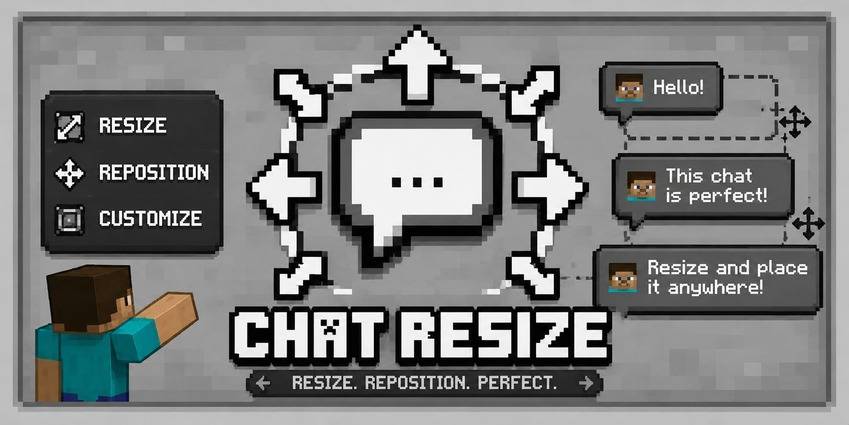
一款用于调整、移动和自定义 Minecraft 聊天界面的客户端模组。
Chat Resizer 让你完全掌控游戏内的聊天界面。你可以调整缩放比例、位置、透明度和背景设置,并实时预览效果。
功能特性
缩放控制
- 统一缩放:调整聊天的整体大小,同时保持原始纵横比。
- X / Y 缩放:独立拉伸或压缩水平宽度和垂直高度。
- 范围:可将所有缩放值在 0% 到 200% 之间任意调节。
位置调整
- X 偏移量:将聊天框向左或向右移动(±300px)。
- Y 偏移量:将聊天框向上或向下移动(±300px)。
外观与输入
- 背景控制: 切换聊天背景面板的显示或隐藏,或将透明度从 0% 调整至 100%。
- 输入框支持: 聊天输入框(<kbd>T</kbd>)会自动调整大小以匹配你自定义的聊天宽度。
- 实时预览: 在调整设置时,可即时在后台看到布局变化。
配置界面
提供带半透明遮罩的双列配置菜单,让您在调整滑块的同时能够实时查看游戏画面。包含标准的重置(恢复原版默认值)、完成(保存)和取消选项。
亮点
- 仅客户端:可在任何服务器上运行,无需服务端安装。
- 轻量级:使用极少的 Mixin,对帧率零影响。
- 多加载器:支持 Fabric、Forge 和 NeoForge 独立运行,无需任何依赖项。
兼容性
| 模组加载器 | 状态 |
|---|---|
| Fabric | 支持 |
| Forge | 支持 |
| NeoForge | 支持 |
使用方法
- 安装适用于你所用加载器的模组。
- 启动 Minecraft 并加入任意世界或服务器。
- 通过 Mod Menu(Fabric)或 Mods 界面(Forge / NeoForge)打开配置菜单。你也可以在 选项 > 控制 中设置专用热键。
- 根据需要调整滑块,然后按 完成 保存设置。
提示:将 缩放比例 设为 45%,Y 轴偏移量 设为 120px,即可获得一个紧贴快捷栏上方的紧凑聊天窗口。
常见问题
问:我如何在 Fabric 中访问配置?
你需要先安装 Mod Menu,然后通过它进入模组的配置界面。
问:服务器也需要安装此模组吗?
不需要。该模组完全运行于客户端,适用于任何原版服务器、Realm 或模组服务器。
问:我可以将它放入我的整合包中吗?
可以。你可以自由地将 Chat Resizer 收录于 Modrinth、CurseForge 或其他启动器平台上的任何公开或私密整合包中。
问:它是否与其他聊天模组兼容?
是的。Chat Resizer 仅修改聊天覆盖层的缩放比例、位置和背景容器。它可以与格式化、时间戳和聊天记录等模组协同工作。
问:如果我不小心丢失了聊天内容或设置了错误的参数怎么办?
打开配置界面,点击左下角的 重置 按钮,即可立即恢复为原版默认值。
整合包政策
欢迎将 Chat Resizer 纳入任何整合包中,无需事先获得明确许可。
错误报告 & 源代码
请在 GitHub 仓库的问题追踪器中报告错误、提交功能请求或查看源代码。
许可证
基于 MIT 许可证 分发。
由 Xeonz 创建。
Chat Resizer
A client-side mod to resize, reposition, and customize your Minecraft chat.
Chat Resizer gives you full control over the in-game chat interface. Adjust scale, position, opacity, and background settings with instant real-time previews.
Features
Scaling Control
- Uniform Scale: Adjust overall chat size while preserving the original aspect ratio.
- X / Y Scale: Stretch or compress horizontal width and vertical height independently.
- Range: Adjust all scales anywhere from 0% to 200%.
Positioning
- X Offset: Shift chat left or right (±300px).
- Y Offset: Shift chat up or down (±300px).
Appearance & Input
- Background Control: Toggle the chat background panel on or off, or adjust transparency from 0% to 100%.
- Typing Bar Support: The chat input box (<kbd>T</kbd>) automatically resizes to match your custom chat width.
- Live Preview: See layout changes instantly in the background while adjusting settings.
Config Screen
Features a two-column config menu with a semi-transparent overlay, letting you see the game in real time while tuning sliders. Includes standard Reset (vanilla defaults), Done (save), and Cancel options.
Highlights
- Client-Side Only: Works on any server without requiring server-side installation.
- Lightweight: Uses minimal mixins with zero impact on frame rates.
- Multi-Loader: Supports Fabric, Forge, and NeoForge standalone with no required dependencies.
Compatibility
| Mod Loader | Status |
|---|---|
| Fabric | Supported |
| Forge | Supported |
| NeoForge | Supported |
How to Use
- Install the mod for your preferred loader.
- Launch Minecraft and join any world or server.
- Open the config menu via Mod Menu (Fabric) or the Mods screen (Forge / NeoForge). You can also set a dedicated hotkey in Options > Controls.
- Adjust sliders to your preferred layout and press Done to save.
Tip: Set Scale to 45% and Y Offset to 120px for a compact chat window that sits right above the hotbar.
Frequently Asked Questions
Q: How do I access the config in fabric?
You need to get a mod menu installed than access the config of the mod.
Q: Does the server need this mod installed?
No. It is 100% client-side and works on any vanilla server, Realm, or modded server.
Q: Can I put this in my modpack?
Yes. You are free to include Chat Resizer in any public or private modpack on Modrinth, CurseForge, or other launcher platforms.
Q: Does this work with other chat mods?
Yes. Chat Resizer only modifies the scale, position, and background container of the chat overlay. It works alongside formatting, timestamp, and chat history mods.
Q: What if I lose my chat or set bad values?
Open the config screen and click Reset at the bottom left to instantly bring back vanilla defaults.
Modpack Policy
You are welcome to include Chat Resizer in any modpack. No explicit permission is needed.
Bug Reports & Source
Report bugs, request features, or check out the source code on the GitHub repository issue tracker.
License
Distributed under the MIT License.
Created by Xeonz.

下载 Chat Resizer
下载 Chat Resizer
下载 Chat Resizer
下载 Chat Resizer
下载 Chat Resizer
下载 Chat Resizer
下载 Chat Resizer
下载 Chat Resizer
下载 Chat Resizer
需要联机服务器吗?
稳定流畅、一键部署,几分钟即可和朋友联机开服
最低仅需 8 元/月 即可畅快联机
下载 Chat Resizer
Chat Resizer v1.1.0 适用于 Minecraft 26.3
- 已适配 Fabric、Forge 和 NeoForge 平台的 Minecraft 26.3。
- 优化了 NeoForge 的元数据(iconFile):不再显示弃用警告。
- 保留了与 1.0.0 相同的配置界面,支持调整聊天框大小、位置和透明度等功能。
关于这个资源的讨论、问题反馈与使用心得
还没有讨论,来发第一帖吧
你是这个资源的作者?登录后可认领此资源。
相似资源
 模组

显示你正在注视的方块的信息。(适用于 Minecraft 1.16+ 的 Hwyla/Waila 分支)
 模组
使用 JavaScript 编辑配方、添加自定义物品、编写世界事件!
 模组

查看物品与配方
 模组
在游戏画面角落显示附近世界地形、玩家、生物和实体的地图。可创建路径点,帮助你找到标记过的位置。
 模组
AE2:一款流行的自动化与存储模组
 模组
那是什么?一个 Waila/Hwyla 的分支。
评论 0
登录后参与评分
还没有评论,来抢沙发吧