CJK Input Bridge

CJK Input Bridge 是一款模组,旨在让在 Windows 系统的 Minecraft 1.12.2 中输入日文及其他中日韩(CJK)文本变得更加容易。
CJK Input Bridge 改善了 1.12.2 版本中日文等字符的输入体验。
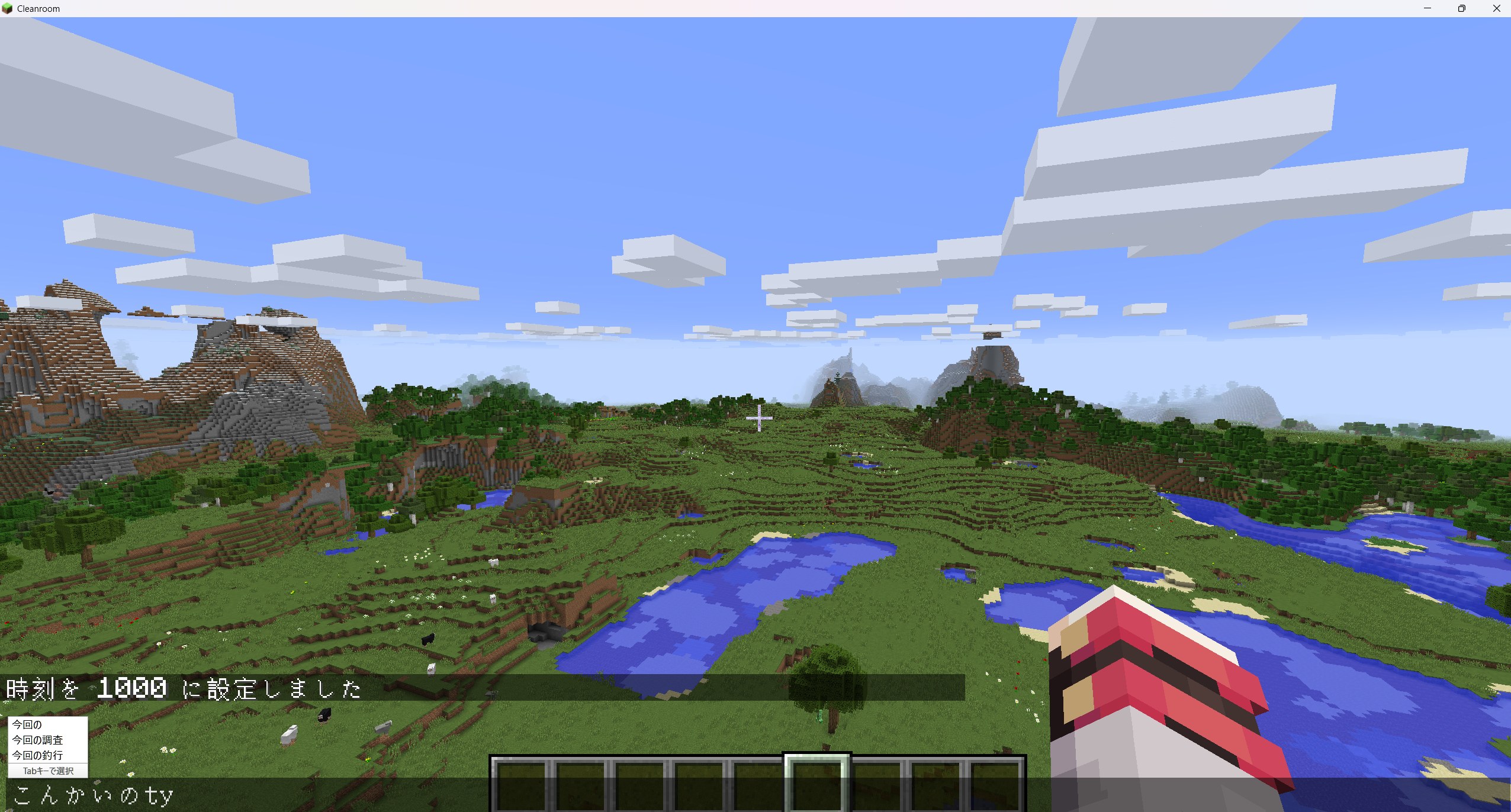
在 Minecraft 1.12.2 中,使用输入法编辑器(IME)进行组合输入的文本可能无法在游戏内正确显示,且候选窗口可能会距离文本输入框很远。
本模组将 Windows 的 IME 与 Minecraft 的文本输入框连接起来,使组合文本和转换候选词能够出现在当前输入位置附近。
它可用于各种文本输入界面,包括聊天框、搜索字段、名称字段以及其他模组添加的配置屏幕。
功能特性
- 直接在 Minecraft 文本输入框中显示 IME 组合文本
- 将候选窗口定位在当前输入位置附近
- 当长文本导致输入框水平滚动时,保持候选窗口对齐
- 针对不同 GUI 缩放设置调整候选窗口的位置
- 在 GUI 内切换标签页或文本输入框后,保持 IME 输入正常工作
- 在使用 Alt+Tab 切换出 Minecraft 后恢复 IME 输入
- 向某些不使用标准 Minecraft 文本输入框的模组化屏幕传递已提交的文本
环境要求
| 项目 |
支持的环境 |
| Minecraft |
1.12.2 |
| 加载器 |
Cleanroom Loader |
| 测试过的 Cleanroom Loader 版本 |
0.5.15-alpha |
| 操作系统 |
Windows 11 |
| Java |
Java 25 |
| 测试过的输入语言 |
日语 |
中日韩输入支持
目前仅对日语输入进行了测试。
中文、韩语及其他中日韩输入方法尚未进行测试,具体能否正常工作取决于 IME 和系统环境。
| 输入环境 |
状态 |
| 日语 IME |
已测试 |
| 中文输入 |
未测试 |
| 韩语输入 |
未测试 |
| Windows 11 x64 |
已测试 |
| ARM 架构上的 Windows |
未测试 |
| macOS |
不支持 |
| Linux |
不支持 |
安装步骤
- 安装 Minecraft 1.12.2 和 Cleanroom Loader。
- 下载 CJK Input Bridge 模组文件。
- 将下载的文件放入 Minecraft 的
mods 文件夹中。
- 使用 Cleanroom Loader 配置文件启动 Minecraft。
无需额外的 DLL 文件、CMake 安装或 Visual Studio Build Tools。
本模组专为 Windows 设计,不包含 macOS 和 Linux 的实现。
CJK Input Bridge

CJK Input Bridge is a mod that makes it easier to enter Japanese and other CJK text in Minecraft 1.12.2 on Windows.
CJK Input Bridgeは1.12.2での日本語系の文字入力を改善します
In Minecraft 1.12.2, text being composed with an IME may not appear correctly in the game, and the candidate window may be displayed far away from the text field.
This mod connects the Windows IME with Minecraft text fields so that composition text and conversion candidates appear near the current input position.
It can be used in a wide range of text-entry screens, including chat boxes, search fields, name fields, and configuration screens added by other mods.
Features
- Displays IME composition text directly in Minecraft text fields
- Positions the candidate window near the current input location
- Keeps the candidate window aligned when long text causes the field to scroll horizontally
- Adjusts the candidate window position for different GUI scale settings
- Keeps IME input working after switching tabs or text fields within a GUI
- Restores IME input after switching away from Minecraft with Alt+Tab
- Passes committed text to some modded screens that do not use standard Minecraft text fields
Requirements
| Item |
Supported environment |
| Minecraft |
1.12.2 |
| Mod loader |
Cleanroom Loader |
| Tested Cleanroom Loader version |
0.5.15-alpha |
| Operating system |
Windows 11 |
| Java |
Java 25 |
| Tested input language |
Japanese |
CJK Input Support
At this time, only Japanese input has been tested.
Chinese, Korean, and other CJK input methods have not yet been tested and may not work correctly depending on the IME and system environment.
| Input environment |
Status |
| Japanese IME |
Tested |
| Chinese input |
Not tested |
| Korean input |
Not tested |
| Windows 11 x64 |
Tested |
| Windows on ARM |
Not tested |
| macOS |
Not supported |
| Linux |
Not supported |
Installation
- Install Minecraft 1.12.2 and Cleanroom Loader.
- Download the CJK Input Bridge mod file.
- Place the downloaded file in the Minecraft
mods folder.
- Start Minecraft with the Cleanroom Loader profile.
No additional DLLs, CMake installation, or Visual Studio Build Tools are required.
This mod is designed for Windows only. macOS and Linux implementations are not included.
评论 0
登录后参与评分
还没有评论,来抢沙发吧
