此模组添加了云存储功能——一种可从世界任何位置访问的无限物品存储空间。
需要 Immibis Core。还需要从任意来源获取 EU、MJ 和 RF API——最可能来自 IC2、Buildcraft 和 CoFH Core,但其他模组也可能包含这些 API。
使用你的云存储
使用命令 "/cloud" 访问你的存储。它的使用方式类似于 ME Access Terminal。滚动条尚未实现——请使用搜索栏代替。该 GUI 存在一些不同步问题,但应该影响不大。带有 NBT 数据的物品无法存储在云中。
使用 VPN 工具
VPN 工具允许机器与你的云进行交互。
用一块泥土和一根红石合成(无需特定形状)。右键点击空气以切换模式。右键点击方块侧面以显示该侧面当前的设置。在对应模式下,Shift+右键点击方块侧面以更改该侧面的设置。
通过 VPN 工具设置的操作仅在你在线时才会执行。
可用模式包括:
- 无操作(停止任何效果)
- 提取物品 - 从此侧面提取所有可提取的物品。
- 插入物品 - 将特定物品插入此侧面。设置时会弹出一个 GUI,供你选择要过滤的物品。
- 提取 RF - 从能量电池中提取 RF。云可以存储大量的 RF。此侧面必须设置为输出模式。
- 插入 RF - 使用 RF 为机器供电。
- 提取 EU - 从 batboxes、CESUs、MFEs 和 MFSUs 中提取 EU。云可以存储大量的 EU。适用于方块的任意侧面。
- 插入 EU - 根据机器的最大 EU/t 评级发送 EU。这意味着如果你将此设置在多个侧面,机器将会爆炸。请勿这样做。
- 插入 MJ - 将 EU 或 RF 转换为 MJ,然后使用 MJ 为机器供电。
使用 VPN 复制器
VPN 复制器由两块泥土和一根红石合成(无需特定形状)。
Shift+右键点击一个方块以从中复制设置,然后右键点击另一个方块以粘贴设置。这使得设置大量相同机器变得容易。
(原始模组由 immibis 制作。原始描述来自 FTB 论坛)
存档通知
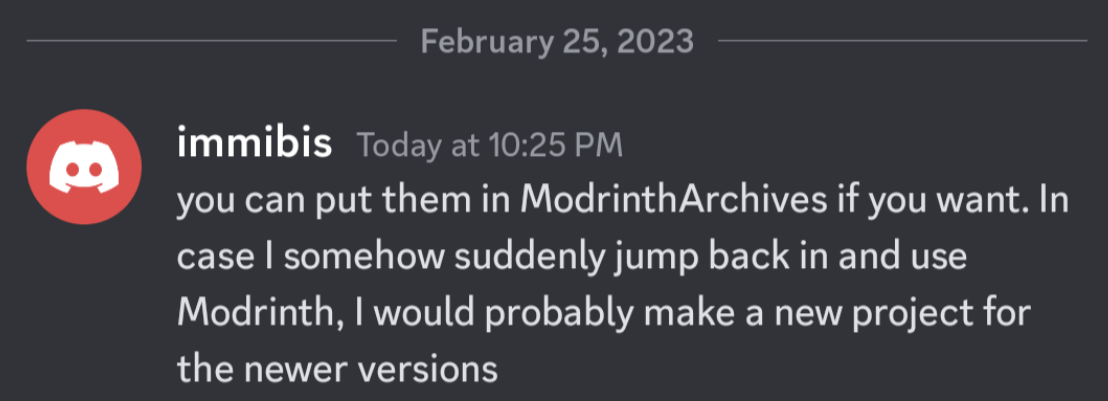
此模组已弃用,上传仅供存档用途。它最初由 immibis 创建。经原作者许可,已上传至 Modrinth 上的 ModrinthArchives 账号。

This mod adds a cloud storage - infinite item storage accessible from anywhere in the world.
Requires Immibis Core. Also requires the EU, MJ and RF APIs from anywhere - most likely from IC2, Buildcraft and CoFH Core, but other mods may include them.
Using your cloud storage
Use the command "/cloud" to access your storage. It works like an ME Access Terminal. The scrollbar is not implemented - use the search bar instead. This GUI has some desync problems, which should be minor. Items with NBT cannot be stored in the cloud.
Using the VPN Tool
The VPN Tool allows machines to interact with your cloud.
Craft it from a piece of dirt and a piece of redstone (shapeless). Right click on nothing to change modes. Right click on a block side to display what that side is set to. Shift-right-click on a block side, with the appropriate mode, to change what that side is set to.
Actions set with the VPN Tool will only happen when you are online.
Available modes are:
- Nothing (stops any effect)
- Extract items - extracts everything that can be extracted from that side.
- Insert items - inserts particular items into that side. When you set it, it will display a GUI where you can select the items to filter.
- Extract RF - extracts RF from Energy Cells. The cloud can store a very large amount of RF. The side must be set to output mode.
- Insert RF - powers the machine with RF.
- Extract EU - extracts EU from batboxes, CESUs, MFEs and MFSUs. The cloud can store a very large amount of EU. Works on any side of the block.
- Insert EU - sends EU based on the machine's maximum EU/t rating. That means if you apply this on more than one side the machine will explode. Don't do that.
- Insert MJ - converts EU or RF to MJ, and then powers the machine with MJ.
Using the VPN Copier
The VPN copier is crafted from two pieces of dirt and a piece of redstone, shapeless.
Shift-right-click on a block to copy settings from it, then right-click on another block to paste them. This makes it easy to set up lots of identical machines.
(Original mod by immibis. Original description from the FTB Forum)
Archival notice
This mod is abandoned and has been uploaded for archival purposes. It was originally created by immibis. It has been uploaded to Modrinth under the ModrinthArchives account with permission from the original author.

评论 0
登录后参与评分
还没有评论,来抢沙发吧