CmdPalette
CmdPalette 是一款快速、现代的 Minecraft(Fabric)游戏内命令面板,帮助你在比仅使用聊天窗口更顺畅的流程中搜索、组织和执行命令。
它完全在客户端运行,高度可定制,专为在生存、创造、管理和技术型世界中频繁使用命令的玩家设计。
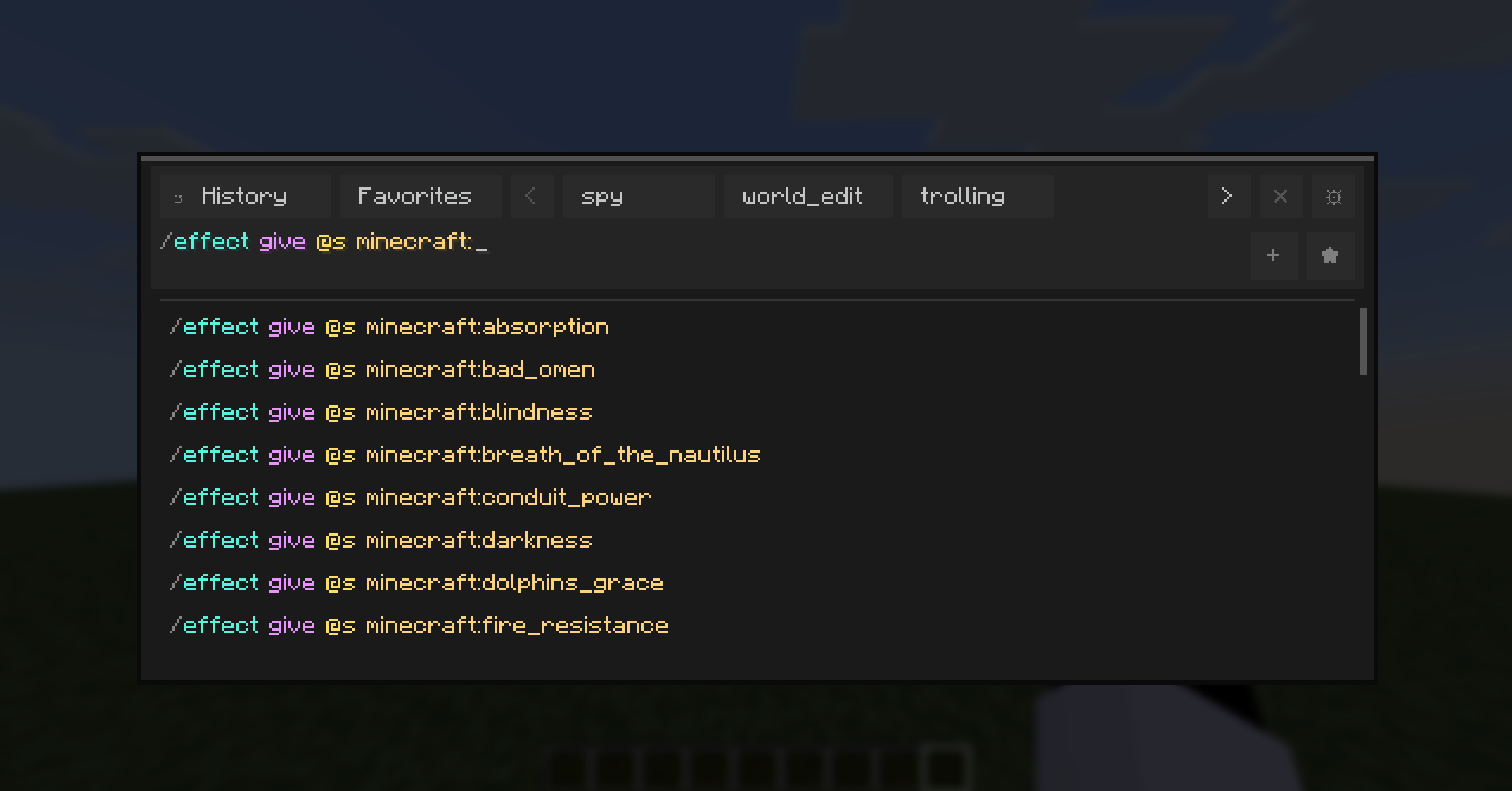
主要功能
- 通过键盘快捷键即时访问的命令面板。
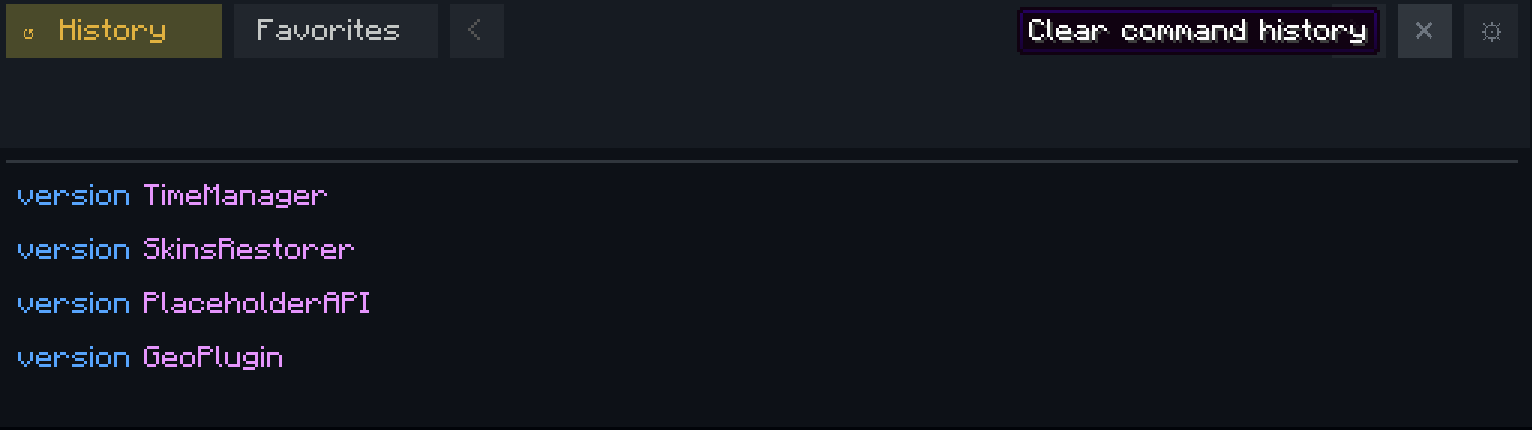
- 具有持久化存储的命令历史记录。
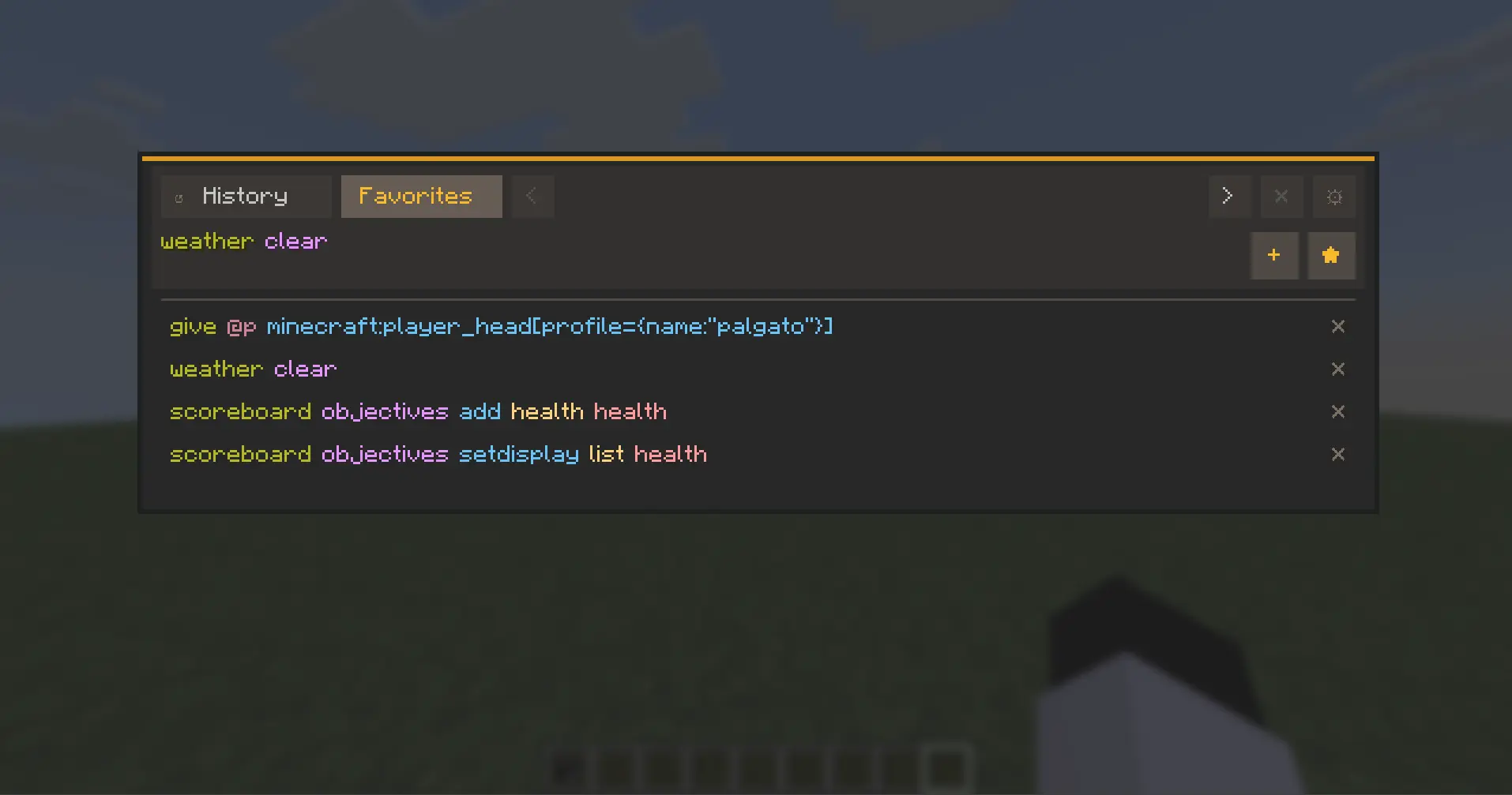
- 收藏功能和自定义分类,便于快速组织命令。
- 直接在输入框中使用上/下箭头浏览已执行的命令历史。
- 主题系统,提供预设主题和可自定义编辑的主题。
- 支持按元素单独编辑颜色(HEX + RGB 控件)。
- 支持外部主题文件工作流,并具备自动重载功能。
- 本地化就绪的用户界面,支持英语和西班牙语。
- 可在 Minecraft 控制菜单中配置按键(专属 CmdPalette 类别)。
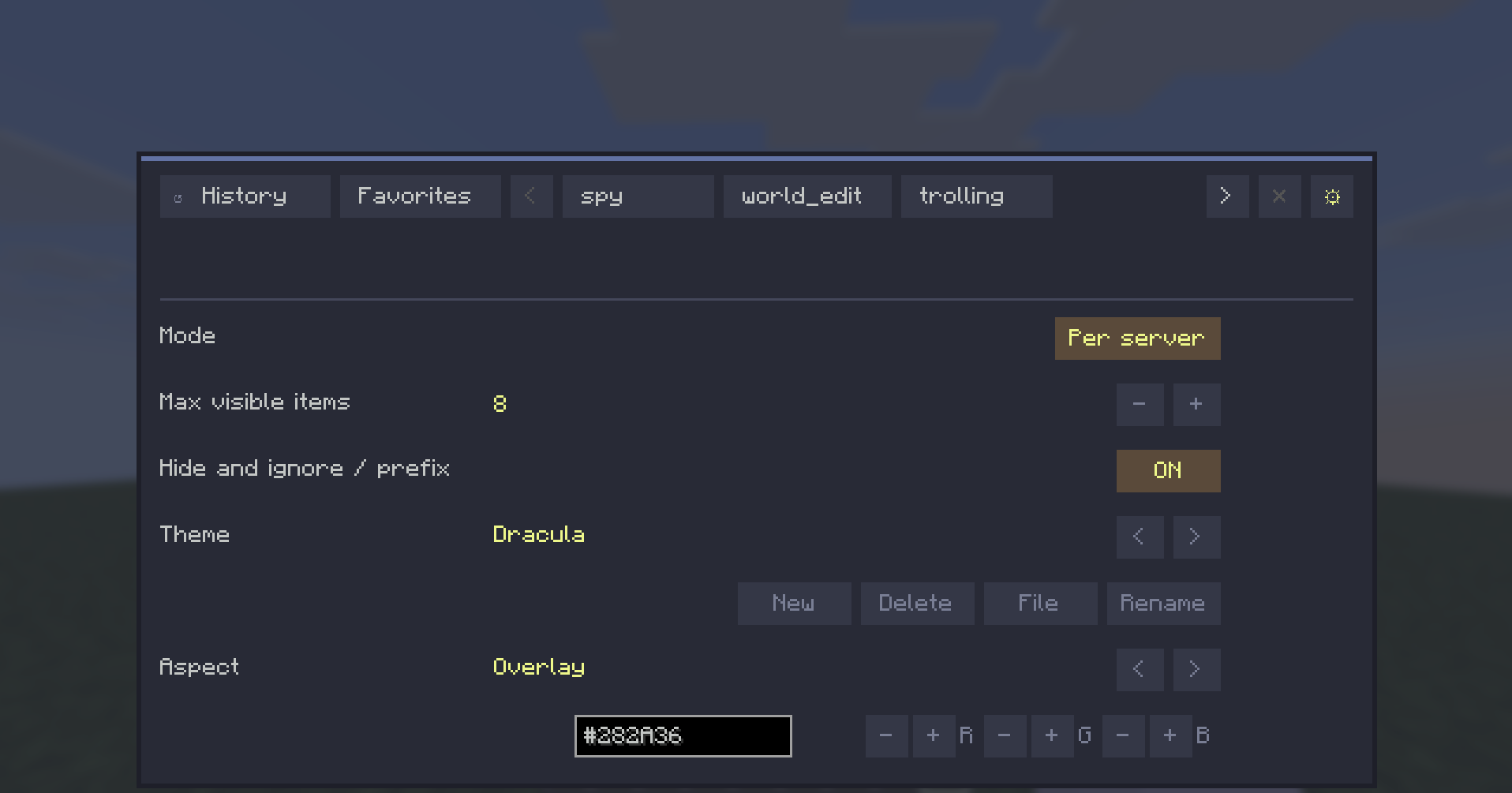
数据范围模式
CmdPalette 允许你选择如何存储命令数据:
- 全局 -> 所有地方共享一个配置文件。
- 每个服务器 -> 为每个服务器分别保存历史记录/分类/收藏。
- 每个世界 -> 为每个单人存档分别保存配置文件。

这使命令集具备上下文感知能力(例如,在一个配置文件中保存世界编辑命令,在另一个配置文件中保存原版友好命令)。
用户体验亮点
- 从顶部栏直接访问持久设置。
- 针对历史记录和分类管理的上下文操作按钮。
- 当输入为空时隐藏快速添加按钮(界面更简洁)。
- 在设置视图期间隐藏输入栏。
- 根据本地化内容调整按钮大小以适应长标签。
默认控制
- 打开面板:Ctrl+Enter
- 关闭面板:Esc 或 Ctrl+X
所有按键绑定均可在 Minecraft 控制菜单中进行配置。

兼容性
- 环境:仅限客户端
- Minecraft:1.21.11
- Fabric Loader:>=0.18.4
- Fabric API:0.141.3+1.21.11
CmdPalette 无需安装在服务器上。
为什么选择 CmdPalette?
如果你经常使用命令,CmdPalette 能提供更简洁、更高效的工作流程:减少重复输入,更好的组织性,以及在不同上下文中快速访问所需命令的能力。
CmdPalette
CmdPalette is a fast, modern in-game command palette for Minecraft (Fabric) that helps you search, organize, and execute commands with less friction than chat-only workflows.
It is fully client-side, highly customizable, and designed for players who use commands frequently in survival, creative, admin, and technical worlds.

Main Features
- Instant command palette with keyboard shortcut access.
- Command history with persistent storage.
- Favorites and custom categories for quick command organization.
- Executed-history browsing directly from the input using Up/Down arrows.
- Theme system with presets and custom editable themes.
- Per-aspect color editing (HEX + RGB controls).
- External theme file workflow with automatic reload support.
- Localization-ready UI with English and Spanish support.
- Configurable controls from Minecraft Controls menu (dedicated CmdPalette category).

Data Scope Modes
CmdPalette lets you choose how your command data is stored:
- Global -> one shared profile everywhere.
- Per server -> separate history/categories/favorites for each server.
- Per world -> separate profiles per singleplayer save.

This keeps command sets context-aware (for example, world-edit commands in one profile and vanilla-friendly commands in another).
UX Highlights
- Persistent Settings access from the top bar.
- Contextual actions for history/category management.
- Quick-add buttons hidden when input is empty (cleaner UI).
- Input bar hidden while in Settings view.
- Localization-aware button sizing for long labels.

Default Controls
- Open palette: Ctrl+Enter
- Close palette: Esc or Ctrl+X
All keybinds are configurable in Minecraft Controls.

Compatibility
- Environment: Client-side only
- Minecraft: 1.21.11
- Fabric Loader: >=0.18.4
- Fabric API: 0.141.3+1.21.11
CmdPalette does not need to be installed on the server.
Why CmdPalette?
If you use commands often, CmdPalette gives you a cleaner and faster workflow: less typing repetition, better organization, and quick access to exactly the commands you need in each context.

评论 0
登录后参与评分
还没有评论,来抢沙发吧