
本模组凝聚了无数个日夜的心血,得以实现离不开像您这样的玩家支持。如果您希望表达对我工作的感谢并支持 Config Presets 的持续开发,请考虑向我捐赠。
 即时保存并在您的 Minecraft 配置之间切换!
厌倦了每次在录制、直播或休闲游玩之间切换时手动调整设置吗?Config Preslets 允许您保存游戏设置的完整快照,并通过单击一键应用。




? 本模组正在积极开发中!部分功能可能会变更、移除或新增!
? 您可以保存什么?
- 视频设置 - 画质、渲染距离、视野 (FOV)、粒子效果等
- 声音设置 - 所有音量级别和音频偏好
- 控制与按键绑定 - 您的完整操控方案
- 资源包 - 已启用的资源包及其加载顺序保持不变
- 无障碍与聊天 - 语言、旁白、聊天设置等
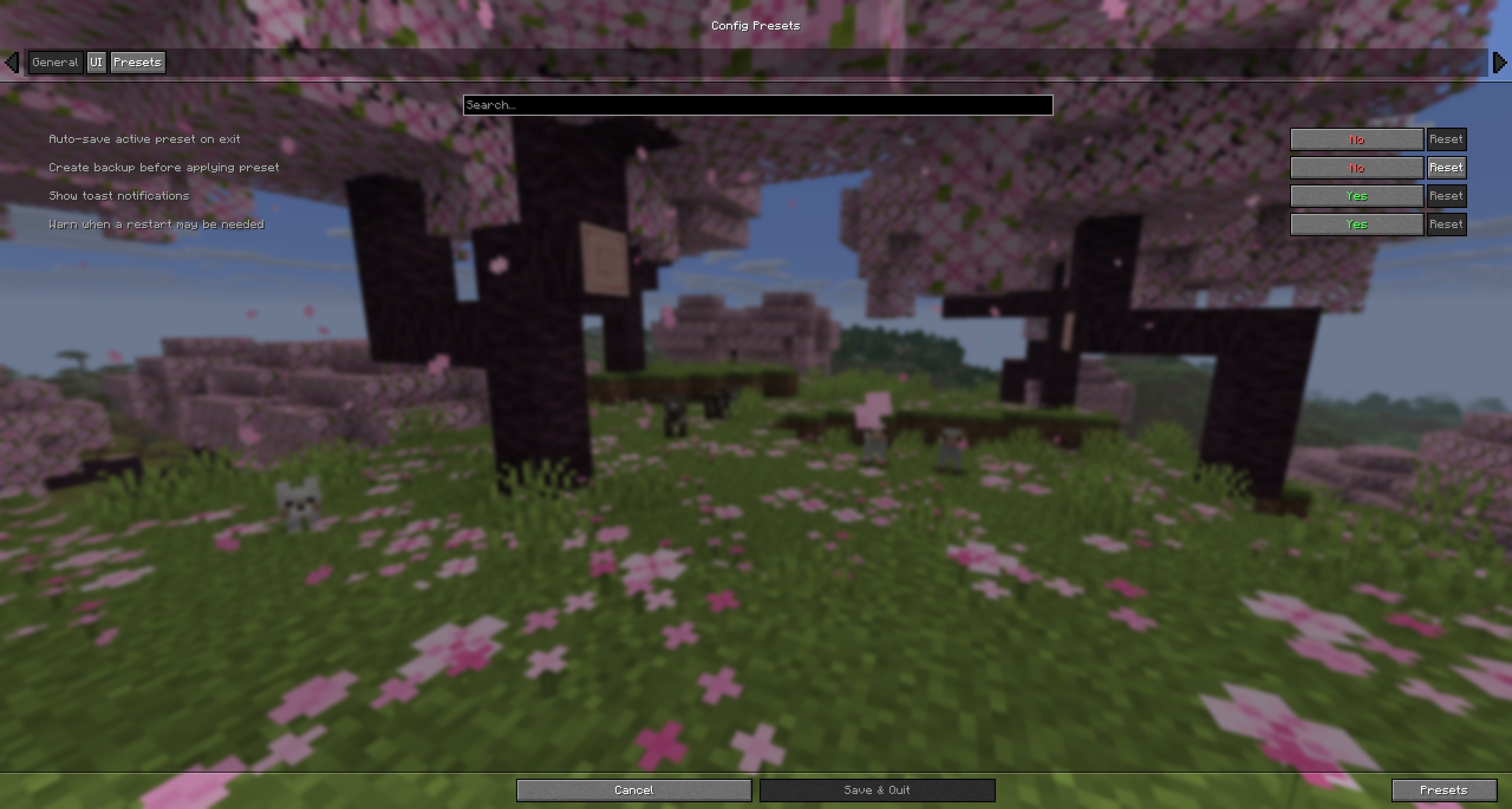
- 模组配置 - 第三方模组的设置
? 快速访问
- 按键绑定 - 按 P(可自定义)从任意位置打开预设管理器
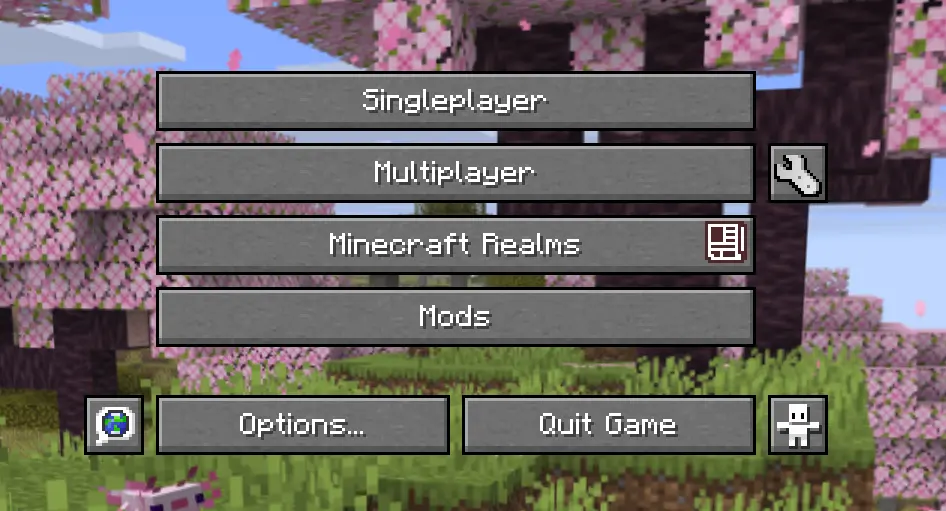
- 菜单按钮 - 在主菜单和暂停屏幕上的快捷访问按钮
?️ 组织管理
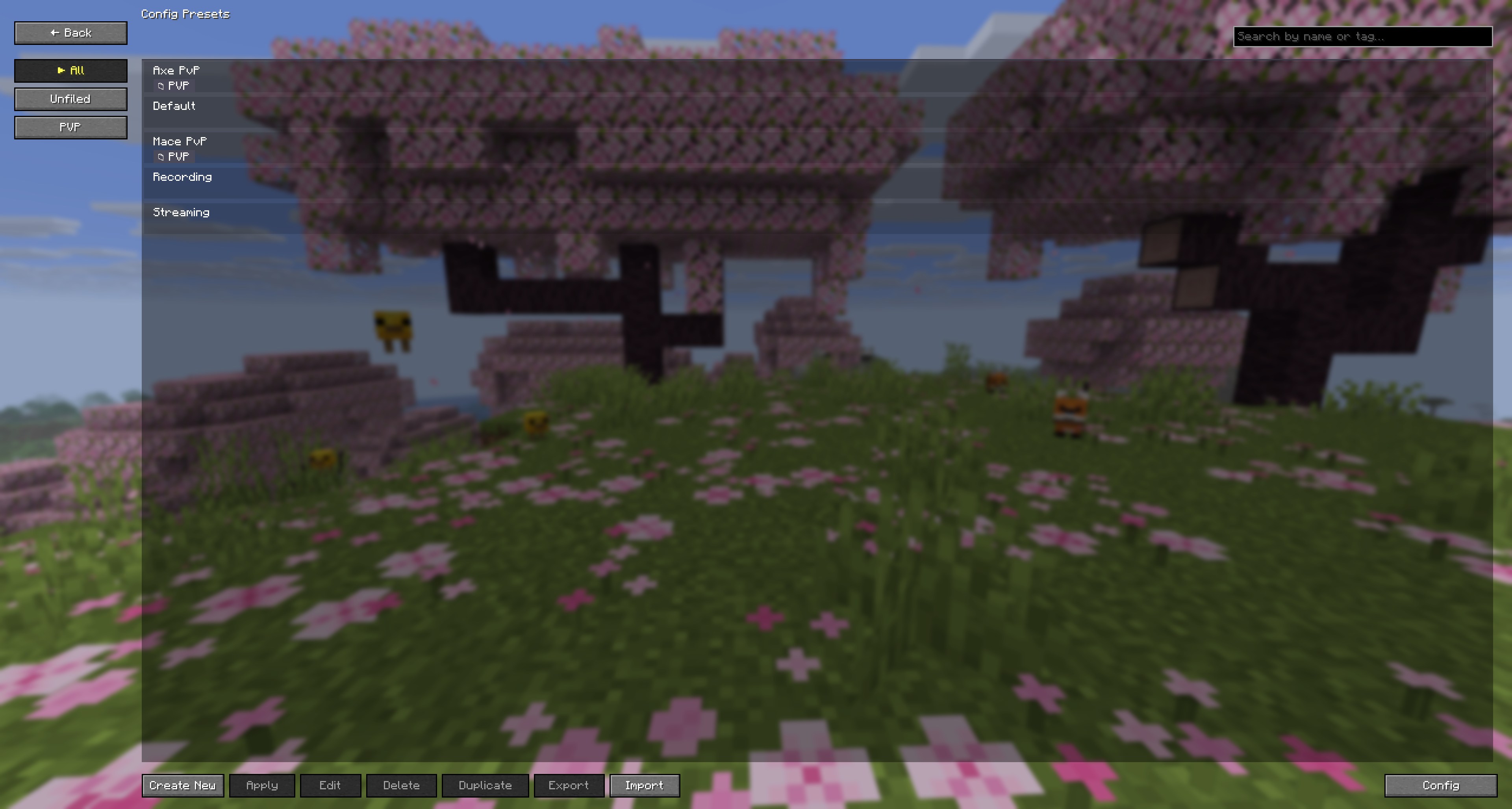
- 文件夹 - 将预设分类整理
- 标签 - 添加彩色标签以便轻松筛选
- 搜索 - 通过名称或标签即时查找预设
? 导入/导出
- 分享预设 - 导出为 JSON 文件以与好友分享
- 模组列表 - 可选择包含已安装模组的列表
? 使用方法
- 安装模组并启动 Minecraft
- 按 P 键或在暂停菜单中点击扳手图标
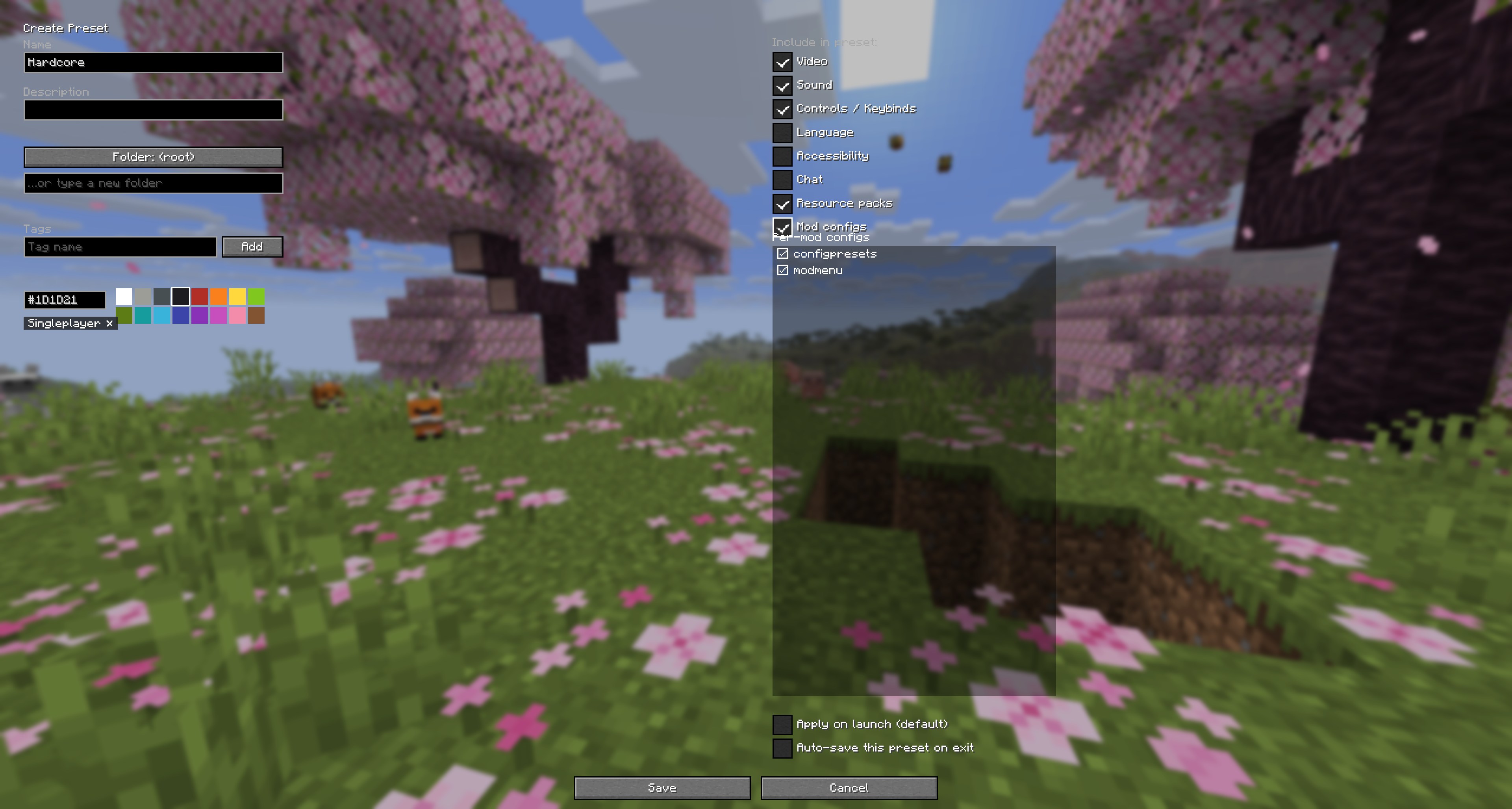
- 点击“新建”并配置要保存的内容:
- 选择要包含的分类(视频、声音、控制等)
- 为您的预设命名,并可添加标签/文件夹
- 点击任何预设即可立即切换!
? 完美适用于...
- 内容创作者 - 区分录制与直播的独立预设
- 整合包玩家 - 为不同整合包保存不同的配置
- 性能优化 - 在画质与性能之间快速切换
- 多人游戏 - 服务器与单人游戏使用不同设置
- 测试 - 快速测试不同的配置组合
? 需求
Fabric:
- Fabric Loader 0.19.2+
- Fabric API
- Cloth Config API
- Mod Menu(可选,用于便捷访问配置)
NeoForge:
? 兼容性
与以下模组配合良好:
- Sodium, Sodium Extra, Reese's Sodium Options
- Iris Shaders
- 性能优化类模组(Lithium, Cull Leaves, More Culling 等)
- 大多数基于文件的 Fabric 模组
? 发现 Bug?
您可以在问题追踪器上报告 Bug、崩溃及其他问题。请确保提供您所使用的模组信息,并附上任何崩溃日志或常规日志文件。
? 许可证
本模组采用 MIT License 授权发布。
❤️ 支持
如果您喜欢本模组,请考虑:
- ⭐ 给 GitHub 仓库点星!
- ❤️ 在 Modrinth 上留下爱心!
- ? 在 Curse Forge 收藏并关注!
- ? 分享给朋友们!
? 截图
致谢
图标由 Gedeon Maheux 制作,来自 FreeImages
This mod is the result of countless hours of work and is made possible by players like you. If you wish to express your gratitude for my efforts and support the continued development of Config Presets, consider donating to me.
Save and switch between your Minecraft configurations instantly!
Tired of manually tweaking your settings every time you switch between recording, streaming, or casual play? Config Presets lets you save complete snapshots of your game settings and apply them with a single click.
? THIS MOD IS HEAVILY UNDER DEVELOPMENT! SOME FEATURES MAY BE CHANGED, REMOVED, OR ADDED!
? What Can You Save?
- Video Settings - Graphics quality, render distance, FOV, particles, and more
- Sound Settings - All volume levels and audio preferences
- Controls & Keybinds - Your complete control scheme
- Resource Packs - Enabled packs with load order preserved
- Accessibility & Chat - Language, narrator, chat settings, and more
- Mod Configurations - Third-party mod settings
? Quick Access
- Keybind - Press P (customizable) to open the preset manager from anywhere
- Menu Buttons - Quick-access buttons on the title and pause screens
?️ Organization
- Folders - Organize presets into categories
- Tags - Add colored tags for easy filtering
- Search - Find presets by name or tag instantly
? Import/Export
- Share Presets - Export as JSON files to share with friends
- Mod Lists - Optionally include a list of your installed mods
? How to Use
- Install the mod and launch Minecraft
- Press P or click the wrench icon in the pause menu
- Click "Create New" and configure what to save:
- Toggle which categories to include (Video, Sound, Controls, etc.)
- Name your preset and optionally add tags/folders
- Click "Apply" on any preset to switch instantly!
? Perfect For...
- Content Creators - Separate presets for recording vs. streaming
- Modpack Players - Save different configs for different packs
- Performance Tuning - Quickly switch between quality and performance
- Multiplayer - Different settings for servers vs. singleplayer
- Testing - Rapidly test different configurations
? Requirements
Fabric:
- Fabric Loader 0.19.2+
- Fabric API
- Cloth Config API
- Mod Menu (optional, for easy access to config)
NeoForge:
? Compatibility
Works great with:
- Sodium, Sodium Extra, Reese's Sodium Options
- Iris Shaders
- Performance mods (Lithium, Cull Leaves, More Culling, etc.)
- Most Fabric mods with file-based configs
? Found a Bug?
You can report bugs, crashes, and other issues on the Issue Tracker. Make sure you include information about the mods you are using, and attach any crash/log files you have.
? License
This mod is available under the MIT License.
❤️ Support
If you enjoy this mod, consider:
- ⭐ Starring the GitHub repository!
- ❤️ Leaving a heart on Modrinth!
- ? Favorite and Follow on Curse Forge!
- ? Sharing with friends!
? Screenshots
Credits
Icon by Gedeon Maheux on FreeImages

下载 Config Presets
下载 Config Presets
下载 Config Presets
下载 Config Presets
下载 Config Presets
下载 Config Presets
下载 Config Presets
下载 Config Presets
已更新至 26.3。
关于这个资源的讨论、问题反馈与使用心得
还没有讨论,来发第一帖吧
你是这个资源的作者?登录后可认领此资源。
相似资源
 模组

显示你正在注视的方块的信息。(适用于 Minecraft 1.16+ 的 Hwyla/Waila 分支)
 模组
在游戏画面角落显示附近世界地形、玩家、生物和实体的地图。可创建路径点,帮助你找到标记过的位置。
 模组

查看物品与配方
 模组
使用 JavaScript 编辑配方、添加自定义物品、编写世界事件!
 模组
AE2:一款流行的自动化与存储模组
 模组
那是什么?一个 Waila/Hwyla 的分支。
评论 0
登录后参与评分
还没有评论,来抢沙发吧