

|
? 描述
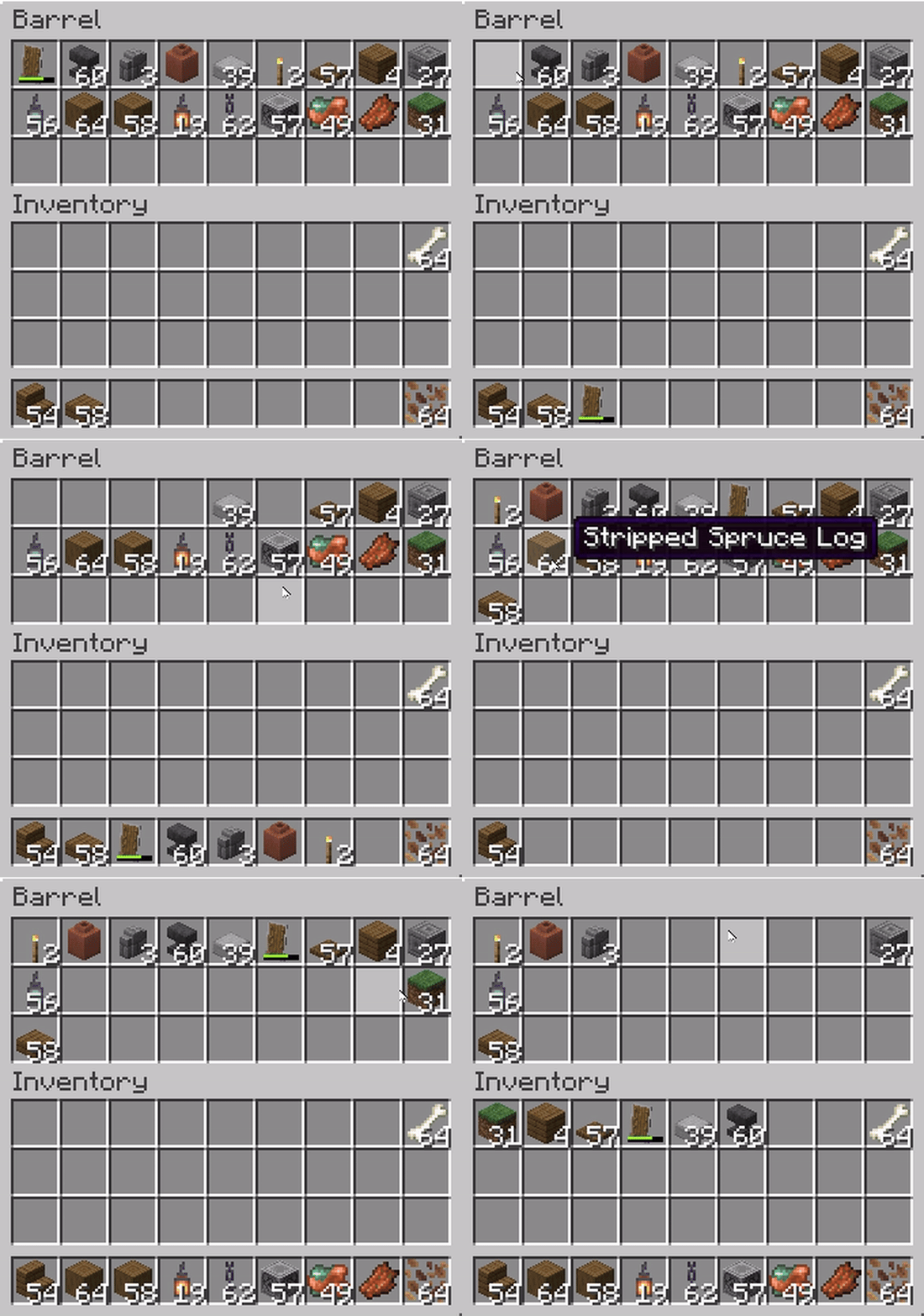
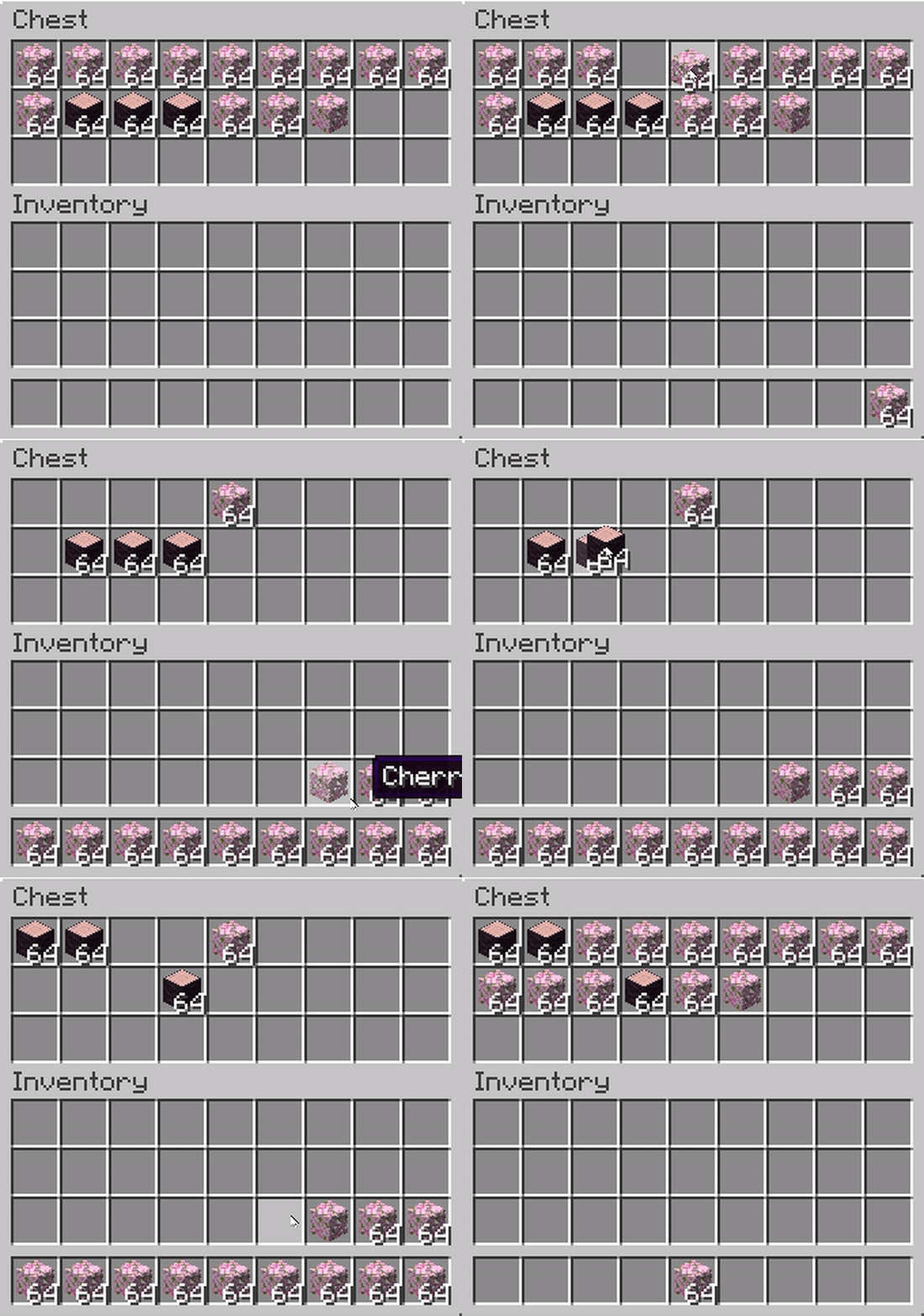
使 Shift+点击行为保持一致:从任意容器中取出的物品均从左向右移动,就像在玩家背包中一样。 适用于箱子、熔炉、工作台以及所有容器。
? GIF 展示
⚠️ 已知问题
目前,当在容器中使用Shift + 双击(拾取全部)时,仍会应用原版逻辑。
而不是遵循模组的规则(从左到右,优先填充快捷栏),物品会以从右到左的方式放置在整个背包中。
以下是差异对比:
Expected (Consistent Shift):
[Hotbar 1] → [Hotbar 2] → … → [Hotbar 9] → [Main Inventory Left → Right]

Vanilla (current bug):
[Hotbar 9] → [Hotbar 8] → … → [Hotbar 1] → [Main Inventory Right → Left]
? 贡献
如果你知道如何修复拾取全部 Bug(或有改进建议),欢迎在 GitHub 项目页面 提交 Issue 或 Pull Request。
非常欢迎社区贡献!
|
|
? Description
Makes Shift+Click behavior consistent: items from any container are moved left to right, just like in the player's inventory. Works for chests, furnaces, crafting tables, and all containers.
? GIF Showcase
⚠️ Known Issue
Currently, when using Shift + double-click (Pickup All) in a container, vanilla logic is still applied.
Instead of following the mod’s rule (left → right, starting with hotbar), items are placed right → left across the inventory.
Here’s the difference:
Expected (Consistent Shift):
[Hotbar 1] → [Hotbar 2] → … → [Hotbar 9] → [Main Inventory Left → Right]

Vanilla (current bug):
[Hotbar 9] → [Hotbar 8] → … → [Hotbar 1] → [Main Inventory Right → Left]
? Contributing
If you know how to fix the Pickup All bug (or have ideas for improvements), feel free to open an issue or a pull request on the GitHub project page.
Community contributions are very welcome!

下载 Consistent Shift
下载 Consistent Shift
下载 Consistent Shift
需要联机服务器吗?
稳定流畅、一键部署,几分钟即可和朋友联机开服
最低仅需 8 元/月 即可畅快联机
下载 Consistent Shift
下载 Consistent Shift
下载 Consistent Shift
下载 Consistent Shift
下载 Consistent Shift
下载 Consistent Shift
下载 Consistent Shift
v1.0.1:
- 将路径名称更改为资源包
- 添加了对早期版本 [1.17-1.18.2] 的支持
关于这个资源的讨论、问题反馈与使用心得
还没有讨论,来发第一帖吧
你是这个资源的作者?登录后可认领此资源。
相似资源
 模组

一个用于收集生物掉落物的多区块模组。
 模组
在游戏画面角落显示附近世界地形、玩家、生物和实体的地图。可创建路径点,帮助你找到标记过的位置。
 模组
AE2:一款流行的自动化与存储模组
 模组

一个基于构建器的 Minecraft 配置库!
 模组
添加全屏世界地图,显示你在世界中已探索的区域。与 Xaero's Minimap 搭配使用效果极佳。
 模组

基于 GTCEu 1.12.2 的现代 GregTech
评论 0
登录后参与评分
还没有评论,来抢沙发吧