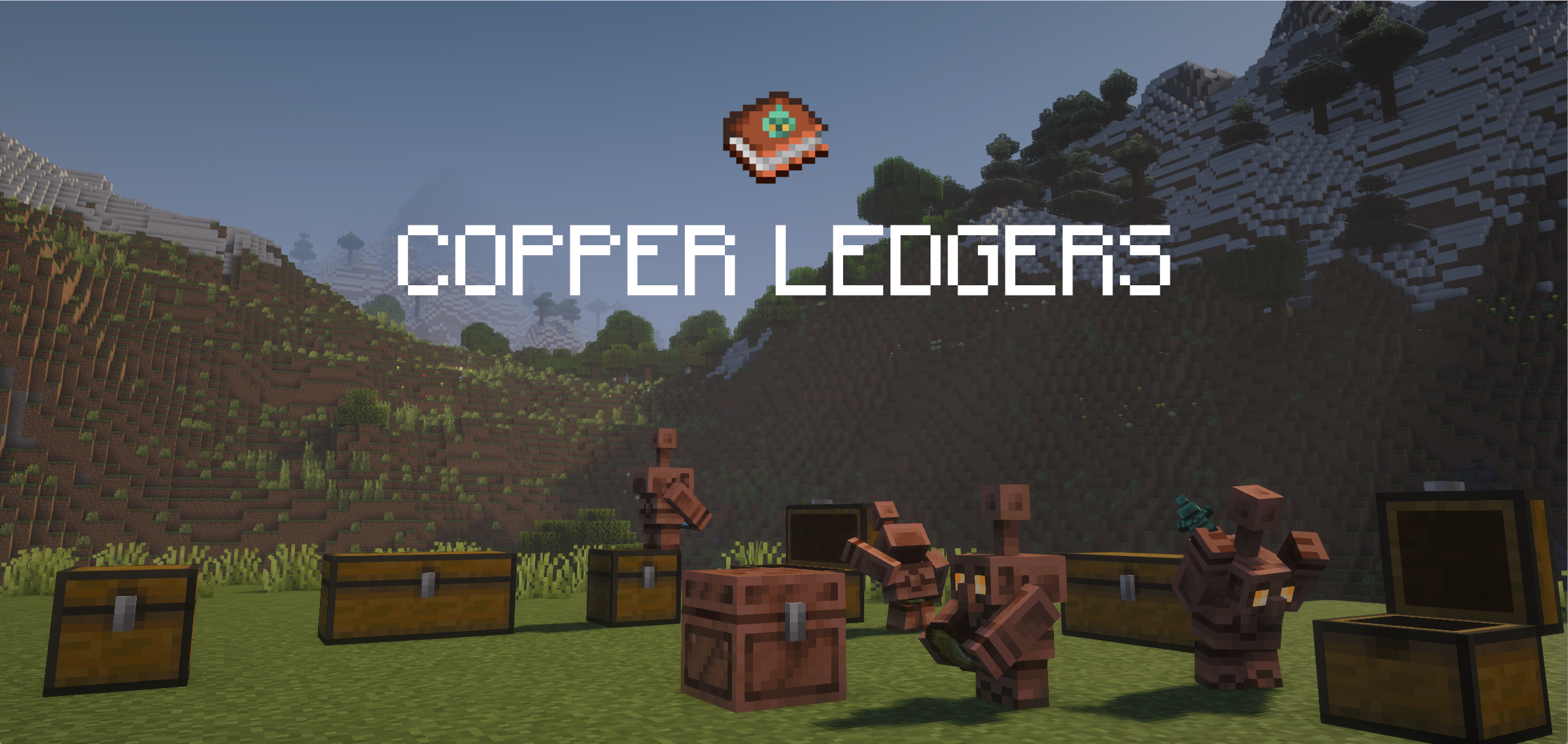
帮助你的傀儡记住物品该放在哪里!
ℹ️ 模组介绍
你是否曾从箱子里取出全部某种物品,结果铜傀儡立刻忘记了那些物品本该存放在这里?
本模组添加了铜账本(Copper Ledger),
允许你为背包中的任何物品创建一个清单。
当将账本放入箱子时,铜傀儡会将账本中指定的物品放入箱子,即使箱子里实际上并没有这些物品。
如果铜傀儡遇到没有账本的箱子,或者账本中没有列出该物品的情况,它将回退到默认行为。
这非常有用:
- 将一个箱子专门用于存放一组特定类型的物品,而不必始终在箱子里保留每种物品至少一个
- 规划并整理存储系统
? 合成配方
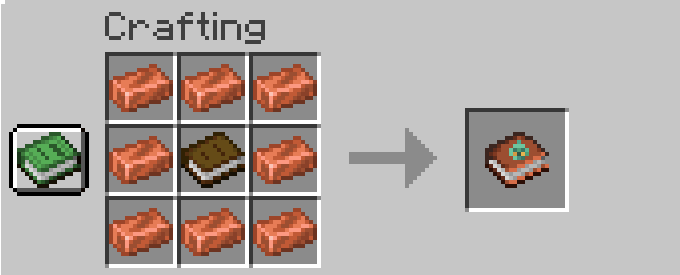
用8个铜锭围绕一本书来制作账本
⁉️ 使用方法
添加和移除物品
快速添加和移除
编辑账本最简单的方法可能是将其拿在鼠标光标上,然后左键点击目标物品。这与Bundle*非常相似:
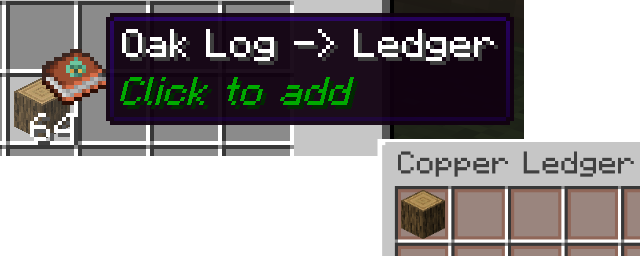
? 请注意,这不会消耗你背包中的物品。账本存储的是物品类型的记录*(最多54种),而不是实际的物品本身。
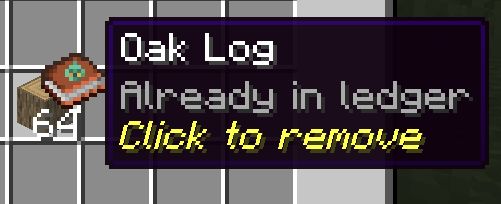
或者,如果物品已经在账本中,你也可以以相同的方式移除它:
让我们开始一个示例:我们将把一个箱子专门用于存放多种矿石类型。
完整账本界面
要打开账本,请在手持状态下右键点击。
你可以在这个界面上通过点击来添加背包中的任意物品。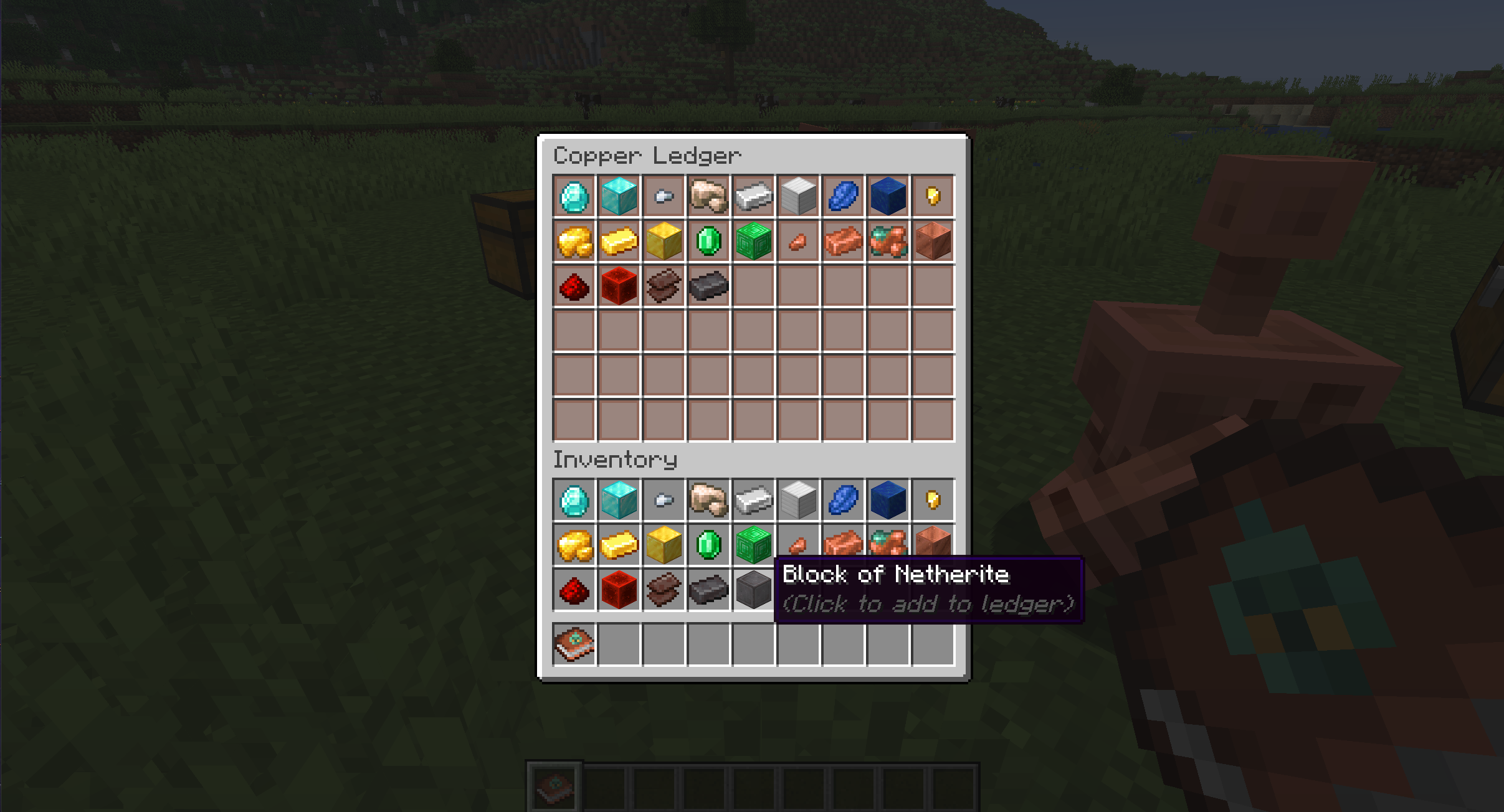
假设我们决定不与这些矿石一起存放青金石。你可以通过点击它们从账本中移除物品。
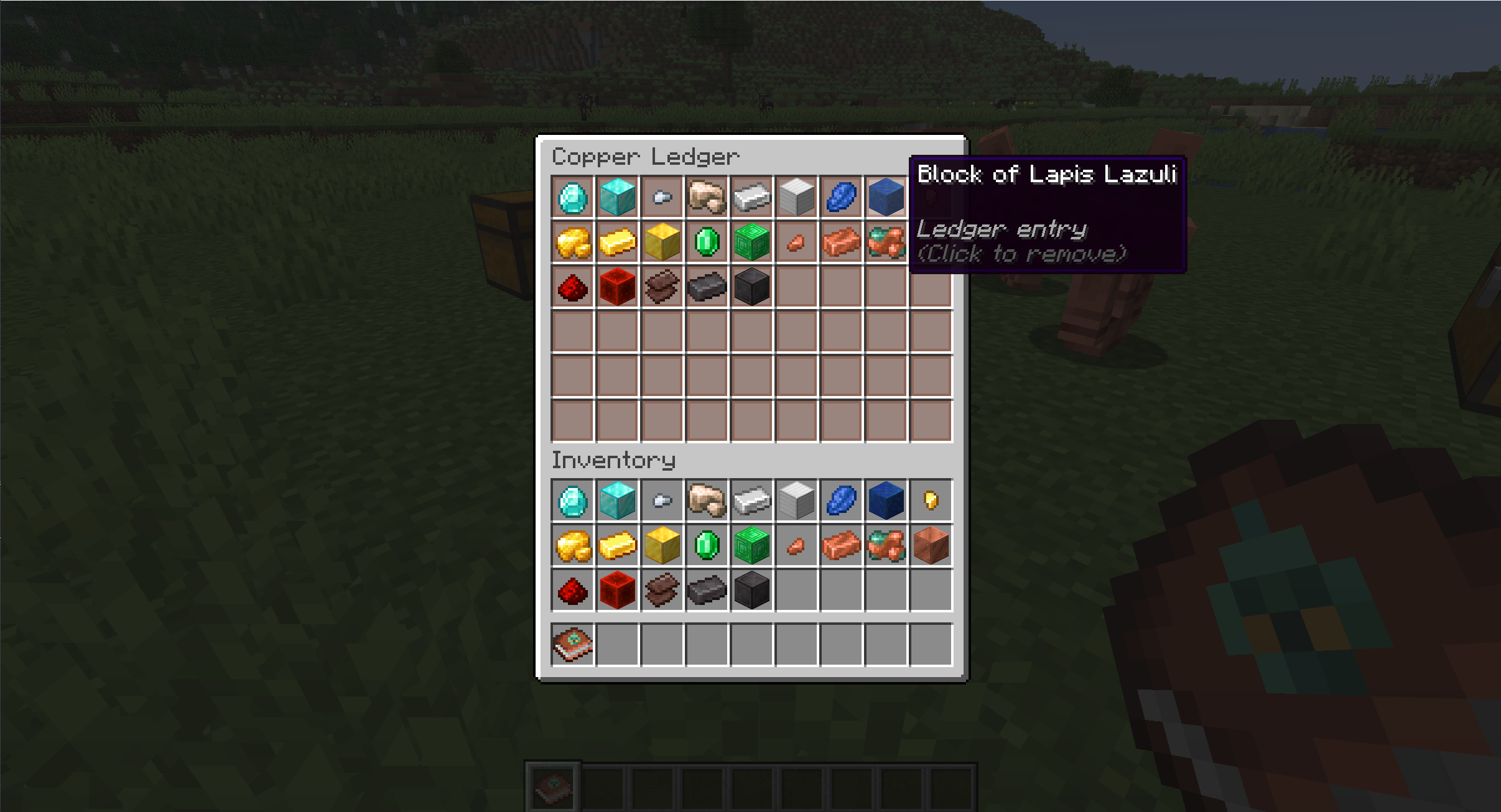
现在我们可以将账本放入我们想要的箱子中。
⚙️ 账本的实际应用
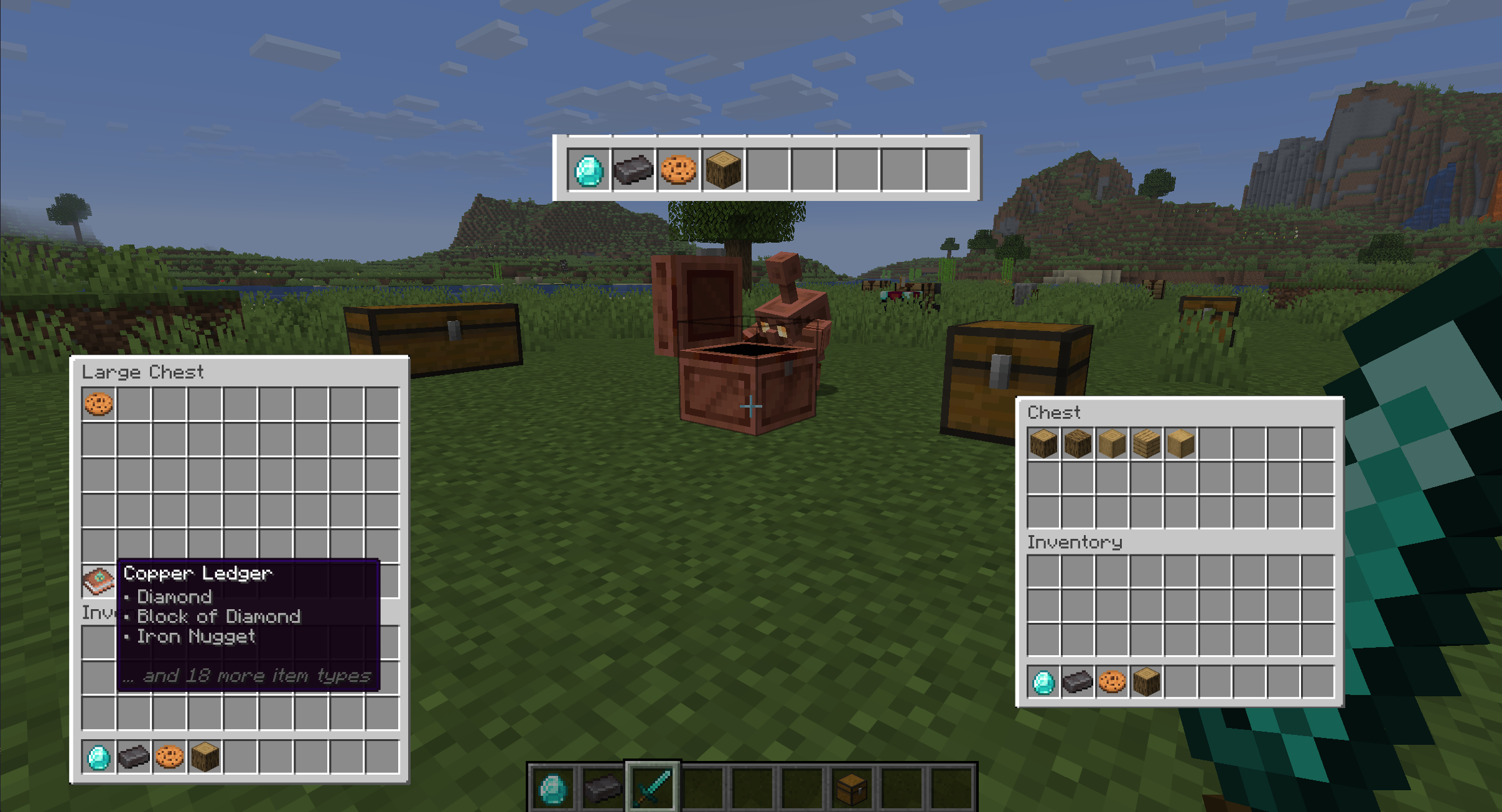
在下面的示例中,我们将给傀儡一个钻石、一个下界合金锭、一个曲奇和一个橡木原木。我们有两个箱子:
- 左边是一个双格箱子,里面放着矿石账本,以及一个曲奇。
- 右边是一个小箱子,里面有各种类型的木材。这将展示没有账本的箱子会正常运作。
? 工作原理
当搜索箱子时,傀儡现在会立即检查是否存在一个或多个账本。
- 如果发现指定了傀儡手中物品的账本,傀儡会将该箱子视为拥有该物品
- 如果没有找到账本,或者没有任何账本指定傀儡手中的物品,傀儡将回退到原版行为。
基于此,我们预期傀儡会将钻石、下界合金锭和曲奇放入双格箱子,而将橡木原木放入单格箱子。
? 你可以在此处查看实际效果!
? 清除与拆解
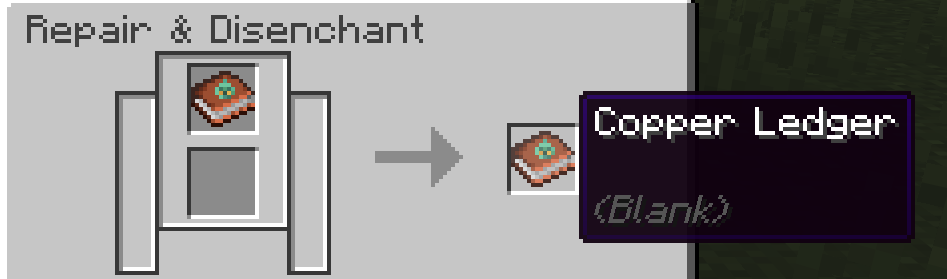
如果你想清除账本,你可以连续点击物品将其移除,或者在研磨机上刮除它
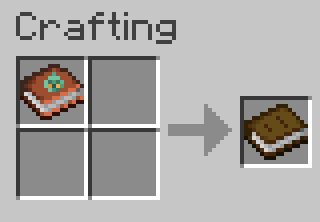
或者如果你只想收回书本,可以将其放入合成台(代价是失去你的铜锭)
?️ 兼容性与要求
- Minecraft 版本 26.2
- Fabric(需要 Fabric API)
✨️ 安装
由于涉及自定义物品和图形用户界面(GUI),Copper Ledgers 必须在客户端和服务器(如适用)上都安装。
?️ 潜在的未来功能
这些功能是初步的想法,我打算探索,且可能会发生变化
- 配方书账本选择器
- 允许玩家添加配方书中解锁的任何物品,而不要求物品必须在玩家背包中
- 可能作为现有机制的可切换替代方案存在
- 仅服务器选项
- 允许客户端加入启用了 Copper Ledger 的服务器,而无需本地安装模组
Help your golems remember where things go!
ℹ️ The mod
Ever taken your entire supply of an item out of a chest, only for your copper golems to immediately forget that's where that item belongs?
This mod adds the Copper Ledger,
which allows you to create a checklist of any items from your inventory.
When you place the ledger into a chest, a copper golem will put items specified by the ledger into the chest, even if there are none actually there.
If a copper golem reaches a chest with no ledger, or a ledger that does not list the item, it falls back to the default behavior.
This is useful for:
- Dedicating a chest to a set of item types, without having to always keep at least one of each item in the chest
- Planning out and organizing a storage system
? Recipe
Craft a ledger by surrounding a book with 8 copper ingots
⁉️ How to use
Adding and removing items
Quick add and remove
Probably the simplest way to edit ledgers is to pick it up on your cursor and left-click on a desired item. A lot like a bundle*:
? *Note that this doesn't consume the item from your inventory. Ledgers store records of item types (up to 54 of them), not the actual items themselves.
Or, if the item is already in the ledger, you can remove it in the same way:
Let's start an example: we'll dedicate a chest to a bunch of ore types.
Full ledger screen
To open a ledger, right click with it in your hand.
You can add any item from your inventory on this screen by clicking on it.
Let's say we decided against keeping lapis with these ores. You remove items from the ledger by clicking on them.
We can now place the ledger in our desired chest.
⚙️ Ledgers in Action
In the example below, we'll give the golem a diamond, a netherite ingot, a cookie, and an oak log. We have two chests:
- On the left, we have a double chest with the ore ledger, along with a cookie.
- Notice how the chest doesn't actually have any actual diamonds or netherite.
- On the right, we have a small chest, with various types of wood. This will show that chests without ledgers behave normally.
? How it works
When searching a chest, golems now immediately check for one or more ledgers.
- If a ledger is found that specifies the golem's item, the golem will treat that chest as if it has that item
- If no ledgers are found, or if none of them specify the item in the golem's hand, the golem will fall back on vanilla behavior.
With this in mind, we expect the golem to put the diamond, netherite, and cookie into the double chest, and the oak log into the single.
? You can see this in action here!
? Clear and de-craft
If you'd like to clear a ledger, you can either spam click the items away, or scrape it off in a grindstone
Or if you just want your book back, throw it into a crafting table (at the cost of your copper)
?️ Compatibility & Requirements
- Minecraft version 26.2
- Fabric (Requires Fabric API)
✨️ Installation
Copper Ledgers must be installed on both the client and, if applicable, the server, due to custom items and GUIs.
?️ Potential future features
These features are tentative ideas I'd like to pursue and are subject to change
- Recipe Book Ledger Picker
- Allow players to add any item unlocked in the recipe book, instead of requiring the item to be in player inventory
- May exist as a toggleable alternative to the existing mechanic
- Server-only Option
- Allow clients to join a Copper Ledger enabled server without installing the mod locally


 模组

 模组
 模组

 模组
 模组
 模组
评论 0
登录后参与评分
还没有评论,来抢沙发吧