CPM Animator Utils 是一款旨在增强 Customizable Player Models (CPM) 模组内动画工作流的便利性(QoL)工具。它提供了用于管理、编辑和组织动画帧的高级工具,使创作者能够以更少的精力制作出复杂的动作。
概览
CPM 的动画系统功能强大,但对于拥有数十个帧和复杂骨骼结构的工程来说,管理工作可能会成为创作者的瓶颈。CPM Animator Utils 通过引入更 streamlined(精简高效)的帧操作方式来解决这一问题。
无论你是专业建模师还是新手,此工具都旨在让复制、移动和整理帧等“枯燥”的动画部分尽可能快速,让你能专注于模型的创意方面。
特性
动态时间轴工作流
增强的时间轴界面专为高性能编辑而设计,在浏览数百个独立的动画关键帧时提供更流畅的体验。
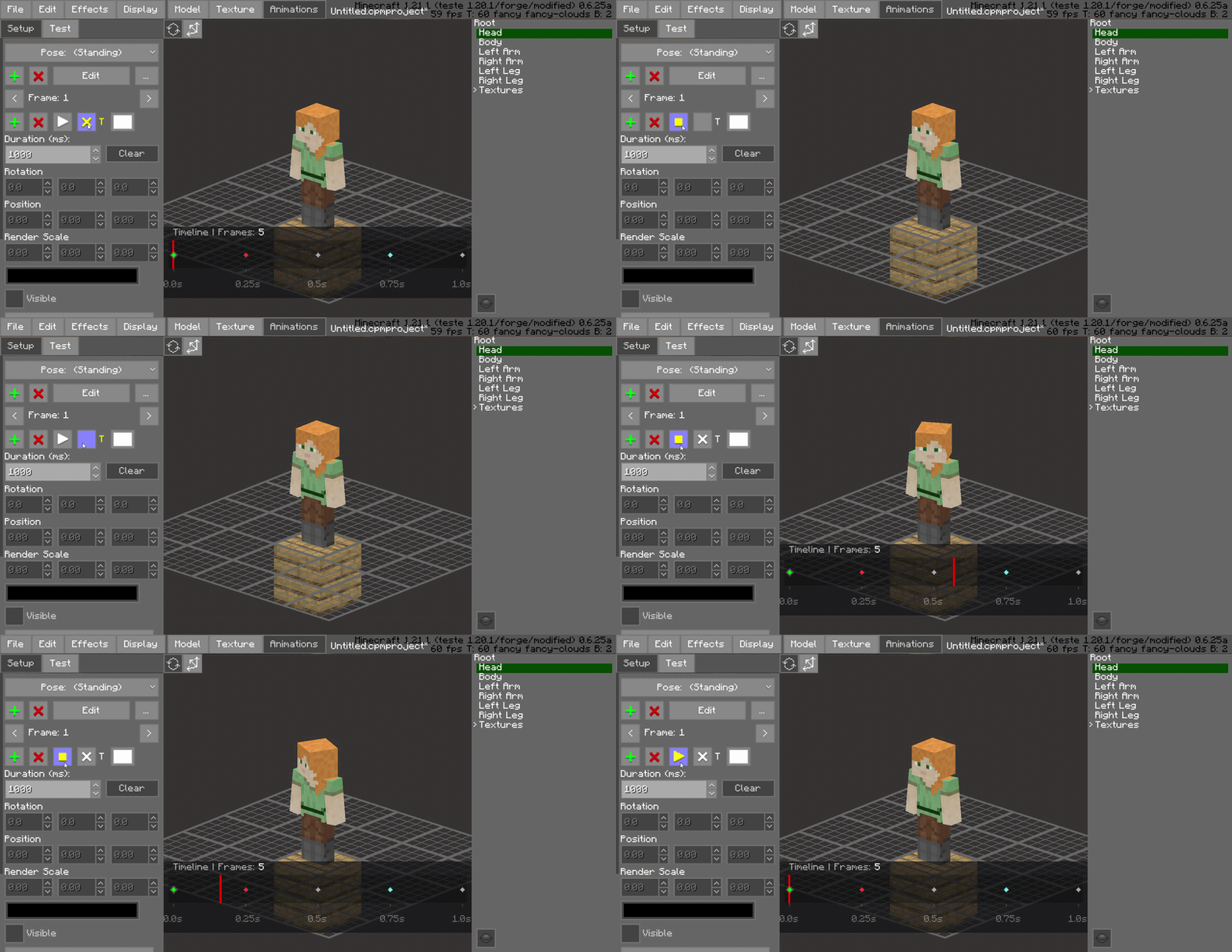
交互式播放头拖动
轻松在时间轴上拖动红色播放头以实时预览你的动画。这允许逐帧检查运动平滑度并立即获得反馈,而无需点击播放按钮。
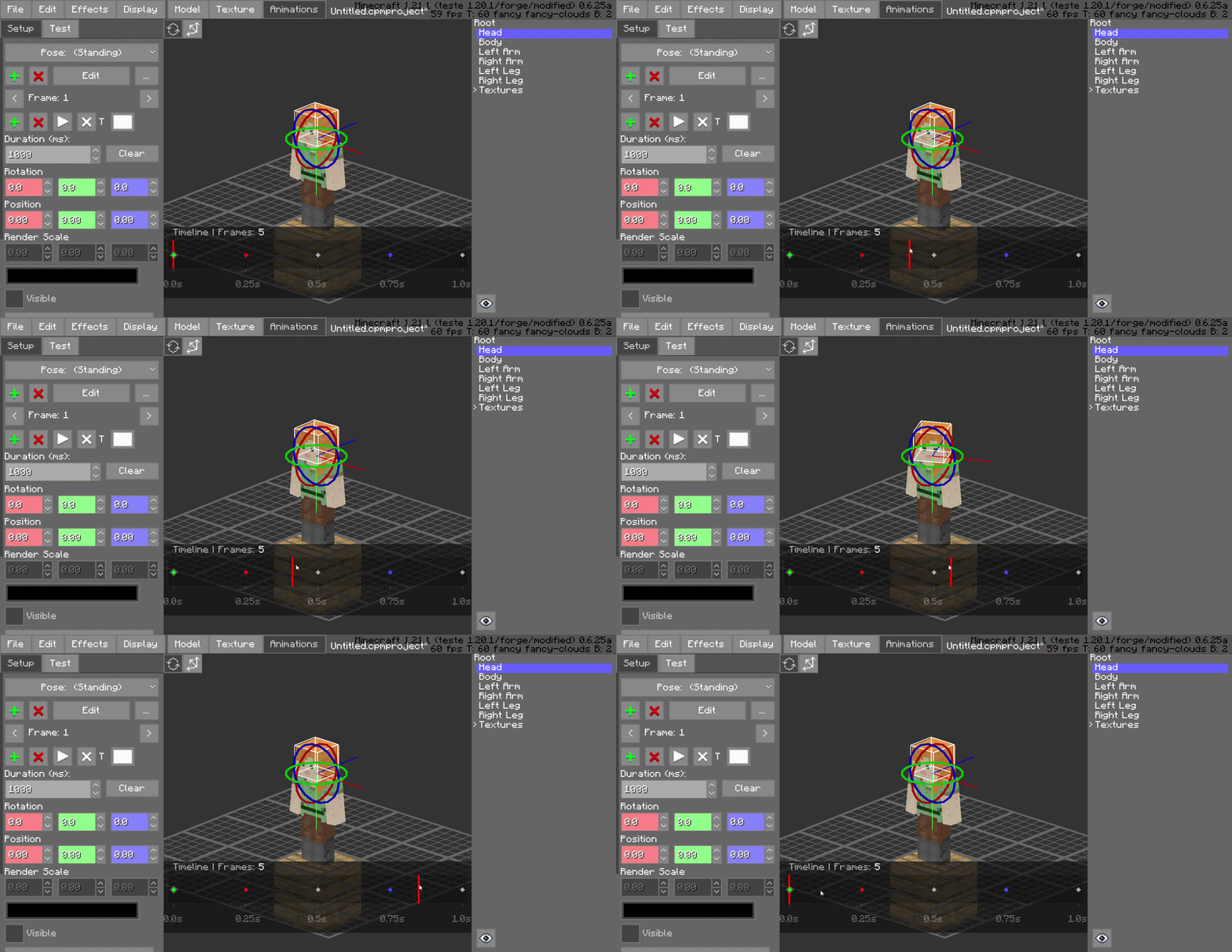
帧颜色编码(绘制)
通过用特定颜色“绘制”帧来视觉化地组织你的项目。使用此功能对不同的动画状态进行分类——例如启动帧、活动帧和恢复帧——从而一目了然地提高工作区的可读性。
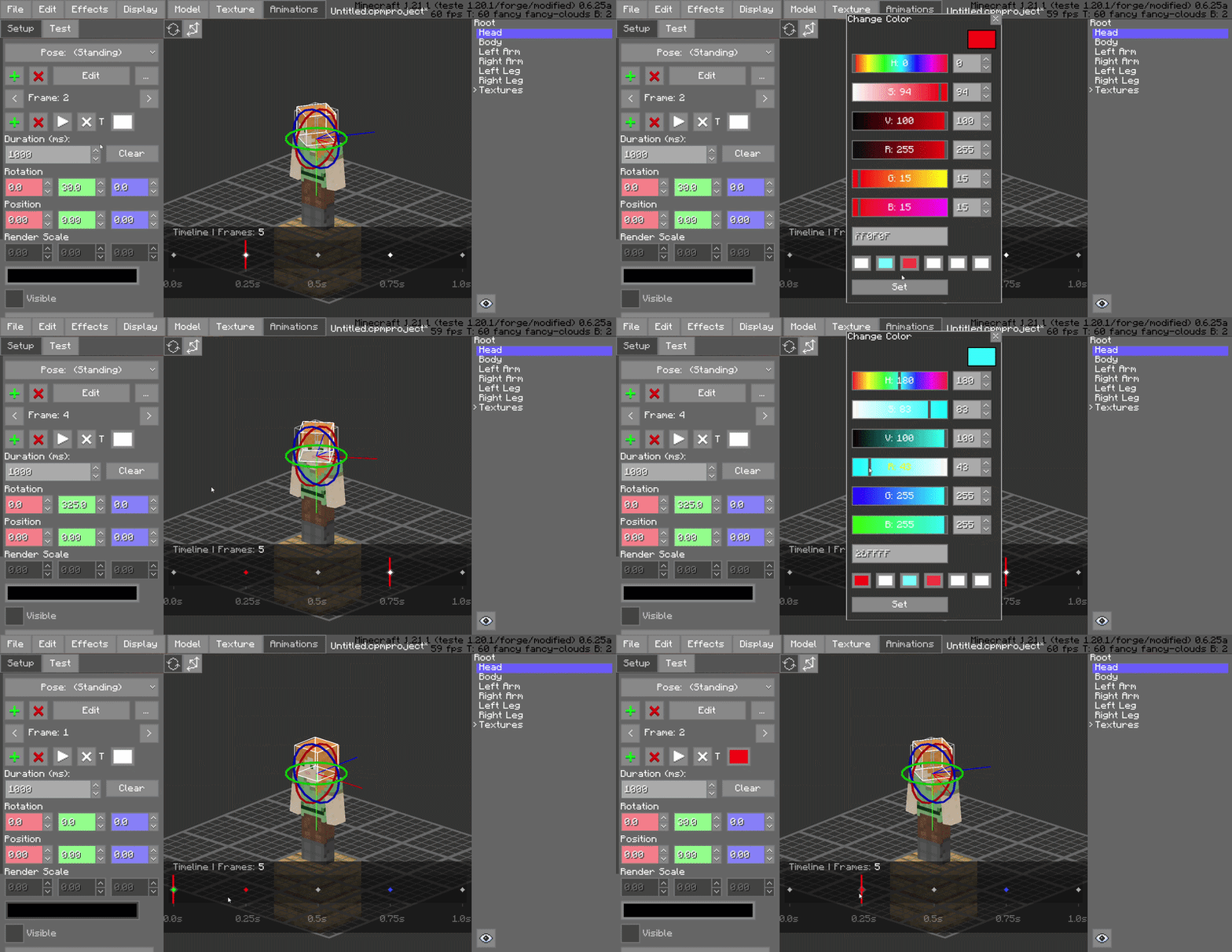
拖放帧管理
即时重新排列你的动画序列。你可以点击并拖动帧到时间轴上的新位置,使得在不手动输入数据的情况下轻松尝试不同的时间和顺序变得非常容易。
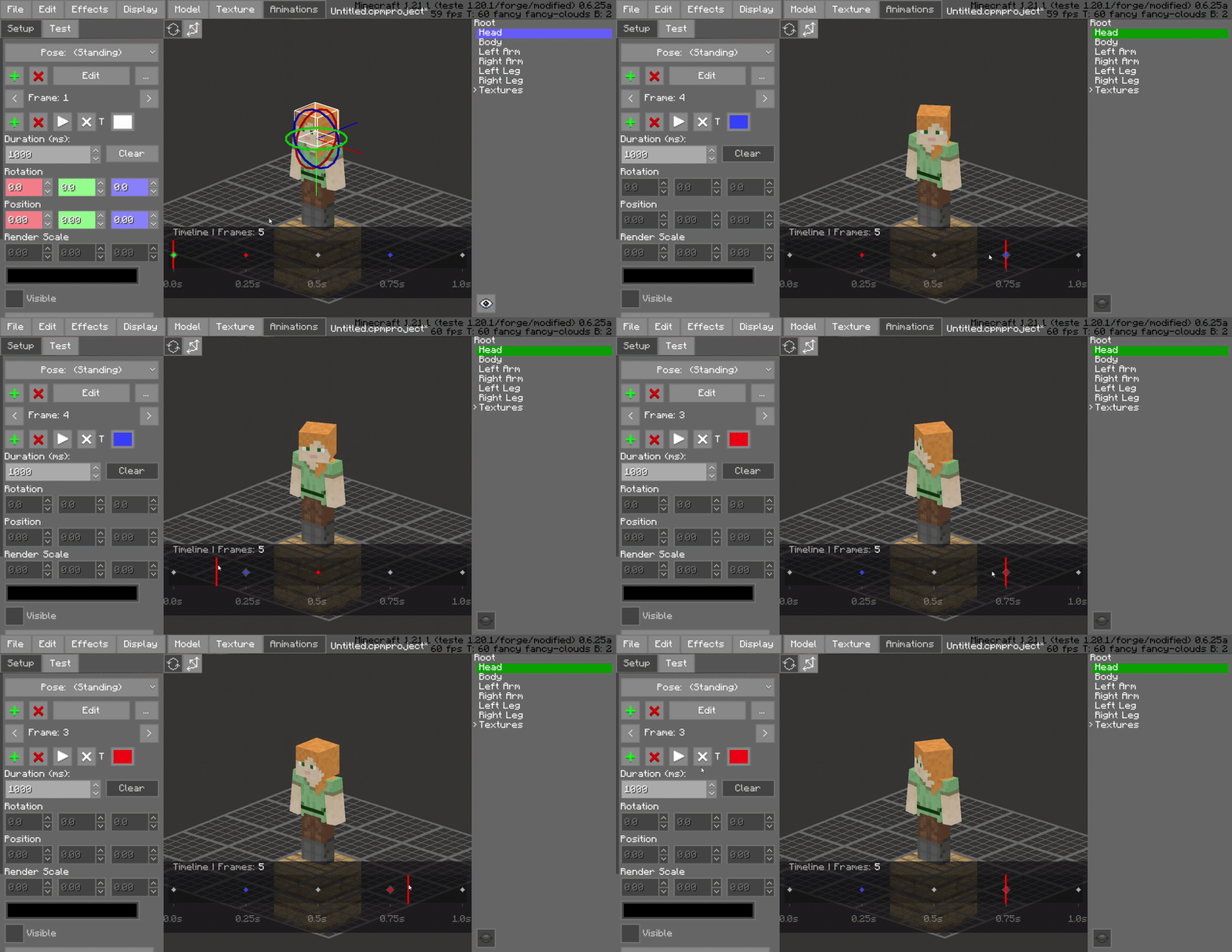
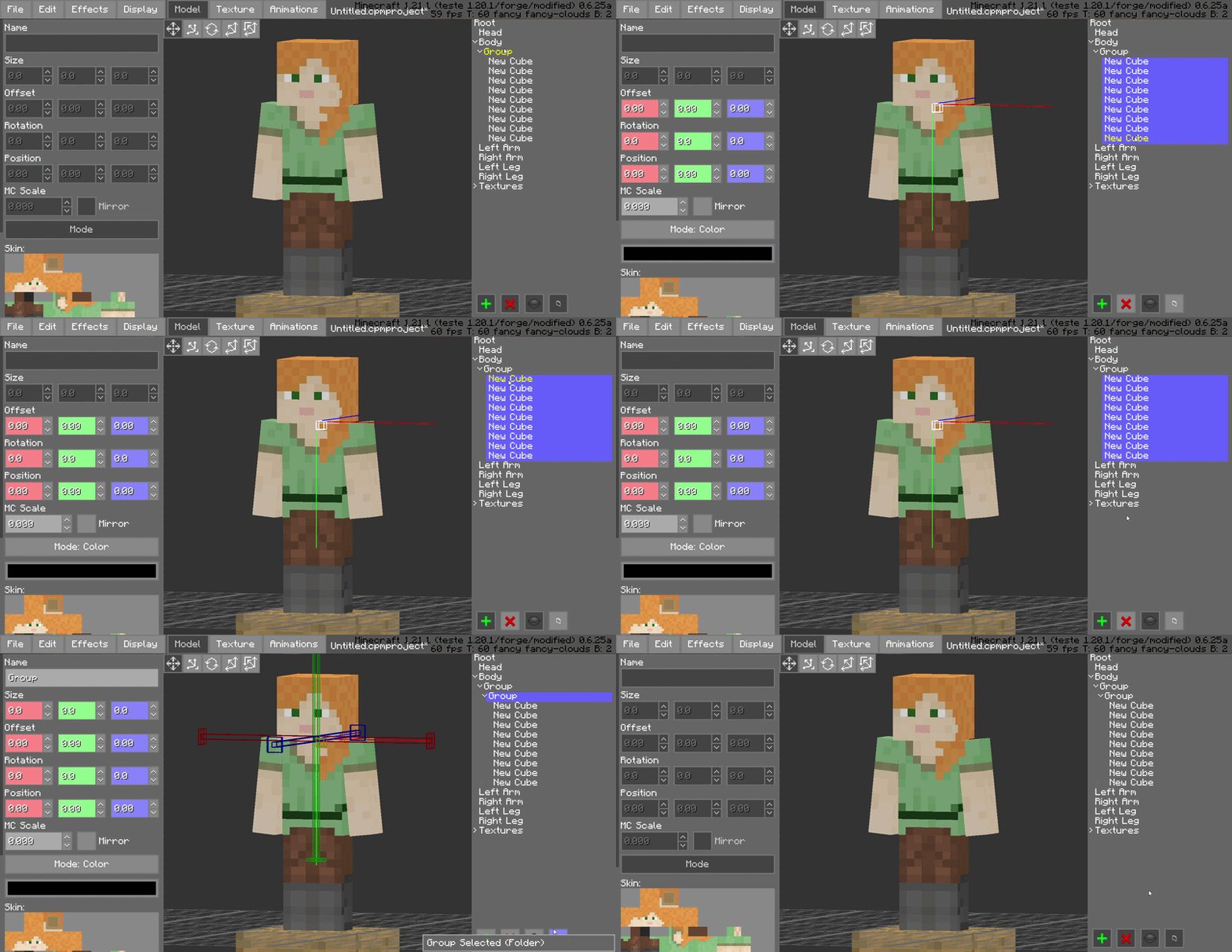
分层文件夹分组
通过将骨骼和方块分组到有组织的文件夹中来保持模型树整洁。这对于复杂模型至关重要,允许你折叠或展开整个支架部分,以专注于重要的内容。
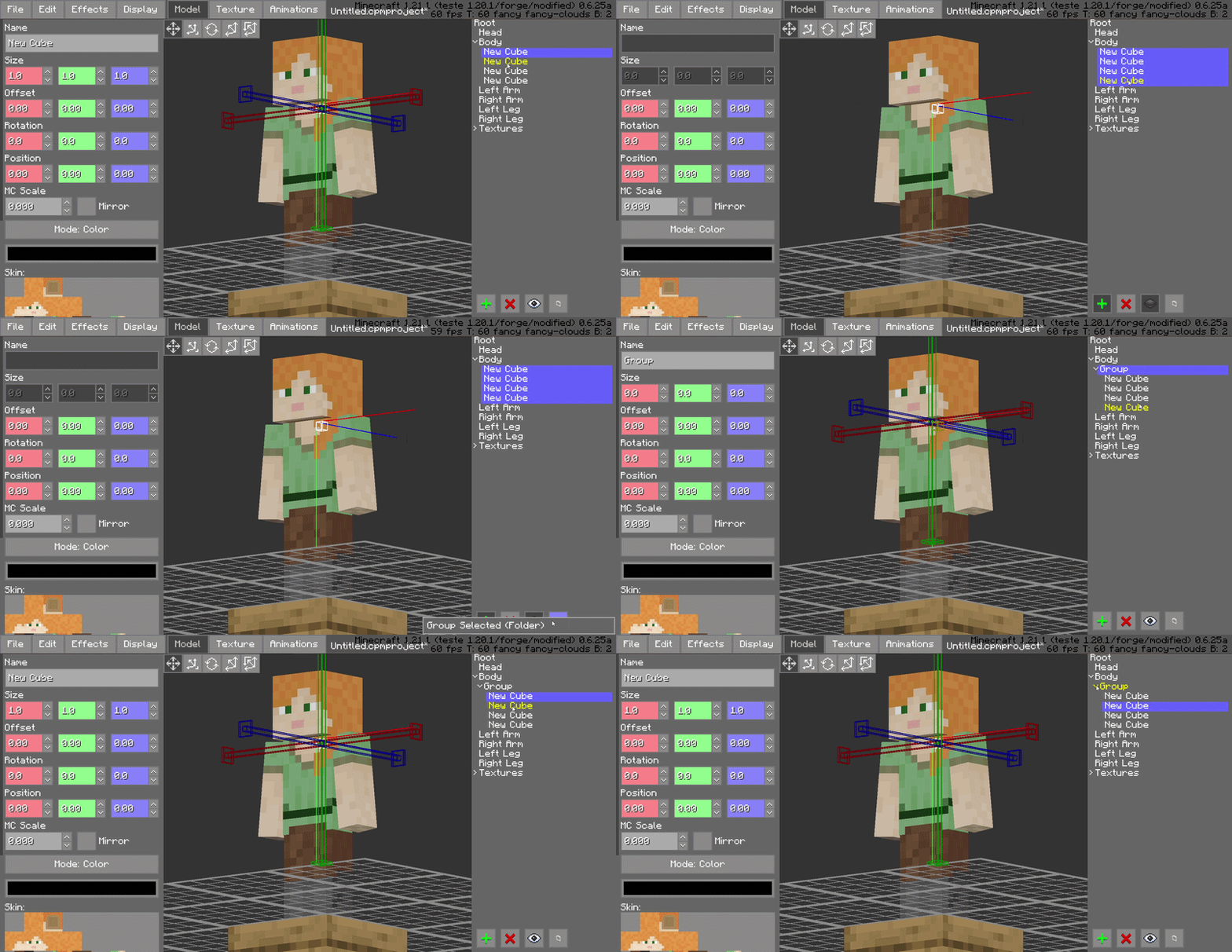
高级 Shift 多选
标准化多选支持现已到位。使用 Shift 多选可同时选择多个骨骼或方块,允许你在一步中执行批量旋转、平移或可见性切换。
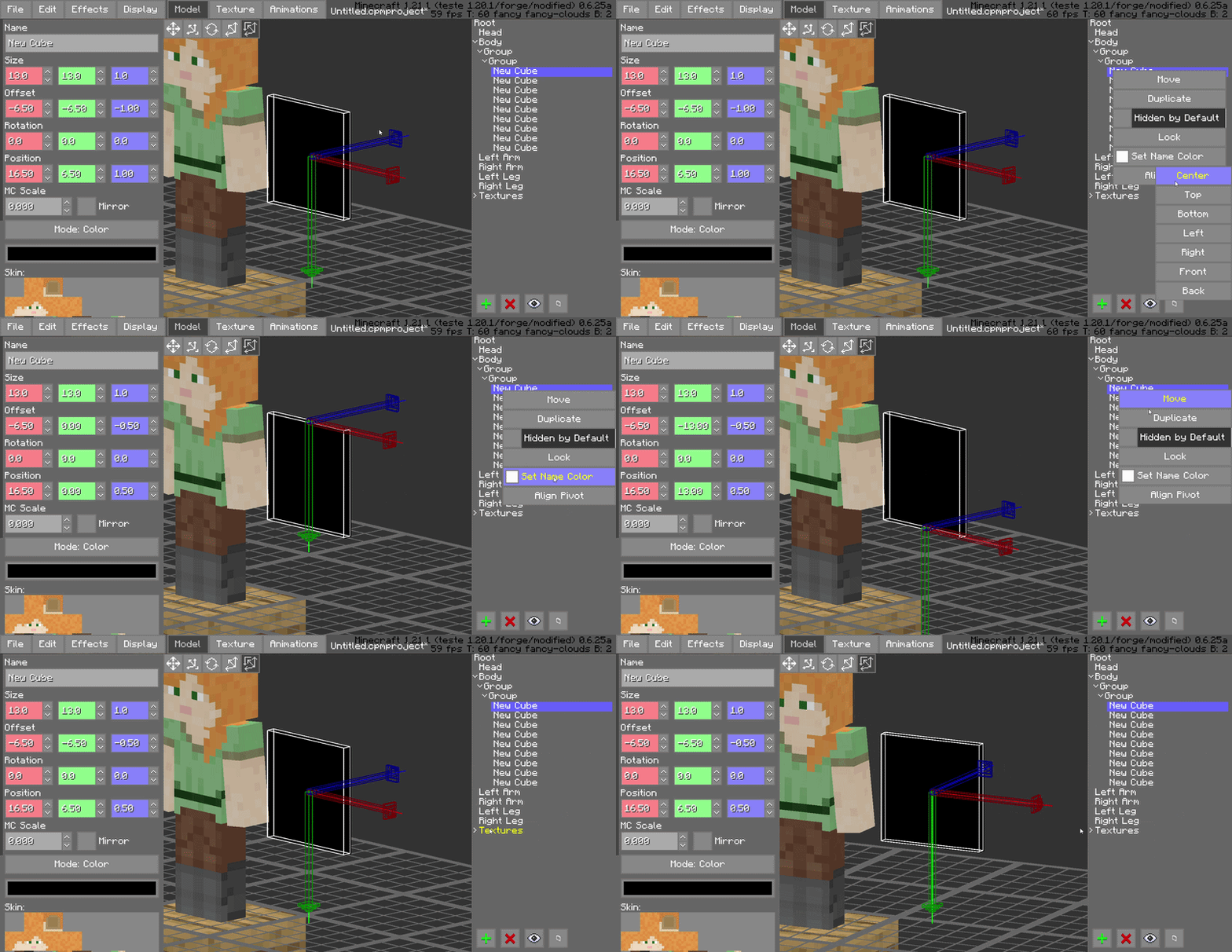
枢轴对齐工具
通过专用的枢轴对齐工具简化你的绑定过程。快速将枢轴吸附并对齐到特定坐标或顶点,确保模型中的每个关节都能完美旋转。
兼容性
Minecraft 版本: 1.18.2 至 1.21.x
加载器: Forge 40.0.0+
必需依赖项: Customizable Player Models (CPM) v0.6.24~v0.6.25
客户端类型: 仅客户端(建模工具)
为什么需要这个模组?
对于认真的动画师来说,时间是最宝贵的资源。CPM Frame Editor 并没有改变 CPM 能做什么;它改变了你做事的速度。通过消除动画过程中重复性的手动任务,它将复杂的建模会话转变为一种流畅的体验。
致谢
作者: SatDPhoe
CPM Animator Utils is a Quality-of-Life (QoL) utility designed to enhance the animation workflow within the Customizable Player Models (CPM) mod. It provides advanced tools for managing, editing, and organizing animation frames, allowing creators to produce complex movements with significantly less manual effort.
Overview
The animation system in CPM is powerful, but managing projects with dozens of frames and complex bone structures can become a bottleneck for creators. CPM Animator Utils addresses this by introducing a more streamlined approach to frame manipulation.
Whether you are a professional modeler or a beginner, this tool is designed to make the "boring" part of animating, like duplicating, shifting, and organizing frames, as fast as possible, so you can focus on the creative side of your models.
Features
Dynamic Timeline Workflow
The enhanced timeline interface is built for high-performance editing, providing a more fluid experience when navigating through hundreds of individual animation keys.
Interactive Playhead Scrubbing
Effortlessly drag the red playhead across the timeline to preview your animation in real-time. This allows for frame-by-frame inspection and immediate feedback on motion smoothing without needing to hit play.
Frame Color-Coding (Painting)
Organize your project visually by "painting" frames with specific colors. Use this to categorize different animation states—such as startup, active, and recovery frames—improving workspace readability at a glance.
Drag-and-Drop Frame Management
Rearrange your animation sequence instantly. You can click and drag frames to new positions on the timeline, making it easy to experiment with timing and order without manual data entry.
Hierarchical Folder Grouping
Keep your model tree clean by grouping bones and blocks into organized folders. This is essential for complex models, allowing you to collapse or expand entire sections of the rig to focus on what matters.
Advanced Shift-Selection
Standardized multi-selection support is here. Use Shift-Selection to pick multiple bones or blocks simultaneously, allowing you to perform bulk rotations, translations, or visibility toggles in a single step.
Pivot Alignment Utility
Streamline your rigging process with the dedicated pivot alignment tool. Quickly snap and align pivots to specific coordinates or vertices, ensuring perfect rotations for every joint in your model.
Compatibility
Minecraft Version: 1.18.2 to 1.21.x
Mod Loader: Forge 40.0.0+
Required Dependency: Customizable Player Models (CPM) v0.6.24~v0.6.25
Side: Client-side (Modeling tool)
Why This Mod?
For serious animators, time is the most valuable resource. CPM Frame Editor doesn't change what CPM can do; it changes how fast you can do it. By removing the repetitive manual tasks of the animation process, it turns a complex modeling session into a smooth experience.
Credits
Author: SatDPhoe


 模组

 模组
 模组

 模组
 模组
 模组
评论 0
登录后参与评分
还没有评论,来抢沙发吧