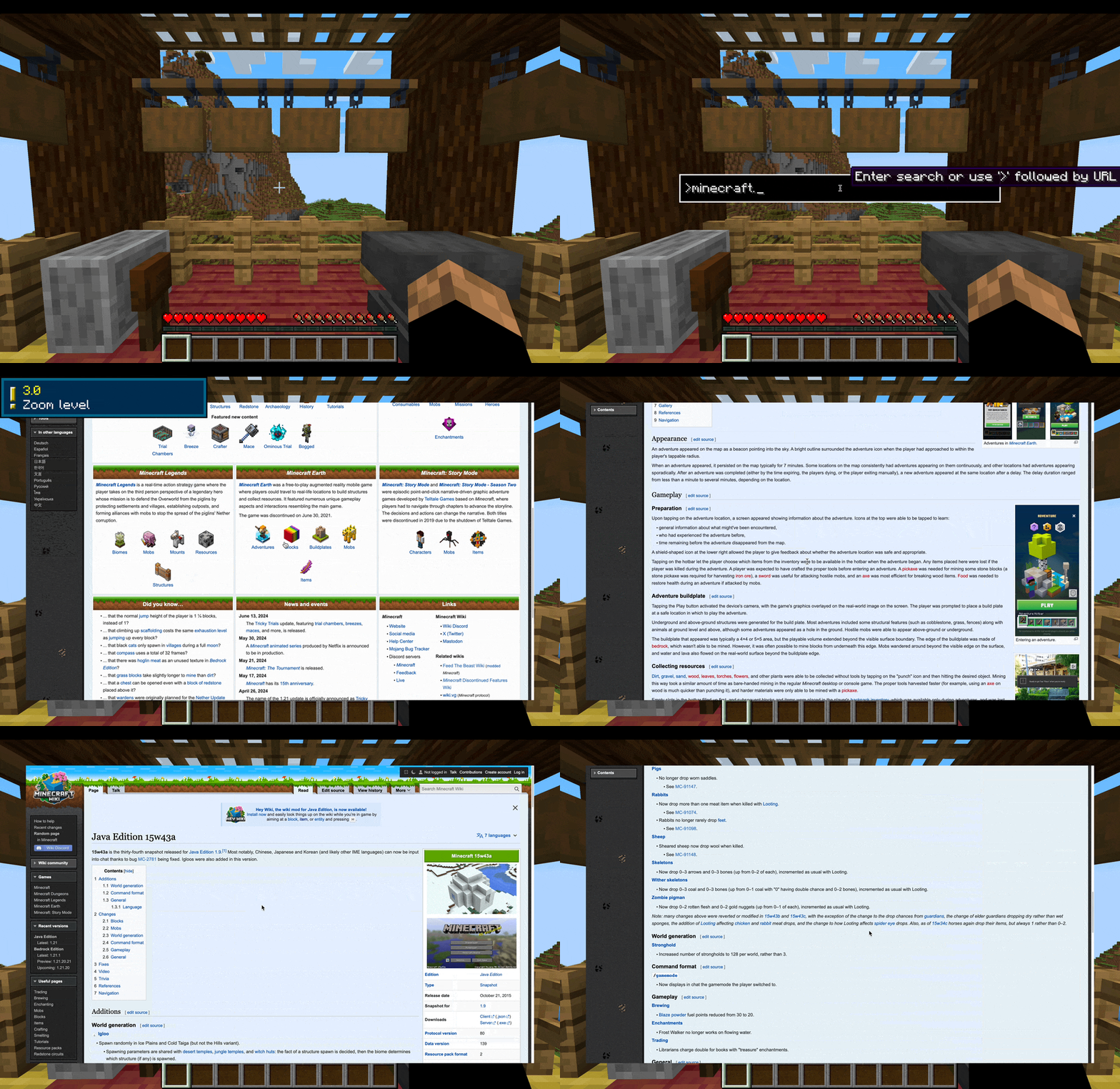
这是我的第一个模组。希望你们喜欢它。

CraftLink 是一个为你的游戏添加集成式极简网页浏览器的模组,非常适合在 Minecrafting(玩 Minecraft)时进行快速网络搜索。
简洁性
简洁是本模组的主要目标。它的功能不如 Google Chrome 或 Safari 等完整浏览器丰富,但该模组是为游戏而设计的——游戏并非为模组服务。CraftLink 是一个工具,而非花哨的小玩意儿。
效率
它不会让你挖矿更快,但会让你搜索更快。模组包含一个易于访问的搜索栏,允许你快速搜索任何内容或直接访问网站。还有用于缩放、调整比例和刷新的直观快捷键。
功能
如果你希望获得更详细和/或技术性的描述,请访问维基页面。
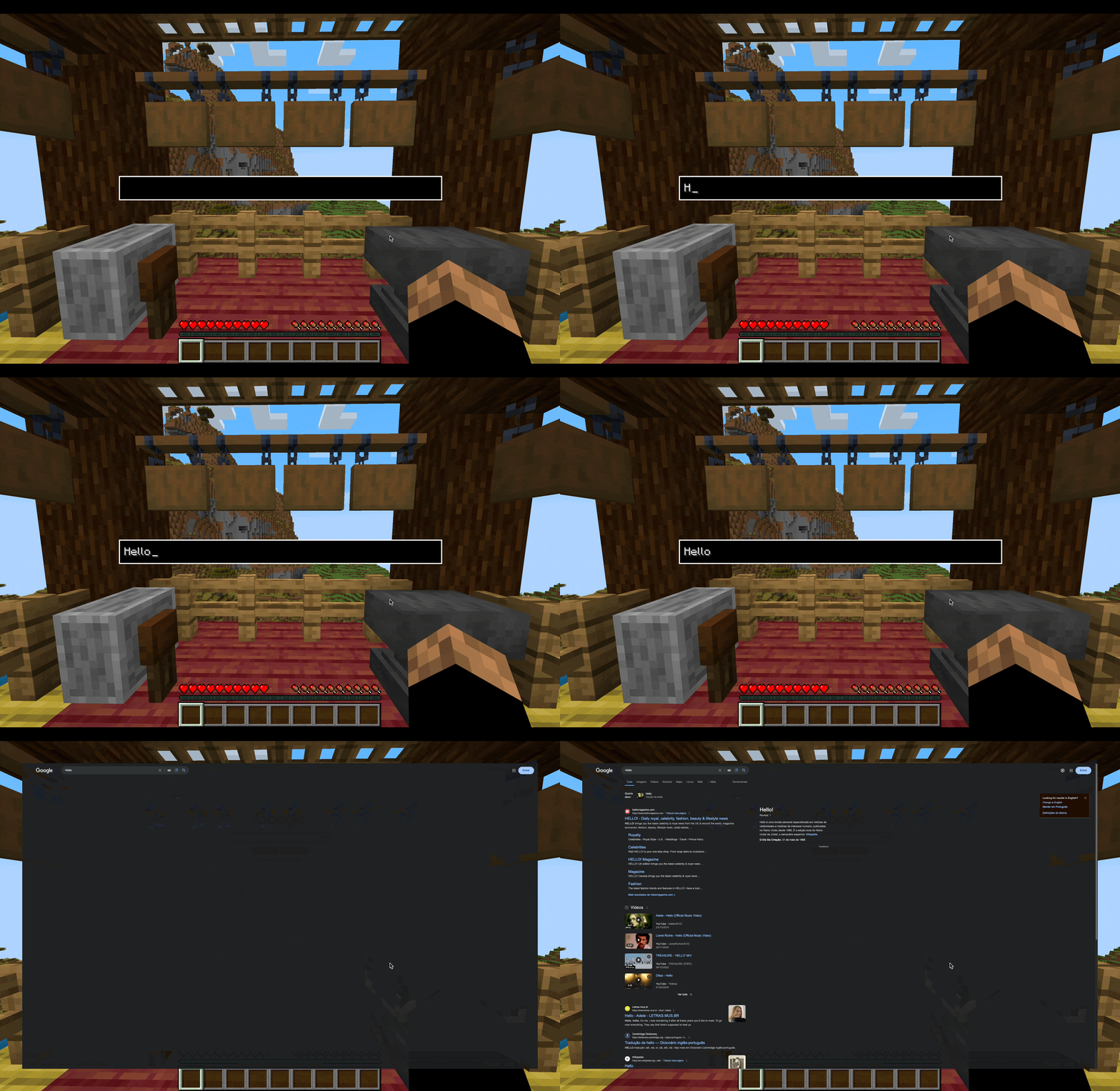 搜索栏是一种在你首选的搜索引擎上快速搜索内容的方式。你可以按 Backspace 键直接从游戏中访问它,而无需先进入浏览器屏幕。从浏览器屏幕中,可以通过 CTRL + Space 访问它。
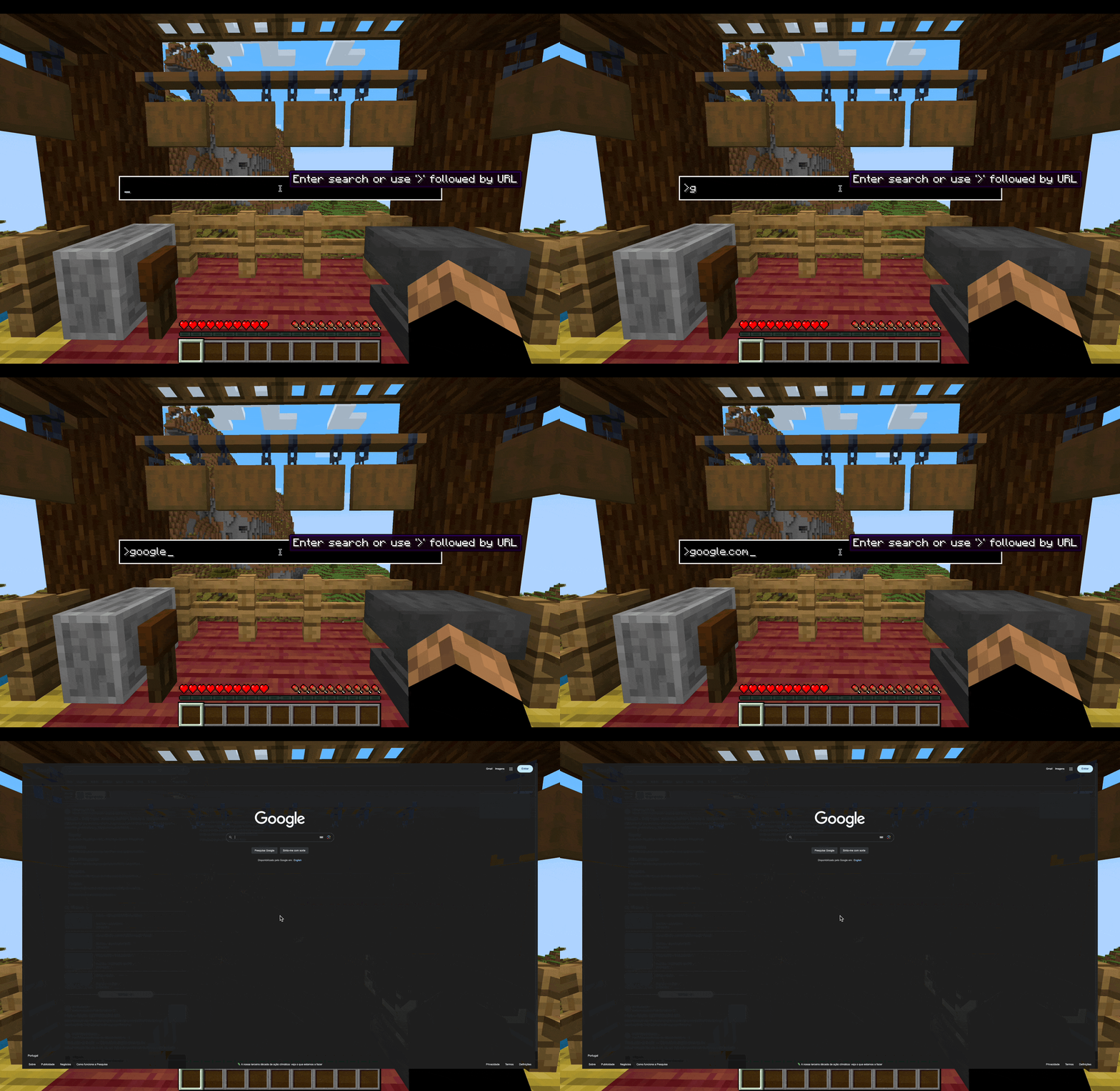 你也可以直接在搜索栏中输入 URL 以直接访问网站。只需在你的 URL 前加上 '>' 即可。默认情况下,无论你在搜索栏中输入什么(即使是 URL),它都会始终在你首选的搜索引擎上进行搜索。
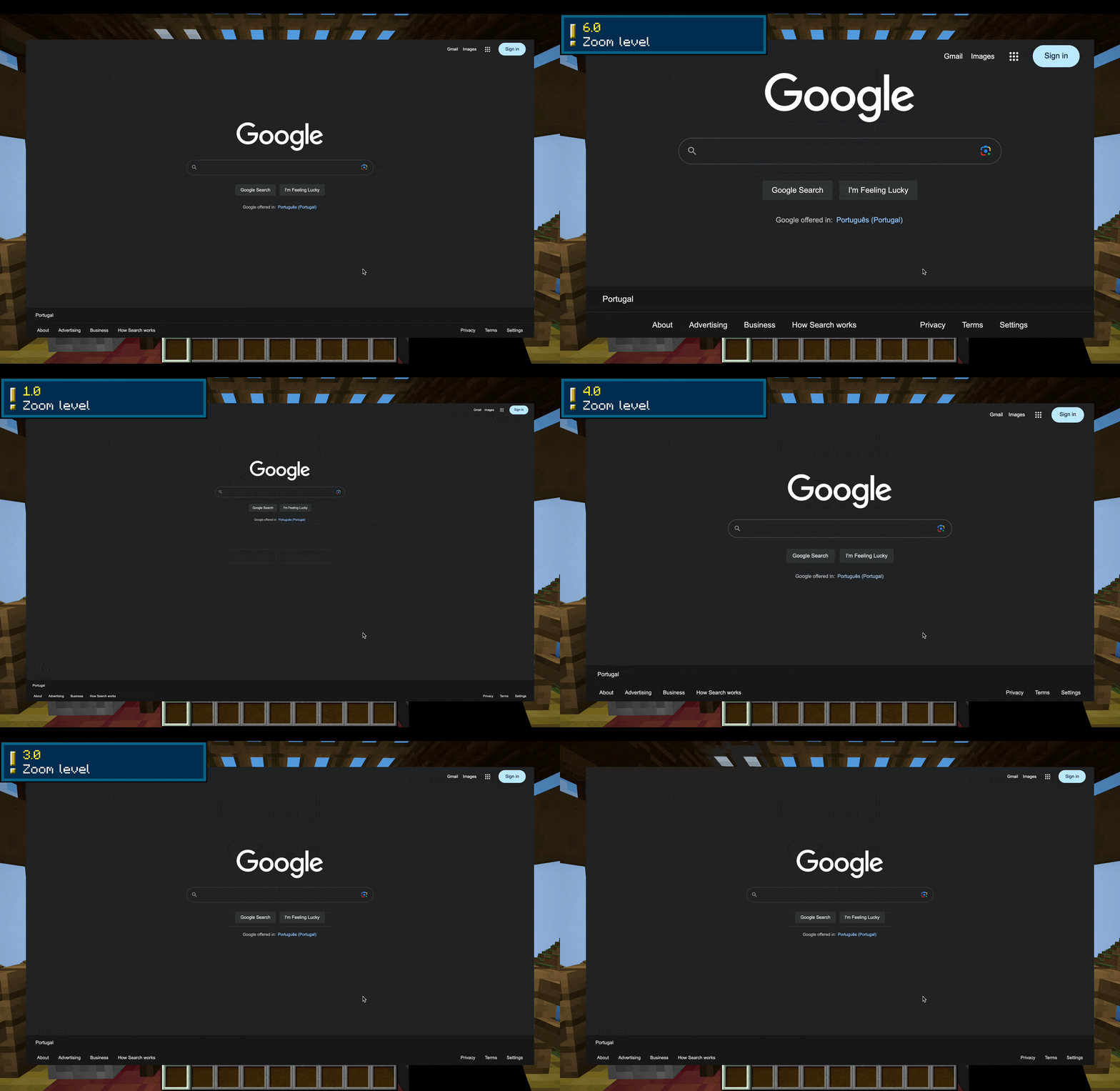 使用 CTRL + 滚轮进行放大和缩小。
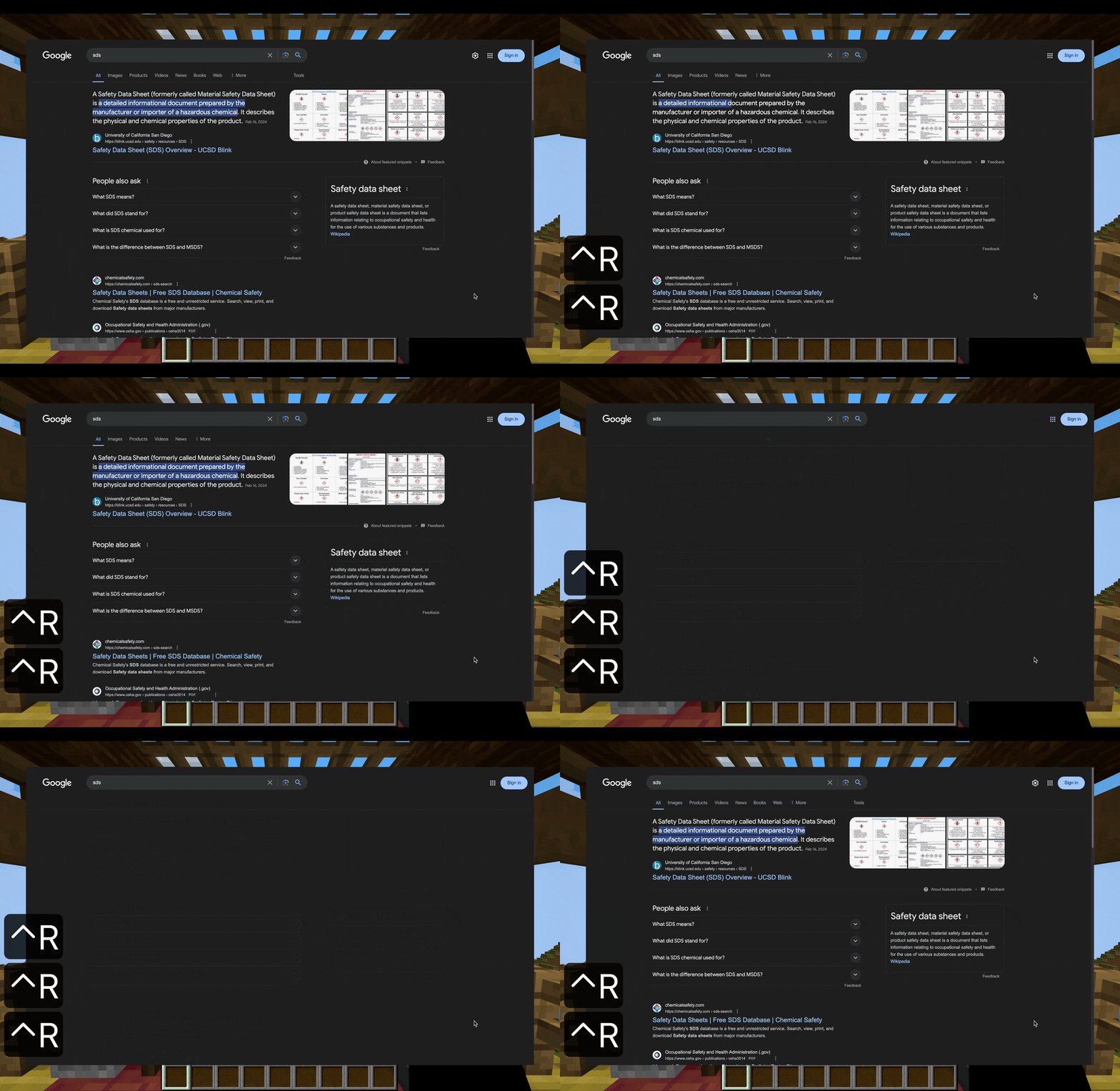 按 CTRL + R 进行刷新。
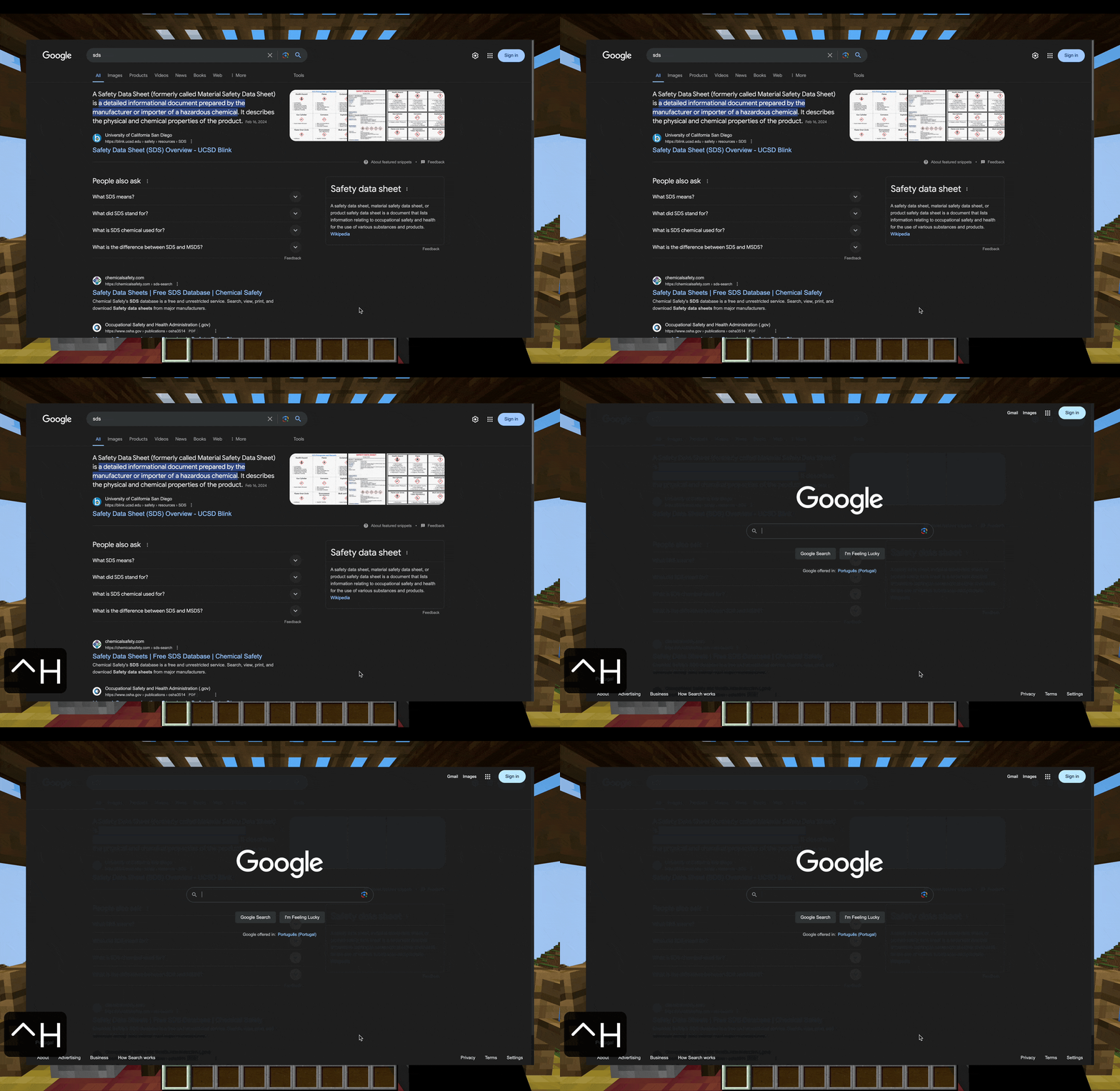 CTRL + H 将带你返回主页。
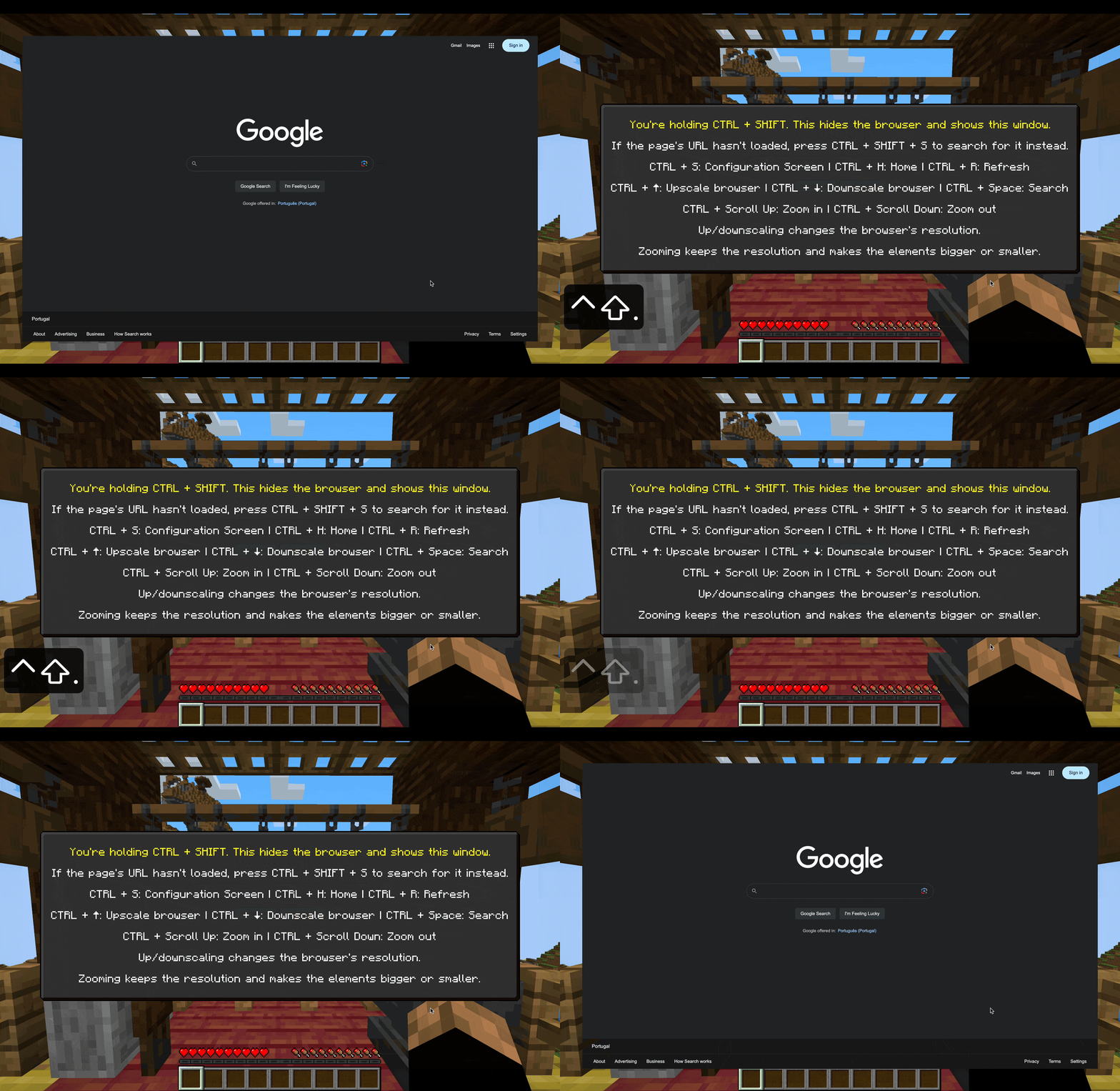 按下 CTRL + SHIFT 将显示包含所有快捷键的帮助窗口。
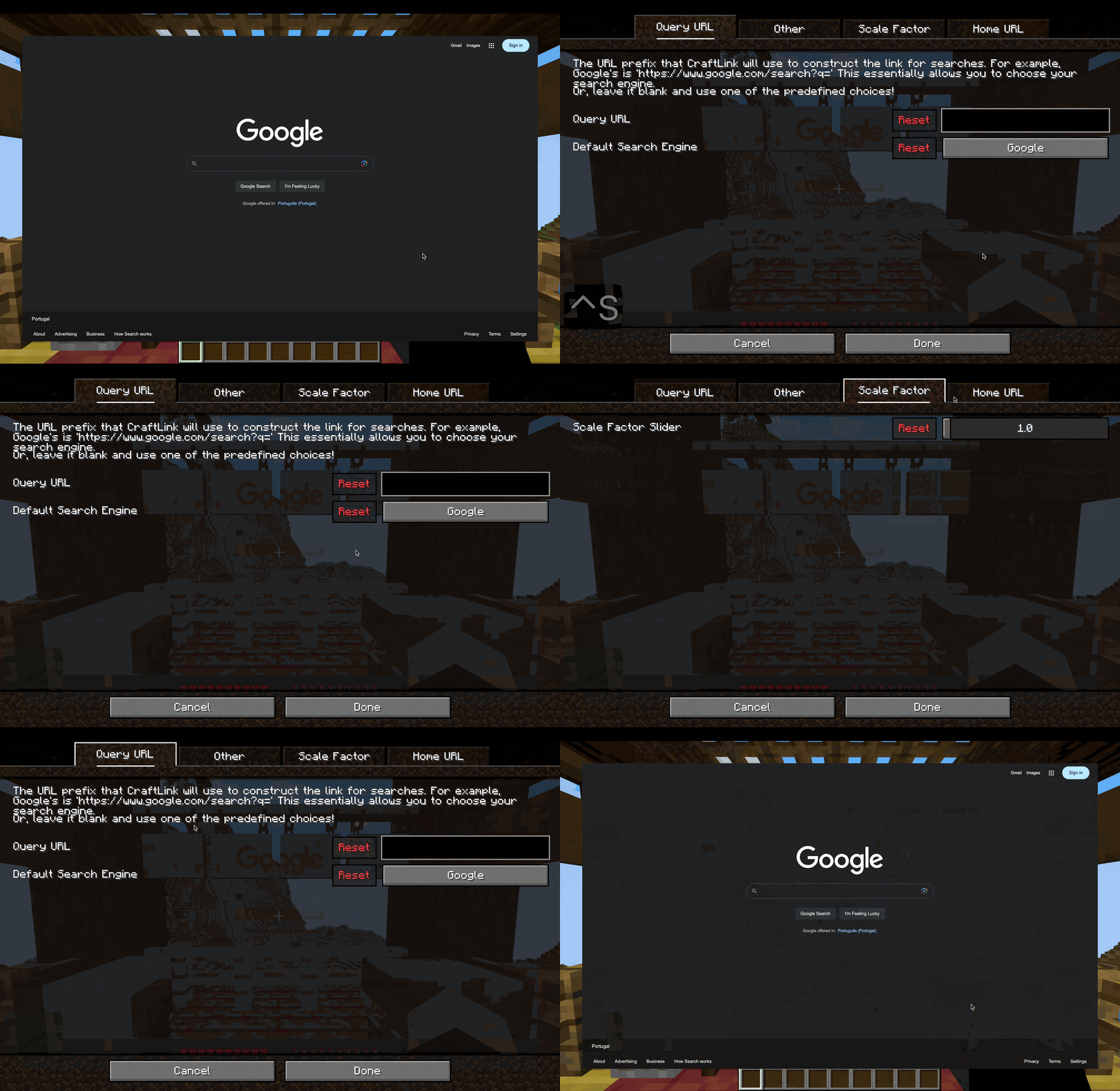 CTRL + S 将显示设置/配置屏幕。
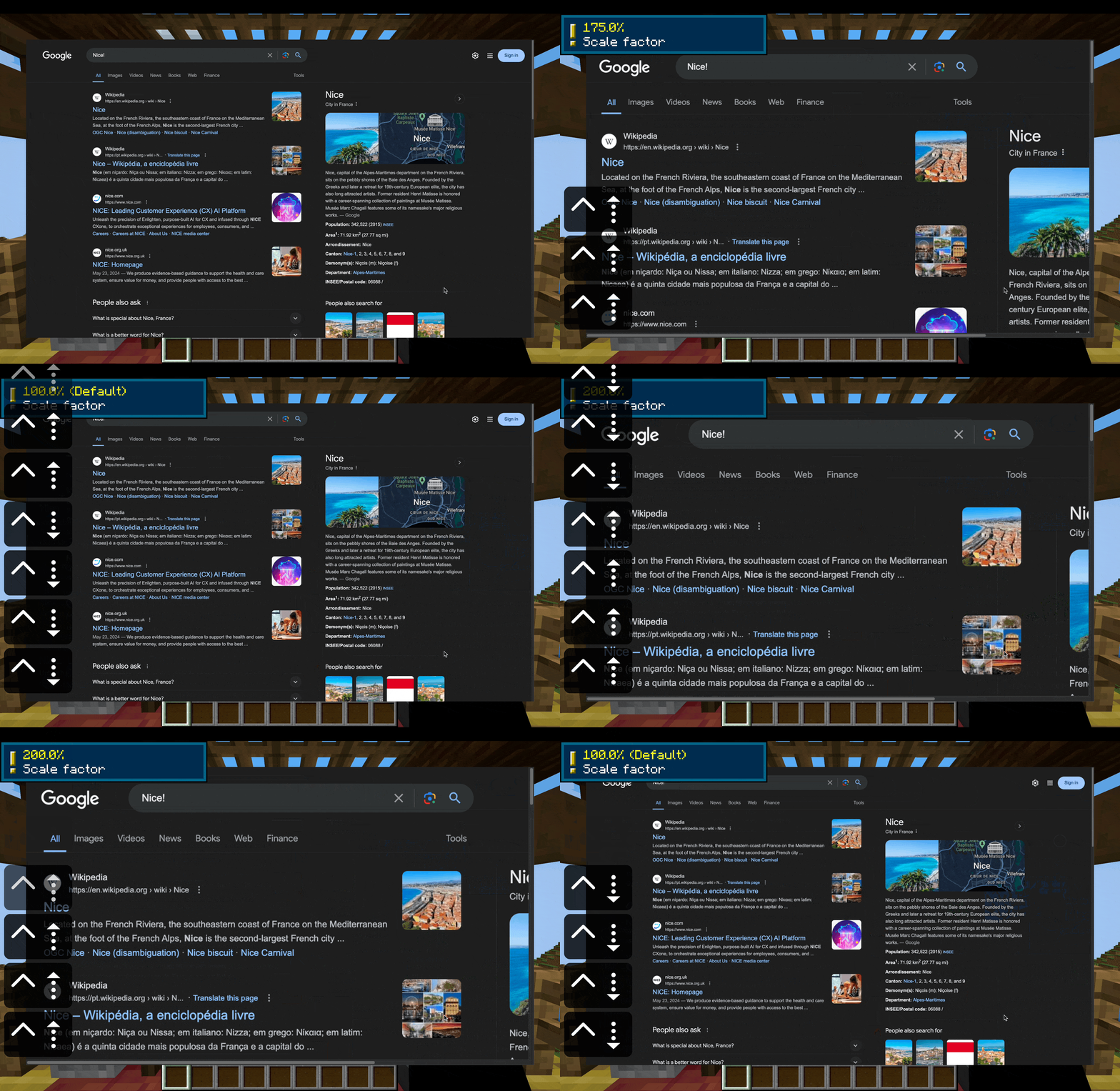 你可以使用 CTRL + (向上/向下箭头) 更改页面的比例。这会改变页面的分辨率。我建议大多数情况下使用缩放功能。
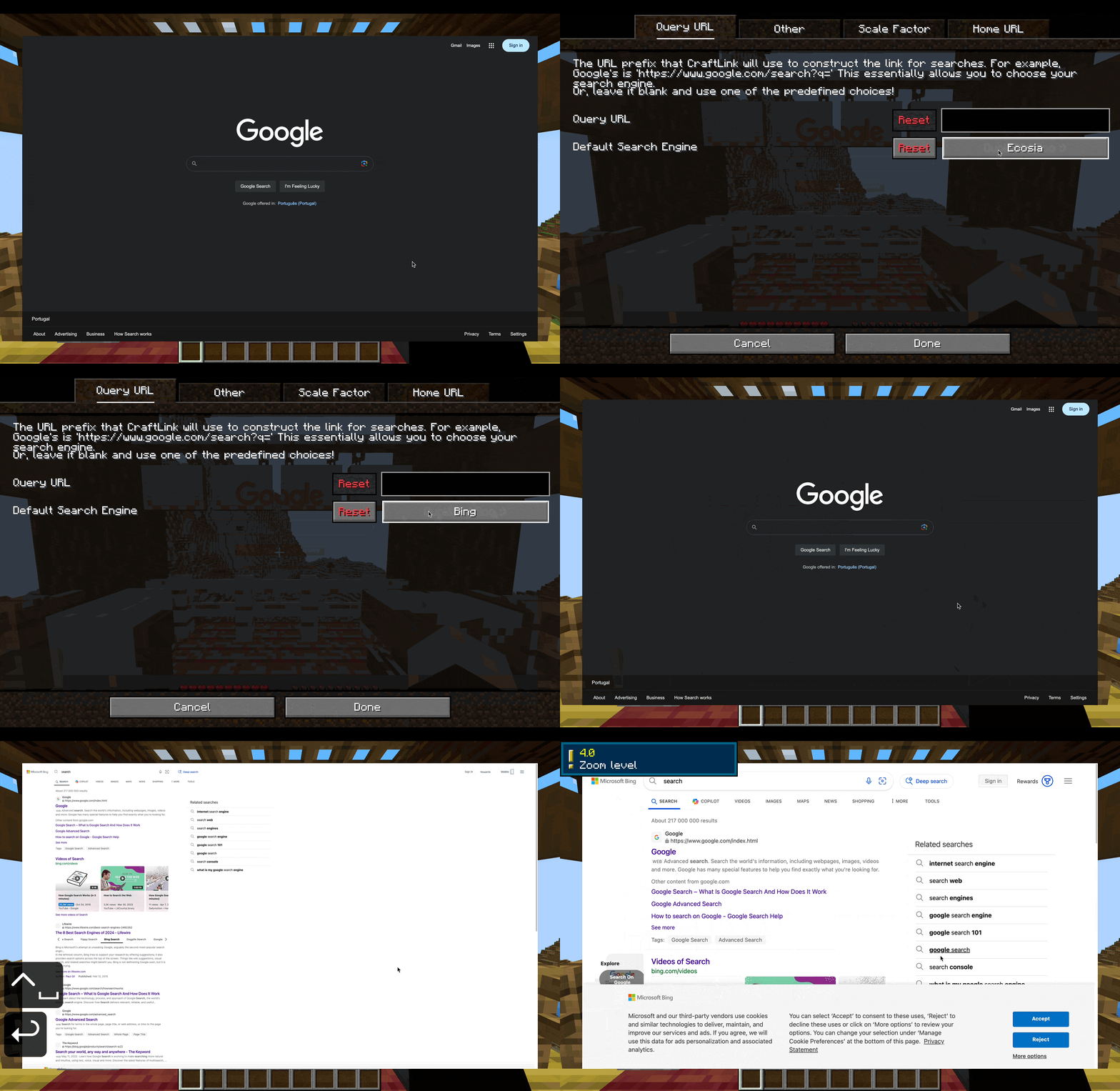 你可以更改默认搜索引擎!这里我将其更改为 Bing。
可配置性 + 性能
繁重的处理工作由 MCEF、owo-lib 和 MidnightLib 完成,这些都是已知且经过测试的库,因此应能确保流畅的性能而不影响你的游戏体验。
那么,哪些是可以配置的?
配置屏幕还包含配置的详细说明。
- 主页 URL。主页是在会话中首次打开浏览器时,或使用 CTRL + H 返回时打开的页面。默认为 Google
- 你可以选择其中一个默认选项(预设):Google、Bing、Yahoo、DuckDuckGo、Ecosia 和 Ask,或者你可以使用自己的自定义主页 URL。
- 默认比例因子 - 默认为 1.0 (100%)
- 搜索引擎(将被搜索栏使用)- 默认为 Google
- 你可以选择其中一个默认选项(预设):Google、Bing、Yahoo、DuckDuckGo、Ecosia 和 Ask,或者你可以使用自己的自定义搜索查询 URL 前缀。
- “激活帮助文本叠加层”。这会在你按住 CTRL 时激活一个显示浏览器基本键盘快捷键控件的叠加文本。默认为关闭
- “激活加载消息”。这会在浏览器加载页面时激活一个“Loading...”叠加文本。默认为关闭。
其他功能
- CraftLink 允许你通过 ModMenu 访问配置屏幕。
- 此模组会直接在游戏中的聊天中打开链接到浏览器。
- 按下 Control 键时的帮助叠加层(默认关闭)
- 浏览器加载页面时的“Loading...”叠加层(默认关闭)
- 配置屏幕中的一个彩蛋 :)
特别说明
注意:浏览器将始终尝试加载页面。如果页面不存在,它将显示空白页。这可能会在未来发生变化,但我希望确保错误检测算法完美无误,不会在没有错误的地方抛出错误。如果发生这种情况,请按 CTRL+SHIFT+S,这将方便地在你选择的搜索引擎上自动搜索失败的 URL。
文档说明
我编写了一个维基页面,但模组本身包含一个内置帮助窗口,可通过 [CTRL + SHIFT] 访问。
许可协议
本模组遵循 MIT 许可证 授权。
This is my first mod. I hope you like it.
CraftLink is a mod that adds an integrated minimalistic web browser to your game, perfect for doing quick web searches while minecrafting.
Simplicity
Simplicity is the main goal of this mod. It isn't as featureful as a full browser like Google Chrome or Safari, but the mod is meant for the game - the game isn't meant for the mod. CraftLink is a tool, not a gadget.
Efficiency
It won't make you mine faster, but it will make you search faster. The mod includes an easily accessible Search Bar allowing you to quickly search for anything, or directly visit a website. There are intuitive shortcuts for zooming, scaling, and refreshing.
Features
If you wish for a more detailed and/or technical description, visit the wiki.
The Search Bar is a way to quickly search stuff on your preferred search engine. You can access it directly from in-game without entering the browser screen first with the Backspace key. From the browser screen access it with CTRL + Space.
You can also directly enter URLs in the Search Bar to directly visit websites. Just write '>' before your URL. By default, the Search Bar will always search whatever you write on your preferred search engine, even if it's a URL.
Zoom in and out with CTRL + Scroll.
Press CTRL + R to refresh.
CTRL + H will return you to the home page.
Pressing CTRL + SHIFT will reveal the help window, with all of the shortcuts.
CTRL + S will reveal the Settings / Config Screen.
You can change the page's scale with CTRL + (Up / Down arrow). This changes the resolution of the page. I recommend using zoom instead for most cases.
You can change the default search engine! Here I changed it to Bing.
Configurability + Performance
The heavy lifting is done with MCEF, owo-lib, and MidnightLib, which are known and tested libraries, so it should ensure smooth performance without impacting your game.
So, what is configurable?
The config screen also includes detailed explanations for the configurations.
- The home page URL. The home page is the page that is opened when you first open the browser in a session, or when you return to it with CTRL + H. - Google by default
- You can choose one of the default choices (presets), Google, Bing, Yahoo, DuckDuckGo, Ecosia, and Ask, or you can use your own custom url for the home page.
- The default scale factor - 1.0 (100%) by default
- The search engine (which will be used by the search bar) - Google by default
- You can choose one of the default choices (presets), Google, Bing, Yahoo, DuckDuckGo, Ecosia, and Ask, or you can use your own custom query url prefix for searches.
- "Activate Help Text Overlay". This activates an overlay text displaying basic keyboard shortcut controls for the browser, while you hold CTRL. - Off by default
- "Activate Loading Message". This activates a "Loading..." overlay text while the browser is loading a page. - Off by default.
Other features
- CraftLink allows you to access the config screen through ModMenu.
- This mod opens links directly from in-game chat in the browser.
- A help overlay when pressing control (default off)
- A "Loading..." overlay when the browser is loading a page (default off)
- An easter egg in the configuration screen :)
Special note
Note: The browser will ALWAYS try to load a page. If the page doesn't exist, it will display a blank page. This might change in the future, but I want to make sure the error detection algorithm is perfect and doesn't spit out an error where there isn't one. If this happens, press CTRL+SHIFT+S, and this will conveniently search the failed URL on your search engine of choice automatically.
Documented
I wrote a wiki page, but the mod itself includes a built-in help window, accessible with [CTRL + SHIFT].
Licensing
This mod is licensed under the MIT License.


 模组

 模组

 模组
 模组
 模组
 模组
评论 0
登录后参与评分
还没有评论,来抢沙发吧