Create: Advanced Optimization
面向服务器的 Create 模组在 NeoForge 上的性能优化与诊断工具包。
关于
Create: Advanced Optimization 是一款专为大型 Create 工厂、物流网络和重度自动化世界设计的服务器端性能优化与诊断模组。
它在减少部分 Create 系统不必要计算的同时,提供了内置的工具来对机器、传送带、流体、包裹、火车和物流进行性能分析,且不会改变正常的 Create 游戏进程或机器行为。
亮点
- 针对性的 Create 性能优化
- 漏斗(Spout)配方缓存
- 搅拌盆(Basin)和机械合成器(Mechanical Crafter)配方的记忆化存储
- 传送带刻快速路径
- 传送带漏斗和放置器(Deployer)的快速拒绝机制
- 优化的潜水靴状态检查
- 内置的 Create 性能分析器
- 包裹实体和传送带诊断工具
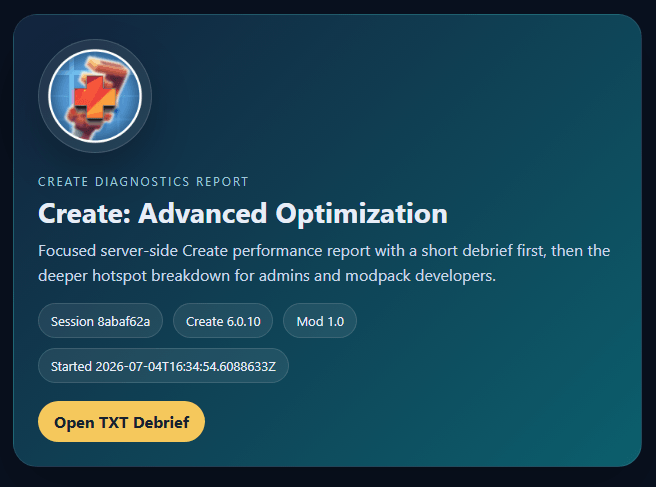
- 支持 TXT、HTML 和 JSON 格式的报表导出
- 可在游戏内直接对比分析会话
- MSPT(每刻毫秒数)、卡顿尖峰和热点分析
- 可配置的优化和诊断系统
需求
Minecraft: 1.21.1
加载器: NeoForge 21.1.233+
Create: 必须为 6.0.10
Java: 21
Create 是必需的依赖项,需单独安装。
Create: Advanced Optimization 明确仅针对 Create 6.0.10 进行优化,以避免在不兼容的 Create 底层内部结构上应用低级优化而导致问题。
性能优化
Create: Advanced Optimization 采用保守的快速路径和缓存策略,而不是全局性地降低机器速度或跳过任意的游戏刻。
包含的活动系统如下:
- 漏斗配方缓存 - 按漏斗缓存有界官方 Create 填充配方的查找结果
- 处理记忆化 - 在安全的一刻时间窗口内重用搅拌盆和机械合成器的配方查找结果
- 传送带刻快速路径 - 减少不必要的传送带维护工作,而不改变物品移动节奏
- 传送带漏斗快速拒绝 - 当精确插入无法成功时,避免冗余的堆栈操作
- 放置器快速拒绝 - 当放置器手持物品已满时,跳过不必要的复制和分割工作
- 潜水靴优化 - 避免冗余的重型靴子(HeavyBoots)标记写入和移除操作
不更改任何配方。
不故意降低任何机器的速度。
诸如火车、铁路管理器、红石链接、全局物流和轨道同步等系统仅用于诊断分析,除非明确列为优化项,否则不会被自动修改。
Create 性能分析器
在游戏内直接分析繁忙的工厂,找出消耗最多服务器时间的 Create 系统。
分析器涵盖的系统包括:
- Create 机器计时器
- 传送带及其背包
- 漏斗及物品提取
- 流体运输和管道解析
- 漏斗和填充配方
- 放置器
- 包裹实体
- 全局物流
- 链式输送机
- 铁路管理
- 火车地图同步
- 轨道图同步
- 红石链接
- 潜水靴
每次分析会话均可导出:
- 人类可读的 TXT 报告
- 可视化 HTML 报告
- 结构化 JSON 报告
- 平均和最大 MSPT
- 卡顿尖峰信息
- Create 相关热点
- 包裹诊断数据
- 优化计数器
- 警报和建议
报告被分组到专用的导出文件夹中,并包含指向生成文件的可点击快捷方式。
诊断工具
Create: Advanced Optimization 包含专用的诊断工具,用于快速缩小存在问题的 Create 系统范围。
/cao diagnose
提供分析器活动、包裹实体信号和传送带诊断的综合摘要。
/cao packages top [limit]
查找包含最多活跃 Create 包裹的已加载区块。
/cao packages stalled [limit]
识别那些在异常长时间内看似静止不动的包裹实体。
/cao belts scan [limit]
扫描已加载的 Create 传送带控制器,并突出显示最繁忙或最大的传送带系统。
这些工具旨在帮助确定值得深入调查的区域,然后再运行更详细的性能分析。
报告对比
可以使用以下命令直接在游戏内对比多个分析会话:
/cao report compare
对比内容包括以下变化:
- 平均 MSPT
- 最大 MSPT
- 卡顿尖峰次数
- 分析的 Create 时间
- 主要热点
如果可用,可点击按钮可同时打开旧版和新版的 HTML 报告以便并排调查。
命令
所有命令都需要权限等级 2。
/cao status - 查看模组、性能分析器、优化和包状态/cao stats - 查看优化和缓存活动/cao stats reset - 重置优化统计数据/cao profile start - 使用配置好的默认时长开始性能分析/cao profile start <seconds> - 开始一次持续 5 到 3600 秒的性能分析会话/cao profile stop - 停止当前会话并导出其报告/cao diagnose - 运行综合诊断摘要/cao report - 导出最新的可用性能分析数据/cao report last - 查看最近一次导出的信息/cao report compare - 比较最近的报告导出内容/cao packages top [limit] - 查找占用包资源较多的区块/cao packages stalled [limit] - 查找停滞的 Package Entities(包裹实体)/cao belts scan [limit] - 检查已加载的皮带控制器/cao reset - 重置性能分析器、缓存和包诊断数据
完整的 /createadvancedoptimization 命令也可作为 /cao 的替代使用。
配置
服务器管理员可以单独配置以下选项:
- 全局优化主开关
- 诊断与报告生成
- 卡顿阈值
- 默认性能分析时长
- Package Entity 警告阈值
- Spout 配方缓存
- Spout 缓存大小
- 处理配方的记忆化(Memoization)
- 皮带快速tick路径
- 漏斗皮带的快速拒绝
- 部署器的快速拒绝
- 潜水靴优化
- 实验性包行为
- 调试日志记录
实验性的 Package Entity 行为默认处于禁用状态。
支持本项目
喜欢 Create: Advanced Optimization 吗?
通过 Patreon 支持未来的更新以及即将到来的 Our Story 项目。
如需获取支持、性能分析报告、兼容性反馈或提交 Bug 报告,请加入 Our Story 社区的 Discord。
游戏托管
需要为您的 Create 项目提供服务器吗?
使用 BisectHosting 托管您的服务器,并使用代码 OURSTORY 享受 25% OFF 折扣。
每一笔购买都将有助于支持 Our Story 项目的开发。
Create: Advanced Optimization
A server-focused optimization and diagnostics toolkit for Create on NeoForge.
About
Create: Advanced Optimization is a server-focused performance and diagnostics mod designed for large Create factories, logistics networks and automation-heavy worlds.
It reduces avoidable work in selected Create systems while providing built-in tools to profile machines, belts, fluids, packages, trains and logistics without changing normal Create progression or machine behavior.
Highlights
- Targeted Create performance optimizations
- Spout recipe caching
- Basin and Mechanical Crafter recipe memoization
- Belt tick fast paths
- Belt Funnel and Deployer fast rejection
- Optimized Diving Boots state checks
- Built-in Create performance profiler
- Package Entity and belt diagnostics
- TXT, HTML and JSON report exports
- Compare profiling sessions directly in-game
- MSPT, lag spike and hotspot analysis
- Configurable optimization and diagnostic systems
Requirements
Minecraft: 1.21.1
Loader: NeoForge 21.1.233+
Create: exactly 6.0.10
Java: 21
Create is a required dependency and must be installed separately.
Create: Advanced Optimization intentionally targets Create 6.0.10 exactly to avoid applying low-level optimizations against incompatible Create internals.
Performance Optimizations
Create: Advanced Optimization uses conservative fast paths and caching rather than globally slowing machines or skipping arbitrary ticks.
Active systems include:
- Spout Recipe Cache - caches bounded official Create filling recipe lookups per Spout
- Processing Memoization - reuses Basin and Mechanical Crafter recipe lookup results within safe one-tick windows
- Belt Tick Fast Paths - reduces unnecessary belt maintenance work without changing item movement cadence
- Belt Funnel Fast Rejection - avoids redundant stack operations when an exact insertion cannot succeed
- Deployer Fast Rejection - skips unnecessary copy and split work when a Deployer hand is already full
- Diving Boots Optimization - avoids redundant HeavyBoots marker writes and removals
No recipes are changed.
No machines are intentionally slowed down.
Systems such as trains, railway managers, Redstone Links, global logistics and track synchronization are profiled for diagnostics but are not automatically modified unless explicitly listed as an optimization.
Create Profiler
Profile a busy factory directly in-game and identify which Create systems consume the most server time.
The profiler covers systems including:
- Create machine tickers
- Belts and belt inventories
- Funnels and inventory extraction
- Fluid transport and pipe resolution
- Spouts and filling recipes
- Deployers
- Package Entities
- Global logistics
- Chain Conveyors
- Railway management
- Train map synchronization
- Track graph synchronization
- Redstone Links
- Diving Boots
Each profiling session can export:
- Human-readable TXT report
- Visual HTML report
- Structured JSON report
- Average and maximum MSPT
- Lag spike information
- Create-related hotspots
- Package diagnostics
- Optimization counters
- Alerts and recommendations
Reports are grouped into dedicated export folders and include clickable shortcuts to the generated files.
Diagnostics
Create: Advanced Optimization includes dedicated diagnostic tools for quickly narrowing down problematic Create systems.
/cao diagnose
Provides a combined summary of profiler activity, Package Entity signals and belt diagnostics.
/cao packages top [limit]
Finds loaded chunks containing the highest numbers of active Create packages.
/cao packages stalled [limit]
Identifies Package Entities that appear stationary for unusually long periods.
/cao belts scan [limit]
Scans loaded Create belt controllers and highlights the busiest or largest belt systems.
These tools are designed to help locate the area worth investigating before running more detailed profiling.
Report Comparison
Multiple profiler sessions can be compared directly with:
/cao report compare
The comparison includes changes in:
- Average MSPT
- Maximum MSPT
- Lag spike counts
- Profiled Create time
- Major hotspots
When available, clickable buttons can open both the older and newer HTML reports for side-by-side investigation.
Commands
All commands require permission level 2.
/cao status - View mod, profiler, optimization and package status/cao stats - View optimization and cache activity/cao stats reset - Reset optimization statistics/cao profile start - Start profiling using the configured default duration/cao profile start <seconds> - Start a 5 to 3600 second profiling session/cao profile stop - Stop the current session and export its reports/cao diagnose - Run a combined diagnostic summary/cao report - Export the latest available profiler data/cao report last - View information about the latest export/cao report compare - Compare the latest report exports/cao packages top [limit] - Find package-heavy chunks/cao packages stalled [limit] - Find stationary Package Entities/cao belts scan [limit] - Inspect loaded belt controllers/cao reset - Reset profiler, cache and package diagnostic data
The full /createadvancedoptimization command is also available as an alternative to /cao.
Configuration
Server owners can individually configure:
- Global optimization master switch
- Diagnostics and report generation
- Lag spike threshold
- Default profiler duration
- Package Entity warning threshold
- Spout recipe caching
- Spout cache size
- Processing recipe memoization
- Belt tick fast paths
- Belt Funnel fast rejection
- Deployer fast rejection
- Diving Boots optimization
- Experimental package behavior
- Debug logging
Experimental Package Entity behavior remains disabled by default.
Support the Project
Enjoying Create: Advanced Optimization?
Support future updates and upcoming Our Story projects through Patreon.
For support, profiling reports, compatibility feedback or bug reports, join the Our Story community on Discord.
Game Hosting
Need a server for your Create projects?
Host your server with BisectHosting and use code OURSTORY for 25% OFF.
Every purchase helps support the development of Our Story projects.


 模组

 模组

 模组

 模组

 模组
 模组
评论 0
登录后参与评分
还没有评论,来抢沙发吧