
Create: Aeroworks
Create: Aeronautics 的扩展模组,为你的飞艇添加了多种方块。
可用方块:
- 陀螺仪
- 操纵杆
计划添加的方块:
- 高级陀螺仪(允许任意目标朝向)
- 微型陀螺仪
- 操纵杆 + 键盘输入
- 手持式操纵杆
- 模块化控制器
保持船体水平
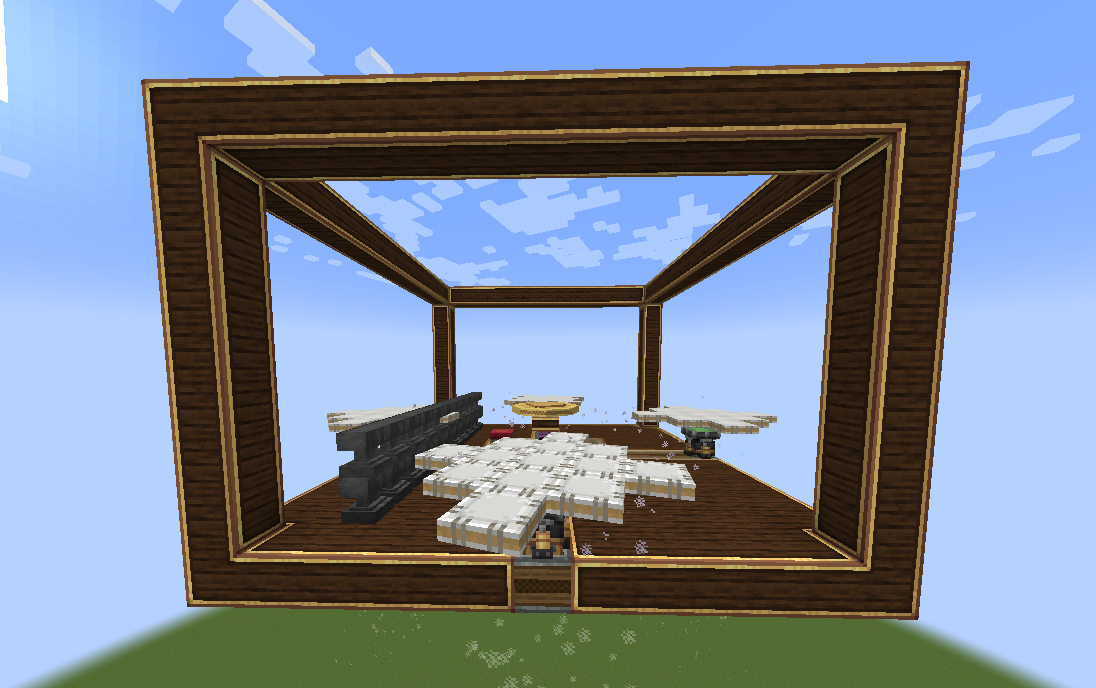
陀螺仪是一个旋转飞轮,用于稳定你的船体向上。将其安装在机械结构的任何位置并为其提供旋转能量。陀螺仪的稳定效果随输入 RPM 增加而增强!可以使用多个陀螺仪来稳定更大的船只!
提供工具提示以了解陀螺仪稳定性的相关信息。
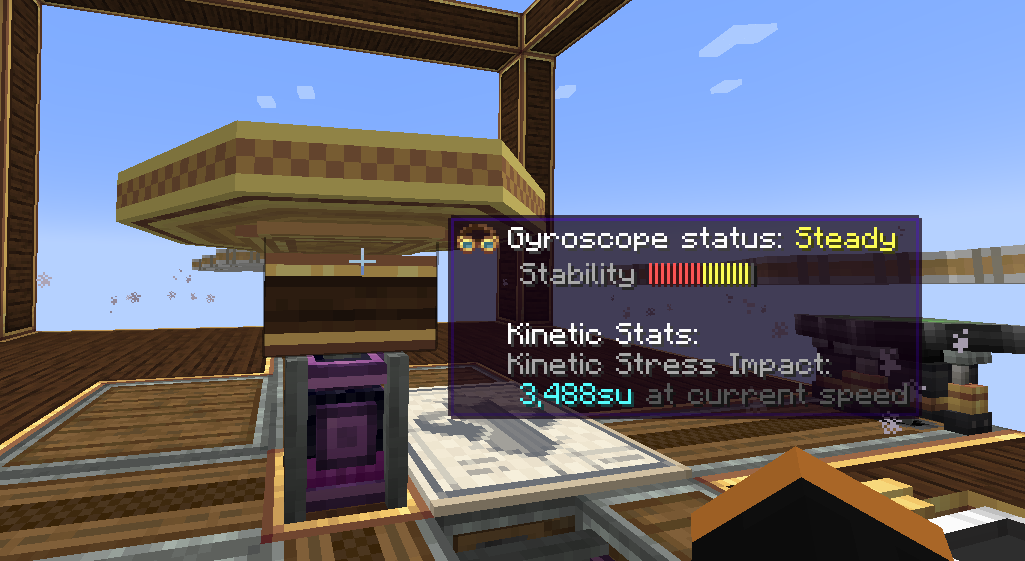
陀螺仪状态说明:
- 关闭 -> 顾名思义。陀螺仪已关闭。
- 不稳定 -> 在当前输入的 RPM 或陀螺仪数量下,陀螺仪无法稳定你的船体。
- 稳定 -> 当前陀螺仪配置可以稳定你的船体。然而,需要更多动力或更多陀螺仪才能使船体完全水平。
- 水平 -> 在当前的陀螺仪配置下,你的船体相对于世界处于水平状态(< 2°)。
可配置的轴向“刚度”:
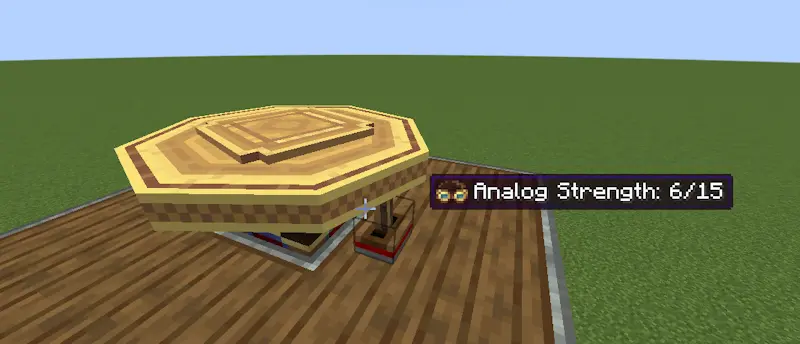
向陀螺仪侧面施加模拟红石信号会减少陀螺仪沿该轴施加的修正力。当红石强度最大时,该轴完全解锁:
工具提示已更新,将当前的修正力显示为“刚度”:
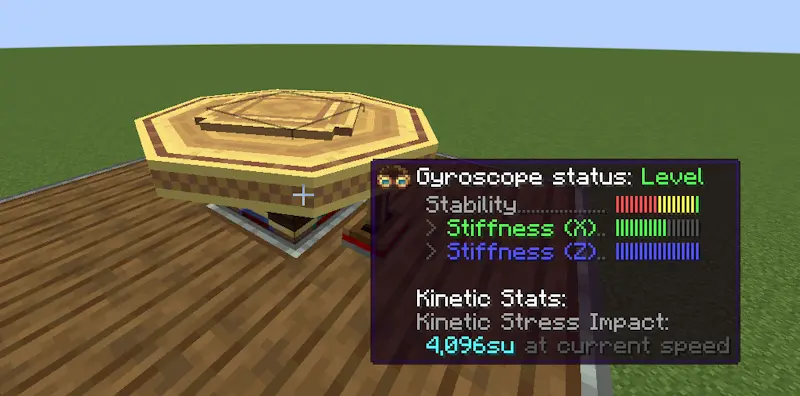
这允许你使船体滚转和俯仰,但在机动结束后将船体恢复水平。
操纵杆
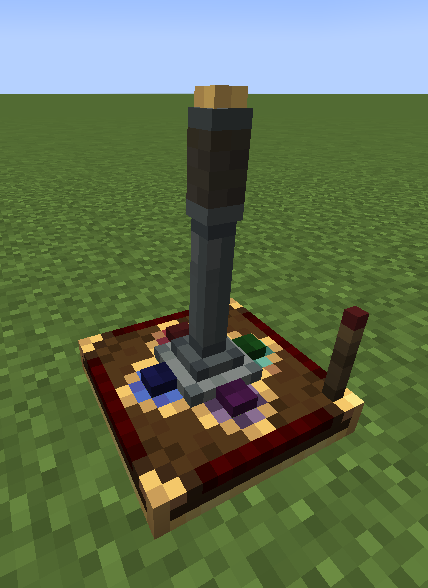
操纵杆允许你控制船体沿两个轴移动。每根摇杆倾斜的方向都会输出一个红石信号(0-15)。为了简化操作,操纵杆在可配置的红石链路频率上输出红石信号。额外提供了一个按钮以增加可控性。
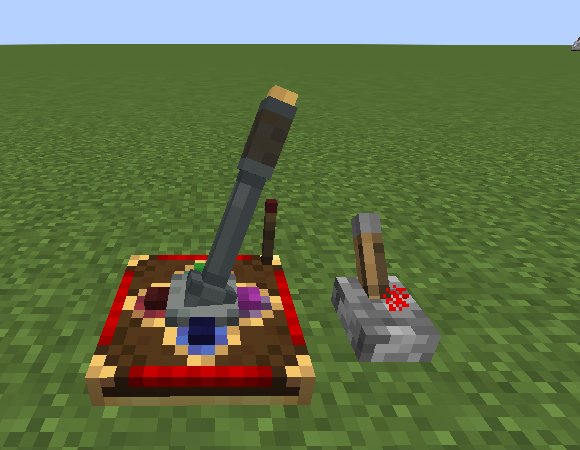
可以提供红石输入来锁定操纵杆的朝向:
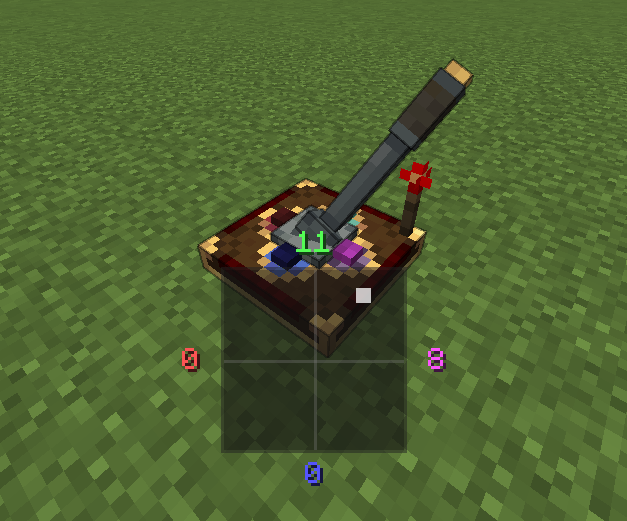
当被操控时,屏幕上会显示当前操纵杆输出的 HUD:
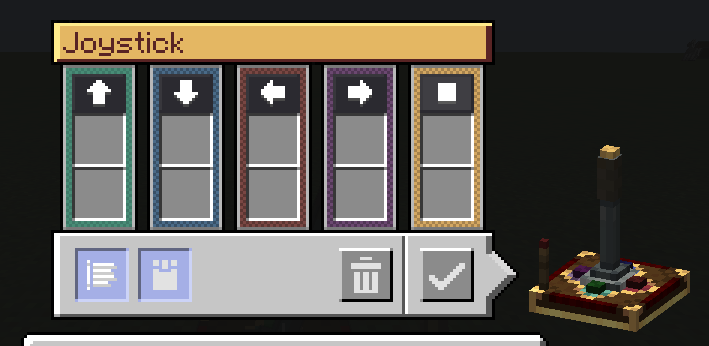
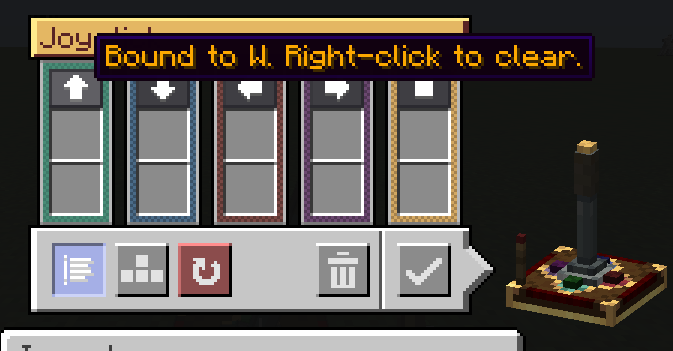
提供了可配置的用户界面用于配置红石链路频率:
还提供键盘模式,并带有可切换的回弹模式:
模块化控制
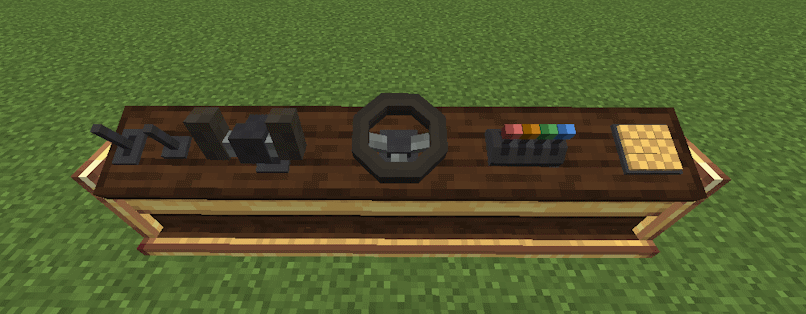
控制台桌允许你混合搭配控制模块,为你的船只打造完美的驾驶舱或舵台。
当前支持的控制模块:
- 拉杆
- 操纵杆
- 按钮
- 方向盘
- 摇杆
- 油门组
Create: Aeroworks
An addon for Create: Aeronautics that adds a suite of various blocks for your airships.
Available blocks:
- Gyroscope
- Joystick
Planned blocks:
- Advanced Gyroscope (allows arbitrary target orientation)
- Mini Gyroscope
- Joystick + Keyboard Input
- Handheld Joystick
- Modular Controller
Keep Your Ship Level
The Gyroscope is a spinning flywheel that stabilizes your ship upwards. Mount one anywhere on your contraption and supply it with rotational energy. The gyroscope stabilization scales with input RPM. Multiple gyroscopes can be used to stabilize larger ships!
A tooltip is provided to provide insight to the gyroscopic stabilization.
Explanation of Gyroscope status:
- Off -> Self explanatory. The gyroscope is off.
- Unstable -> The gyroscope is unable to stabilize your ship with the input RPM or number of gyroscope
- Steady -> Your ship can be stabilized with the current gyroscope(s) configuration. However, more power or gyroscopes is necessary to make your ship perfectly level.
- Level -> Your ship is level (< 2°) with respect to the world with the current gyroscope(s) configuration.
Configurable axis "stiffness":
Applying an analog redstone signal to the side of a gyroscope reduces the corrective forces applied by the gyroscope along that axis. The axis is fully unlocked at max redstone strength:
The tooltip is updated to reflect the current corrective force as "stiffness":
This allows you to roll and pitch your ship but then bring the ship back to level when you're done maneuvering.
Joystick
The Joystick allows you to control your ship along 2 axes. A redstone signal (0-15) is output per direction the stick is tilted towards. For simplicity, the joystick outputs the redstone signal on configurable redstone link frequencies. An extra button is provided for extra controllability.
A redstone input can be provided to lock the orientation of the joystick:
An on-screen HUD displays the current Joystick output when being controlled:
A configurable UI is provided for configuring the redstone link frequencies:
Keyboard mode is also available with a toggleable snapback mode:
Modular Controls
The console desk allows you to mix and match control modules to create the perfect cockpit or helm for your ship.
Current supported control modules:
- Lever
- Joystick
- Button
- Steering Wheel
- Yoke
- Throttle Quadrant
Dependencies
- NeoForge 21.1.225+
- Create 6.0.0+
- Create: Aeronautics 1.0.3+

下载 Create: Aeroworks
下载 Create: Aeroworks
下载 Create: Aeroworks
下载 Create: Aeroworks
下载 Create: Aeroworks
下载 Create: Aeroworks
下载 Create: Aeroworks
下载 Create: Aeroworks
下载 Create: Aeroworks
下载 Create: Aeroworks
特别感谢 Glaz_almaz 为铜制模块套装(操纵杆、拉杆、踏板、方向舵、按钮、油门控制箱和方向盘)、染色轮式模块以及全新的控制台提供了模型与纹理。
新增
- 控制台 (Control Stand)
- 仿制版控制台 (Copycat Control Stand)
- 控制模块的铜质变体
- 方向盘的铜质及全部 16 种染色颜色变体
- 第三个踏板插槽
- 兼容 Drive-By-Sable
- 手持方块右键放置仿制控制台时,会将该方块应用到框架上
修复
- 潜行状态下使用扳手右键点击控制台现在会将其拾取,而不是打开菜单
- 未绑定的按键现在能正常透传至游戏
关于这个资源的讨论、问题反馈与使用心得
还没有讨论,来发第一帖吧
你是这个资源的作者?登录后可认领此资源。
相似资源
 模组

一个用于收集生物掉落物的多区块模组。
 模组
AE2:一款流行的自动化与存储模组
 模组

基于 GTCEu 1.12.2 的现代 GregTech
 模组

让你能够在世界中的任何位置定位结构。
 模组

TerraFirmaCraft (TFC) 是一个全面转换模组,对生存模式进行了彻底的改造与重新设计。
 模组
一堆修复
评论 0
登录后参与评分
还没有评论,来抢沙发吧