
? Cubium – Minecraft 内置浏览器
Cubium 是一款客户端 Minecraft 模组,将基于 Chromium 的浏览器直接集成到游戏中。使用 Cubium,你可以无缝浏览网页,无需切换出游戏。随时按下 B 键(默认设置,可在设置中自定义)即可打开浏览器。
? 重要提示
Cubium 依赖 MCEF library。请确保在安装模组的同时安装该库。
模组正常运行还需要 Fabric API 和 Fabric Language Kotlin。
如果你使用的是 Quilt,则需要使用 Quilted Fabric API 代替 Fabric API,并使用 Quilt Kotlin Libraries 代替 Fabric Language Kotlin。
?️ 功能特性
- 完全集成的浏览器: 在 Minecraft 中畅游互联网。
- 可自定义搜索引擎: 选择你偏好的搜索引擎,以获得优化的浏览体验。
- 画中画模式: 使用浮动、可移动的窗口进行浏览,同时继续游戏。
- 深色模式: 借助 Dark Reader 脚本,以深色风格浏览所有网站。
- 可最小化窗口: 最小化浏览器窗口,同时保持音频和进程活动。
- 文件下载: 直接通过浏览器下载文件,无需离开 Minecraft。
- 仅客户端: 无服务端依赖;适用于任何单人或多人环境。
- 用户友好界面: 设计简洁易用,就像普通浏览器一样。
? 使用方法
- 按 B 键(默认)在游戏内打开浏览器。
- 首次设置: 选择你偏好的搜索引擎;做出选择后浏览器将自动打开。
- 完成选择后,再次按下 B 键将直接打开你选定的搜索引擎页面。
- 如果已启用历史记录,Cubium 将记住你的上次访问页面。
- 若要重置搜索引擎(如果你想更改它),请使用命令:
/cubium reset_default_se
? 与 TMYK 完美配合
Cubium 与 fingerguns83 制作的 TMYK 模组无缝协作。TMYK 允许你通过输入 /wiki [搜索词] 轻松访问维基百科链接,或直接输入 /wiki 查询当前正注视的方块、实体或流体的相关信息。
? 维基
如需帮助,你可以查看 维基 获取更多信息和指南,加入我们的 Discord 服务器 这里,或在 GitHub 上提交问题 这里。
?️ 预览
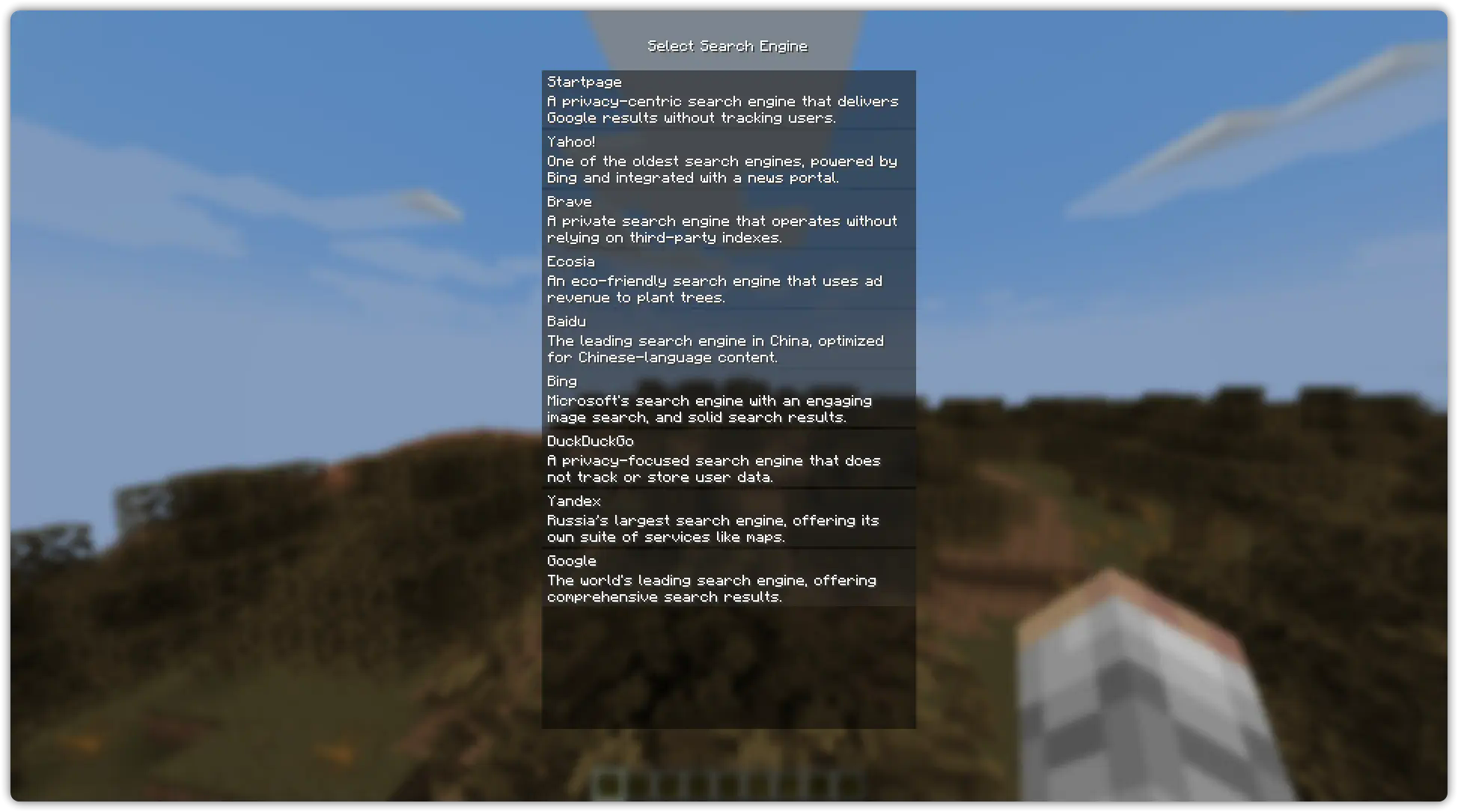
搜索引擎选择(顺序随机):
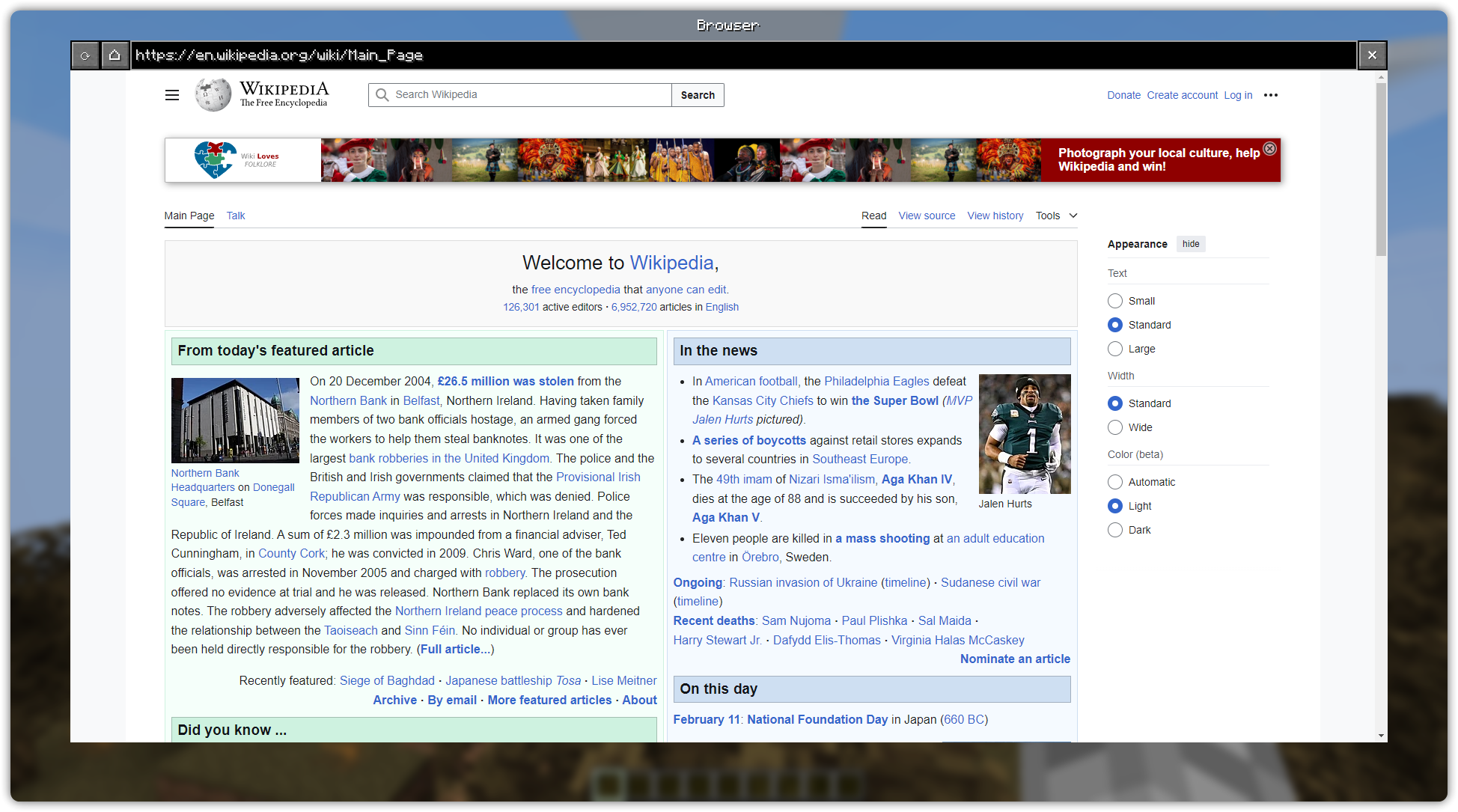
浏览器示例(在 Wikipedia 主页 上):
画中画示例(在 YouTube 上):

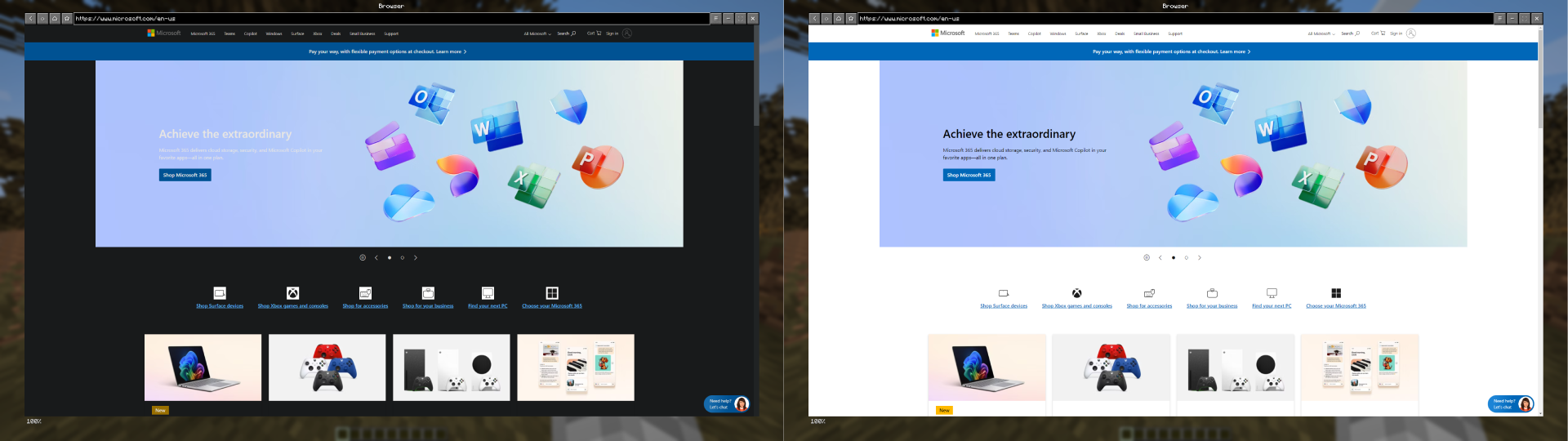
深色模式(在 Microsoft 网站 上):
? Cubium – The In-Game Minecraft Browser
Cubium is a client-side Minecraft mod that integrates a Chromium-based browser directly into the game. With Cubium, you can browse the web seamlessly without ever needing to tab out. The browser can be opened at any time using the B key (default, customizable in settings).
? Important
Cubium uses the MCEF library. Make sure to install it together with the mod.
You will also need the Fabric API and the Fabric Language Kotlin for the mod to work.
If you want to use Quilt, you'll need to use the Quilted Fabric API instead of the Fabric API, and the Quilt Kotlin Libraries instead of the Fabric Language Kotlin.
?️ Features
- Fully Integrated Browser: Surf the web while staying in Minecraft.
- Customizable Search Engines: Choose your preferred search engine for a optimized browsing experience.
- Picture-in-Picture Mode: Use a floating, movable window to browse while playing.
- Dark Mode: Experience every website in a dark style using Dark Reader scripts.
- Minimizable Window: Minimize the browser while keeping audio and processes active.
- File Downloads: Download files directly through the browser without leaving Minecraft.
- Client-Side Only: No server-side dependencies; works in any singleplayer or multiplayer environment.
- User-Friendly Interface: Designed for ease of use, just like a regular browser.
? How to Use
- Press B (default) to open the browser in-game.
- First Time Setup: Select your preferred search engine; the browser will open once you've made your selection.
- After selection, pressing B will open the browser directly with your chosen search engine.
- If you have the history enabled, Cubium will remember your last visited page instead.
- To reset your search engine (if you want to change it), use the command:
/cubium reset_default_se
? Works Great with TMYK
Cubium works seamlessly with the TMYK mod by fingerguns83. TMYK allows you to easily access wiki links by typing /wiki [search term], or simply /wiki to look up information about blocks, entities, or fluids you're currently looking at.
? Wiki
If you need help, you can check the wiki for additional information and guides, join our Discord server here, or open an issue on GitHub here.
?️ Preview
Search Engine Selection (Order randomized):
Browser Example (On the Wikipedia Main Page):
Picture in Picture Example (On YouTube):
Dark Mode (On Microsoft Website):

下载 Cubium
下载 Cubium
需要联机服务器吗?
稳定流畅、一键部署,几分钟即可和朋友联机开服
最低仅需 8 元/月 即可畅快联机
下载 Cubium
需要联机服务器吗?
稳定流畅、一键部署,几分钟即可和朋友联机开服
最低仅需 8 元/月 即可畅快联机
下载 Cubium
需要联机服务器吗?
稳定流畅、一键部署,几分钟即可和朋友联机开服
最低仅需 8 元/月 即可畅快联机
下载 Cubium
需要联机服务器吗?
稳定流畅、一键部署,几分钟即可和朋友联机开服
最低仅需 8 元/月 即可畅快联机
下载 Cubium
需要联机服务器吗?
稳定流畅、一键部署,几分钟即可和朋友联机开服
最低仅需 8 元/月 即可畅快联机
下载 Cubium
需要联机服务器吗?
稳定流畅、一键部署,几分钟即可和朋友联机开服
最低仅需 8 元/月 即可畅快联机
下载 Cubium
需要联机服务器吗?
稳定流畅、一键部署,几分钟即可和朋友联机开服
最低仅需 8 元/月 即可畅快联机
移植到 1.21.1
关于这个资源的讨论、问题反馈与使用心得
还没有讨论,来发第一帖吧
你是这个资源的作者?登录后可认领此资源。
相似资源
 模组

显示你正在注视的方块的信息。(适用于 Minecraft 1.16+ 的 Hwyla/Waila 分支)
 模组
使用 JavaScript 编辑配方、添加自定义物品、编写世界事件!
 模组

查看物品与配方
 模组
在游戏画面角落显示附近世界地形、玩家、生物和实体的地图。可创建路径点,帮助你找到标记过的位置。
 模组
AE2:一款流行的自动化与存储模组
 模组
那是什么?一个 Waila/Hwyla 的分支。
评论 0
登录后参与评分
还没有评论,来抢沙发吧