
模组简介
这是一个轻量级的客户端模组,允许你为单人存档的读取和保存使用自定义目录,替代游戏硬编码的 ${GAME_DIR}/saves。设置目录时无需重新启动游戏。
如何使用本模组
加载此模组后,在主菜单点击“选项...”按钮,然后点击“配置存档目录...”。(如果你没有看到该按钮,说明它被其他模组添加的按钮挤下去了,请尝试增加窗口高度。)
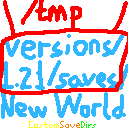
当 ${GAME_DIR}/config/customsavedirs.json 不存在时,屏幕最上方按钮的文字应为“当前:默认”。此时你可以点击“编辑 customsavedirs.json”按钮,点击后会打开一个文本编辑器。编辑你想要让本模组读取的目录。支持绝对路径和相对路径。例如,如果你希望本模组读取 “/tmp”、“saves” 和 “../../saves” 这 3 个目录,你需要将以下内容写入 ${GAME_DIR}/config/customsavedirs.json:
[
  "/tmp",
  "saves",
  "../../saves"
]
保存 customsavedirs.json 后,在游戏中点击“重新加载 customsavedirs.json”。点击“当前:0: /tmp”按钮可切换到 customsavedirs.json 中声明的下一个有效目录(此处“有效目录”指能通过 Java 中的 java.nio.file.FileSystems.getDefault().getPath(xxx) 或 java.nio.file.Path.of(xxx) 成功创建 Path 对象的字符串),在此示例中将切换到“1: saves”。请注意,在 customsavedirs.json 中,第一个有效目录的索引是 0 而不是 1。
如果你想让游戏再次加载默认存档目录下的世界,只需删除 customsavedirs.json 或其内容更改为 [],然后点击“重新加载 customsavedirs.json”。
游戏重启后,存档目录将恢复为索引 0 或游戏默认值。
在打开单人世界时更改目录,该目录将在世界保存并退出后生效。例如,在使用“0: /tmp”时打开“新世界”,并在世界打开期间将其更改为“2: ../../saves”,然后保存并退出,则该世界的保存目录仍为 /tmp,“../../saves” 下的“新世界”不会受到影响。
注意
强烈建议在 Fabric 上运行 Fabric API,或在 Legacy Fabric 上运行 Legacy Fabric API,以应用本模组 JAR 中的语言文件。如果没有它们,你仍然可以启动游戏,但与此模组相关的文本将显示为备用英文文本或翻译键。
某些仅根据文件夹名称存储配置文件而非世界完整路径的模组,在本模组加载时可能会出现异常行为。
Mod Synopsis
This is a lightweight mod run on client-side, which allows you use custom directories for singleplayer worlds' reading and saving instead of the hard-coded ${GAME_DIR}/saves by the game. No game relaunching required when setting the directories.
How to Use This Mod
After loading this mod, click “Options...” button in Main Menu, and then “Configure Save Directories...”(If you did not see the button, it shows that the button is pushed away by buttons added by other mods, try to increase the window's height).
When ${GAME_DIR}/config/customsavedirs.json does not exist, the text in the highest button in the screen should be “Current: Default”. Then you can click “Edit customsavedirs.json” button, a text editor will be opened after clicking. Edit for the directories you want to let this mod read. Absolute and relative paths are supported. For example, if you want this mod to read “/tmp” “saves” “../../saves” 3 directories, you need to write the following content to ${GAME_DIR}/config/customsavedirs.json:
[
  "/tmp",
  "saves",
  "../../saves"
]
After saving customsavedirs.json, click “Reload customsavedirs.json” in the game. Click “Current: 0: /tmp” button to switch to next valid directory declared in customsavedirs.json(“valid directory” here stands for a string that is capable to successfully create a Path object by java.nio.file.FileSystems.getDefault().getPath(xxx) or java.nio.file.Path.of(xxx) in Java), switch to “1: saves” in this example. And note that first valid directory's index is 0 rather than 1 in customsavedirs.json.
If you want the game load the worlds under default save directory again, just delete customsavedirs.json or change its content to [], then click “Reload customsavedirs.json”.
The save directory will be changed to index 0 or the game default after game relaunching.
When changing directory with singleplayer world opening, the directory will be applied after the world is saved and quitted. For example, open “New World” when using “0: /tmp”, and change it to “2: ../../saves” with the world opening, and then save and quit, the saving directory of that world will still be /tmp, “New World” under ../../saves will not be affected.
Notice
Fabric API run on Fabric or Legacy Fabric API run on Legacy Fabric is strongly recommended in order to apply language files in this mod's JAR. Without them, you can still launch the game, but texts related to this mod will be shown as fallback English texts or translation keys.
Some mods storing there config files on folder names only instead of worlds' full paths will behave abnormally with this mod loading.
下载 CustomSaveDirs
下载 CustomSaveDirs
需要联机服务器吗?
稳定流畅、一键部署,几分钟即可和朋友联机开服
最低仅需 8 元/月 即可畅快联机
下载 CustomSaveDirs
需要联机服务器吗?
稳定流畅、一键部署,几分钟即可和朋友联机开服
最低仅需 8 元/月 即可畅快联机
下载 CustomSaveDirs
需要联机服务器吗?
稳定流畅、一键部署,几分钟即可和朋友联机开服
最低仅需 8 元/月 即可畅快联机
下载 CustomSaveDirs
下载 CustomSaveDirs
需要联机服务器吗?
稳定流畅、一键部署,几分钟即可和朋友联机开服
最低仅需 8 元/月 即可畅快联机
下载 CustomSaveDirs
下载 CustomSaveDirs
需要联机服务器吗?
稳定流畅、一键部署,几分钟即可和朋友联机开服
最低仅需 8 元/月 即可畅快联机
下载 CustomSaveDirs
需要联机服务器吗?
稳定流畅、一键部署,几分钟即可和朋友联机开服
最低仅需 8 元/月 即可畅快联机
下载 CustomSaveDirs
关于这个资源的讨论、问题反馈与使用心得
还没有讨论,来发第一帖吧
你是这个资源的作者?登录后可认领此资源。
相似资源
 模组

显示你正在注视的方块的信息。(适用于 Minecraft 1.16+ 的 Hwyla/Waila 分支)
 模组
使用 JavaScript 编辑配方、添加自定义物品、编写世界事件!
 模组

查看物品与配方
 模组
在游戏画面角落显示附近世界地形、玩家、生物和实体的地图。可创建路径点,帮助你找到标记过的位置。
 模组
AE2:一款流行的自动化与存储模组
 模组
那是什么?一个 Waila/Hwyla 的分支。
评论 0
登录后参与评分
还没有评论,来抢沙发吧