
本模组添加了一个区块加载方块。在多人游戏(SMP)中,每个非管理员玩家可加载的区块数量有限,而每个区块加载器可以加载一个可调大小的区域。
右键点击该方块会打开此图形用户界面(GUI)。如果你是管理员(或在单人游戏中),或者是区块加载器的所有者,你可以在不破坏并重新放置的情况下(否则会改变所有权)调整加载区域的大小。
绿色按钮将扩展此区块加载器所加载的区域,每次增加一个区块;红色按钮则缩小它,每次减少一个区块。
每个玩家强制保持加载的区块数量是有限制的。在单人游戏中,或者如果区块加载器的所有者是管理员,则没有限制。
按下 F9 键可以显示已加载的区块,类似于传送锚点(Teleport Tether)的功能,但此显示的格式有很大不同:
- 首先,你可以看到所有区块加载器方块周围有蓝色或橙色的框,即使隔着墙壁也能看见。如果你把区块加载器埋起来忘了它们的位置,或者有人试图在多人游戏中造成卡顿,这会很有用。蓝色框表示你拥有的区块加载器,橙色框表示由其他人拥有的区块加载器。橙色框仅在单人游戏中、对管理员可见,或者如果在服务器配置中启用了
chunkloader.hideOtherPlayersLoadersInF9=false,则对其他玩家也可见。在本节的其余部分,“可见区块”是指被你能通过蓝色或橙色框看到的区块加载器保持加载状态的区块;如果你无法察觉区块加载器的存在,你就无法知道它正在保持哪些区块处于加载状态。 - 其次,如果你当前所在的区块是可见的,会在该区块周围绘制半透明的蓝色边框。此边框无法穿透墙壁显示,有助于查看你的机器是否都在同一个区块内。
- 第三,在每个可见区块的四个角上会绘制绿色的线条。
- 第四,在每个可见区块中,你会头顶高度上方绘制半透明的红色方块。每个区块加载器都会绘制一次——也就是说,如果有两个或更多可见的区块加载器共同保持同一个区块处于加载状态(因此该区块在你的限额中被多次计算),红色方块的颜色会变深。这可以穿透墙壁和天花板显示,以便你在室内也能看到。
如果你在 immibis.cfg 中将 chunkloader.useFuel 设置为 true,锚点需要燃料才能运行。没有燃料的锚点将被视为不存在——因此它们不会出现在 F9 视图中,也不会计入你的配额。(这也意味着你可以将它们设置为比允许范围更大的区域,直到你放入燃料之前,它不会被重置)
如果你在 immibis.cfg 中将 chunkloader.allowFuelPiping 设置为 true,那么自动化模组(如 Buildcraft 管道、RedPower 2 导管和 ComputerCraft 海龟)将被允许向锚点插入燃料。如果设置为 false(默认值),它们将被阻止(使用 ISidedInventory 接口)。
可用的燃料及其每种燃料的价值可在 immibis.cfg 中配置。这主要是为服务器管理员设计的。
燃料的使用量会根据区块数量进行缩放,因此一个 3x3 的加载器消耗的燃料将是 1x1 加载器的 9 倍。
默认燃料:
| 物品 | 单个物品持续时间(1个区块) | 单组物品持续时间(1个区块) |
|---|---|---|
| 煤炭 (Coal) | 10 分钟 | 10 小时 40 分钟 |
| 木炭 (Charcoal) | 1 分钟 | 1 小时 4 分钟 |
| 红石粉 (Redstone) | 1 分钟 | 1 小时 4 分钟 |
| 末影珍珠 (Ender pearl) | 15 分钟 | 4 小时(最大堆叠数量为 16) |
| 岩浆膏 (Magma cream) | 15 分钟 | 16 小时 |
| 末影之眼 (Eye of ender) | 30 分钟 | 32 小时 |
| 泥土 (Dirt) | 1 秒 | 1 分 4 秒 |
| 圆石 (Cobblestone) | 1 秒 | 1 分 4 秒 |
| 平滑石头 (Smoothstone) | 3 秒 | 3 分 12 秒 |
| 下界岩 (Netherrack) | 4 秒 | 4 分 16 秒 |
| 下界砖块 (Nether brick) | 10 秒 | 10 分 40 秒 |
| 荧石粉 (Glowstone dust) | 2 分钟 | 2 小时 8 分钟 |
在 Minecraft 1.3+ 版本中,该模组还添加了以下命令(仅对操作员可用):
/dimanc getquota <username>- 告知你该玩家当前和最大加载的区块数。/dimanc override <username> <number>- 为特定玩家设置配额覆盖,等同于在immibis.cfg的chunkloader.playerQuotaOverride部分中设置。这会更新配置文件。你也可以使用 "unlimited"(不含引号)代替数字,或使用 "default"(这将移除覆盖)。/dimanc setfuel <ID> <time> <unit>- 设置一种燃料物品。ID 是物品 ID,time 是时间量。Unit 是时间的乘数——可以是 "sec"(秒)、"min"(分钟)、"hr"(小时)或空白(刻)。例如,使石头持续 5 秒的命令为:/dimanc setfuel 1 5 sec/dimanc setfuel <ID>:<meta> <time> <unit>- 与上述相同,但指定了特定的元数据/伤害值。/dimanc setpipemode allow- 启用自动燃料插入并更新配置。/dimanc setpipemode block- 禁用自动燃料插入并更新配置。
(原版模组由 immibis 制作。原始描述来自 Minecraft Forums。)
归档通知
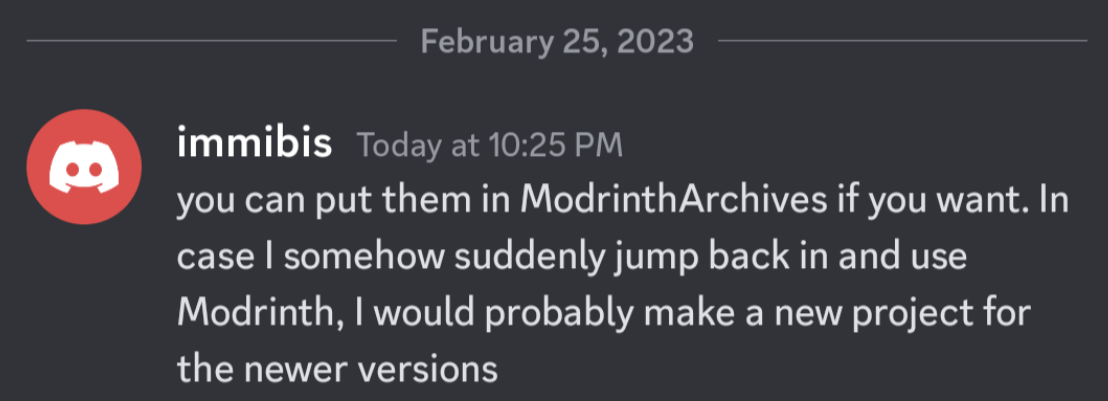
本模组已废弃,上传仅为存档目的。它最初由 immibis 创建。经原作者许可,已上传至 Modrinth 的 ModrinthArchives 账户。
This mod adds a block that loads chunks. There is a limit on the number of chunks each non-op player can load in SMP, and each chunk loader can load an adjustable area.
Right clicking opens this GUI. If you are op (or in singleplayer) or the owner of the chunkloader, you can change the size of the loaded area without breaking and replacing it (which would make you the owner).
The green button expands the area loaded by this chunkloader by one chunk, and the red button shrinks it by one chunk.
There is a limit on the number of chunks that each player may force to be loaded. In singleplayer, or if the owner of the chunkloader is an op, there is no limit.
Pressing F9 shows loaded chunks, as with the Teleport Tether, however the format of this display is quite different:
- First, you can see a blue or orange box around all chunk loader blocks, even through walls. This is useful if you bury your chunkloaders and forget where they are, or if somebody tries to cause lag on SMP. Blue boxes indicate chunkloaders you own, while orange boxes indicate chunkloaders owned by someone else. Orange boxes are only visible in singleplayer, to ops, or if they have been enabled in the server config (chunkloader.hideOtherPlayersLoadersInF9=false). For the rest of this section, a "visible chunk" means a chunk that is being kept loaded by a chunk loader you can see with a blue or orange box; if you can't tell a chunk loader is there, you can't tell which chunks it is keeping loaded.
- Second, a translucent blue border will be drawn around the chunk you are standing in, if it is visible. This border cannot be seen through walls, and helps to see whether your machines are all in the same chunk.
- Third, a green line will be drawn in each corner of each visible chunk.
- Fourth, a translucent red square will be drawn above your head height, in each visible chunk. It will be drawn once for each chunk loader - that is, if two or more visible chunk loaders are keeping the same chunk loaded (and thus the chunk is counting multiple times towards your limit) the red square will appear darker. This is visible through walls and ceilings, so that you can see it indoors.
If you set chunkloader.useFuel=true in immibis.cfg, anchors will require fuel to run. Anchors without fuel will be treated as if they don't exist - so they won't appear in F9 or contribute to your quota. (This also means you can set them to a larger area than you're allowed, and it won't be reset until you put fuel in)
If you set chunkloader.allowFuelPiping=true in immibis.cfg, then automation mods (such as Buildcraft pipes, RedPower 2 tubes and ComputerCraft turtles) will be allowed to insert fuel into anchors. If it is set to false (which is the default), they will be blocked (using ISidedInventory).
The available fuels and value of each fuel is configurable in immibis.cfg. This is mainly intended for server admins.
The amount of fuel used is scaled by the number of chunks, so a 3x3 loader will use 9 times as much fuel as a 1x1 loader.
Default fuels:
| Item | Time per item (1 chunk) | Time per stack (1 chunk) |
|---|---|---|
| Coal | 10 min | 10 hr 40 min |
| Charcoal | 1 min | 1 hr 4 min |
| Redstone | 1 min | 1 hr 4 min |
| Ender pearl | 15 min | 4 hr (max stack size is 16) |
| Magma cream | 15 min | 16 hr |
| Eye of ender | 30 min | 32 hr |
| Dirt | 1 sec | 1 min 4 sec |
| Cobblestone | 1 sec | 1 min 4 sec |
| Smoothstone | 3 sec | 3 min 12 sec |
| Netherrack | 4 sec | 4 min 16 sec |
| Nether brick | 10 sec | 10 min 40 sec |
| Glowstone dust | 2 min | 2 hr 8 min |
In Minecraft 1.3+, the mod also adds the following commands (only available to operators):
/dimanc getquota <username>- Tells you the current and maximum loaded chunks of that player./dimanc override <username> <number>- Sets a quota override for a specific player, equivalent to setting it in the chunkloader.playerQuotaOverride section of immibis.cfg. This does update the config. You can also use "unlimited" (without quotes) instead of the number, or "default" (which removes the override)/dimanc setfuel <ID> <time> <unit>- Sets a fuel item. ID is the item ID, and time is the amount of time. Unit is a multiplier for the time - it can be "sec" (seconds), "min" (minutes), "hr" (hours) or blank (ticks). Example to make stone last for 5 seconds:/dimanc setfuel 1 5 sec/dimanc setfuel <ID>:<meta> <time> <unit>- Same as above, but with a specific metadata/damage value./dimanc setpipemode allow- Enables automatic fuel insertion and updates the config./dimanc setpipemode block- Disables automatic fuel insertion and updates the config.
(Original mod by immibis. Original description from the Minecraft Forums.)
Archival notice
This mod is abandoned and has been uploaded for archival purposes. It was originally created by immibis. It has been uploaded to Modrinth under the ModrinthArchives account with permission from the original author.

下载 Dimensional Anchors
下载 Dimensional Anchors
下载 Dimensional Anchors
下载 Dimensional Anchors
下载 Dimensional Anchors
下载 Dimensional Anchors
下载 Dimensional Anchors
下载 Dimensional Anchors
下载 Dimensional Anchors
下载 Dimensional Anchors
暂无更新日志
关于这个资源的讨论、问题反馈与使用心得
还没有讨论,来发第一帖吧
你是这个资源的作者?登录后可认领此资源。
相似资源
 模组

一个用于收集生物掉落物的多区块模组。
 模组
AE2:一款流行的自动化与存储模组
 模组

基于 GTCEu 1.12.2 的现代 GregTech
 模组

让你能够在世界中的任何位置定位结构。
 模组
高科技机械、强大的能量生成、炫酷的小工具以及更多内容。现已登陆 Modrinth!
 模组

一款轻量级模组,允许服务器管理员对抗透视作弊者。
评论 0
登录后参与评分
还没有评论,来抢沙发吧