
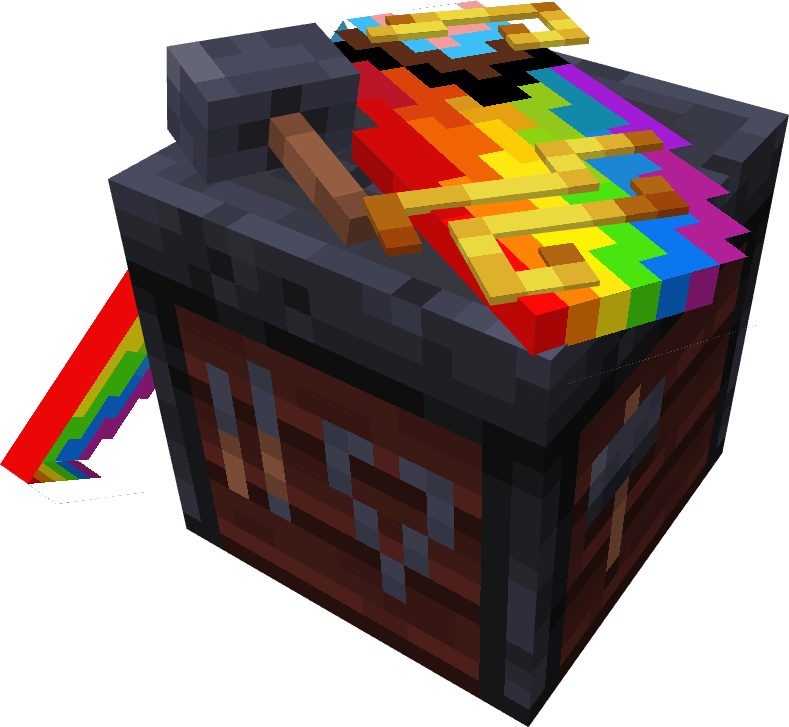
Elytra Trims
通过本模组,你可以为护甲添加纹饰,将鞘翅染成任意颜色,并在其上应用旗帜图案。
安装说明
[!IMPORTANT]
模组的功能和兼容性可能因 Minecraft 版本更新而有所不同!
依赖项
Elytra Trims 需要 Fabric Language Kotlin
或 Kotlin Lang Forge (或者 Kotlin for Forge)
在相应的加载器上。
在 1.20 和 1.21 版本中,你可能还需要 YACL 和 ModMenu (仅限 Fabric)。
前置条件
在多人游戏中,Elytra Trims 必须安装在服务器上,但这不会阻止未安装该模组的玩家加入。
| Elytra Trims = ET | 玩家没有 ET | 玩家有 ET |
|---|---|---|
| 服务器没有 ET | 原版体验。 | 玩家可以加入,但无法对鞘翅应用纹饰、图案等。 |
| 服务器有 ET | 玩家可以加入,但看不到纹饰、图案等。 | 玩家可以制作并查看装饰过的鞘翅。 |
功能特性
纹饰 (Trims)
纹饰可以像应用于护甲一样应用于鞘翅。默认情况下,本模组提供了所有原版纹饰的纹理,以及一些自定义纹饰!
注意:在 1.20 和 1.21 版本中,你可能需要安装 Elytra Trims Extensions 以获得纹饰兼容支持。
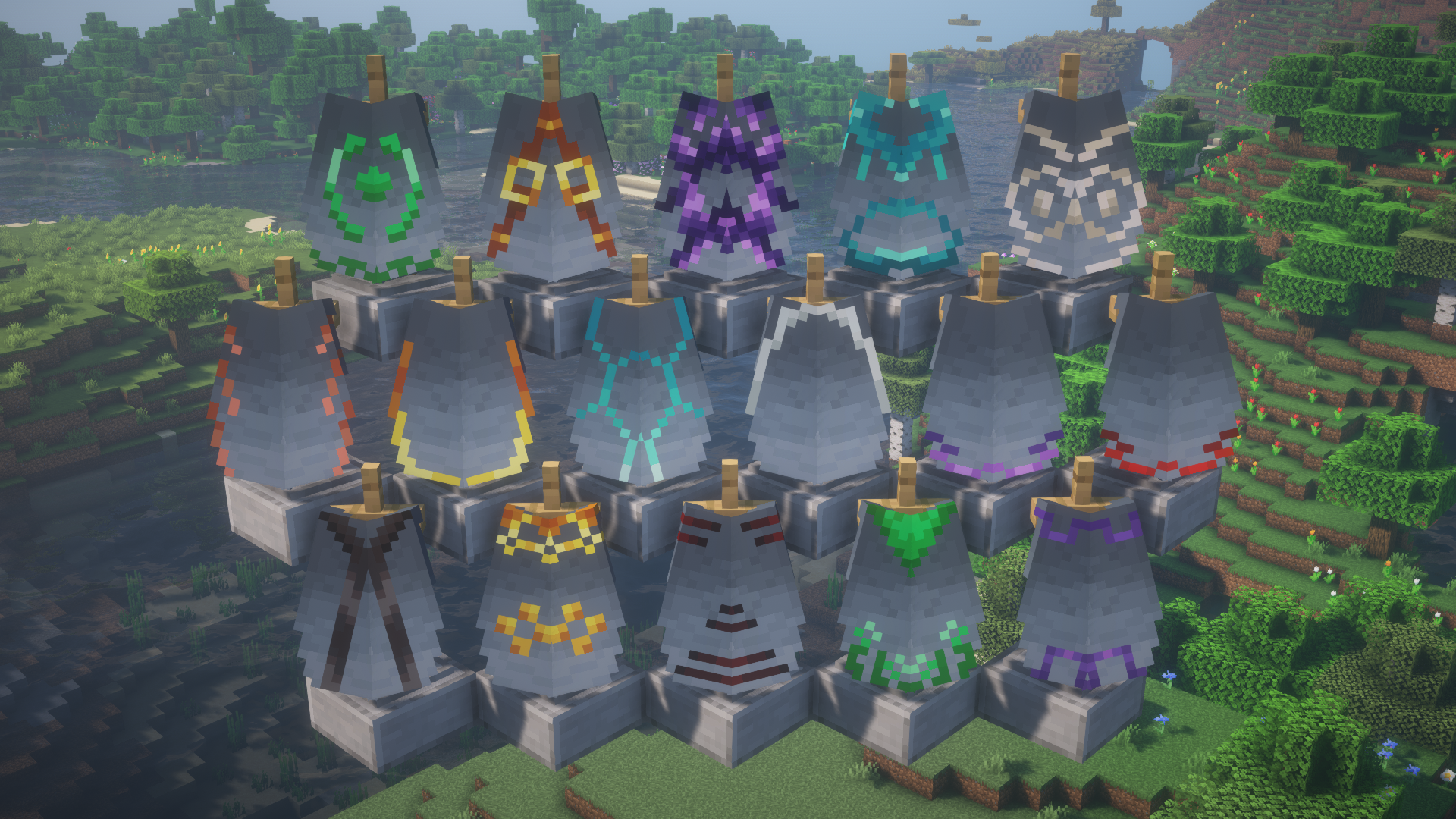
此外,你可以在配方中将纹饰图案替换为试炼钥匙,以解锁更多种类的鞘翅。
注意:此功能目前仅在 1.21.10 及更高版本中可用。
旗帜图案
可以将旗帜图案应用于鞘翅以展示这些图案。
在锻造台(smithing table)中,将鞘翅与旗帜结合,并搭配纸张或皮革,分别会转移
旗帜或盾牌的图案。
注意:图案是在不带底色的情况下应用的——你需要先给鞘翅染色才能添加底色。
染色
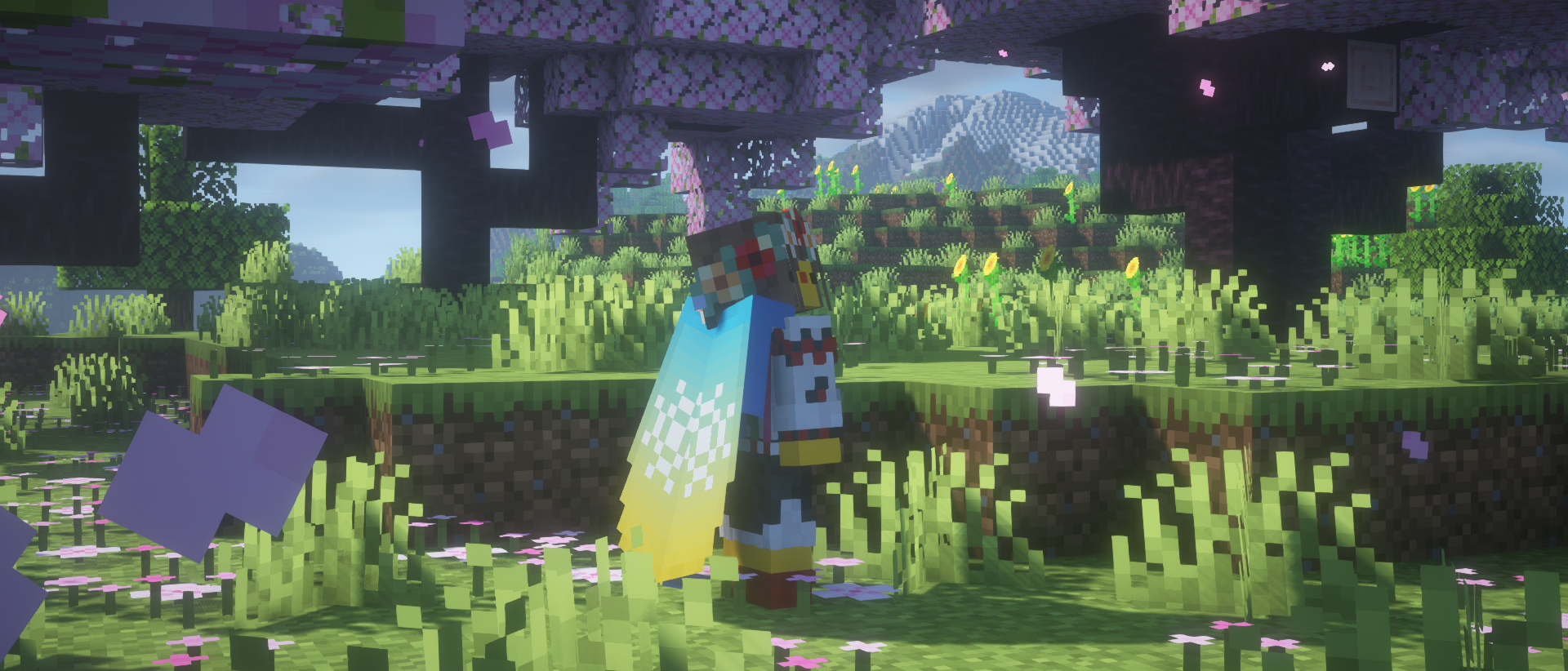
如果你喜欢简约风格,可以在合成台中随意将你的鞘翅染成任何颜色。
发光效果
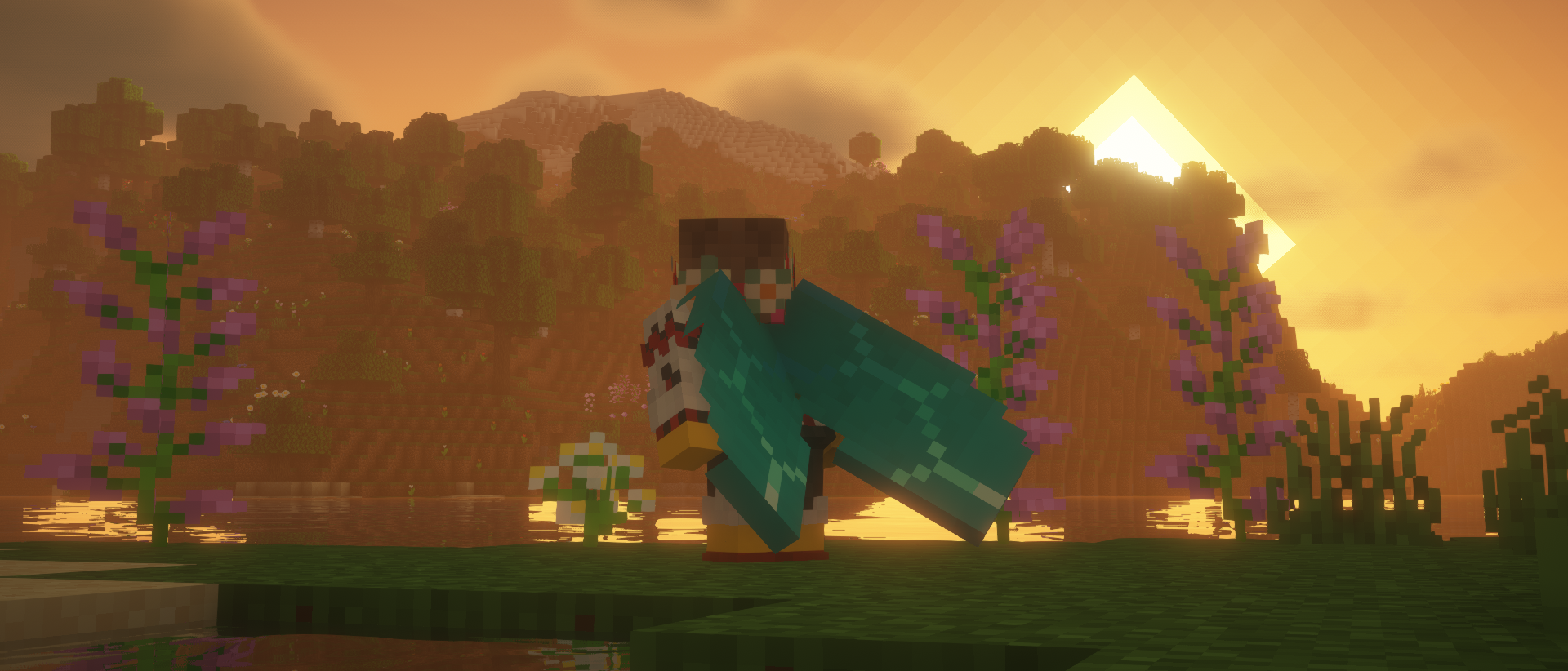
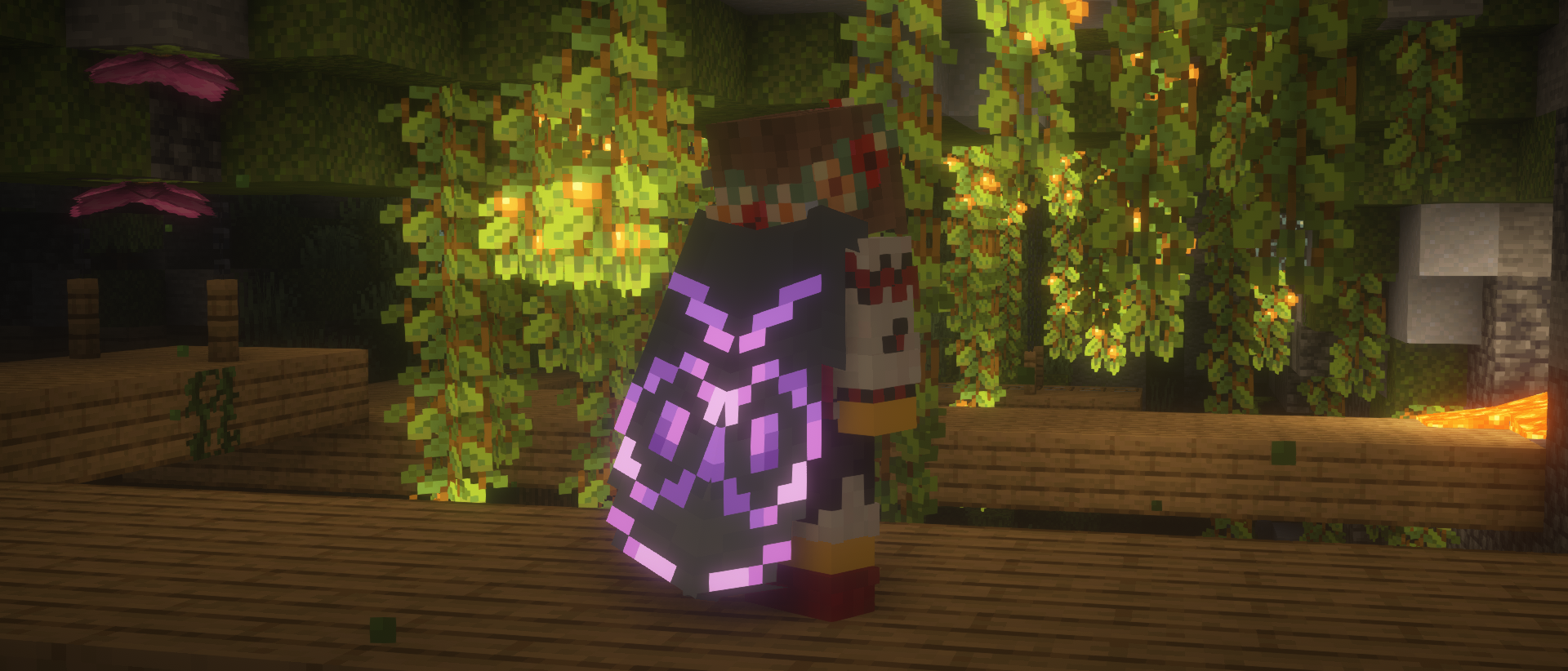
在合成台中将鞘翅与发光墨囊结合,使其发出光芒!
宇宙特效
这是一项昂贵的尝试,但如果你愿意牺牲一颗下界之星,你可以为你的鞘翅应用独特的特效。
彩蛋
Elytra Trims 包含几个秘密配方和交互方式,最好通过偶然发现来探索,请睁大眼睛留意吧!
合成配方
你可以在 wiki 上找到关于 Elytra Trims 配方的完整信息。
常见问题
与其他模组有冲突吗?
- Customizable Elytra:完全覆盖了鞘翅渲染器。
- Kube JS:破坏了鞘翅装饰的合成配方。
- Lunar/Feather Client:破坏了鞘翅的渲染。
我无法在鞘翅上应用纹饰/旗帜/染料!
请检查以下条件:
- 已使用正确的加载器在服务器上安装了 Elytra Trims。
- 没有安装冲突的模组。
- 配方可能因版本更新而异,请查看模组的更新日志页面。
如果以上方法均无效,请提交一个 问题报告。
我看不到纹饰!
请检查以下条件:
- 已使用正确的加载器在客户端安装了 Elytra Trims。
- 没有安装冲突的模组。
如果是来自其他模组或数据包的纹饰,则需要为鞘翅提供自定义纹理。 请提交一个 纹饰请求, 请耐心等待,因为制作优秀的纹饰设计需要投入创意工作。
如果使用的是非原版鞘翅,则可能需要 Elytra Trims 提供显式支持。 在此类或其他情况下,请提交 问题报告。
Elytra Trims
With this mod, you can add armor trims, dye your elytra in any color, and put banner patterns on them.
Installation
[!IMPORTANT]
Mod functionality and compatibility may be different across Minecraft updates!
Dependencies
Elytra Trims requires Fabric Language Kotlin
or Kotlin Lang Forge (alternatively Kotlin for Forge)
on the respective mod loader.
On 1.20 and 1.21 you may also need YACL and ModMenu (Fabric only).
Prerequisites
In multiplayer, Elytra Trims must be installed on the server, however this doesn't prevent players without the mod from joining.
| Elytra Trims = ET | Player doesn't have ET | Player has ET |
|---|---|---|
| Server doesn't have ET | Vanilla experience. | Player can join, but can't apply trims, patterns, etc. to elytras. |
| Server has ET | Player can join, but doesn't see trims, patterns, etc. | Player can craft and see decorated elytras. |
Features
Trims
Trims can be applied to elytras similar to the armor. By default, the mod provides textures for a all vanilla trims, and some custom ones!
Note: on 1.20 and 1.21 you may need to install Elytra Trims Extensions for trim compat.
Additionally, you can replace the trim pattern in the recipe with a trial key to get access to even more elytras.
Note: this feature is currently only available on 1.21.10 and newer.
Banner patterns
Banners can be applied to elytras to show the patterns.
In the smithing table, combining elytra with a banner and either paper or leather will transfer
banner or shield patterns respectively.
Note: the patterns are applied without the base - you need to dye the elytra to add it.
Dyeing
If you fancy something simplistic, dye your elytra however you want in a crafting table.
Glowing
Combine an elytra with a glow ink sac in the crafting table to make it glow!
Cosmic effect
An expensive endeavor, but if you're willing to part with a nether star, you can apply a unique effect to your elytra.
Easter eggs
Elytra Trims has a couple secret recipes and interactions, which are best discovered by accident, so keep your eyes out!
Recipes
You can find the full information about Elytra Trims recipes on the wiki.
FAQ
Are there any conflicts with other mods?
- Customizable Elytra: overrides elytra renderer entirely.
- Kube JS: breaks elytra decoration recipes.
- Lunar/Feather Client: breaks elytra rendering.
I can't put trims/banners/dyes on the elytra!
Please check the following criteria:
- Elytra Trims is installed on the server with the correct mod loader.
- There aren't any conflicting mods installed.
- Recipes may differ across the updates, check the mod changelog page.
If nothing helps, please make an issue report.
I can't see the trims!
Please check the following criteria:
- You have Elytra Trims installed on the client with the correct mod loader.
- There aren't any conflicting mods installed.
If it's a trim provided by a mod or a datapack, it will need custom textures for the elytra. Please make a trim request, but be patient, as it takes creative work to make good trim designs.
If it's a non-vanilla elytra, it may need explicit support from Elytra Trims. In this or other cases, please make an issue report.

下载 Elytra Trims
下载 Elytra Trims
下载 Elytra Trims
下载 Elytra Trims
下载 Elytra Trims
下载 Elytra Trims
下载 Elytra Trims
下载 Elytra Trims
下载 Elytra Trims
下载 Elytra Trims
修复
- 修复了启用 OIT 时导致的崩溃。
让我来吐槽一下渲染开发中那些令人发指的烂摊子。 使用原版渲染管线来处理鞘翅装饰在开启 OIT 时是有效的, 但在使用光影时就会出错。如果使用自定义管线,则必须采用 OIT 的变通方案。
即便这一切可能在 Sodium 0.9.2 上运行正常, 也无法保证在 0.9.3 测试版中能正常工作,因为后者自身也存在各种问题。 Sodium 0.9.3-beta.4 及更新版本与 Iris 直接导致崩溃;-beta.3 可以运行, 但使用光影进行渲染时完全乱套。只有 -beta.1 能正常运行。
此外,现在大约有一半的情况下,在使用光影时鞘翅本身会被渲染成黑色, 而且显然回退 OIT 修复或尝试任何其他操作都无法解决此问题。另外,并非所有光影都一样好,有些光影仍然无法使用自定义管线正确渲染镶边(而另一些光影则无法使用原版管线渲染,“真是有趣”!!!)

更新内容
- 回退至自定义渲染管线。
修复
- 修复了 Iris 光影下的装饰渲染问题。
次要功能
- 新增对 Better End 鞘翅的支持。
- 移植至 1.21.11 和 26.4 快照版本。
修复
- 修复了与 Tool Trims 的兼容性问题。
修复
- 修复了与 Iris 光影的兼容性问题(也许?再次?还要改多少?)
修复
- 修复了与 Iris 光影的兼容性问题。
- 修复了在 26.3 版本中 OIT 设置的兼容性问题。
关于这个资源的讨论、问题反馈与使用心得
还没有讨论,来发第一帖吧
你是这个资源的作者?登录后可认领此资源。
相似资源
 模组

适用于 MC 1.18+ 的 Effekseer 加载器
 模组

新增 50+ 个独特生物群系,为你的世界增添新树木、花卉等更多元素!
 模组

基于 GTCEu 1.12.2 的现代 GregTech
 模组

让你能够在世界中的任何位置定位结构。
 模组

添加睡袋和吊床,分别用于便携性和昼夜转换,同时不会设置新的出生点。共有16种颜色可选!
 模组

为你的终界增添新生物群系、神秘仪式和全新生物
评论 0
登录后参与评分
还没有评论,来抢沙发吧