KnowYourKnot's Enderporter
需要 Fabric 加载器 和 Fabric API(v0.30.0 或更高版本)。
本模组添加了允许玩家在维度内或维度间传送的方块和物品!
新增物品
Enderporter 添加了两种新的传送物品:稳定珍珠(Stable Pearl)和便携信标(Portable Porter)。
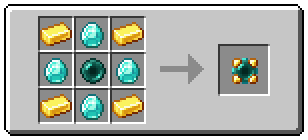
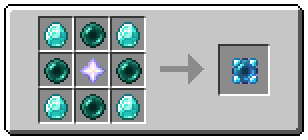
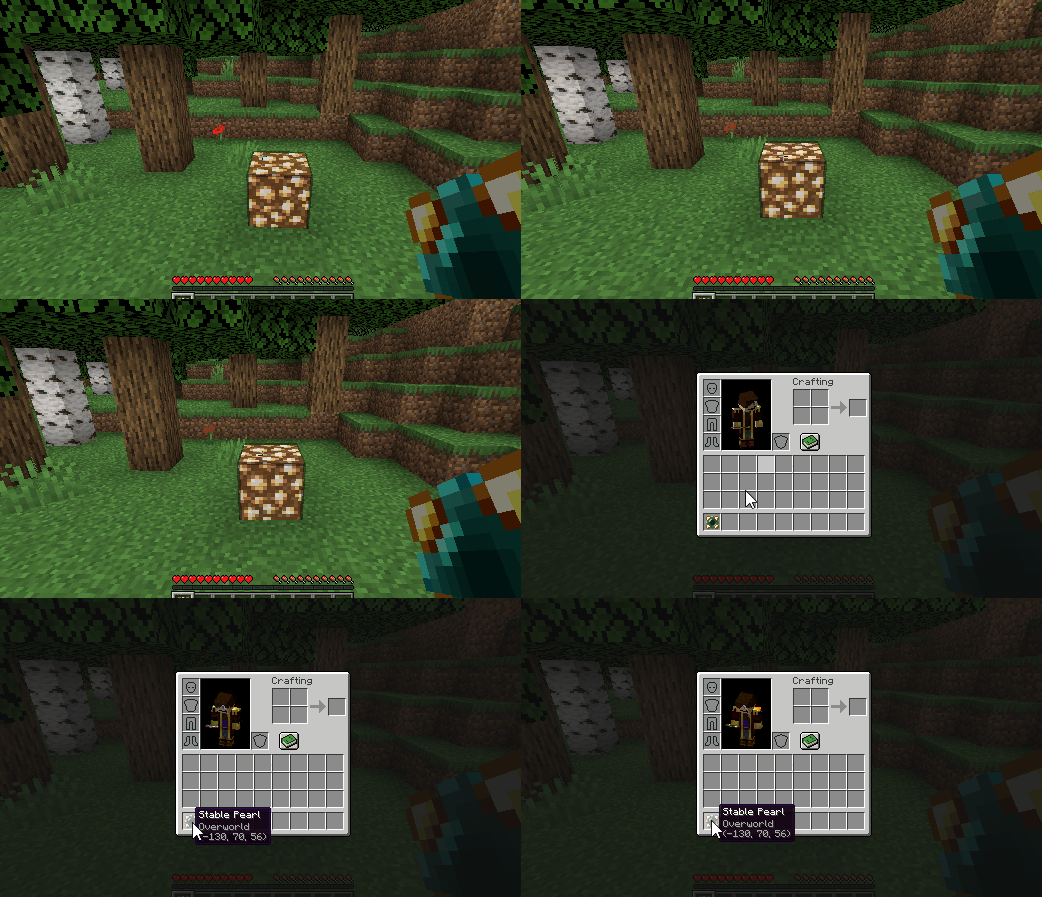
按住 Shift + 右键点击方块可以设置传送位置。
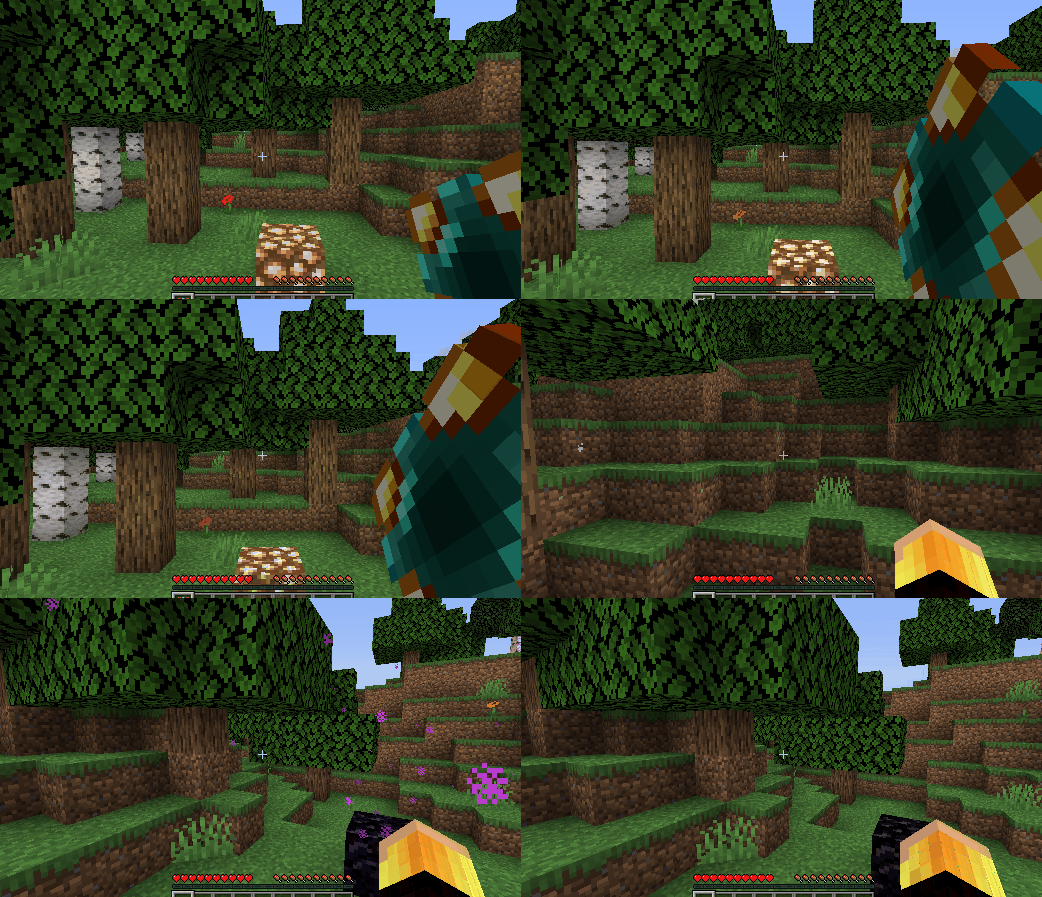
按住鼠标右键并在充能充满时松开,玩家即可进行传送。
稳定珍珠是一次性物品,而便携信标可以无限次重复使用!在传送之前,玩家可以任意次数地设置这两种物品的传送位置。
这些物品可用于在不同维度之间进行传送。
新增方块
Enderporter 添加了……末影信标(Ender Porter)!
要设置末影信标的传送位置,只需将稳定珍珠或便携信标放入中间的槽位中。然后,要触发传送,只需站在末影信标上方并按住 Shift 键。
末影信标会根据其运送玩家的距离消耗末影珍珠。

末影珍珠槽可以通过侧面的漏斗进行补充。
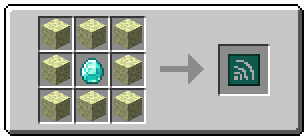
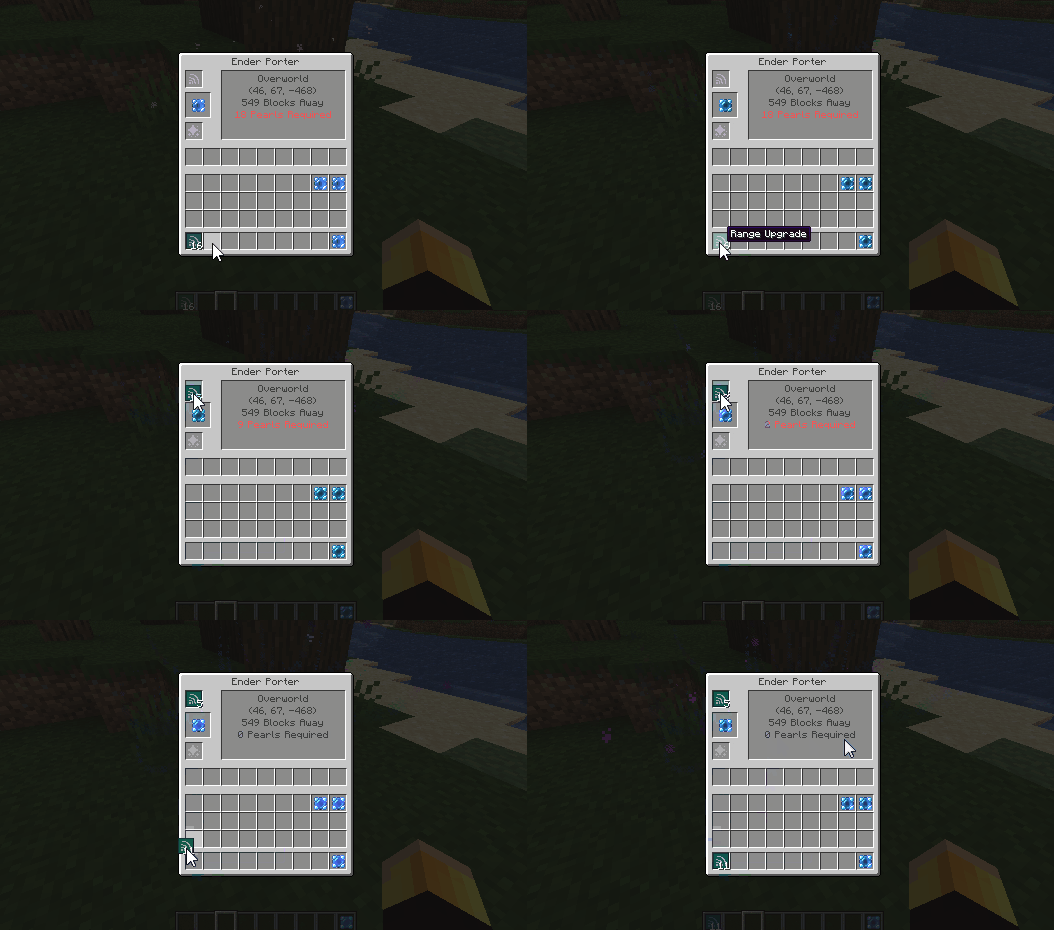
通过在顶部槽位添加范围升级(Range Upgrades),可以减少每移动一个方块所需的末影珍珠数量。
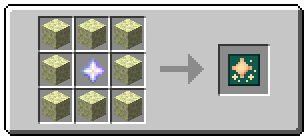
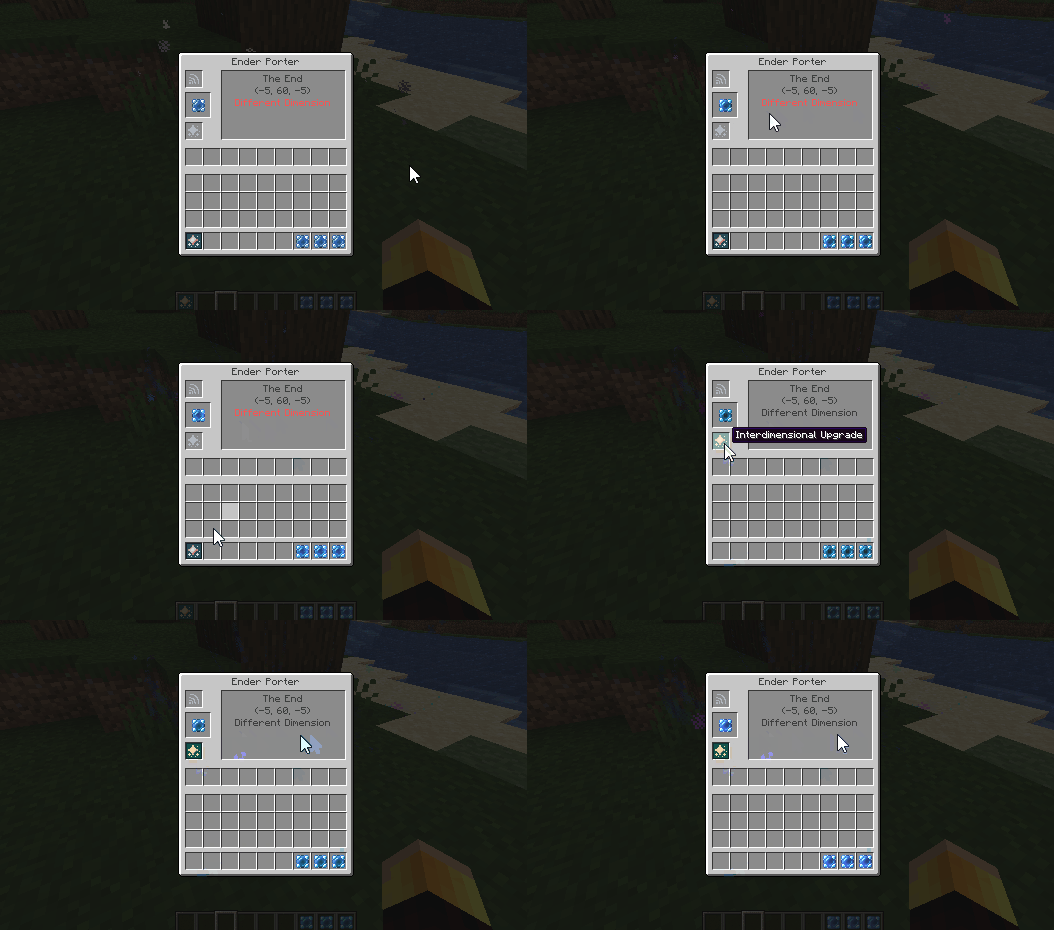
默认情况下,末影信标不会将玩家传送到其他维度。要启用此功能,玩家需要在底部槽位添加跨维度升级(Interdimensional Upgrade)。这还会使末影信标的使用变为免费(即使用时不消耗末影珍珠)。
配置
- 可以在配置文件中通过将
allow_free_travel 设置为 true 来禁用末影信标的“平衡”机制。这将使所有传送变为免费,并允许在没有跨维度升级的情况下进行跨维度旅行。
- 如果禁用了免费旅行,那么没有添加任何升级的末影信标每颗末影珍珠可以传送玩家 30 个方块。通过将
blocks_per_pearl 设置为除 30 以外的值,可以更改这个数量。
- 末影信标的默认“充能时间”为 20 刻。这意味着玩家必须站在信标上并按住 Shift 键 20 刻才能进行传送。可以通过更改
porter_charge_time 来增加或减少这一时间,但应将该值保持在零以上以避免出现错误。
- 可以通过将
travel_limit 的值更改为 x 来施加 x 个方块的旅行限制。将此值设置为 -1 允许玩家旅行任意距离。
- 可以通过将
allow_interdimensional_travel 设置为 false 来禁用不同维度之间的旅行。例如,玩家将无法使用末影信标、稳定珍珠或便携信标在主世界和下界之间直接传送。
- 将
allow_teleport_to_void 设置为 false 会禁用在 y=0 以下和 y=255 以上的传送能力。这样玩家将无法传送到下界天花板,也无法传送到达到最大建筑高度的结构顶部。
模组兼容性
Enderporter 开箱即用 地与自定义 Fabric 维度兼容,例如 The Bumblezone。
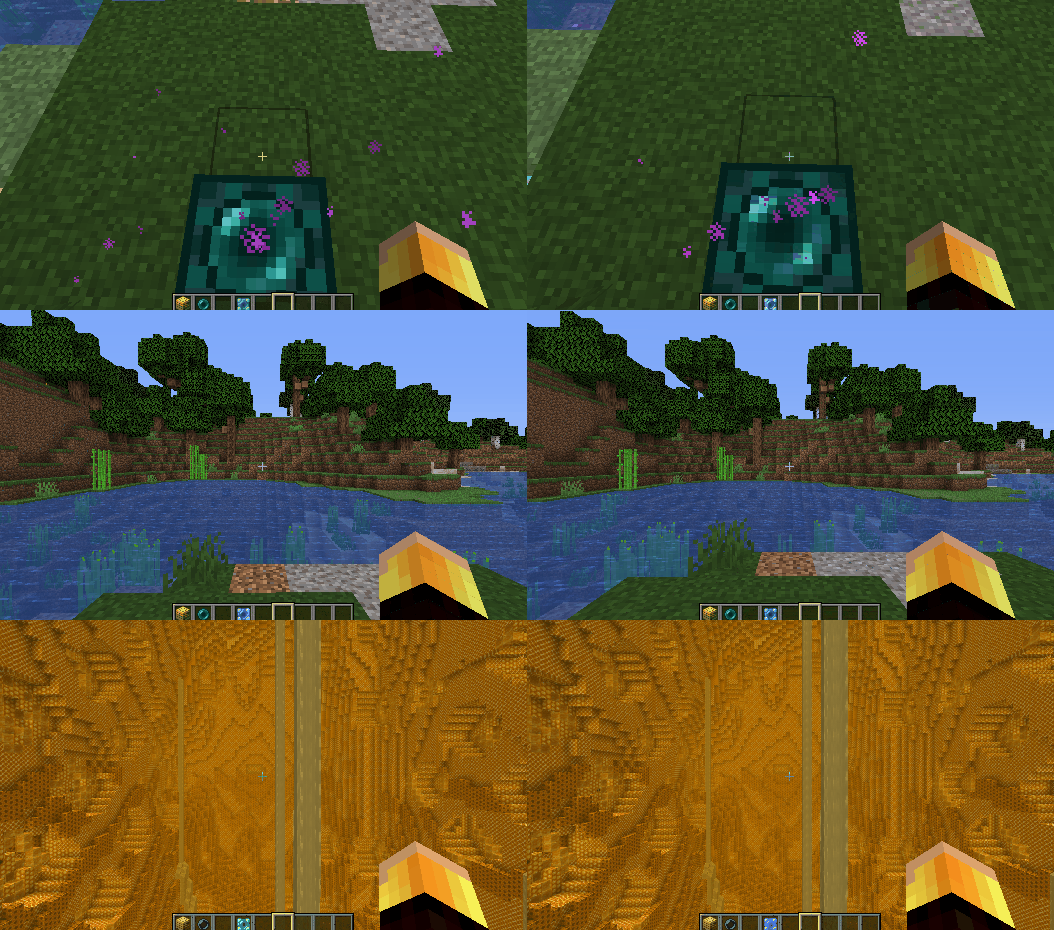
致模组作者: 稳定珍珠/便携信标的工具提示中可能会显示自定义维度名称存在错误。这是因为您的维度名称缺少本地化支持。只需在您的语言文件中添加 dimension.[MOD ID].[DIMENSION NAME] 的本地化即可解决此问题。
整合包
欢迎在任何整合包中包含 Enderporter。
感谢您的游玩!欢迎在下面评论留下任何反馈或功能请求!
KnowYourKnot's Enderporter
Requires Fabric Loader and Fabric API (v0.30.0 or above).
This mod adds blocks and items which allow the player to teleport within or between dimensions!
New Items
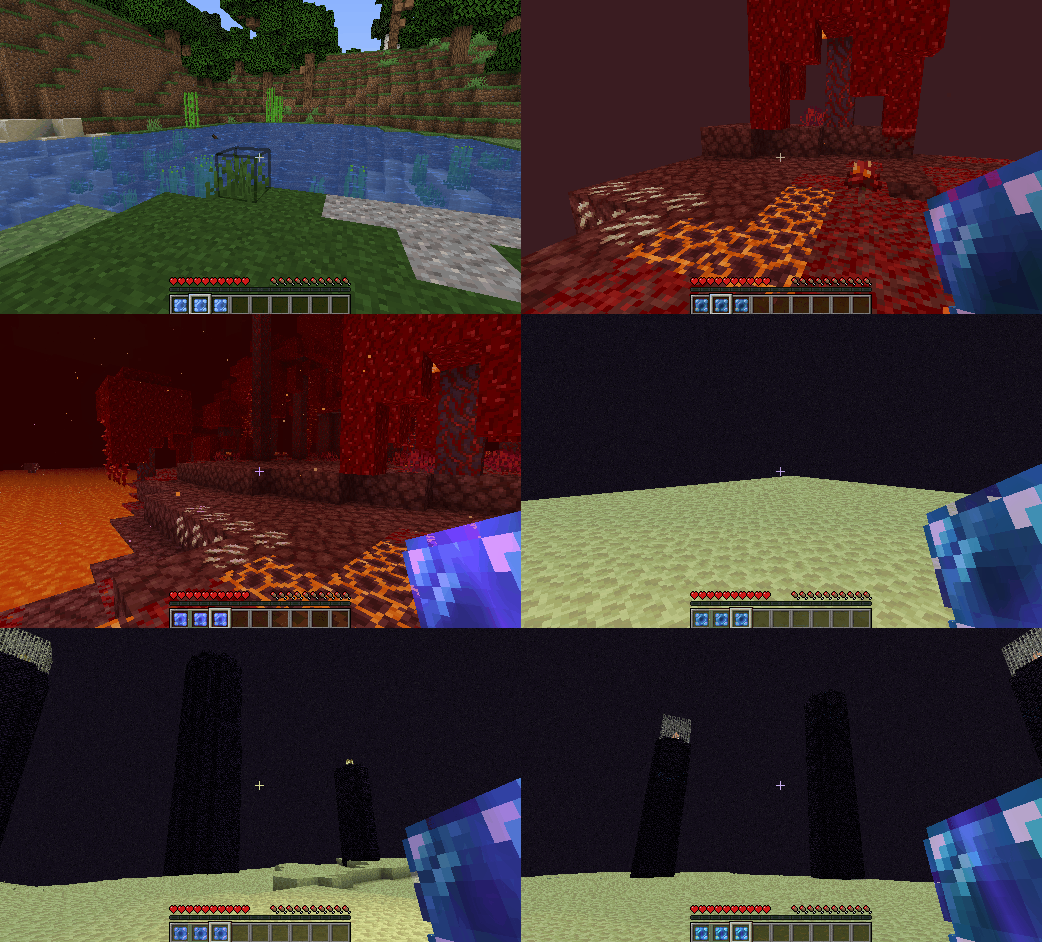
Enderporter adds two new teleportation items. These are the Stable Pearl and the Portable Porter.
Shift + Right Cicking on a block will set the teleport location.
Holding the right mouse button and releasing when fully charged causes the player to teleport.
The Stable Pearl is a single-use item, but the Portable Porter is infinitely reusable! The teleport location of either can be set as many times as the player wants before teleporting.
These items can be used to teleport between different dimensions.
New Blocks
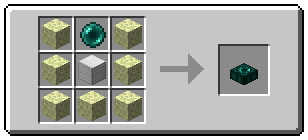
Enderporter adds... the Ender Porter!
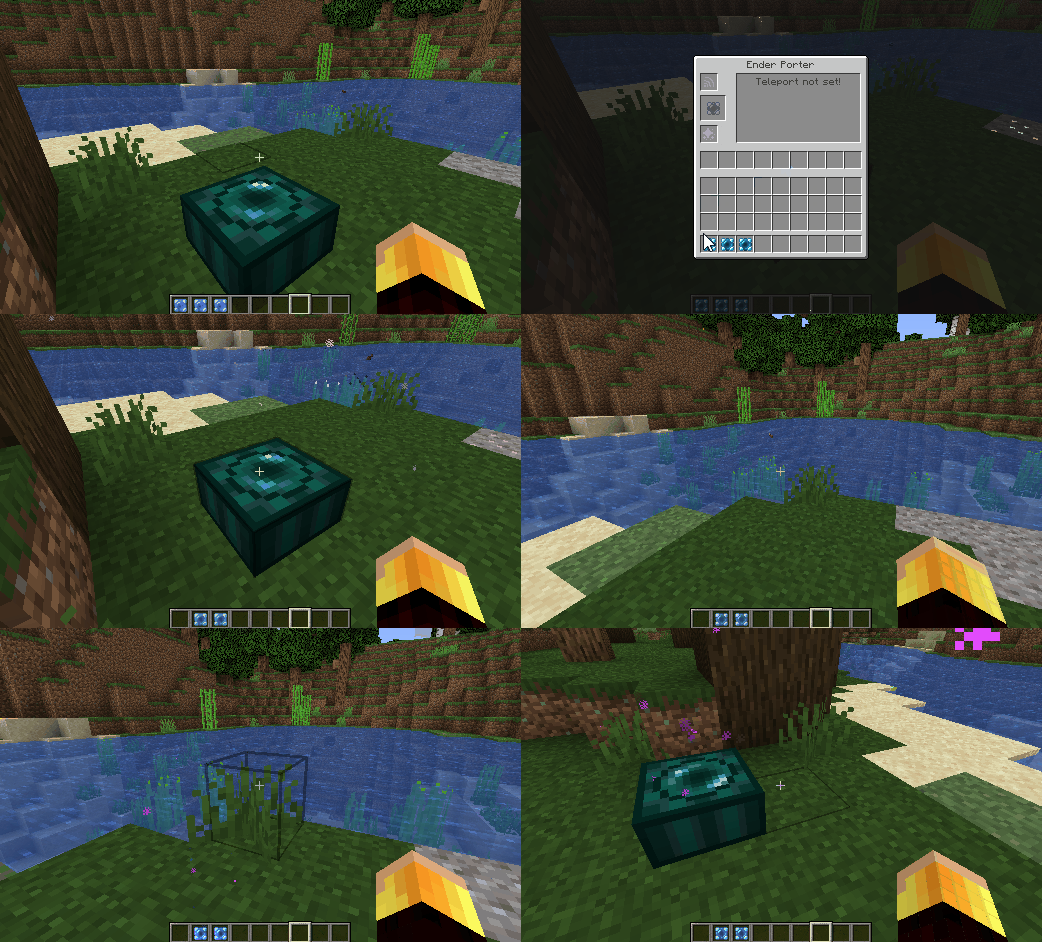
To set the Ender Porter's teleport location, simply place a Stable Pearl or Portable Porter into the middle slot. Then to teleport, simply stand on top of the Ender Porter and hold Shift.
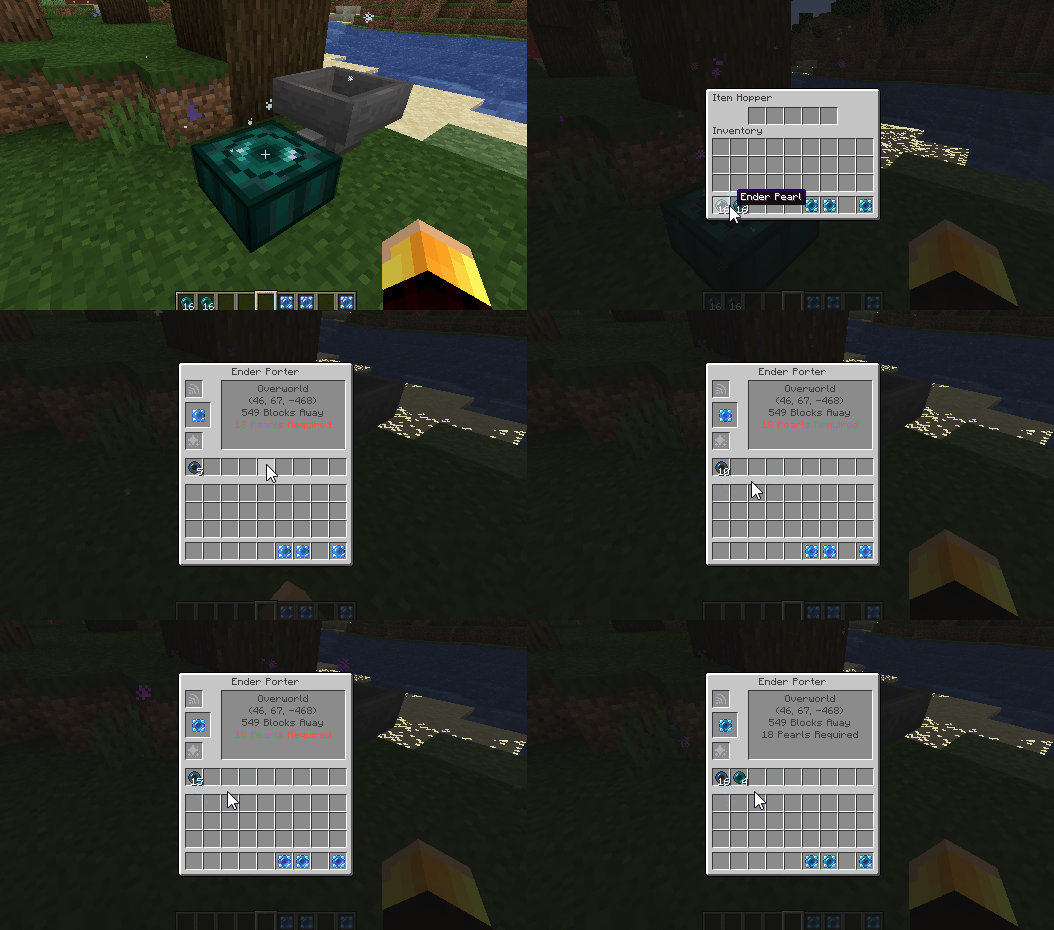
The Ender Porter consumes ender pearls based on the distance it transports the player.
The ender pearl slot can be refilled from the sides using hoppers.
The number of ender pearls required per block travelled can be reduced by adding Range Upgrades to the top slot.
By default, the Ender Porter will not teleport the player to another dimension. To enable this, the player has to add an Interdimensional Upgrade to the bottom slot. This also makes the Ender Porter free to use (i.e. it doesn't consume ender pearls when used).
Config
- Ender Porter 'balancing' can be disabled in the config by setting
allow_free_travel to true. This makes all teleportation free and allows interdimensional travel without an interdimensional upgrade.
- If free travel is disabled, then an Ender Porter with no upgrades can teleport the player 30 blocks per ender pearl. This quantity can be changed by setting
blocks_per_pearl to some value other than 30.
- The Ender Porter has a default 'charge time' of 20 ticks. This means the player has to stand on top of the porter and press shift for 20 ticks before they teleport. This can be increased or decreased by changing
porter_charge_time, but the value should be kept above zero to avoid bugs.
- A travel limit of x blocks can be imposed by changing the value of
travel_limit to x. Setting this value to -1 allows players to travel any distance.
- Travel between different dimensions can be disabled by setting
allow_interdimensional_travel to false. Then, for instance, players will not be able to teleport directly between the overworld and the nether using the Ender Porter, Stable Pearl or Portable Porter.
- Setting
allow_teleport_to_void to false disables the ability to teleport below y=0 and above y=255. Then players will not be able to teleport to the nether ceiling, or to the top of structures which reach max build height.
Mod Compatibility
Enderporter works out of the box with custom Fabric dimensions, such as The Bumblezone.
Note to Mod Authors: Custom dimension names might appear buggy in the Stable Pearl/Portable Porter tooltips. This is because there is no localisation for your dimension name. This can be fixed simply by adding a localisation for dimension.[MOD ID].[DIMENSION NAME] to your lang files.
Modpacks
Feel free to include Enderporter in any modpack.
Thanks for playing! Feel free to comment below with any feedback or feature requests!


 模组

 模组
 模组

 模组

 模组
 模组

评论 0
登录后参与评分
还没有评论,来抢沙发吧