

胶片摄影模组







文字版说明
相机
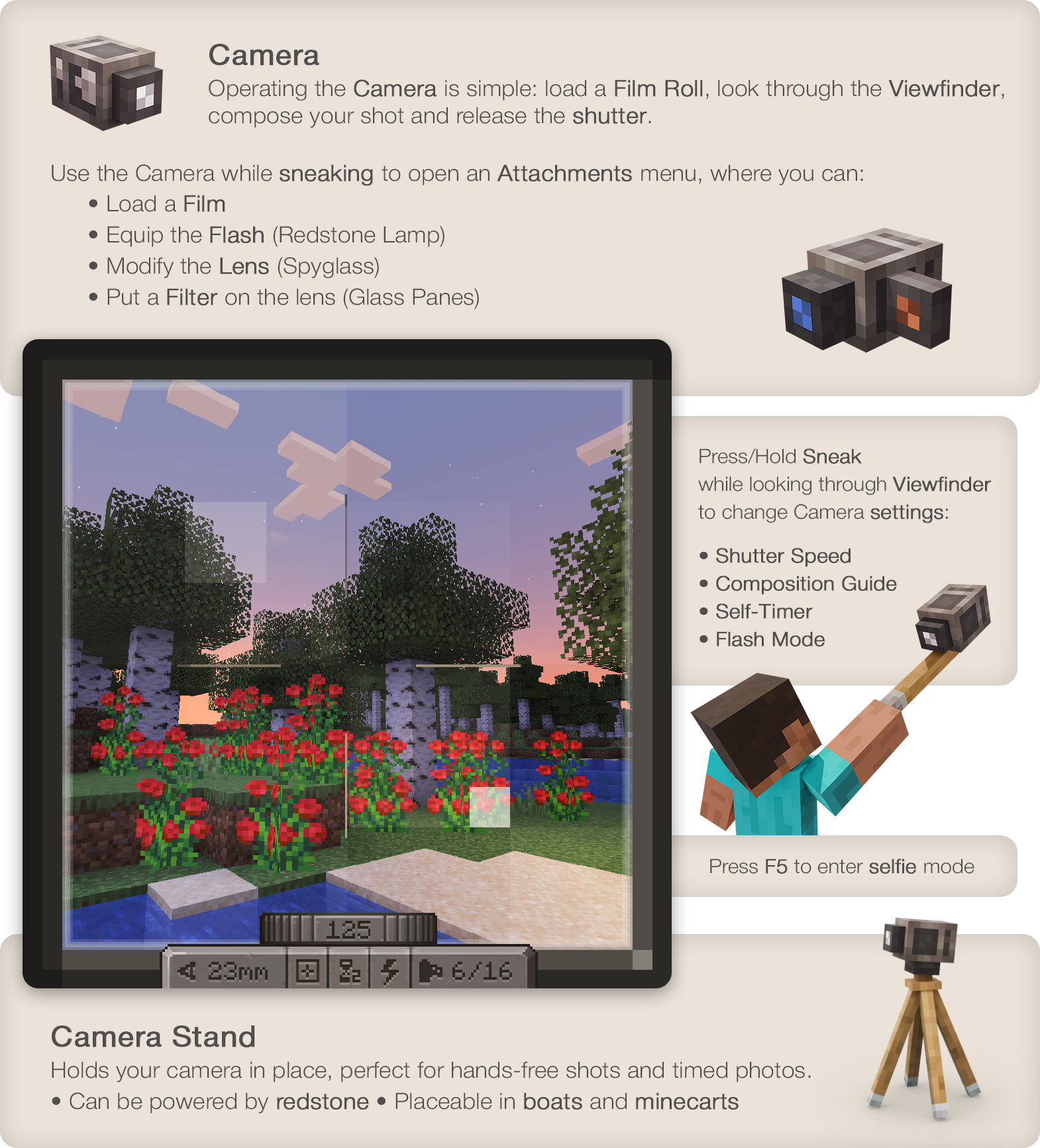
- 操作相机非常简单:装入胶卷,打开取景器,
构图并按下快门。
- 通过取景器观察时,按下/按住潜行键可控制相机
设置:焦距、快门速度、闪光灯模式、构图辅助线。
- 潜行时使用相机可打开附件窗口,在其中你可以:
- 装入胶片
- 装备闪光灯(红石灯)
- 修改镜头(望远镜)
- 在镜头上安装滤镜(玻璃板)
胶片
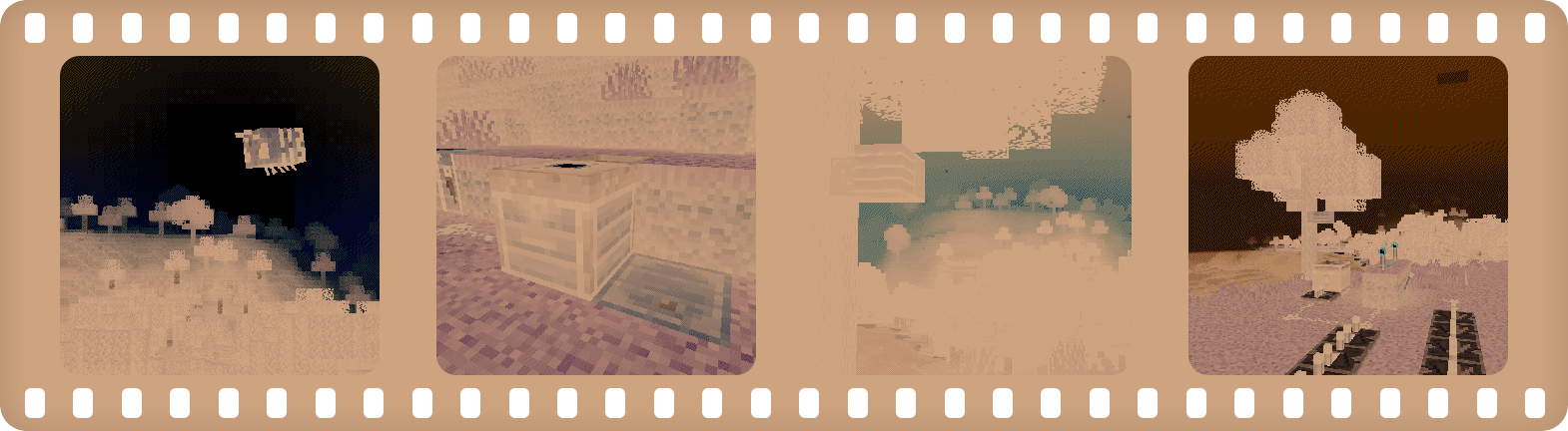
- 要拍摄照片,你需要使用感光胶片。
- 你可以使用简单的黑白胶片,或者更复杂、 更难制作和处理的彩色胶片。
- 一卷胶片可以容纳 16 张底片。
- 冲洗是打印前的必要步骤。
暗房
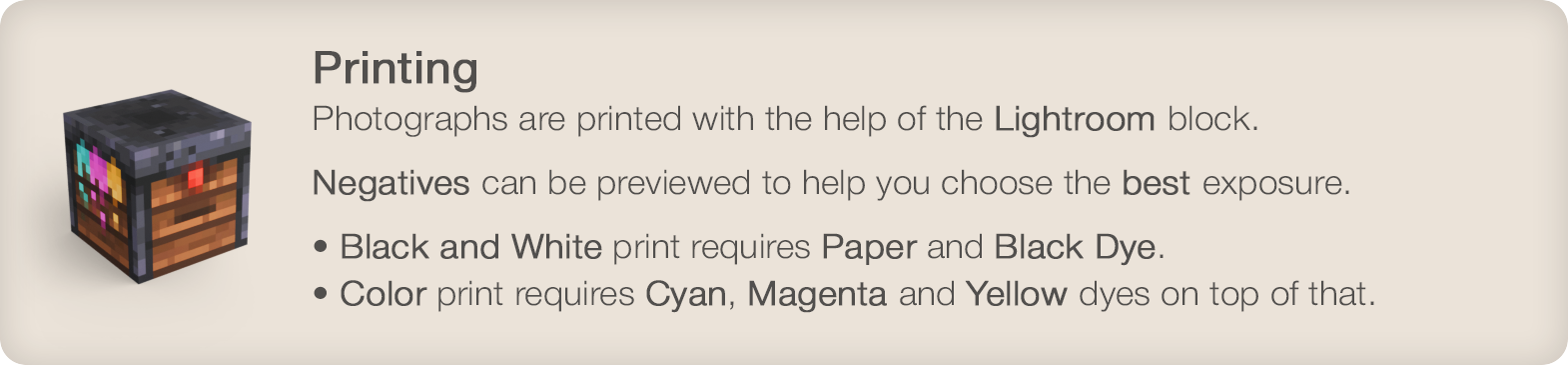
- 照片需要借助暗房方块进行打印。
- 可以在打印前预览底片,以帮助你选择 最佳的曝光效果。
- 黑白打印需要纸张和黑染料。 彩色打印则在此基础上还需要青色、品红色和黄色染料。
照片
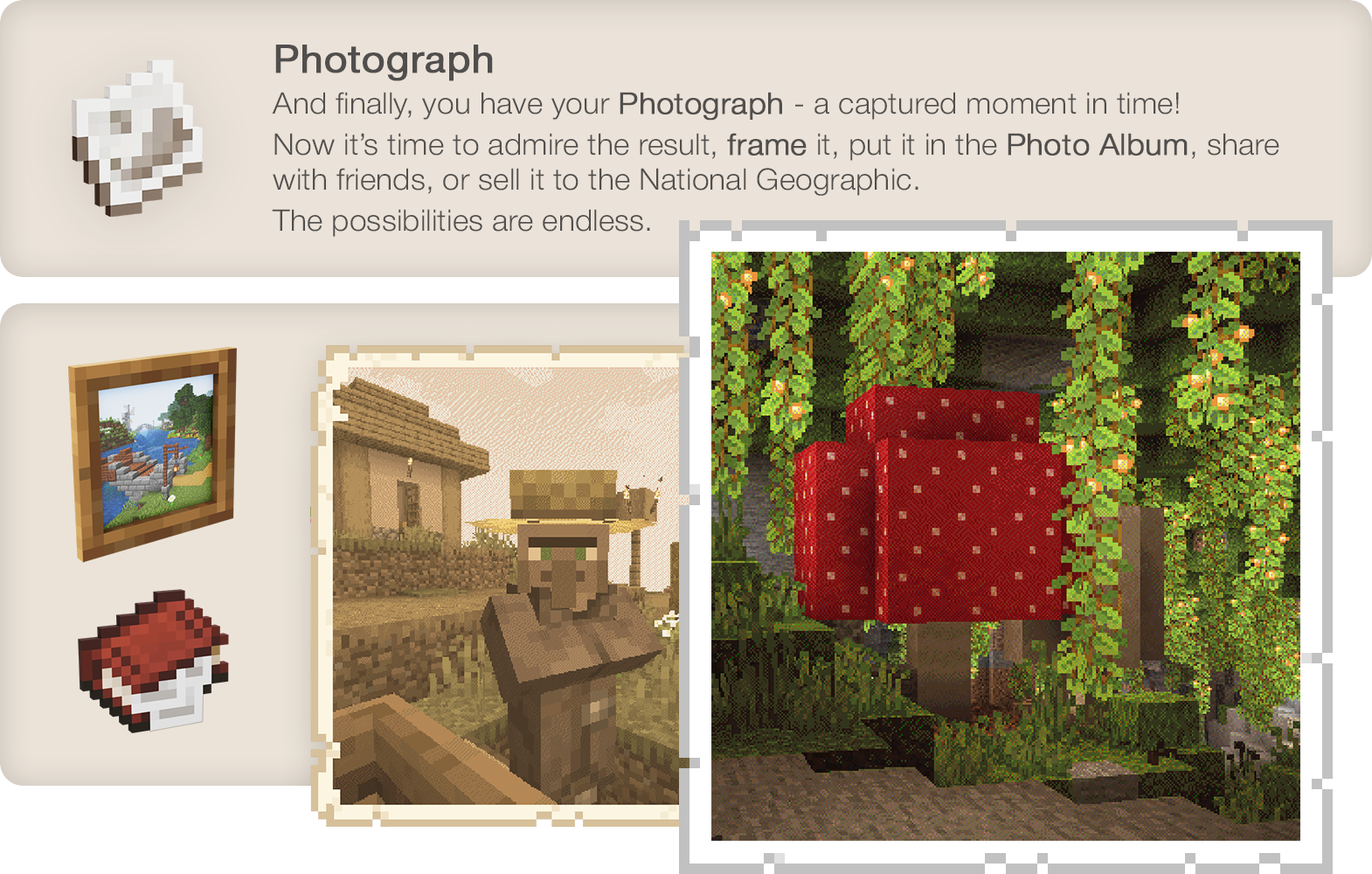
最后,你得到了你的照片——一个被定格的瞬间! 现在,是时候欣赏成果了,把它挂在墙上,分享给 朋友,或者卖给《国家地理》。可能性无穷无尽。
Wiki
已知不兼容项:
- Optifine - 已知会导致与其他模组冲突。建议使用 Sodium/Embeddium 代替。
- Visual Overhaul - 打开相机控制界面时会崩溃 - GitHub Issue
- Exordium - 通过取景器观察时会出现问题和闪烁。
- FastAnim (Fabric) - 使用相机时会破坏玩家模型动画。Github Issue
喜欢这个模组吗?你的支持将使我能够继续开发此模组及其他模组!
Film photography mod
Description in text form
Camera
- Operating the Camera is simple: load a Film Roll, open the Viewfinder,
compose your shot and release the shutter.
- Press/Hold Sneak when looking through Viewfinder to control Camera
settings: Focal Length, Shutter Speed, Flash mode, Composition Guides.
- Use the Camera while sneaking to open the Attachments window,
where you'd be able to:
- Load a Film
- Equip the Flash (Redstone Lamp)
- Modify the Lens (Spyglass)
- Put a Filter on the lens (Glass Panes)
Film
- To capture an image you'll need to expose light-sensitive film.
- You can use simpler black and white film or, more sophisticated and harder to make and process, color film.
- Single film roll can fit 16 frames on it.
- Developing is required to prepare film for printing.
Lightroom
- Photographs are printed with the help of a Lightroom block.
- Negatives can be previewed before printing to help you choose the best exposure.
- Black and white print requires Paper and Black Dye. Color print will require Cyan, Magenta and Yellow dyes on top of that.
Photograph
And finally, you have your Photograph - a captured moment in time! Now it's time to admire the result, hang it on the wall, share with friends, sell it to the National Geographic. The possibilities are endless.
Wiki
Known incompatibilities:
- Optifine - known for causing problems with other mods. Use Sodium/Embeddium instead.
- Visual Overhaul - crashes when opening camera controls - GitHub Issue
- Exordium - causes issues and flickering when looking through viewfinder.
- FastAnim (Fabric) - breaks player model animations with camera. Github Issue
Enjoying the mod? Your support would allow me to continue working on it and on other mods!
版本游戏版本平台发布时间本站下载
正式版
1.9.24
Exposure - 1.9.24
1.20.1 Forge 1 周前 ·
0
1.20.1
Forge
1 周前
0

下载 Exposure
正式版
1.9.24
Exposure - 1.9.24
1.20.1 Fabric 1 周前 ·
0
1.20.1
Fabric
1 周前
0
下载 Exposure
正式版
1.9.21
Exposure - 1.9.21
1.21.1 NeoForge 1 周前 ·
0
1.21.1
NeoForge
1 周前
0
下载 Exposure
正式版
1.9.21
Exposure - 1.9.21
1.21.1 Fabric 1 周前 ·
0
1.21.1
Fabric
1 周前
0
下载 Exposure
测试版
1.9.23
Exposure - 1.9.23
1.20.1 Forge 1 周前 ·
0
1.20.1
Forge
1 周前
0
下载 Exposure
测试版
1.9.23
Exposure - 1.9.23
1.20.1 Fabric 1 周前 ·
1
1.20.1
Fabric
1 周前
1
下载 Exposure
正式版
1.9.20
Exposure - 1.9.20
1.21.1 NeoForge 1 周前 ·
0
1.21.1
NeoForge
1 周前
0
下载 Exposure
正式版
1.9.20
Exposure - 1.9.20
1.21.1 Fabric 1 周前 ·
1
1.21.1
Fabric
1 周前
1
下载 Exposure
测试版
1.9.22
Exposure - 1.9.22
1.20.1 Forge 1 个月前 ·
0
1.20.1
Forge
1 个月前
0
下载 Exposure
测试版
1.9.22
Exposure - 1.9.22
1.20.1 Fabric 1 个月前 ·
1
1.20.1
Fabric
1 个月前
1
下载 Exposure
1.9.24
正式版
2026-11-10
1.9.24 - 2026-11-09
- 取景器的打开/关闭音效现在会正确从相机位置(例如放置在支架上时)播放,而不是在某些情况下从玩家位置播放
- 修复了在由领地保护模组(如 FTB Chunks)保护的区块中放置的相机支架上使用取景器后,玩家被困住的问题
1.9.23
测试版
2026-11-09
1.9.23 - 2026-11-09
- 修复了在某些情况下摄像机处于激活状态无法退出的问题(感谢 bbauti)
- 修复了摄像机计时器吸引生物注意力的一个小问题
1.9.22
测试版
2026-09-24
1.9.22 - 2026-09-23
- 修复了相机物品在相机附件菜单中可通过 1-9 键移动,从而导致崩溃的问题
关于这个资源的讨论、问题反馈与使用心得
还没有讨论,来发第一帖吧
你是这个资源的作者?登录后可认领此资源。
相似资源
 模组

玉Jade ?
Snownee
显示你正在注视的方块的信息。(适用于 Minecraft 1.16+ 的 Hwyla/Waila 分支)
实用前置
270
 模组

物品管理器Just Enough Items (JEI)
mezz
查看物品与配方
前置实用
229
 模组
Xaero的小地图
thexaero
在游戏画面角落显示附近世界地形、玩家、生物和实体的地图。可创建路径点,帮助你找到标记过的位置。
冒险交通
196
 模组
KubeJS
Lat
使用 JavaScript 编辑配方、添加自定义物品、编写世界事件!
前置实用
181
 模组
Applied Energistics 2
shartte
AE2:一款流行的自动化与存储模组
存储科技
165
 模组
开放派对与认领Open Parties and Claims
thexaero
添加区块认领和玩家组队功能,并与 Xaero's Minimap 和 World Map 集成
前置实用
153
评论 0
登录后参与评分
还没有评论,来抢沙发吧