战斗摄像机
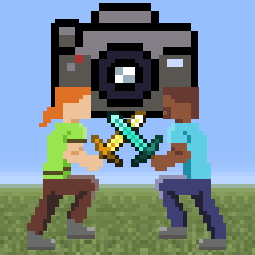
以格斗游戏风格的侧面视角展示两名玩家。完全兼容 Flashback 回放功能
用法:
/fightcam players <player1> <player2> 设置摄像机的目标玩家
/fightcam toggle 切换战斗摄像机(默认绑定至分号键 ;)
/fightcam smooth <factor> 设置摄像机的线性插值系数。数值越接近 0,摄像机移动越平滑;数值越接近 1,摄像机响应越灵敏。默认值为 0.6
摄像机距离
/fightcam distance <distance> 将摄像机到锚点位置的距离设置为指定方块数(会将摄像机模式更改为静态)
/fightcam distance auto 使摄像机自动调整距离以保持玩家在视野内(基础距离可通过前后键进行调整)
摄像机高度
/fightcam height <height> 设置摄像机相对于锚点位置的高度(单位:方块)
/fightcam height avg 使摄像机跟随玩家的平均高度(适合观看高度不断变化的战锤和末影水晶对战)
/fightcam height ground 使摄像机跟随玩家上次着地时的平均高度(适合高度变化较小或地形平坦的游戏模式)
摄像机锚点
/fightcam anchor avg 使摄像机跟随两名玩家的平均位置
/fightcam anchor <p1/p2> 使摄像机跟随第一名或第二名玩家(会自动将距离设置为固定值)
Fight Camera
Gives a fighting game style, side on view of 2 players. Fully compatible with Flashback replays
Usage:
/fightcam players <player1> <player2> to set the camera's target players
/fightcam toggle to toggle fightcam (bound to ; by default)
/fightcam smooth <factor> to set the lerp factor for the camera. Values closer to 0 give smoother camera movement, values closer to 1 give more reactive camera movment. Defaults to 0.6
Camera distance
/fightcam distance <distance> set the camera distance to the anchor position in blocks (changes camera mode to static)
/fightcam distance auto makes it so the camera adjusts the distance automatically to keep the players in view (base distance is adjustable with forward and backward keys)
Camera Height
/fightcam height <height> sets the camera's height relative to the anchor position in blocks
/fightcam height avg sets the camera to follow the average height of the players (good for viewing mace and crystal fights with constant height changes)
/fightcam height ground sets the camera to follow the average height of the last grounded height of the players (good for gamemodes with little height change/flat terrain)
Camera Anchor
/fightcam anchor avg sets the camera to follow the average position of both players
/fightcam anchor <p1/p2> sets the camera to follow the first or second player (automatically sets distance to be fixed)
评论 0
登录后参与评分
还没有评论,来抢沙发吧
