
仅仅为了创建自定义超平坦预设就要使用外部网站,难道不麻烦吗?
你是否曾想过直接在 Minecraft 内部创建自定义预设?
FlatEdit+(更优越的超平坦定制系统)
FlatEdit+ 是一款客户端优化类 Minecraft 模组,它彻底重构了超平坦世界创建系统,让玩家在设计自定义超平坦世界时拥有更强的控制力、清晰度和能力。
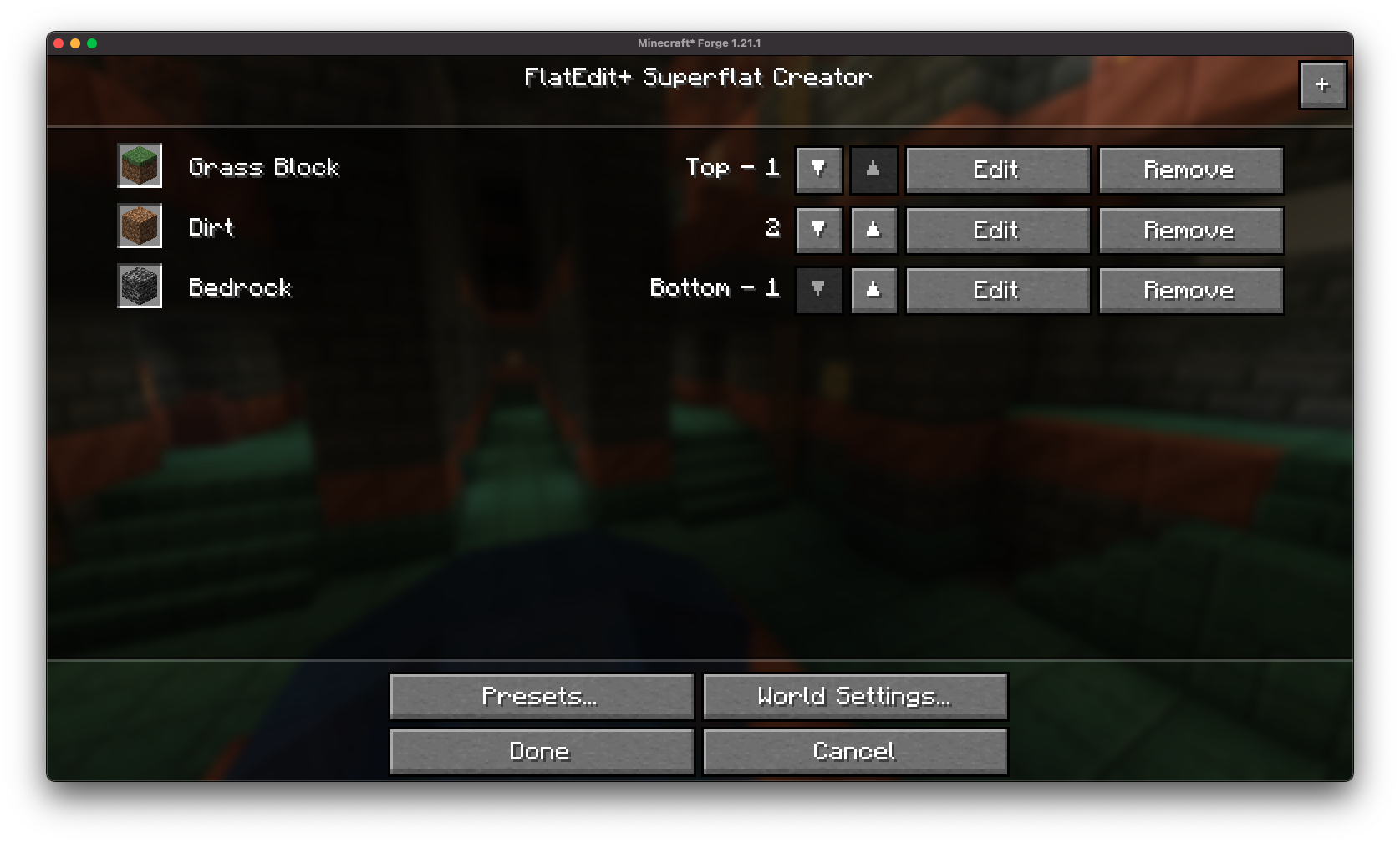
与笨拙的层级编辑和有限的预设功能不同,FlatEdit+ 引入了一个精简且直观的界面,旨在服务于休闲建造者和硬核超平坦世界创作者。
✨ 特性
重新设计的超平坦 GUI:
 对原版超平坦自定义界面进行了全面翻新,采用现代化且用户友好的布局。
原生般的易用性:
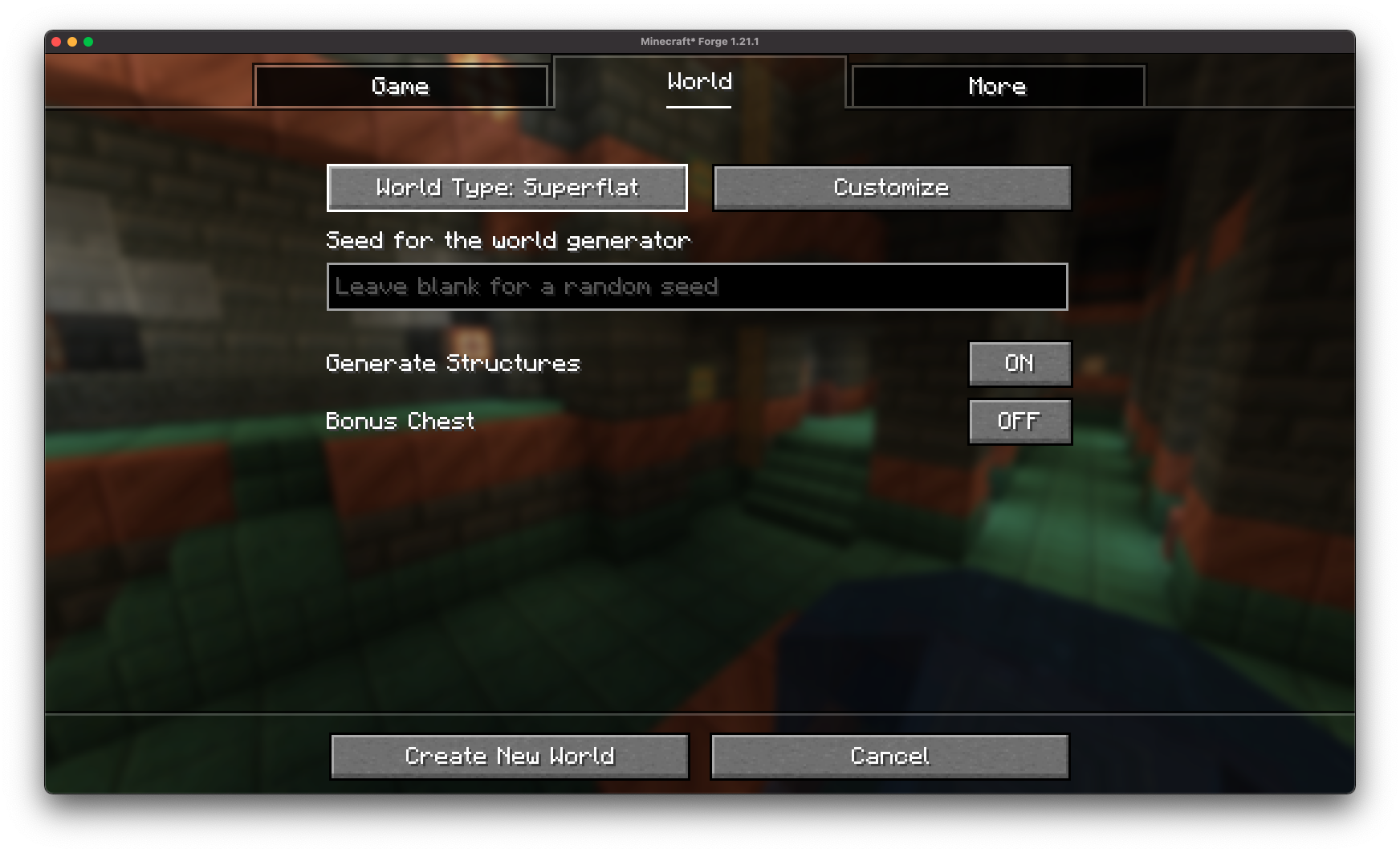 重新构想的超平坦自定义界面可以通过原版的“创建世界”界面访问!
轻松配置
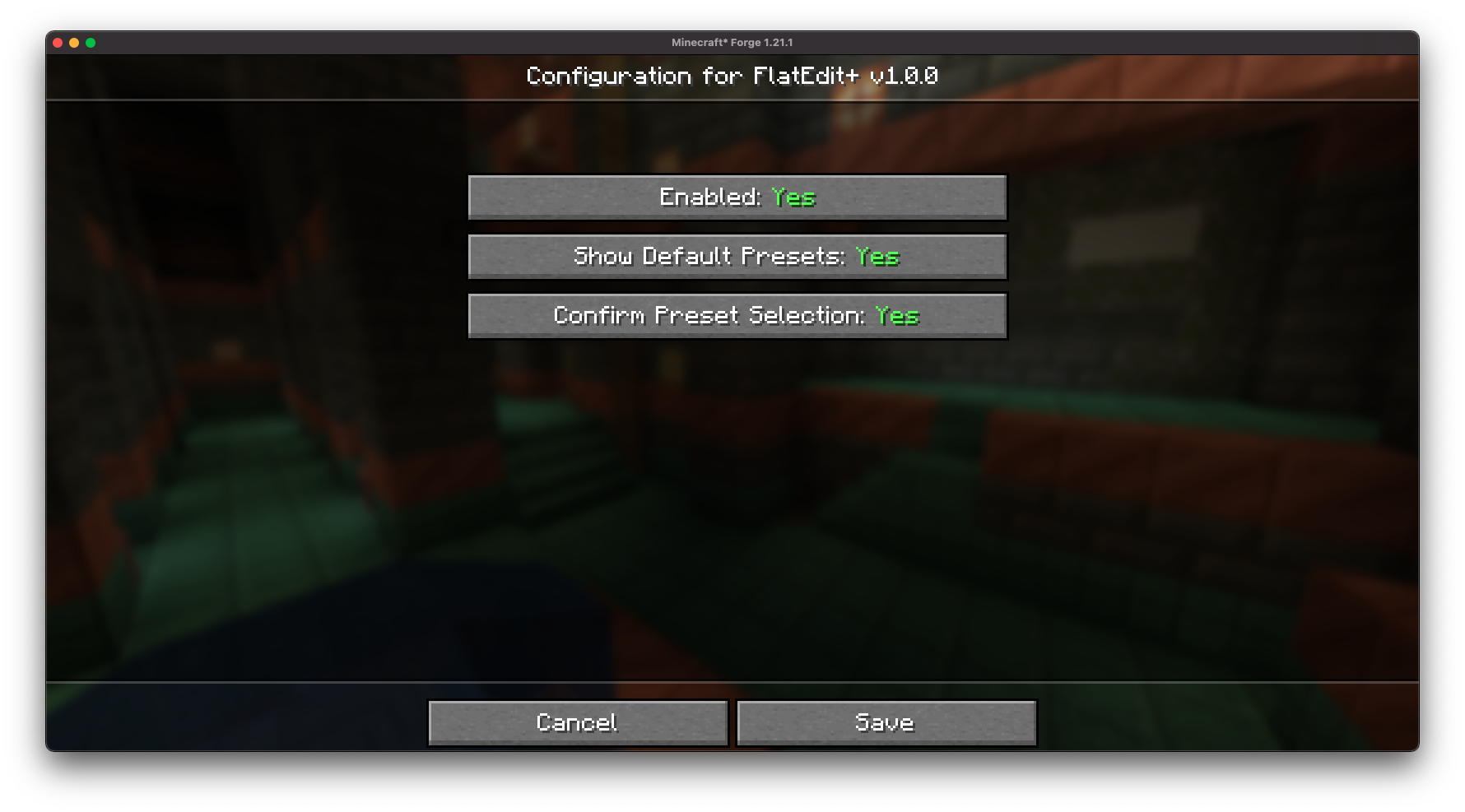 FlatEdit+ 提供了一个易于访问的配置屏幕,允许你根据个人喜好自定义超平坦自定义界面!
简化的层级管理:
 通过实时预览和改进的控制功能,快速添加、删除、重排和编辑层级。
方块搜索与筛选:
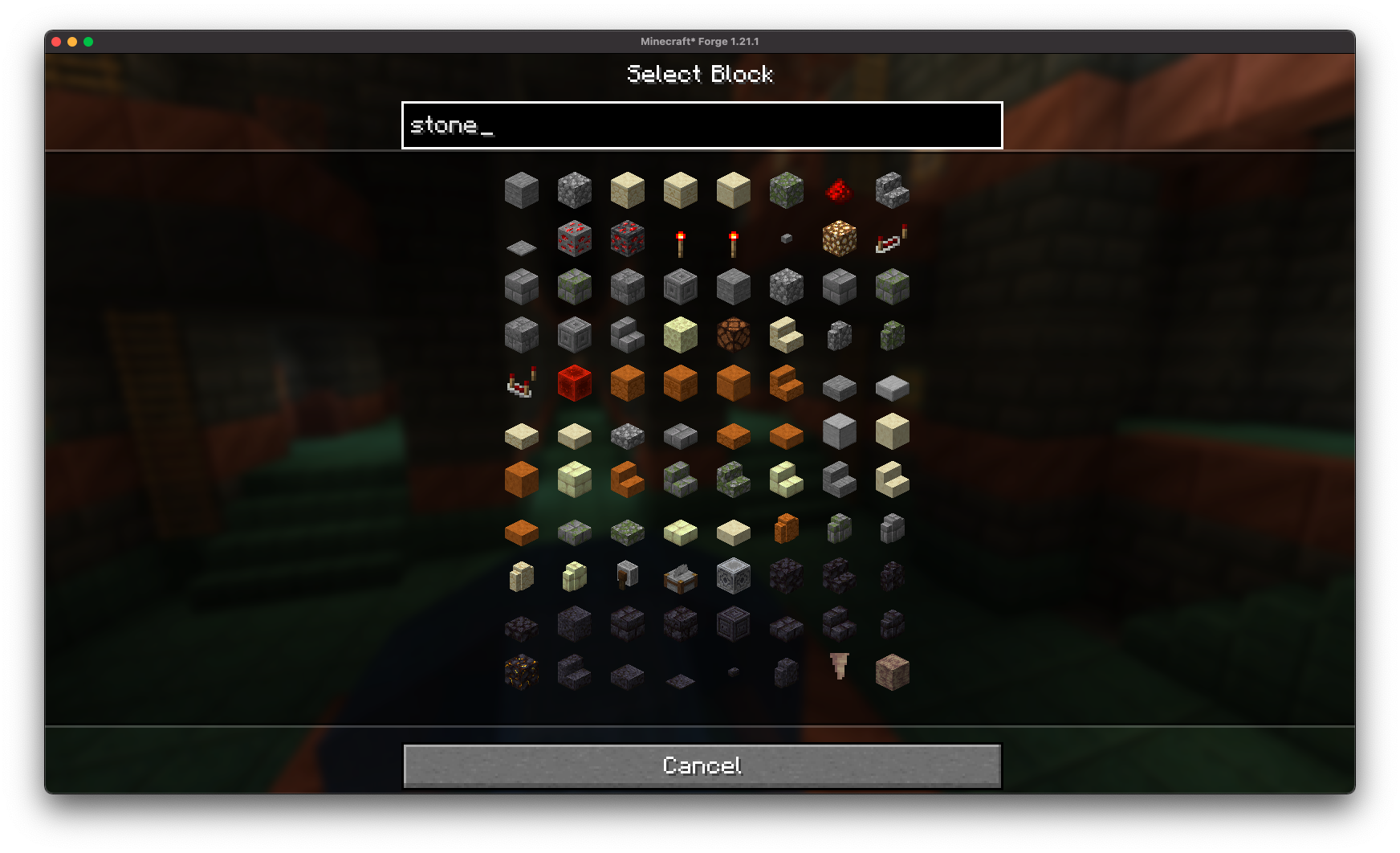 通过可搜索的方块列表,精准找到你想要的方块。
完整的自定义选项
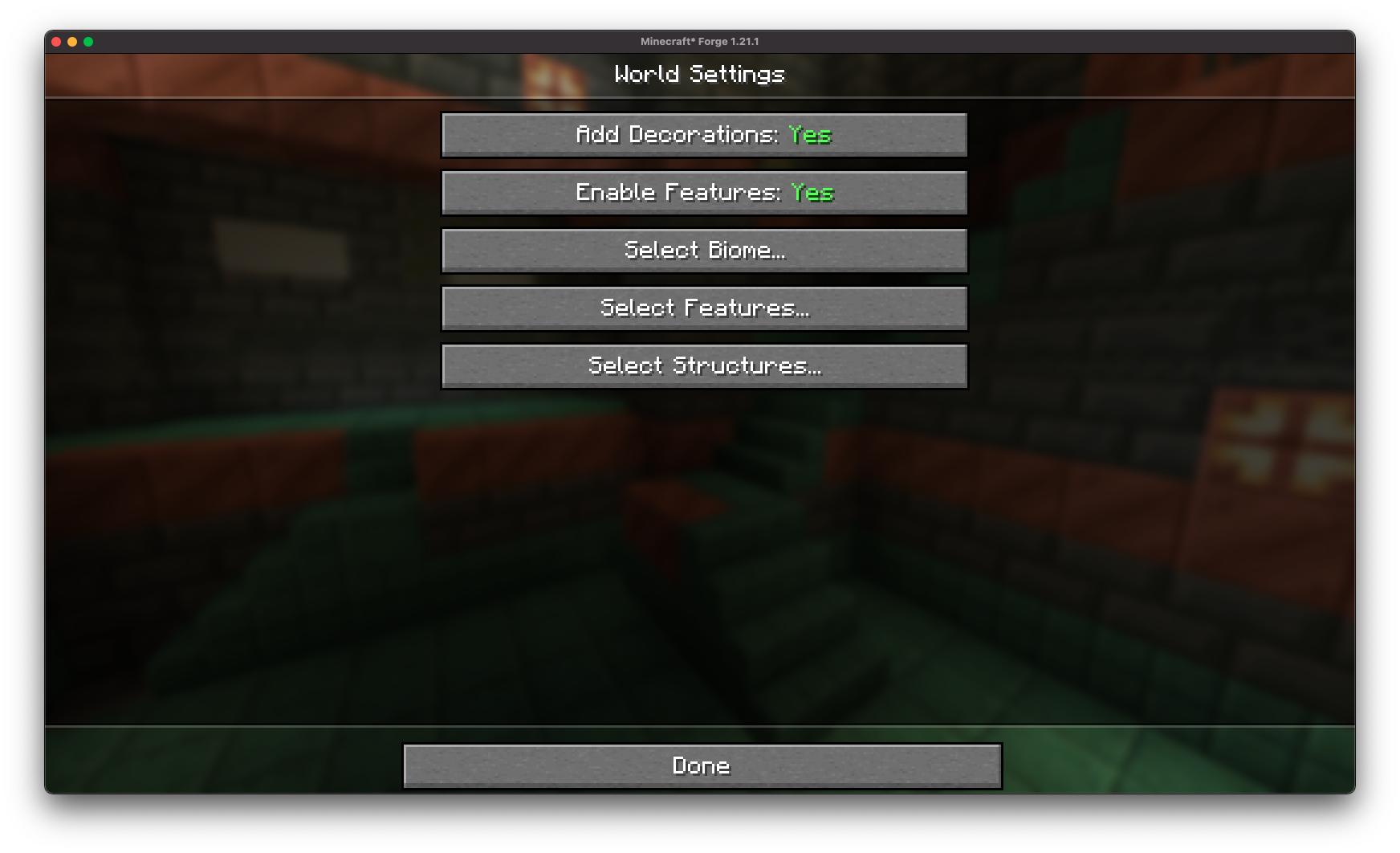 获得对所有超平坦世界设置的完整自定义权限。
结构生成开关:
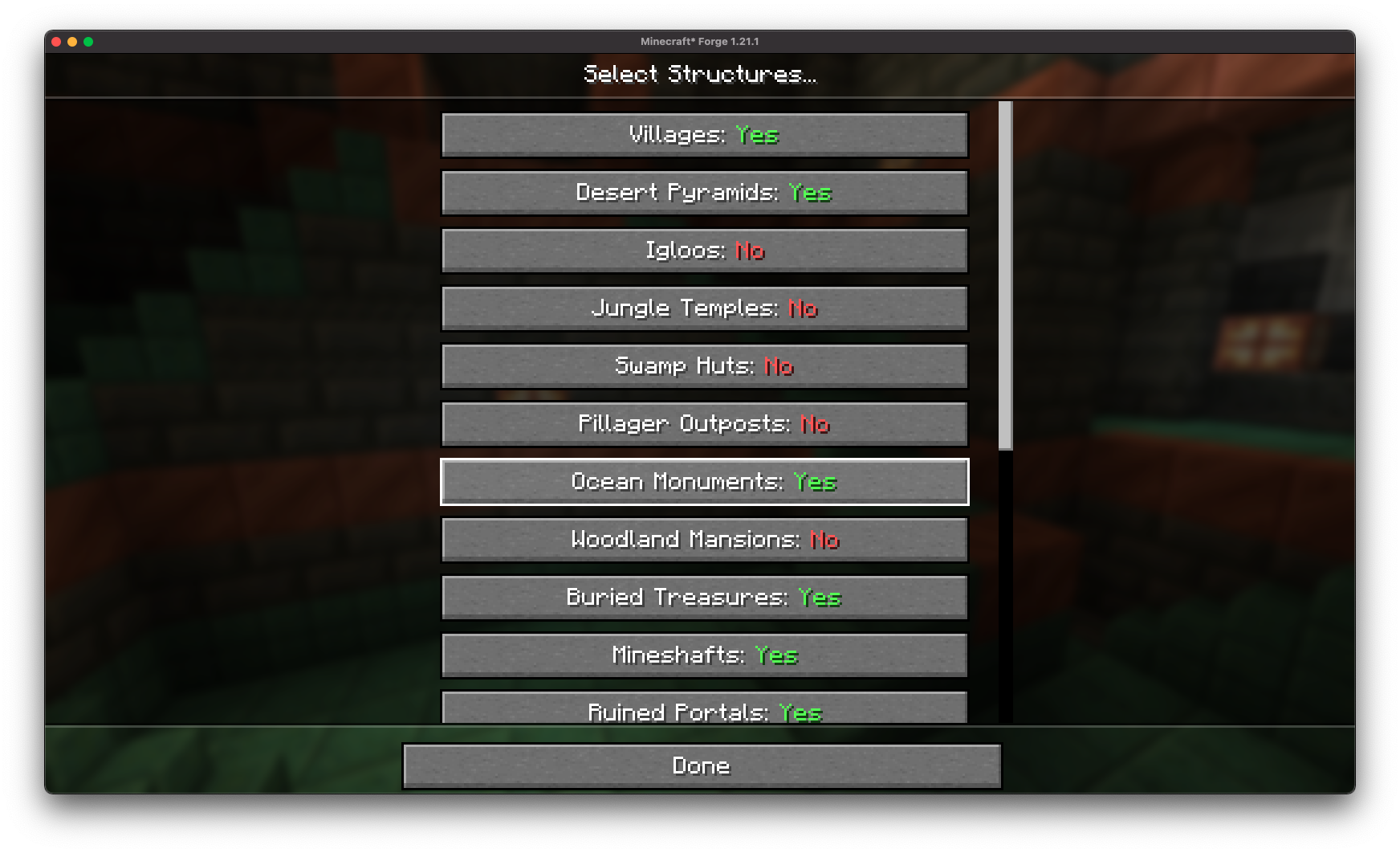 直接从创建界面微调世界结构(村庄、矿山、要塞等),无需依赖预设。
装饰物开关
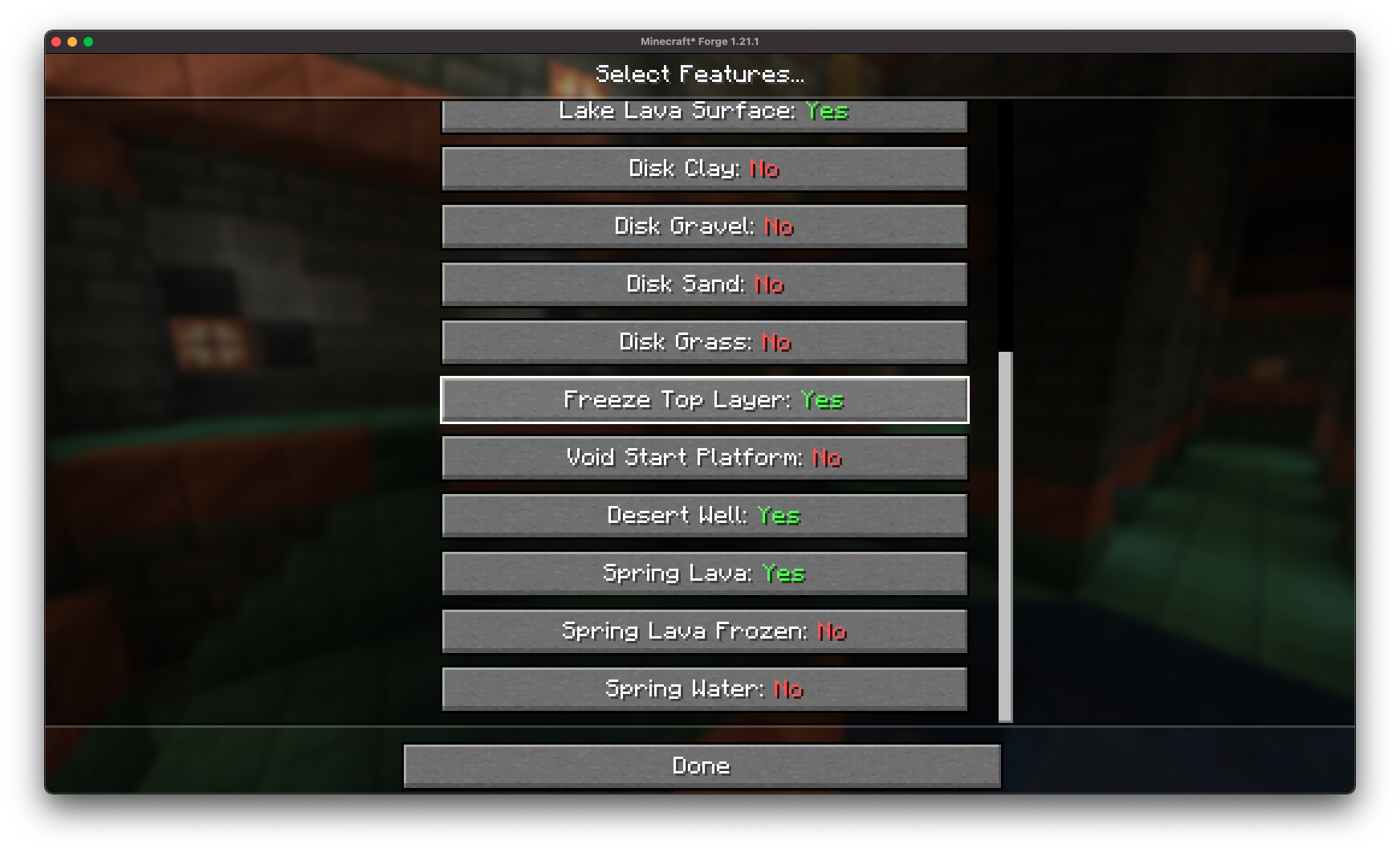 直接从 Minecraft 中轻松禁用或启用特定功能(熔岩湖、冰冻顶层、沙漠水井)。
预设保存与加载:
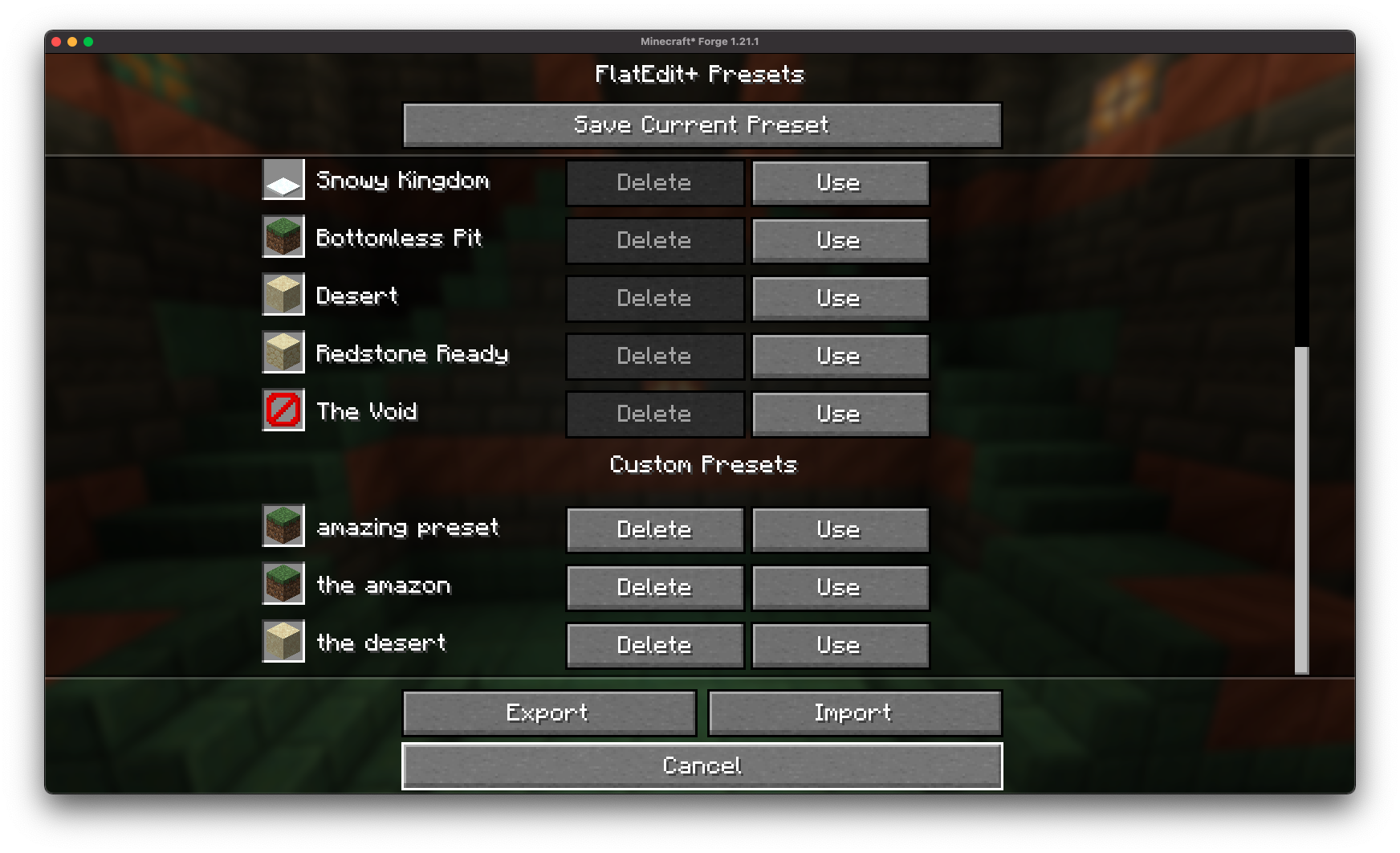 将你的自定义超平坦配置保存下来,以便日后轻松复用!
预设导出与分享
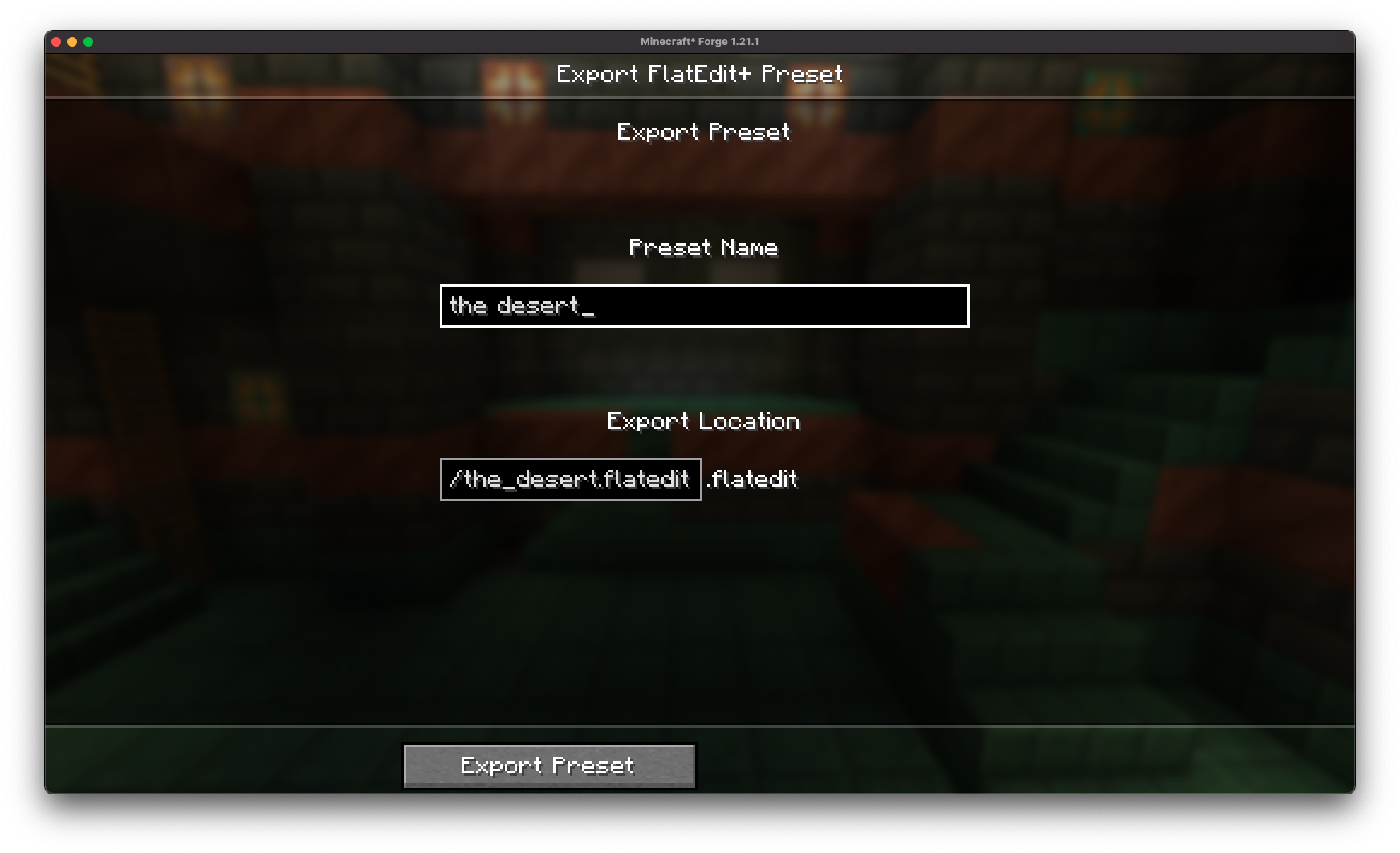
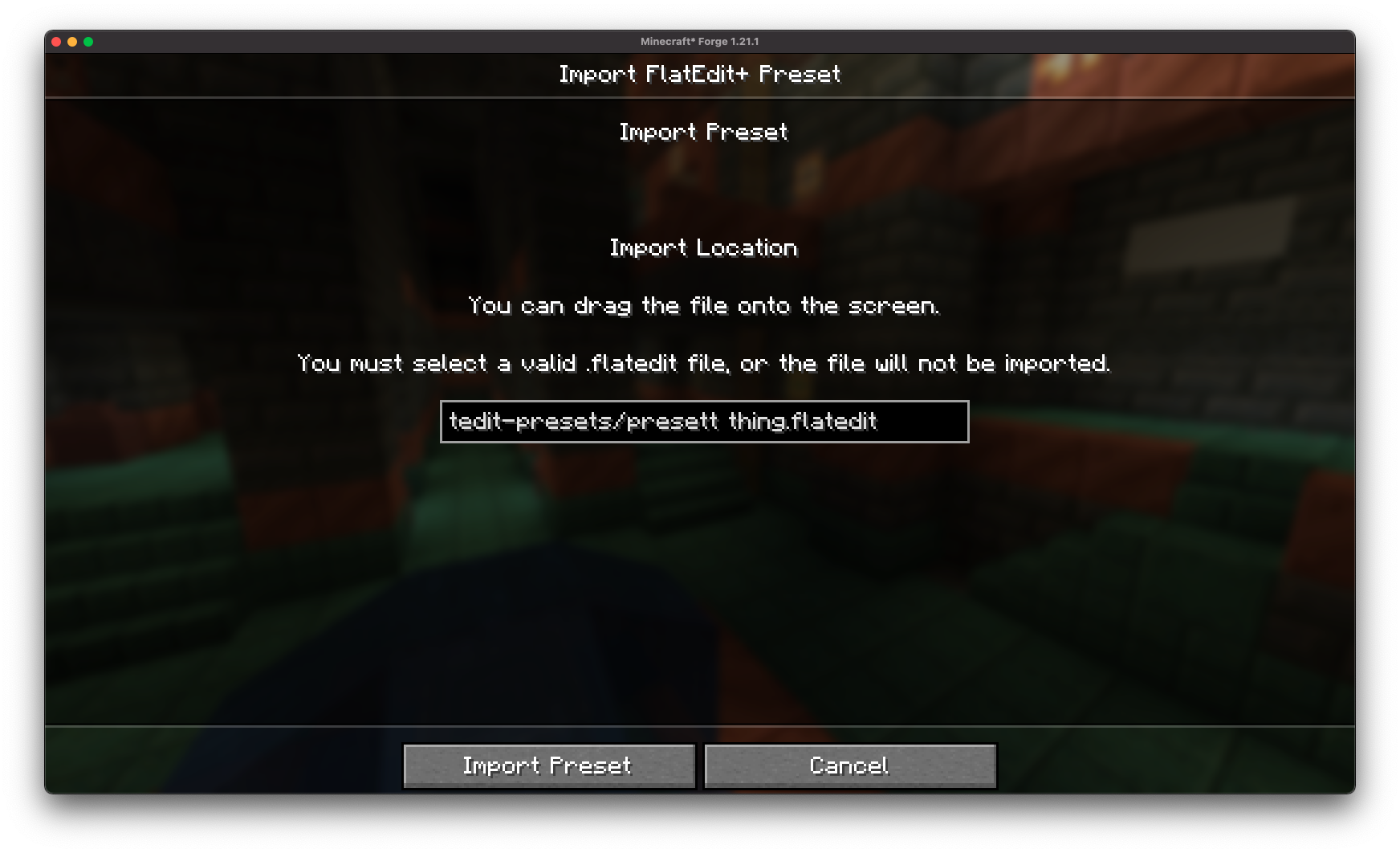 借助 .flatedit 格式,你可以轻松将超平坦预设导出为文件并与朋友分享!
完全兼容原版:
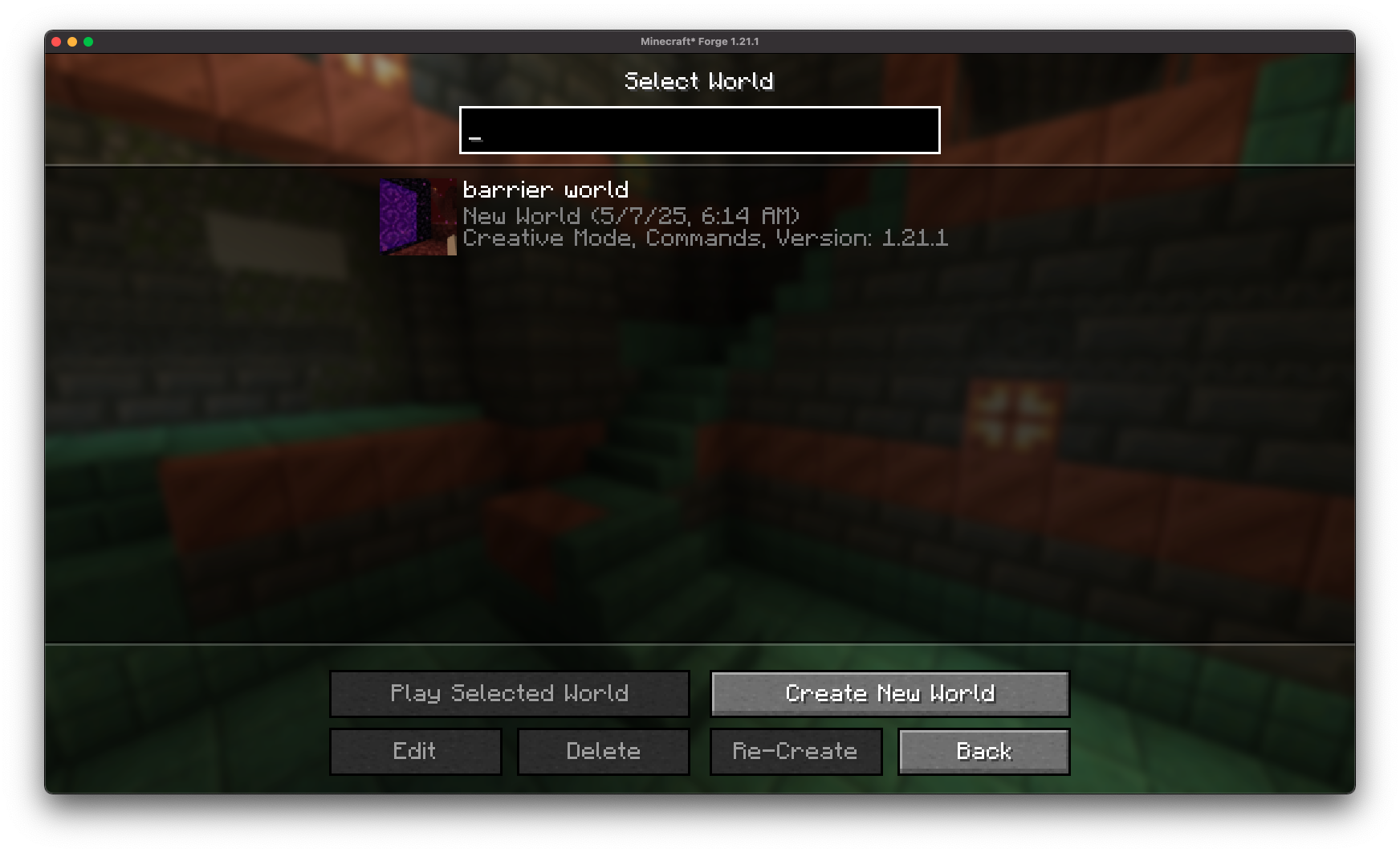 使用 FlatEdit+ 创建的世界与原版的 Minecraft 完全兼容(世界生成后无需安装模组)。
安装/依赖项
此模组需要 BoxLib,这是一款由我开发的客户端库模组。
- 安装 Minecraft Forge/Fabric/Neoforge: 下载并安装适用于你 Minecraft 版本的相应加载器。
- 下载模组: 下载适用于你特定加载器和 Minecraft 版本的最新 Release 版 FlatEdit+。
- 下载 BoxLib: 下载适用于你特定加载器和 Minecraft 版本的最新 Release 版 BoxLib。
- 放置模组文件: 将下载的 jar 文件放入你的 Minecraft mods 文件夹。该文件夹的位置因操作系统而异。
Fabric 依赖项
Forge/NeoForge 依赖项
此模组需要 BoxLib,这是一款由我开发的客户端库模组。
贡献
我们欢迎贡献!请随时通过 GitHub 仓库 提交 Issue 或 Pull Request。你的反馈有助于模组的改进与发展。
翻译
我们欢迎翻译!如果你有兴趣翻译此模组,请查找 本地化文件 并提交 Pull Request。你的贡献有助于让该模组在全球范围内惠及更多用户。
支持
如果遇到任何问题,请在 GitHub 仓库上 提交 Issue。
构建
如果你想在自己的机器上构建此模组,请按照以下步骤操作。
- 从 GitHub 下载源代码(Code -> Download zip)
- 将 zip 文件解压到你的本地机器,并打开文件夹。
- 在该文件夹中打开终端命令提示符
- 运行命令 "gradlew build"
- Fabric 构建版本位于 "fabric/build/libs"
- Forge 构建版本位于 "forge/build/libs"
- NeoForge 构建版本位于 "neoforge/build/libs"
Isn't it such a hassle to use external sites just to create custom superflat presets?
Have you ever wanted to create custom presets right inside of Minecraft?
FlatEdit+ (the superior superflat customization system)
FlatEdit+ is a client-side quality-of-life Minecraft mod that overhauls the Superflat World Creation System, giving players much greater control, clarity, and power when designing custom flat worlds.
Instead of clunky layer editing and limited preset functionality, FlatEdit+ introduces a streamlined, intuitive interface designed for both casual builders and hardcore flatworld crafters.
✨ Features
Redesigned Superflat GUI:
A complete revamp of the vanilla Superflat customization screen, with a modern and user-friendly layout.
Vanilla-like Accessibility:
The re-imagined superflat customization screen is accessible through the vanilla world creation screen!
Easy Configuration
FlatEdit+ provides an easy-to-access configuration screen, allowing you to customize the superflat customization screen to your liking!
Layer Management Made Easy:
Quickly add, remove, reorder, and edit layers with real-time previews and improved controls.
Material Search and Filters:
Find the exact blocks you want with searchable material lists.
Full World Customization
Gain access to full customization over all superflat world settings.
Structure Generation Toggles:
Fine-tune world structures (villages, mineshafts, strongholds, etc.) directly from the creation screen without needing presets.
Decoration Toggles
Easily disable or enable specific features (lava lakes, frozen top layer, desert wells) directly from Minecraft.
Preset Saving and Loading:
Save your custom superflat configurations to easily reuse later!
Preset Exporting and Sharing
With the .flatedit format, you can easily export your superflat presets to files and share with friends!
Full Vanilla Compatibility:
Worlds created with FlatEdit+ are fully compatible with vanilla Minecraft (no mod required once the world is generated).
Installation/Dependencies
This mod requires BoxLib a Client-side library mod developed by me.
- Install Minecraft Forge/Fabric/Neoforge: Download and install the appropriate modloader for your Minecraft version.
- Download the mod: Download the latest release of Debug Keybind for your specific modloader and Minecraft version
- Download BoxLib: Download the latest release of BoxLib for your specific modloader and Minecaft version
- Place the mod jars: Drop the downloaded jar files into your Minecraft mods folder. The location of this folder varies depending on your operating system.
Fabric Dependencies
Forge/NeoForge Dependencies
This mod requires BoxLib a Client-side library mod developed by me.
Contributing
We encourage contributions! Don't hesitate to open issues or pull requests through the GitHub Repository. Your input helps the mod improve and evolve.
Translations
We welcome translations! If you're interested in translating this mod, please locate the localization files and submit a pull request. Your contributions help make the mod accessible to more users worldwide.
Support
If you encounter any issues, please open an issue on the GitHub repository.
Building
If you'd like to build this mod on your own machine, follow these steps.
- Download the source code from GitHub (Code -> Download zip)
- Extract the zip file onto your local machine, and open the folder.
- Open a terminal prompt in said folder
- Run the command "gradlew build"
- The fabric build will be in "fabric/build/libs"
- The forge build will be in "forge/build/libs"
- The neoforge build will be in "neoforge/build/libs"

下载 FlatEdit+
下载 FlatEdit+
下载 FlatEdit+
下载 FlatEdit+
下载 FlatEdit+
下载 FlatEdit+
下载 FlatEdit+
更新内容
- 移植至 1.21.11
关于这个资源的讨论、问题反馈与使用心得
还没有讨论,来发第一帖吧
你是这个资源的作者?登录后可认领此资源。
相似资源
 模组

一个用于收集生物掉落物的多区块模组。
 模组

显示你正在注视的方块的信息。(适用于 Minecraft 1.16+ 的 Hwyla/Waila 分支)
 模组

原版世界生成优化模组
 模组
使用 JavaScript 编辑配方、添加自定义物品、编写世界事件!
 模组

查看物品与配方
 模组
在游戏画面角落显示附近世界地形、玩家、生物和实体的地图。可创建路径点,帮助你找到标记过的位置。
评论 0
登录后参与评分
还没有评论,来抢沙发吧