Forgematica 打印机
Litematica 打印机的非官方 (Neo)Forge 移植版本。
此扩展为 Forgematica 添加了打印功能。打印机允许玩家通过自动在周围放置正确的方块来更快地建造大型建筑。
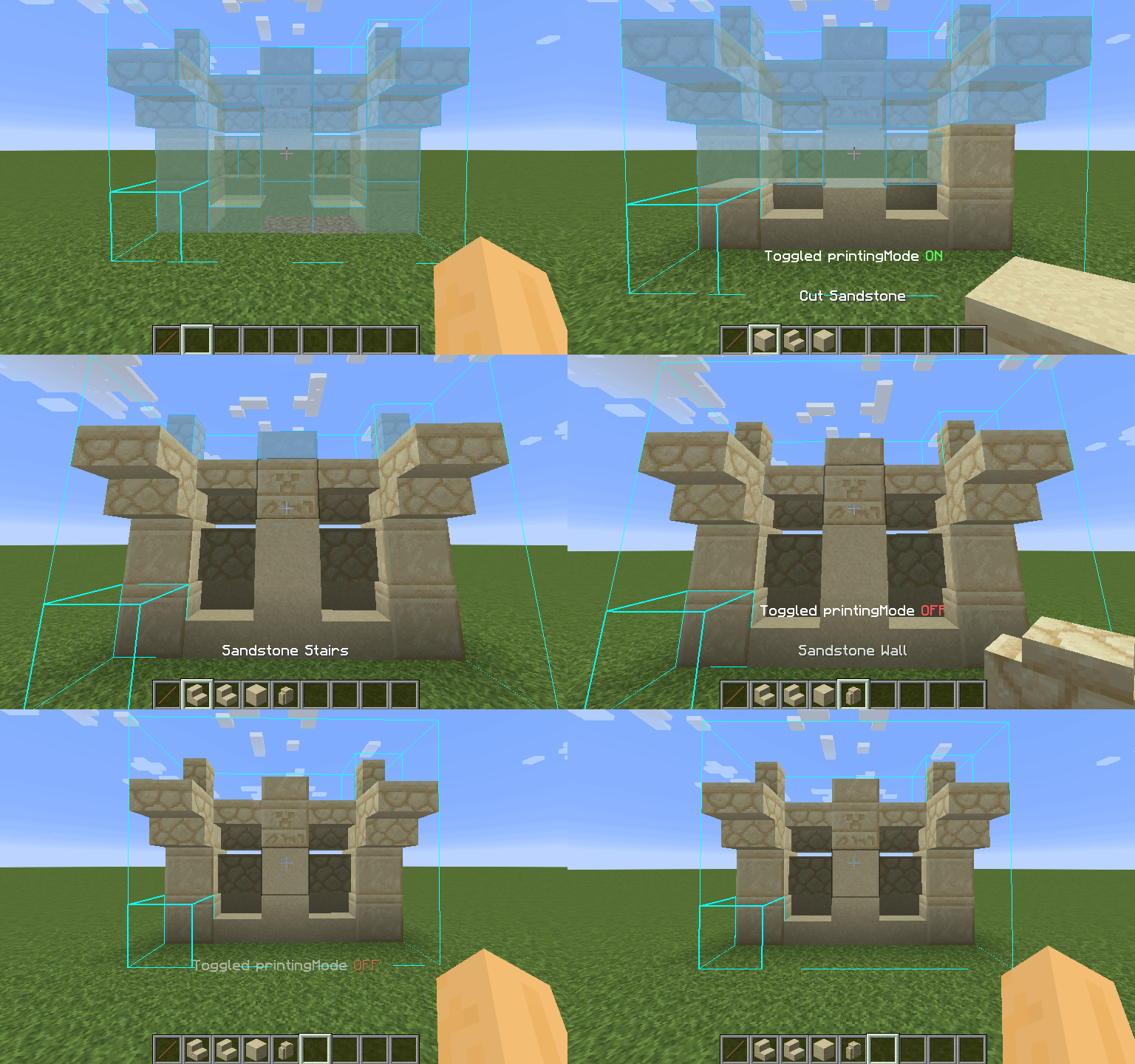
使用方法
使用打印机非常简单:默认情况下,您可以按下 CAPS_LOCK(大写锁定键)来切换该功能。要配置打印速度和范围等变量,请按下 M + C 打开 Forgematica 的设置,并导航到“Generic”(通用)选项卡。打印机的配置位于页面底部。您还可以在“Hotkeys”(热键)选项卡中重新绑定打印切换按键。默认情况下,按住 V 键也会进行打印,无论打印机是否已开启。
黑名单方块列表
由于各种原因,以下方块尚未实现,打印机会跳过它们而不是错误地放置它们。如果其他方块被错误放置,请尝试降低打印速度。如果某些方块仍然被错误放置,您可以提交一个问题报告。
- 砂轮
- 放置在地面上的头颅
- 告示牌
- 发光地衣和藤蔓
- 实体,包括物品展示框和盔甲架
服务器使用须知:
请注意,在服务器上使用此模组可能违反规则,并可能导致您被封禁!
Forgematica Printer
Litematica Printer unofficial (Neo)Forge port.
This extension adds printing functionality for Forgematica. Printer allows players to build big structures more quickly by automatically placing the correct blocks around you.

How To Use
Using the printer is straightforward: You can toggle the feature by pressing CAPS_LOCK by default. To configure
variables such as
printing speed and range, open Forgematica's settings by pressing M + C and navigate to "Generic" tab. Printer's
configuration can be
found at the bottom of the page. You can also rebind the printing toggle under "Hotkeys" tab. Holding down V by
default will also
print regardless if the printer is toggled on or off.
List of blacklisted blocks
These blocks have not been implemented yet for various reasons and the printer will skip them instead of placing them wrong. If any other blocks are placed incorrectly, try to lower the printing speed. If certain block is still placed incorrectly, you can create an issue.
- Grindstones
- Skulls placed on the ground
- Signs
- Glow lichen and vines
- Entities, including item frames and armor stands
SERVER USAGE NOTE:
Please be aware, using this mod on a server may be against the rules and could get you banned!
下载 ForgematicaPrinter
需要联机服务器吗?
稳定流畅、一键部署,几分钟即可和朋友联机开服
最低仅需 8 元/月 即可畅快联机
下载 ForgematicaPrinter
更新日志
- 移植至 1.20.4 NeoForge
关于这个资源的讨论、问题反馈与使用心得
还没有讨论,来发第一帖吧
你是这个资源的作者?登录后可认领此资源。
相似资源
模组
显示你正在注视的方块的信息。(适用于 Minecraft 1.16+ 的 Hwyla/Waila 分支)
模组
使用 JavaScript 编辑配方、添加自定义物品、编写世界事件!
模组
查看物品与配方
模组
在游戏画面角落显示附近世界地形、玩家、生物和实体的地图。可创建路径点,帮助你找到标记过的位置。
模组
AE2:一款流行的自动化与存储模组
模组
那是什么?一个 Waila/Hwyla 的分支。
评论 0
登录后参与评分
还没有评论,来抢沙发吧