模组添加的内容:
Framez 添加了各种方块和物品,可分为 4 个类别:马达、框架、升级 以及 杂项方块和物品。
马达:
马达是 Framez 中为你提供动力的来源,它们可以通过两种不同的方式进行分类:
按类型划分:
- 框架滑块(Frame Sliders):这些马达会沿着其激活面(由线条指示)的特定方向(由箭头指示)滑动该面上的方块。
- 框架旋转器(Frame Rotators):这些马达会围绕其激活面的轴线(由线条指示)旋转该面上的方块。移动速度取决于最远方块距离马达的距离。
- 框架线性执行器(Frame Linear Actuators):这些马达的工作原理与框架滑块非常相似,但它们不是沿其表面滑动方块,而是将其从该表面推开(由线条和箭头指示)。
- 框架闪烁驱动器(Frame Blink Drives):这些马达允许框架结构以极快的速度长距离移动,但需要在同一轴线上放置另一个驱动器,且距离在 64 格或更近,并面向彼此。它们会自动连接并能够在两者之间来回传输方块,即使它们相距甚远。值得一提的是,能耗将乘以 1 + 0.1 * 距离。
按动力源划分:
- 直流马达(DC Motors):这些马达运行完全不需要任何电力。它们适用于创造模式测试,或者如果你的整合包中没有任何拥有能量系统的模组互相支持时。它们在配置文件中默认禁用。
- 电动马达(Electric Motors):这些马达使用 IndustrialCraft 2 的 EU 能量运行。它们支持最高至 Extreme Voltage (EV) 的任何电压等级。
- 波动马达(Fluctuating Motors):这些马达使用红石通量(Redstone Flux, RF)运行。一旦检测到 RF API,它们就会自动启用。
- 电-波动马达(Electro-Fluctuating Motors):这些马达结合了电动马达和波动马达的特点,意味着它们可以使用 EU 或 RF 运行,甚至可以同时使用两者!
- 花仙人的马达(Botanist's Motors):这些马达使用 Botania 的魔力运行,可以通过魔力扩散器或火花注入魔力。是的,由纯粹魔法驱动的马达。这是 Minecraft,你还能期待什么?
- 气动马达(Pneumatic Motors):这些马达使用 PneumaticCraft 的压力驱动。最大可承受 10 bar 的压力。
未来可能支持的能源:
- 大魔导师的马达(Archmage's Motor):使用 BloodMagic 的 LP 运行。这个功能曾在 Framez 1 中出现,我计划很快将其重新添加回来。
框架:
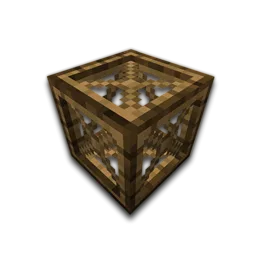
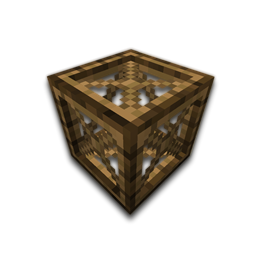
框架(Frames)的工作方式与 Framez 1 相比发生了很大变化。过去,存在一个“方块上限”,每在结构中放置一个框架都会增加该上限,即使该框架未接触任何其他重要方块。Framez 2 彻底改变了这一机制。
现在,框架拥有属性:最大连接方块数、同一方块内最大多部分(multiparts)数量以及最小移动速度。这些属性会对你的结构建造方式和移动效果产生巨大影响。
我们可以找到各种类型的框架:名称(最大方块数,最大多部分数,最小时间)
- 木质框架 (3, 3, 2s)
- 铁/铜/锡框架 (4, 4, 1s)
- 金框架 (5, 3, 0.5s)
- 青铜/银框架 (5, 5, 0.75s)
- *因瓦合金框架 (5, 5, 1s)
- *德拉克马框架 (5, 7, 0.75s)
- *末影ium框架 (6, 10, Warp = 0s)
* 这些框架仅在安装了 Thermal Foundation 时可用。
升级:
电机现在可以进行升级以获得额外功能,以下是你可以应用于电机的当前可用升级,使其执行不同的操作:
- 弹性升级:此升级仅可应用于滑块电机,通电时它允许向一个方向滑动方块,断电时则向另一个方向滑动。与停止器配合使用非常有用。
- 伪装升级:此升级可应用于任何电机,并允许你将它们的每个侧面伪装成不同的实心方块。
- 动量守恒升级 [开发中]:关于这个的更多细节……稍后……*递茶*
*CC/OC 计算机:可以将一台计算机放入电机中,使其能够由实际放置为方块的另一台计算机进行控制。此选项可在配置文件中禁用。
* 此升级需要安装 ComputerCraft 或 OpenComputers。
其他物品与方块:
模组中还包含一些其他物品,例如:
- 扳手:允许你旋转电机并封堵框架无法覆盖的侧面。按住 Shift 并右键点击多部分框架时,还可以隐藏其侧面。
- 丝质扳手:通过将扳手与附魔书“精准采集”合成获得。该扳手的功能与普通扳手相同,但在破坏框架时按住 Shift,会使框架掉落所有已封堵的侧面以及同一方块内支撑的所有多部分部件。
- 变质岩:详细说明见下方列表。
- 止动器:这个方块的作用正如它的名字所示。它会吸附在一串框架上,当到达止动器位置时,会将电机置于“暂停模式”,此时你需要先断开再重新供电才能使电机继续运行(如果止动器后方还有更多框架)。它与滑块电机的弹性升级配合使用时非常有用。
- 电机核心:这是用于制作所有电机的核心材料(默认情况下包含在所有配方中),以及其他依赖模组的物品。
- 其他合成材料:十字形零件、面板、铁粒……它们用于合成框架。
变质岩:
变质岩是 Framez 添加的唯一通过世界生成产生的方块。使用普通镐(必须为钻石镐)开采时会掉落碎裂的变质岩,除非使用带有“精准采集”附魔的镐开采。
除了作为美观的建筑材料(无论是原始状态还是砖块形态),它还有更多用途。碎裂的变质岩方块可以灌注水、岩浆或冰,然后用更多的变质岩将其密封,形成强大的方块,这些方块的行为类似于流体方块,但不会转化为圆石或黑曜石。
- 水性变质岩:此方块拥有水的凝固力量,允许你将流动的岩浆流转化为石头,并将岩浆源块转化为黑曜石。
- 火性变质岩:此方块内部拥有永恒的燃烧火焰,当与流动的水方块接触时,会将其转化为圆石。当与水源方块相邻时,会将其转化为石头方块。
- 冰性变质岩:此方块拥有冰的冻结能力,即使在贫瘠的土地上也一样。它会将流动的水冻结成冰,并将源块转化为浮冰。
默认的方块移动机制:
所有方块(包括具有 TileEntity 和多部分的方块)默认均可移动,但有一些例外情况:
- 在生存模式下不可破坏的方块不会被框架移动,如果结构体撞上它们,移动将会停止。
- 如果结构体撞上流体方块,它们会从世界中删除;但如果它们最初附着在结构体上,则会随结构体一起移动。
- 在其方块类中标记为可替换的方块(如高草、树叶等)可以被移动的框架方块所替换。
某些模组可能没有考虑到它们的方块可以被移动,因此不要指望它们能立即正常工作,但在大多数情况下应该没问题。如果遇到任何问题,请在页面顶部链接的问题跟踪器中报告。
Forge MultiPart 支持:
Framez 的框架完全支持 Forge MultiPart,允许你在其中放置管道/导管/线缆,并在侧面放置覆盖物和面板。
微方块支持:
就像 RedPower 一样,覆盖物和面板放置在框架侧面时会产生不同的效果。覆盖物会为你提供放置其他方块的坚实表面,但这些方块在框架移动时不会粘附在框架上。而面板则提供坚实的表面,并且在移动时会粘附方块。
某些多部分部件有时可能会与覆盖物产生冲突,导致你无法在某些面上放置覆盖物(例如 AE2 的湮灭平面)。Framez 提供了一种解决方法,允许你使用扳手封堵无法放置覆盖物的框架侧面,从而使方块不会粘附在上面。
其他多部分支持:
如果在配置文件中启用(默认开启),你还可以使用锯子将框架切割成微方块。这些框架微方块的行为将与实际框架方块相同。
如果配置文件中启用(默认开启),变质岩方块(所有变体)也将作为微方块可用。这些微方块的行为方式与完整方块版本完全相同,但仅作用于其所在的方块面。
为了让我自己感到自豪,我还实现了一个功能:如果你在框架上放置空心覆盖物,你可以透过该面进行点击 ;)
不使用 Forge MultiPart 时:
如果你不使用 Forge MultiPart(即使使用了,但你更不想使用覆盖物和面板),Framez 也能满足你的需求。有一种模式允许你放置普通的框架方块,而不是多部分部件。你可以使用扳手封堵这些方块的侧面,从而防止方块粘附在上面。
有两种访问此模式的方法:
- 安装 FMP 后:你需要进入 FramezCompat 的配置文件,在 “ForgeMultiPart” 下禁用名为 “Force FMP Frames” 的选项。默认情况下,框架将被放置为普通方块;除非你尝试将其放置在已存在的多部分方块上,此时会放置一个 FMP 框架,并且你必须使用覆盖件和面板。
- 未安装 FMP:开箱即用!无需更改任何配置文件 :D
其他功能:
- 移动时即可完全交互原版及部分模组方块!(切换拉杆开关、打开 GUI、打开和关闭栅栏门……)
- 中空覆盖件/面板允许你访问框架内的多部分方块,甚至另一侧的多部分方块,只要你能通过覆盖件/面板上的孔洞看到你希望交互的目标并保持视线通畅!
- 支持 ComputerCraft 和 OpenComputers:你可以用电脑控制电机,并让电机移动电脑而不会关闭它们!
- 丝滑扳手(Silky Wrench)允许你拾取框架并保留其被封堵的面,以及(如果支持的话)同一方块内的多部分方块(默认仅支持 FMP 微方块)。
- 你可以在合成表中放入 4 个框架以回收其基础资源。
- 你可以将微方块与特定位置的框架一起合成,以便在框架中预先放置它们,这样当你右键将其放置到世界中时,它就已经带有该微方块了。如果没有放置多部分方块,你还可以搭配扳手合成以封堵侧面;如果已放置,则可以隐藏它们。
- 完全支持 Funky Locomotion。FL 框架可以与 Framez 的框架互换使用,且能正常工作。
- 出于模组集成目的,还有其他一些东西也能像框架一样工作。具体包括:
- BuildCraft 框架伪装层
- Forge MultiPart 框架微方块
- Thermal Dynamics 框架覆盖件(适用于任何实现 IBlockAppearance 并返回框架方块的方块)
有用链接:
GitHub 仓库:
问题追踪器:
我的网站:
我的 Twitter:
我的 Patreon:
Framez 在 Esper.net 上的 IRC 频道:#Framez ()
整合包权限:
仅在你清楚自己在做什么的情况下,才将 Framez 2 添加到你的整合包中。这是一个 Alpha 版本模组,我不保证它会稳定,也不会承诺它不会导致你或你的整合包玩家丢失方块(尽管这种情况不太可能)。.
当它脱离 Alpha 阶段后,我会同意将其用于非 Alpha 版本的整合包,但如果你真的想用它,我也不会阻止你。
Contents added by the mod:
Framez adds various blocks and items that can be split into 4 categories: motors, frames, upgrades and miscellaneous blocks and items.
Motors:
Motors are your source of movement in Framez and they can be classified in two different ways:
By type:
- Frame Sliders: These motors slide the block(s) on their active face (indicated by the line) in a specific direction (indicated by the arrow).
- Frame Rotators: These motors rotate the block(s) around the axis of their face (indicated by the line). Movement speed is relative to the distance of the furthest block from the motor.
- Frame Linear Actuators: These motors work pretty much like Frame Sliders, but instead of sliding the block along their face, they push it away from that face (indicated by the line and arrow).
- Frame Blink Drives: These motors allow frame structures to travel long distances very quickly, but they require another one in the same axis, 64 or or less blocks away from it, that's facing towards it. They will automatically link to eachother and be able to send the block(s) back and forth, even though they are not near eachother. It's probably worth mentioning that power consumption will be multiplied by 1 + 0.1 * distance.
By power source:
- DC Motors: These motors don't require any power at all to run. They are intended for creative testing or if none of the mods in your pack that have a power system support any of the others. They are disabled by default in the config file.
- Electric Motors: These motors run on IndustrialCraft 2 EU. They work with any power tier up to Extreme Voltage (EV).
- Fluctuating Motors: These motors run on Redstone Flux. They are enabled as soon as the RF API is detected.
- Electro-Fluctuating Motors: These motors are a combination of Electric and Fluctuating motors, meaning they can run on either EU or RF, or even both at the same time!
- Botanist's Motors: These motors run on Botania mana, which can be put into them with either a mana spreader or a spark. Yes, motors powered by pure magic. This is Minecraft, what did you expect?
- Pneumatic Motors: These motors run off PneumaticCraft pressure. They can take up to 10 bars.
Power sources that may be supported in the future:
- Archmage's Motor: Runs on BloodMagic LP. This one was available in Framez 1 and I plan on adding it back relatively soon.
Frames:
Frames have changed a lot from how they worked in Framez 1. In the past, there used to be a "block cap" that would be increased by every frame you placed in the structure, even if it wasn't touching any other important blocks. Framez 2 completely changes how this works.
Frames now have stats: maximum amount of attached blocks, maximum amount of multiparts in the same block and minimum movement speed. These all have a huge effect on how you build your structures and how they are moved.
We can find various types of frames: Name (max blocks, max multiparts, min time)
- Wooden Frames (3, 3, 2s)
- Iron/Copper/Tin Frames (4, 4, 1s)
- Gold Frames (5, 3, 0.5s)
- Bronze/Silver Frames (5, 5, 0.75s)
- *Invar Frames (5, 5, 1s)
- *Electrum Frames (5, 7, 0.75s)
- *Enderium Frames (6, 10, Warp = 0s)
* These frames are only available when Thermal Foundation is installed.
Upgrades:
Motors can now be upgraded for extra functionality, so here are the upgrades you can currently apply to a motor to make it do different things:
- Bouncy Upgrade: This upgrade can only be applied to slider motors and it allows them to slide the blocks one way when powered, and the other way when unpowered. Very useful in conjunction with the stopper.
- Camouflage Upgrade: This upgrade can be applied to any and all motors and allows you to camouflage each of their sides as a different solid block.
- Momentum Conservation Upgrade [WIP]: More on this one... soon... *serves tea*
- *CC/OC computer: A computer can be put into the motor to allow it to be controlled by another one that's actually placed as a block. This option can be disabled in the config file.
* This upgrade requires either ComputerCraft or OpenComputers to be installed.
Miscellaneous items and blocks:
There are some other items in the mod such as:
- Wrench: Allows you to rotate motors and block the sides of frames you can't put a cover on. Can also hide the sides of multipart frames when holding shift and right-clicking them.
- Silky Wrench: Made by combining a Wrench with a Silk Touch book. This wrench works just like the normal one, but also allows you to hold shift while breaking a frame, which will make it drop with all the already blocked sides and all the supported multiparts that were in the same block.
- Metamorphic Stone: Explained in detail right below the list.
- Stopper: This block does exactly what it says in the tin. It grabs onto a line of frames, and when it's reached, puts the motor into "suspension mode", which requires you to unpower it and power it again for it to continue running (if there are more frames behind the stopper). Very useful in conjunction with the Bouncy Upgrade for slider motors.
- Motor core: It's the item used as the core for all motors (and by default is included in all recipes), along with other mod-dependant items.
- Other crafting items: Crosses, panels, iron nuggets... They are used to craft frames.
Metamorphic Stone:
Metamorphic Stone is the only worldgenned block added by Framez. When mined with a normal pickaxe (diamond required), it'll drop Cracked Metamorphic Stone, unless it's mined with a Silk Touch pick.
Apart from being a nice building material, both in its raw state and as a brick block, it has more uses. A Cracked Metamorphic Stone block can be infused with water, lava or ice, and then sealed up with some more Metamorphic Stone to form powerful blocks that act like the fluid block, but don't get turned into cobble or obsidian.
- Aqueous Metamorphic Stone: This block holds the solidifying power of water, allowing you to turn flowing lava streams into stone and lava source blocks into obsidian.
- Fiery Metamorphic Stone: This block has an eternal burning flame on the inside which, when in contact with a flowing water block, will turn it into cobblestone. When adjacent to a water source block, it'll turn it into a stone block.
- Gelid Metamorphic Stone: This block has the freezing power of ice, even in barren land. It'll freeze flowing water into ice, and source blocks will be turned into packed ice.
Default block movement:
All blocks (including those with TileEntities and MultiParts) are moveable by default with some exceptions:
- Blocks that are unbreakable in survival won't get moved by frames and will stop a structure from moving if it runs into them.
- Fluid blocks will be deleted from the world if a structure runs into them but will be carried with the structure if they were attached to it at first.
- Blocks that are marked as replaceable inside their block class (like tall grass, leaves, etc...) will be able to be replaced by moving frame blocks.
Some mods might not take into consideration that their blocks can be moved, so don't expect them all to work right away, but in most cases they'll be fine. If you run into any issues, please report them on the issue tracker linked at the top of the page.
Forge MultiPart support:
Framez frames have full support for Forge MultiPart, allowing you to place pipes/tubes/conduits inside them and covers and panels on the sides.
Microblock support:
Much like in RedPower, covers and panels have different effects when placed on the side of a frame. A cover will give you a solid surface to place other blocks on, but those blocks won't stick to the frame when it moves. A panel, on the other hand, will provide you with a solid surface that will also grab onto blocks when moving.
Some multiparts can sometimes have issues with covers and not allow you to place them on some faces (like AE2's Annihilation Plane). Framez adds a way to get around this, allowing you to wrench the side of a frame where a cover cannot be placed, so that blocks won't stick to it.
Other multipart support:
If enabled in the config file (on by default), you'll also be able to cut frames into microblocks with a saw. These frame microblocks will work just like the actual frame block.
Metamorphic Stone blocks (all variants) will be available as microblocks if enabled in the config (on by default). These microblocks will work the exact same way as the full block version, but only on the face of the block they are on.
Just to feel proud of myself, I also made it so that if you place a hollow cover on a frame, you'll be able to click through that face ;)
Without Forge MultiPart:
If you don't use Forge MultiPart (and even if you do, but you'd rather not use covers and panels), Framez has got you covered. There's a mode that allows you to place normal frame blocks, instead of multiparts. You can wrench the sides of these blocks to block them, preventing blocks from sticking to them.
There's two ways of accessing this mode:
- With FMP installed: You need to go into FramezCompat's config file and disable the option that says "Force FMP Frames" under "ForgeMultiPart". Frames will be placed as normal blocks by default, unless you try to place them on an already existing multipart block, which will place an FMP frame and you'll have to use covers and panels.
- Without FMP installed: This will be it right off the bat! No need to change any config files :D
Other features:
- Vanilla blocks and some modded ones can be fully interacted with while moving! (turn on and off levers, open GUIs, open and close fence gates...)
- Hollow covers/panels allow you to access the multiparts inside the frame and even the ones on the other side as long as you have line of sight to whatever you want to interact with through the hole in the cover/panel!
- Suport for both ComputerCraft and OpenComputers: you can control motors with computers and have computers be moved by motors without them turning off!
- The Silky Wrench allows you to pick up frames and retain their blocked sides and, if supported, the multiparts in the same block (by default only FMP microblocks are supported).
- You can put 4 frames into the crafting grid to get their base resources back.
- You can craft microblocks with a frame in specific positions to pre-place them in the frame, so that when you right click it onto the world it'll already have this microblock. You can also craft it with a wrench to block sides if no multiparts are placed, or hide them if there are.
- There's full Funky Locomotion support. FL frames can be interchangeably used with Framez's and they'll work fine.
- For mod integration purposes, there's other things that also work like frames. Namely:
- BuildCraft frame facades
- Forge MultiPart frame microblocks
- Thermal Dynamics frame covers (works on any block that implements IBlockAppearance and returns a frame block)
Useful links:
GitHub Repo:
Issue Tracker:
My website:
My twitter:
My patreon:
Framez's IRC channel on Esper.net: #Framez ()
Modpack permissions:
Only add Framez 2 to your pack if you know what you're doing. This is an alpha mod and I give no warranty that it'll be stable and not cause you or the players of your pack to lose blocks (although it's unliklely).
When it goes out of alpha I'll be okay with it being in non-alpha packs, although I'm not going to stop you from using it if you really want to.
 模组

 模组

 模组
 模组

 模组
 模组
评论 0
登录后参与评分
还没有评论,来抢沙发吧