
PolyHitbox
PolyHitbox 将 Minecraft 的碰撞箱替换为你可以自定义样式的碰撞箱,甚至可以为不同的实体分别设置。
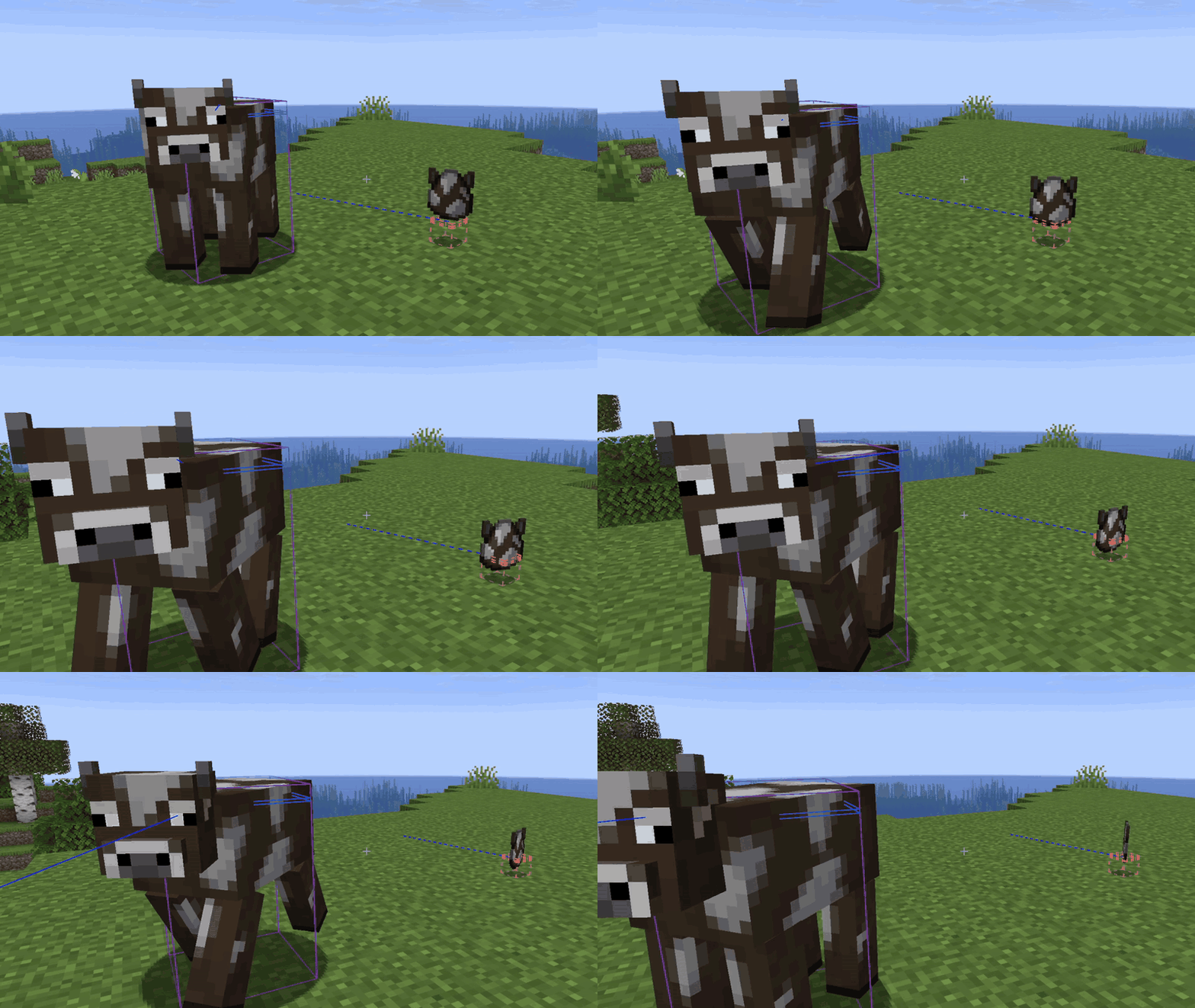
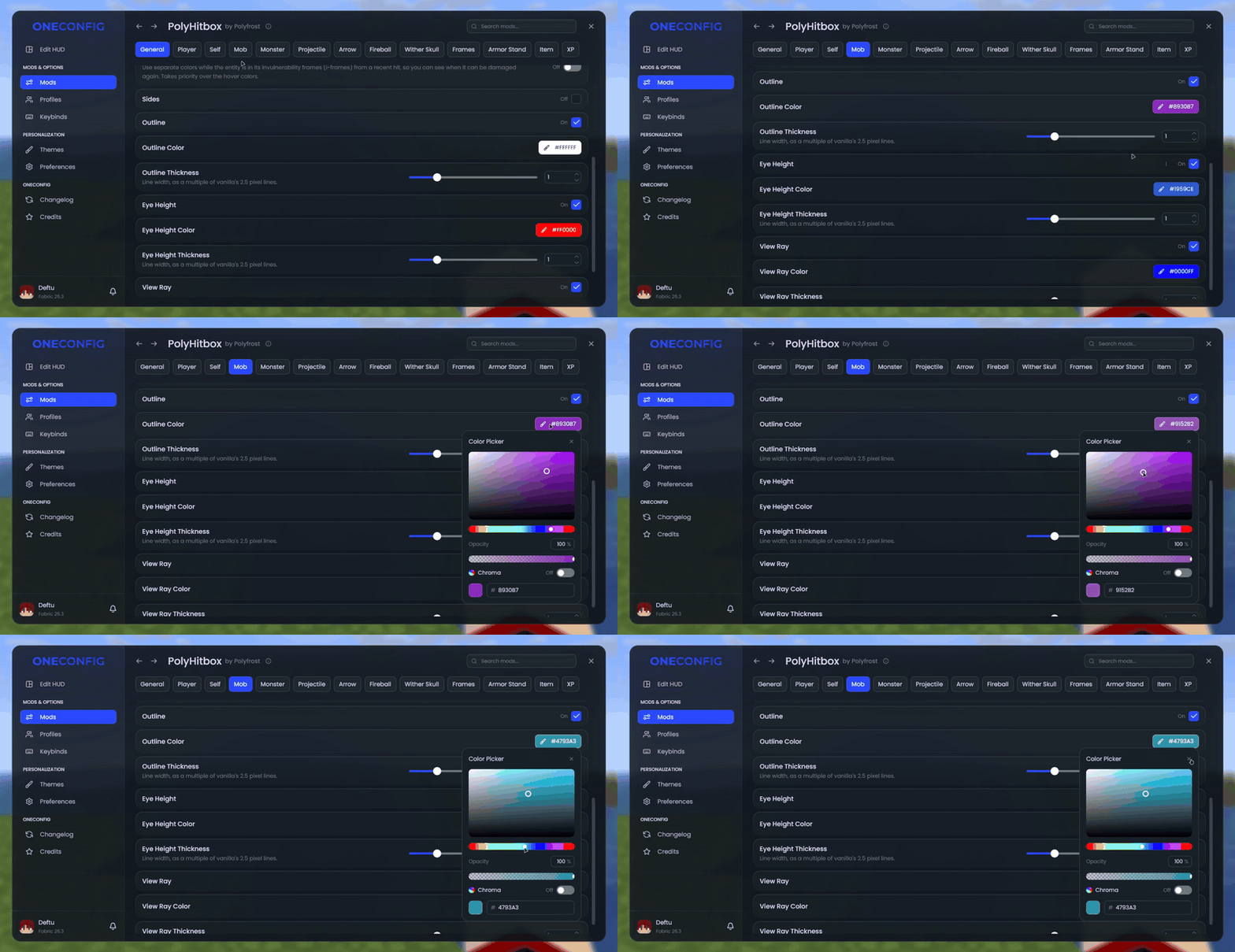
你可以更改的内容
- 可单独切换轮廓、填充面、视线高度环和视线的显示
- 为上述各项自定义颜色和线条粗细
- 实线或虚线
- 高亮显示你正在注视的实体的颜色
- 当实体处于无敌帧(i-frames)时显示不同颜色,以便查看何时可以再次攻击
- 在实体上方绘制碰撞箱
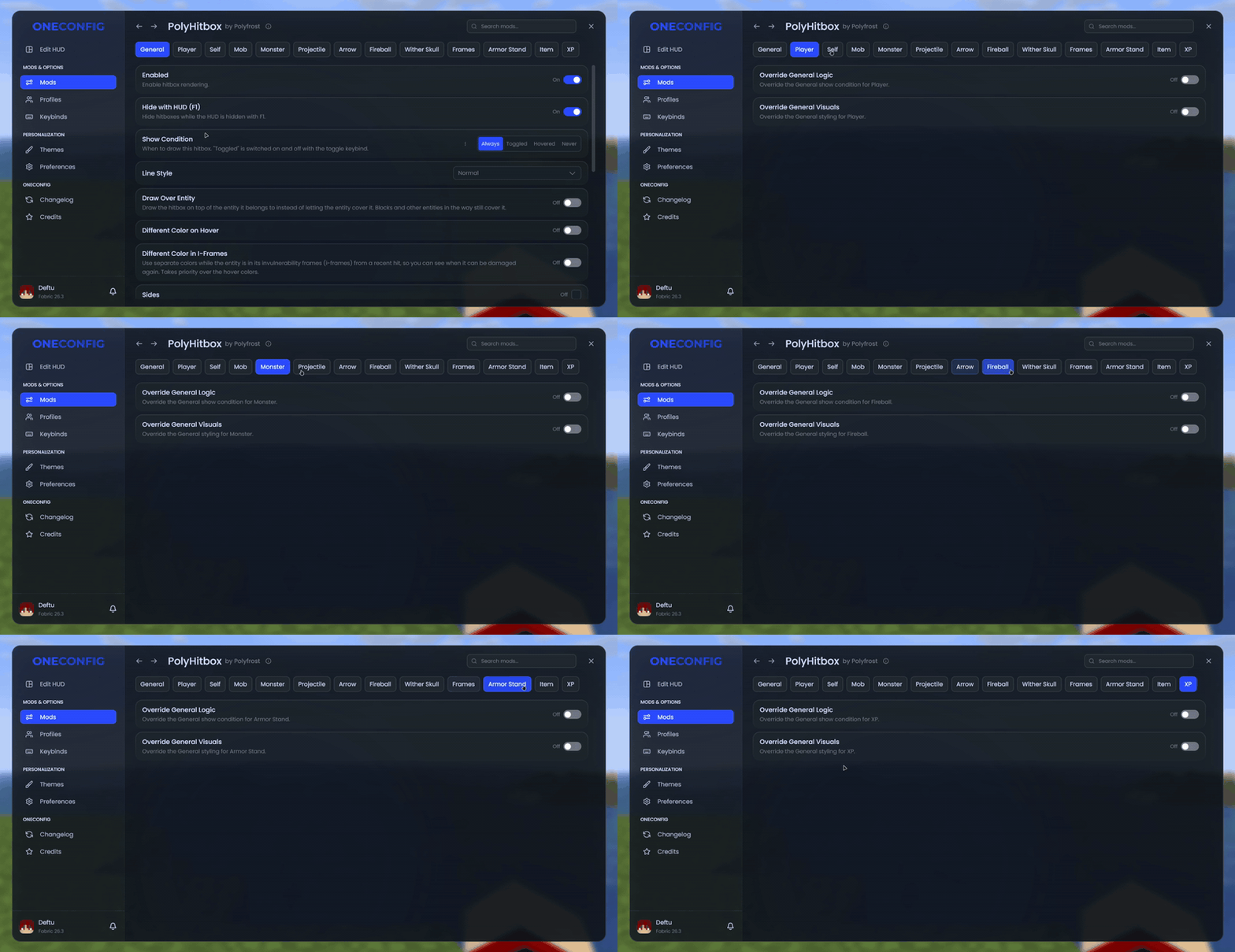
显示时机
- 始终显示,仅显示准星下的实体,或通过按键绑定切换
- 按下 F1 隐藏 HUD 时一同隐藏
- 隐藏卡在方块中的箭矢的碰撞箱
按实体类型区分
以上所有设置均可针对玩家、自己、生物、怪物、投射物、箭矢、火球、凋灵头颅、物品展示框、盔甲架、掉落物和经验球分别设置。
在 1.8.9 版本中,“精准碰撞箱”会根据实际受到伤害判定的尺寸绘制每个碰撞箱。
兼容性
PolyHitbox 与 Combat Hitboxes 不兼容。
支持版本
- Minecraft 1.8.9 (Ornithe 加载器)
- Minecraft 1.21.1-26.3 (Fabric 加载器)
PolyHitbox 需要 OneConfig 和 Fabric Language Kotlin。
支持
- 在 Polyfrost Discord 报告错误和提问。
- 如果某个 Polyfrost 服务宕机,请查看 Polyfrost Status。
PolyHitbox
PolyHitbox replaces Minecraft's hitboxes with ones you can style, down to which entities get one.
What you can change
- Toggle the outline, filled sides, eye height ring and view ray separately
- Custom color and line thickness for each of them
- Solid or dashed lines
- A different color for the entity you are looking at
- A different color while an entity is in i-frames, so you can see when it can be hit again
- Draw hitboxes on top of their entity
When they show
- Always, only for the entity under your crosshair, or toggled with a keybind
- Hidden together with the HUD when you press F1
- Hide the hitboxes of arrows stuck in blocks
Per entity type
All of the above can be set differently for players, yourself, mobs, monsters, projectiles, arrows, fireballs, wither skulls, item frames, armor stands, items and XP orbs.
On 1.8.9, "Accurate Hitboxes" draws each hitbox at the size attacks register against.
Compatibility
PolyHitbox doesn't work together with Combat Hitboxes.
Supported versions
- Minecraft 1.8.9 on Ornithe.
- Minecraft 1.21.1-26.3 on Fabric.
PolyHitbox needs OneConfig and Fabric Language Kotlin.
Support
- Report bugs and ask questions on the Polyfrost Discord.
- Check Polyfrost Status if a Polyfrost service is down.

下载 PolyHitbox (Custom Hitboxes)
下载 PolyHitbox (Custom Hitboxes)
下载 PolyHitbox (Custom Hitboxes)
下载 PolyHitbox (Custom Hitboxes)
下载 PolyHitbox (Custom Hitboxes)
下载 PolyHitbox (Custom Hitboxes)
下载 PolyHitbox (Custom Hitboxes)
下载 PolyHitbox (Custom Hitboxes)
下载 PolyHitbox (Custom Hitboxes)
下载 PolyHitbox (Custom Hitboxes)
1.4.3
- 更新到 OneConfig 1.8.0
1.4.2
- 修复了在 1.8.9 版本中启用“减少调试信息”时命中框不显示的问题(原版仅在 1.10 及以上版本隐藏它们)
1.4.2
- 修复了在 1.8.9 中启用“减少调试信息”时命中框不显示的问题(原版仅在 1.10 及以上版本隐藏它们)
1.4.1
- 在雾中裁剪命中框
1.4.0
- 重构配置界面设计
1.3.9
- 在相关版本中添加了末影水晶部分
1.3.8
- 回退了“修复在 1.8.9 中水面/玻璃前的命中框显示淡出”的更改,因为在没有 Sarcio 的情况下会导致游戏崩溃,且未能正确解决问题
1.3.7
- 修复:停止在实体上绘制时透过方块显示命中框的问题
1.3.6
- 修复:防止细化的碰撞箱线条在远距离时消失
1.3.3
- 修复了“覆盖实体绘制”的命中框闪烁以及部分嵌入实体内部的问题
- 修复了在 1.8.9 版本中,水体/玻璃前方的命中框显示过淡的问题
- 将 OneConfig 升级至 1.5.0
关于这个资源的讨论、问题反馈与使用心得
还没有讨论,来发第一帖吧
你是这个资源的作者?登录后可认领此资源。
相似资源
 模组

显示你正在注视的方块的信息。(适用于 Minecraft 1.16+ 的 Hwyla/Waila 分支)
 模组

查看物品与配方
 模组

原版世界生成优化模组
 模组
在游戏画面角落显示附近世界地形、玩家、生物和实体的地图。可创建路径点,帮助你找到标记过的位置。
 模组
使用 JavaScript 编辑配方、添加自定义物品、编写世界事件!
 模组
缓冲的原始输入和线程化的事件轮询
评论 0
登录后参与评分
还没有评论,来抢沙发吧