
HudForge
在 Minecraft 中打造专属 HUD —— 无需配置文件,无需编写代码。
HudForge 是一款基于 Fabric 的客户端模组,允许你通过模板创建自定义 HUD 组件,将其拖拽至屏幕任意位置,并在游戏内编辑器中实时调整样式。你可以展示坐标、FPS、护甲耐久度、生物群系、现实时间等大量信息,并完全按照你的喜好进行布局。
功能特性
- 游戏内编辑器 —— 按 H 键打开编辑器,直接拖拽组件到任意位置,无需手动编辑文件。
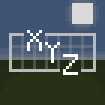
- 模板组件 —— 使用带有实时数据占位符的文本来构建任意组件,例如
XYZ {x} {y} {z}或{helmet_icon} {helmet}。 - 物品图标 —— 在护甲和手持物品的耐久度旁直接显示其图标。
- 多行组件 —— 将多个文本行组合为一个组件。
- 完整样式设置 —— 支持为每个组件单独设置背景透明度、文字透明度和缩放比例,均提供滑块调节。
- 预设方案 —— 一键应用现成的组件(坐标、护甲、速度、生命值等)。
- 纯客户端 —— 适用于任何服务器,其他玩家无需安装该模组。
使用方法
- 在游戏中按 H 键打开编辑器。
- 点击 + Add(添加)并选择一个预设方案,或添加一个空白模板。
- 选中某个组件以进行编辑:拖动以移动位置,右键点击以切换显示状态,使用面板来调整样式。
- 对于模板组件,输入你自己的格式,或从列表中点击占位符进行插入。
- 使用
|(或换行按钮)将组件拆分为多行。
可用数据
坐标、区块位置、方向、生物群系、天数、游戏内时间、现实时间、FPS、速度、光照等级、难度、生命值、饥饿值、护甲点数、经验等级、工具耐久度、各槽位的护甲耐久度、行走距离 —— 以及护甲和手持物品的图标。
安装步骤
- 为 Minecraft 1.21.11 安装 Fabric Loader。
- 安装 Fabric API。
- 将模组放入你的
mods文件夹中。
兼容性
Minecraft 1.21.11,Fabric。仅限客户端使用 —— 在任何服务器上均可安全使用。
你是这个资源的作者?登录后可认领此资源。
相似资源
 模组

玉Jade ?
Snownee
显示你正在注视的方块的信息。(适用于 Minecraft 1.16+ 的 Hwyla/Waila 分支)
实用前置
247
 模组

物品管理器Just Enough Items (JEI)
mezz
查看物品与配方
前置实用
229
 模组
Xaero的小地图
thexaero
在游戏画面角落显示附近世界地形、玩家、生物和实体的地图。可创建路径点,帮助你找到标记过的位置。
冒险交通
196
 模组
KubeJS
Lat
使用 JavaScript 编辑配方、添加自定义物品、编写世界事件!
前置实用
181
 模组
开放派对与认领Open Parties and Claims
thexaero
添加区块认领和玩家组队功能,并与 Xaero's Minimap 和 World Map 集成
前置实用
153
 模组
Applied Energistics 2
shartte
AE2:一款流行的自动化与存储模组
存储科技
150
评论 0
登录后参与评分
还没有评论,来抢沙发吧