
HudTweaks StationAPI for Minecraft Beta 1.7.3
一个适用于 Minecraft Beta 1.7.3 的 StationAPI 模组,添加了一些 HUD 调整功能。
HUD Tweaks
如果您想要调整模组的不同部分,您需要 ModMenu 和 GlassConfigAPI。请参阅下方的安装说明。
变更列表:
- 增加了聊天历史记录的大小。
- 能够在聊天记录中向上/向下滑动。
- 能够更改聊天消息的淡出时间。
- 能够在调试叠加层中禁用、随机化或显示玩家坐标。
- 能够禁用准星的渲染。
- 能够禁用暗角效果的渲染。
- 能够绘制非常基础的 Xbox X 和 Y 按钮。
- 能够启用快捷栏物品选择时的工具提示。
- 能够更改快捷栏物品选择工具提示的淡出时间。
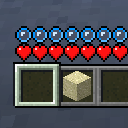
- 能够将快捷栏、状态图标和叠加消息移动到屏幕上的任意位置。
- 已禁用 - 游戏内 HUD 将保持在原版位置
- 简单 - 使用单个配置类别一起移动游戏内 HUD
- 高级 - 在多个配置类别中独立移动快捷栏、状态图标和叠加消息
- 能够将状态图标和/或叠加消息放置在快捷栏下方。
使用 Prism Launcher 安装
- 下载用于 Prism Launcher 的 Babric 实例:
- 安装 Java 17 并将实例设置为使用它:
- 将 GlassConfigAPI 3.0.2+ 添加到该实例的模组文件夹中:
- 将 Glass Networking 添加到该实例的模组文件夹中:
- (可选)将 StationAPI 添加到该实例的模组文件夹中:
- (可选)将 Mod Menu 添加到该实例的模组文件夹中:
- 将此模组添加到该实例的模组文件夹中:
- 运行并享受吧!?
常见问题解答
- 问:为什么 Minecraft 窗口很小,且屏幕的一部分是白色的?
- 答:您可能开启了屏幕缩放或正在使用高 DPI 屏幕。有 5 种可能的解决方法:
- 最佳选项是安装 Gambac:
- 您也可以在下拉设置标签页中将以下字符串作为 Java 参数传入
-Dsun.java2d.uiScale=1.0
- 您也可以安装 ClientsideEssentials 模组或 UniTweaks,并使用它们来自 GCAPI 配置选项的屏幕缩放修复(此选项可能会产生少量伪影)
- 您也可以将 Prism Launcher 的 DPI 设置更改为系统默认
- 或者,您可以将屏幕缩放比例更改为 100%
- 答:您可能开启了屏幕缩放或正在使用高 DPI 屏幕。有 5 种可能的解决方法:
反馈
有什么建议想让我们接下来添加什么内容吗?欢迎通过 创建问题 分享。懂编程并且想自己动手修改吗?那么请查看下方以了解如何开始。
贡献
感谢您考虑做出贡献!要开始,请分叉此仓库,进行修改,然后创建 PR。
如果您是 StationAPI 的新手,建议观看以下关于 Babric/StationAPI Minecraft 模组开发的视频:
HudTweaks StationAPI for Minecraft Beta 1.7.3
A StationAPI mod for Minecraft Beta 1.7.3 that adds some HUD tweaks.
HUD Tweaks
You will need ModMenu and GlassConfigAPI if you want to tweak different parts of the mod. See installation instructions below.
List of Changes:
- Increased chat history size.
- Ability to scroll up/down in chat history.
- Ability to change chat message fade time.
- Ability to disable, randomize, or show player coordinates in debug overlay.
- Ability to disable rendering the crosshair.
- Ability to disable rendering the vignette.
- Ability to draw very basic Xbox X and Y buttons.
- Ability to enable hotbar item selection tooltips.
- Ability to change hotbar item selection tooltip fade time.
- Ability to move hotbar, status icons, and overlay message anywhere on the screen.
- Disabled - the in-game HUD will be in the vanilla position
- Simple - move in-game HUD all together with a single config category
- Advanced - move hotbar, status icons, and overlay message independently of each other in multiple config categories
- Ability to put status icons and/or overlay message below the hotbar.
Installation using Prism Launcher
- Download an instance of Babric for Prism Launcher:
- Install Java 17 and set the instance to use it:
- Add GlassConfigAPI 3.0.2+ to the mod folder for the instance:
- Add Glass Networking to the mod folder for the instance:
- (Optional) Add StationAPI to the mod folder for the instance:
- (Optional) Add Mod Menu to the mod folder for the instance:
- Add this mod to the mod folder for the instance:
- Run and enjoy! ?
FAQ
- Q. Why is minecraft so small and part of my screen white?
- A. You probably have screen scaling on or are using a high DPI screen. There are 5 possible ways to fix this:
- The best option is to install Gambac:
- You could also pass the following string in as a java argument in the settings tab
-Dsun.java2d.uiScale=1.0
- You could also install ClientsideEssentials mod or UniTweaks and use their screen scaling fix from GCAPI config options (fix may produce small artifacts with this option)
- You could also change the DPI settings for Prism Launcher to system
- Or, you could change your screen scaling to 100%
- A. You probably have screen scaling on or are using a high DPI screen. There are 5 possible ways to fix this:
Feedback
Got any suggestions on what should be added next? Feel free to share it by creating an issue. Know how to code and want to do it yourself? Then look below on how to get started.
Contributing
Thanks for considering contributing! To get started fork this repository, make your changes, and create a PR.
If you are new to StationAPI consider watching the following videos on Babric/StationAPI Minecraft modding:
下载 HudTweaks StationAPI
下载 HudTweaks StationAPI
下载 HudTweaks StationAPI
下载 HudTweaks StationAPI
下载 HudTweaks StationAPI
下载 HudTweaks StationAPI
下载 HudTweaks StationAPI
下载 HudTweaks StationAPI
下载 HudTweaks StationAPI
下载 HudTweaks StationAPI
- 添加了禁用华丽图形自带的暗角渲染的功能
完整更新日志:
关于这个资源的讨论、问题反馈与使用心得
还没有讨论,来发第一帖吧
你是这个资源的作者?登录后可认领此资源。
相似资源
 模组

显示你正在注视的方块的信息。(适用于 Minecraft 1.16+ 的 Hwyla/Waila 分支)
 模组
在游戏画面角落显示附近世界地形、玩家、生物和实体的地图。可创建路径点,帮助你找到标记过的位置。
 模组

查看物品与配方
 模组
使用 JavaScript 编辑配方、添加自定义物品、编写世界事件!
 模组
AE2:一款流行的自动化与存储模组
 模组
那是什么?一个 Waila/Hwyla 的分支。
评论 0
登录后参与评分
还没有评论,来抢沙发吧