一系列针对 Minecraft 菜单各个方面的微小改进。
为什么?
本模组的目的是在保留原版风格和外观的同时,提升 Minecraft 菜单的用户体验。
此模组添加的大多数功能仅对原版行为进行了微调,使其感觉更流畅、响应更迅速。
还有一些较大的新增功能(如指示器),但我尽量避免了偏离原版的重大改动。
最后,我还添加了自定义一些原本硬编码按键绑定的能力。
功能
此模组包含多种功能,分为不同的类别。
如果你想请求新功能,欢迎提交 功能请求,
或者如果遇到问题,你可以创建 Bug 报告。
循环按钮
指示器
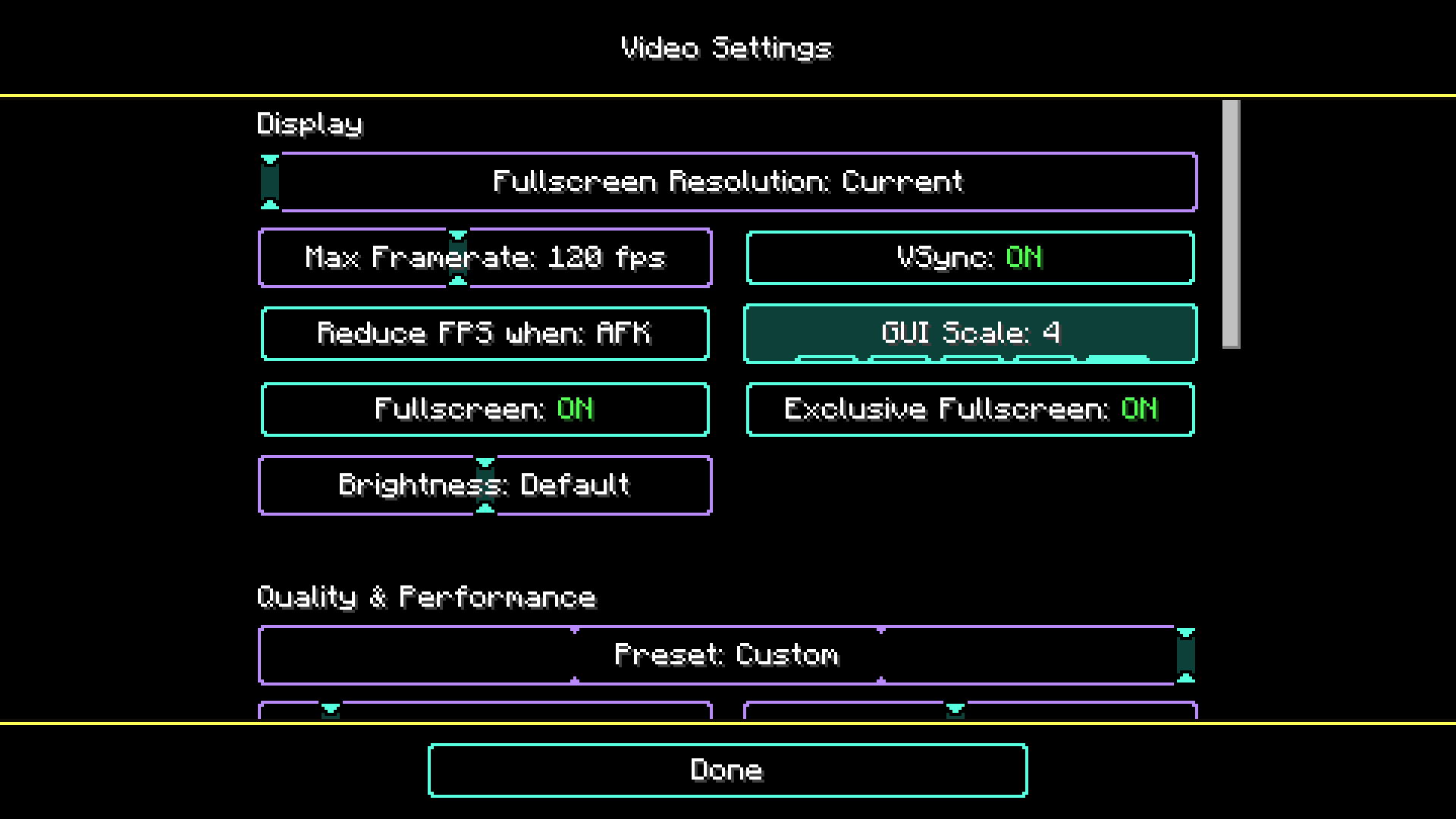
这些指示器让你可以即时了解可能的选项数量,
并在按下时提供快速导航的方式。

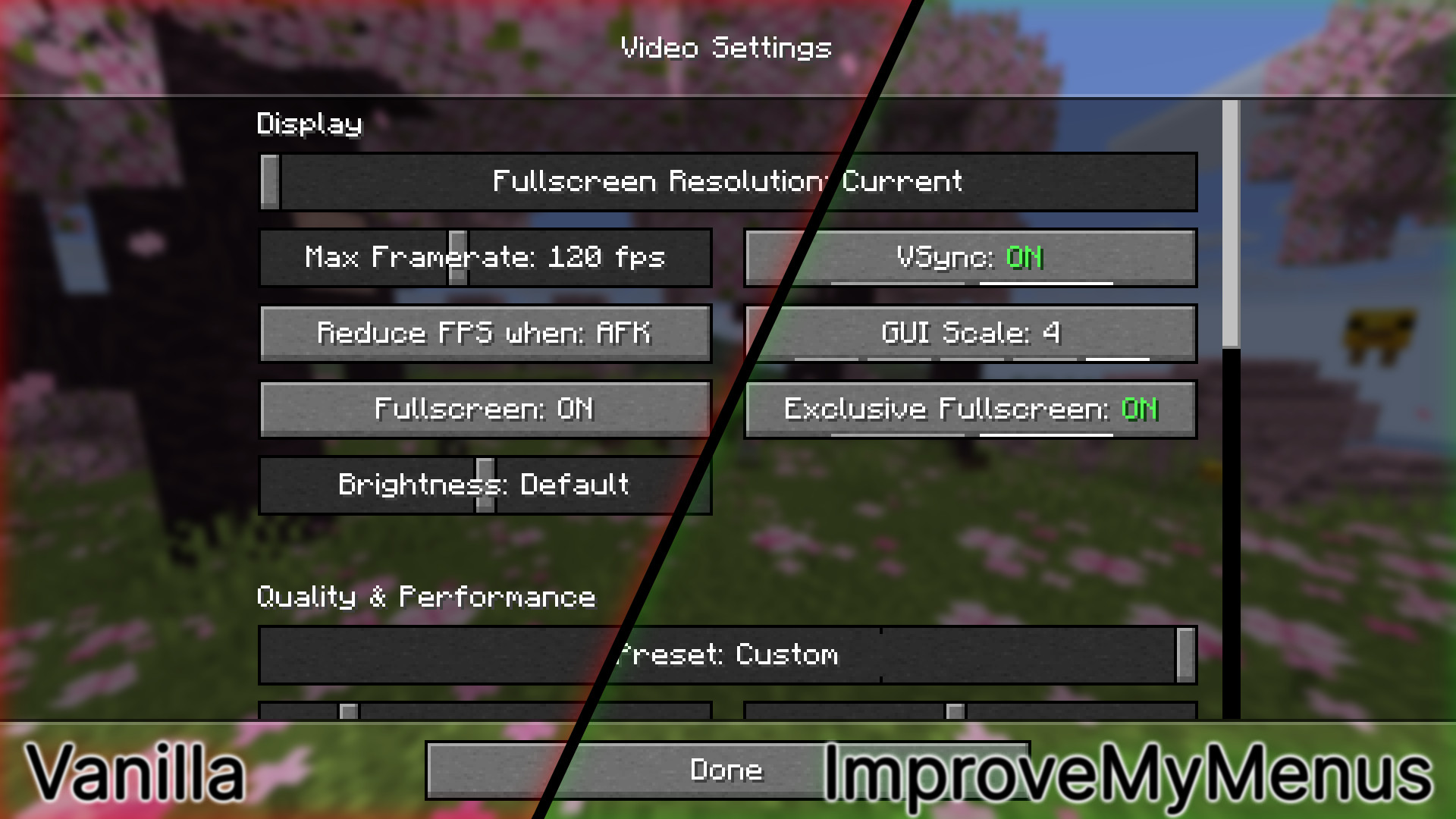
彩色开/关文本
帮助你立即识别开/关按钮的值。

开关
将仅包含“ON”或“OFF”字样的按钮转换为更简单、更易识别的开关。

滑块
指示器
值较少的滑块会显示指示器,帮助你使用它们。

吸附
原版在某些滑块的吸附前会有 600ms 的延迟。
ImproveMyMenus 移除了该延迟,使滑块感觉响应更迅速。
|
Comparison |
| Vanilla |
 |
| ImproveMyMenus |
 |
间距
原版在滑块边缘留有大间隙,这可能会产生不直观的效果。
|
Comparison |
| Vanilla |
 |
| ImproveMyMenus |
 |
光标
当在区域外拖动滑块或滚动条时,光标不会失去其箭头形状。
改进的调试选项
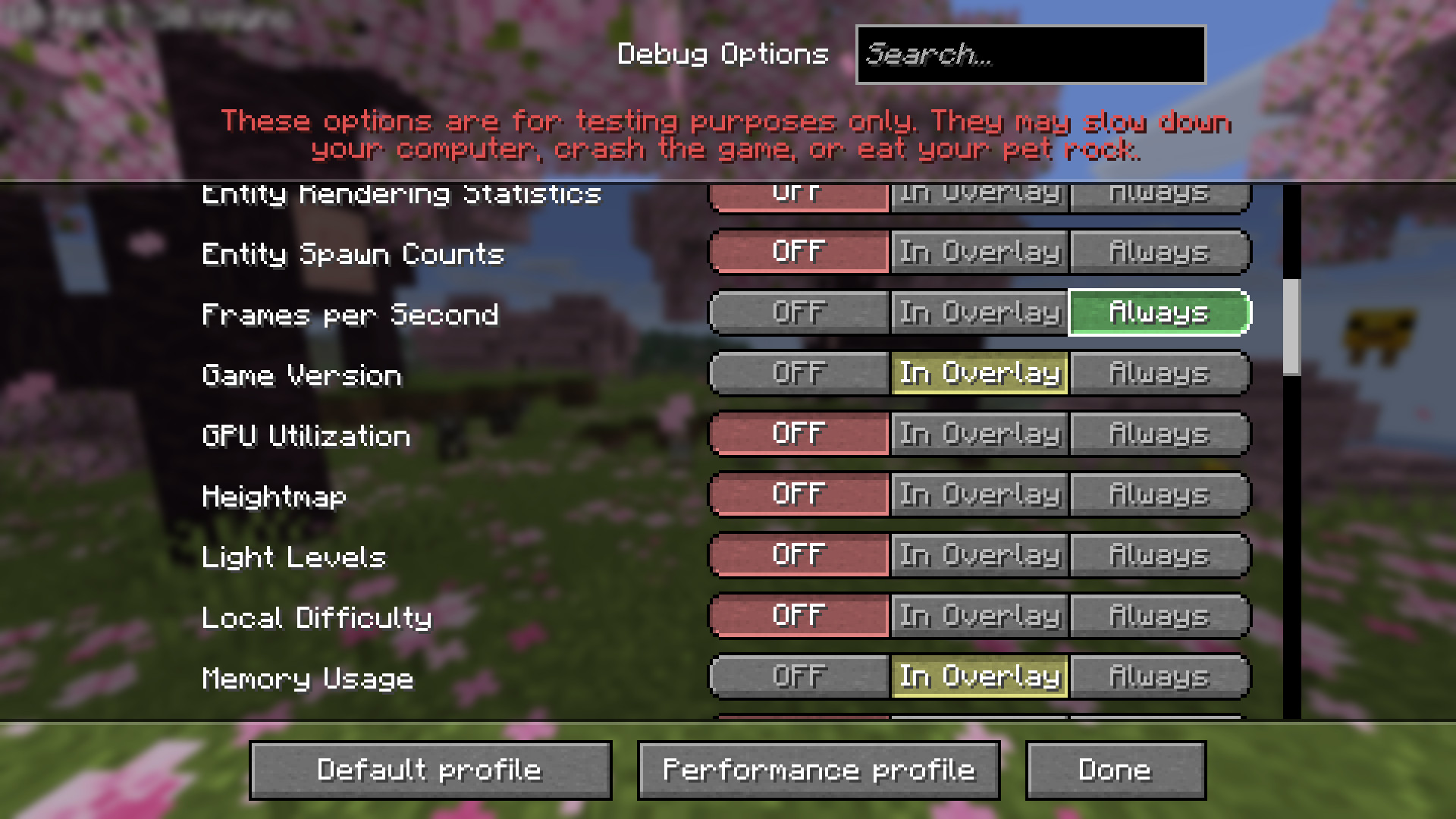
添加了调试选项的翻译,
重新设计了三态切换按钮,
并在关闭设置后恢复之前的屏幕。
改进的社交互动
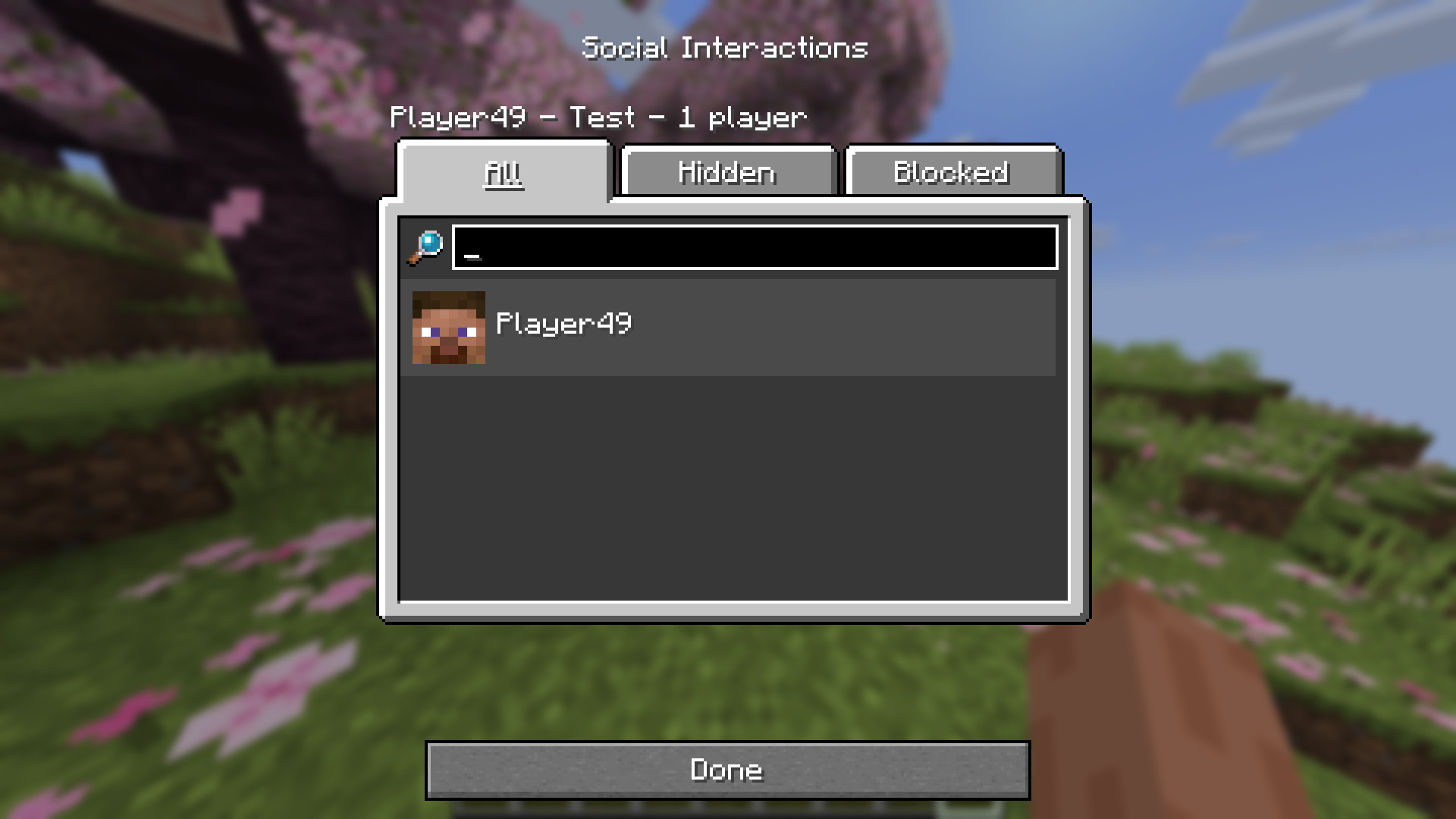
将模拟标签页的按钮替换为真正的标签页。
高对比度支持
内置支持原版的“高对比度”资源包。
自定义
所有视觉更改都可以通过资源包进行修改。没有任何内容是硬编码的。
“调试选项”的翻译可通过资源包进行扩展,这意味着
你可以添加特定于其他模组的额外翻译。
此外,还支持工具提示。
查看 资源包 以获取更多关于如何自定义 ImproveMyMenus 的信息。
以及更多...
配置
建议安装 Mod Menu 以便访问模组的配置屏幕。
如果没有 Mod Menu,你也可以通过运行命令 /improvemymenus-config 来访问配置。
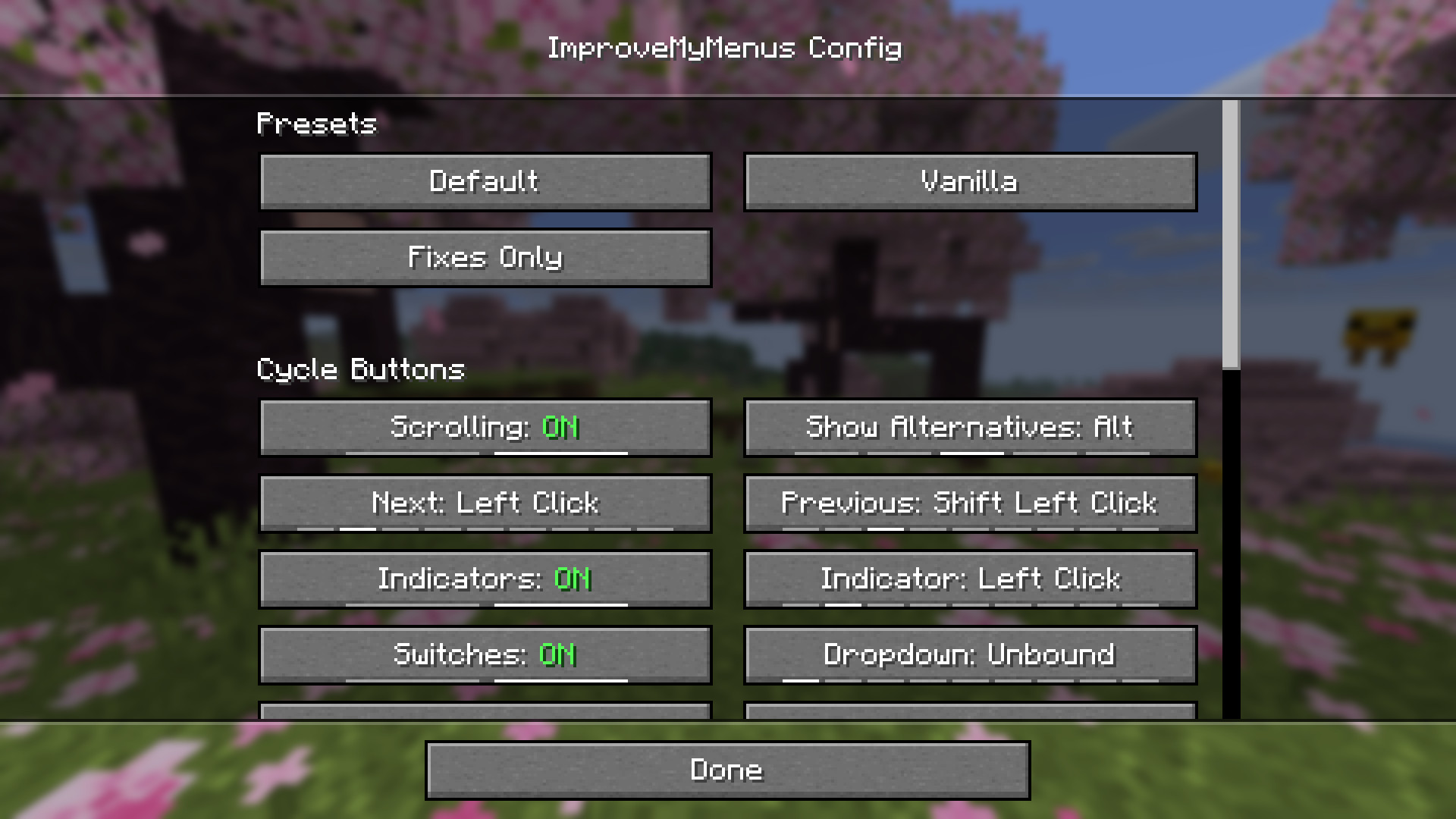
如果你对每个配置选项的详细解释感兴趣,请查看 配置。
反馈
由于我的目标是改善 Minecraft 菜单的用户体验,
我非常欢迎反馈意见。
如果你有兴趣提供反馈,欢迎填写这份 简短表单。

A collection of small improvements to various aspects of Minecraft's menus.
Why?
My aim with this mod was to improve the user experience of Minecraft's menus
while preserving the Vanilla feel and look.
Most features added by this mod only slightly tweak Vanilla behavior to feel smoother and more responsive.
There are also some bigger additions like indicators, but I tried to avoid big changes away from Vanilla.
Finally, I also added the ability to customize some normally hard-coded key bindings.
Features
This mod contains a variety of features split into different categories.
Feel free to create a Feature Request if you want to request something new,
or alternatively you can create a Bug Report if something's broken.
Cycle Button
Indicators
These allow you to instantly gauge the number of possible options and
additionally provide a way to quickly navigate when pressed.
Colored On/Off text
Helps you to immediately recognize the value of an On/Off button.
Switches
Transforms buttons that only contain the word ON or OFF into simpler, more recognizable switches.
Sliders
Indicators
Sliders with few values will have indicators, helping you use them.
Snapping
Vanilla has a 600ms delay before snapping for some sliders.
ImproveMyMenus removes that delay making sliders feel more responsive.
|
Comparison |
| Vanilla |
|
| ImproveMyMenus |
|
Spacing
Vanilla leaves big gaps at the edges of sliders, which can act unintuitively.
|
Comparison |
| Vanilla |
|
| ImproveMyMenus |
|
Cursor
The cursor doesn't lose its arrow shape when dragging a slider or scrollbar outside its area.
Improved Debug Options
Added translations for debug options,
redesigned the tri-state toggle and
restores the previous screen upon closing the settings.
Improved Social Interactions
Replaced buttons emulating tabs with proper tabs.
High Contrast Support
Built-in support for the "High Contrast" Vanilla resource pack.
Customization
Every visual change can be modified using a resource pack. None of them are hard-coded.
The "Debug Options" translations are extendable using a resource pack, which means,
you can add additional translations specific to other mods.
Furthermore, tooltips are supported.
Check out the Resource Packs for more information,
on how to customize ImproveMyMenus.
And a lot more..
Configuration
It's recommended to install Mod Menu in order to access the mod's configuration screen.
Without Mod Menu you can also access the config by running the command /improvemymenus-config.
Check out Configuration,
if you are interested in detailed explanations of every config option.
Feedback
Since my goal is to improve user experience with Minecraft's menus,
I would greatly appreciate feedback.
Feel free to fill out this short form if you're interested in providing feedback.


 模组

 模组
 模组

 模组
 模组
 模组
评论 0
登录后参与评分
还没有评论,来抢沙发吧