Godlike Building Powers!
本模组提供了一套全面的建筑辅助工具,赋予玩家近乎神级的建造能力。它包含对方块、物品、实体和世界的管理编辑系统。随着定期更新引入新功能,该模组持续提升建造效率与创作可能性。
此外,无需使用任何命令——操作极其直观。
建造功能
菜单 / 建造
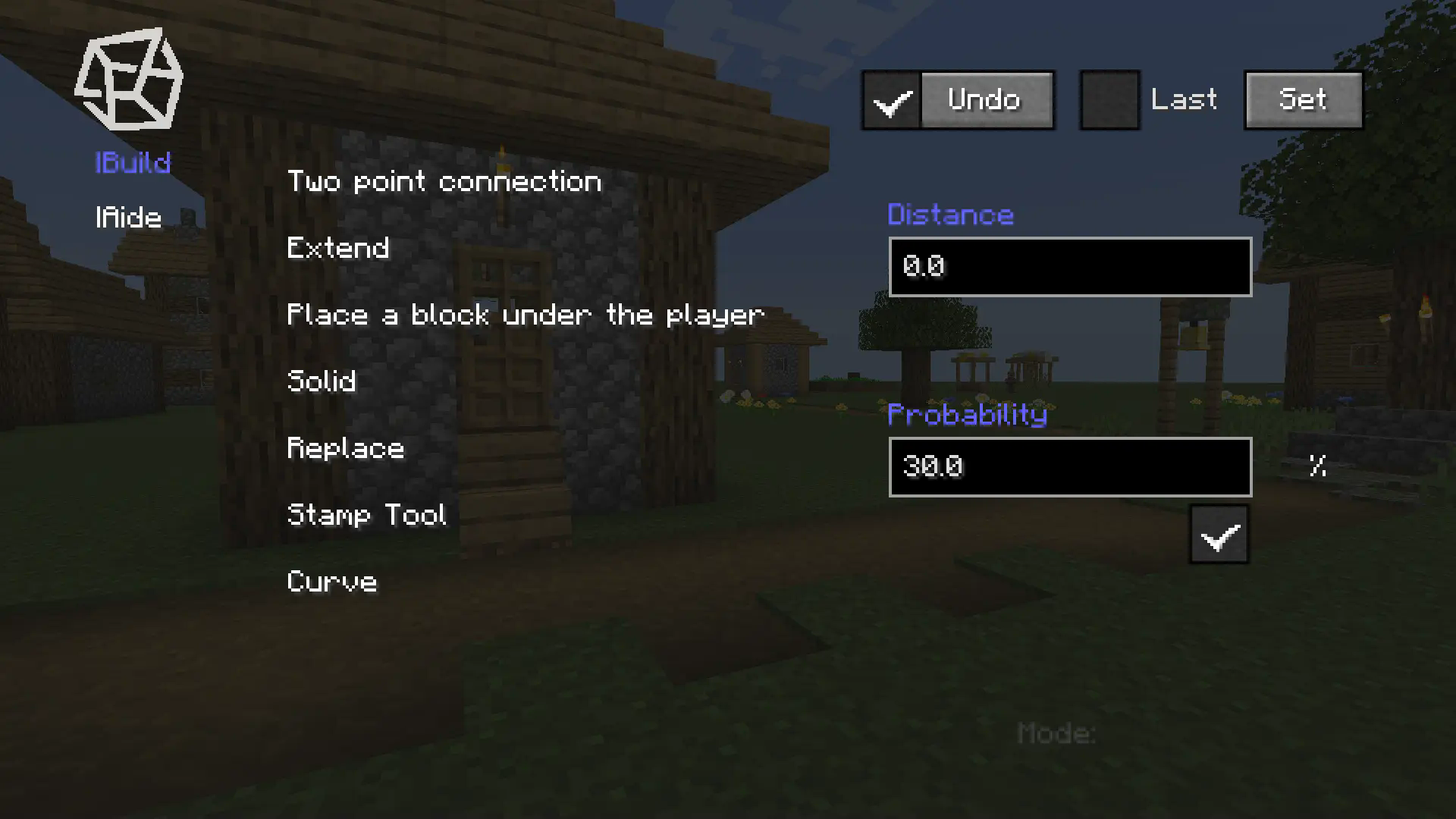
按 B 键打开菜单,选择放置模式,并在游戏中放置方块以确定用于批量放置的点。
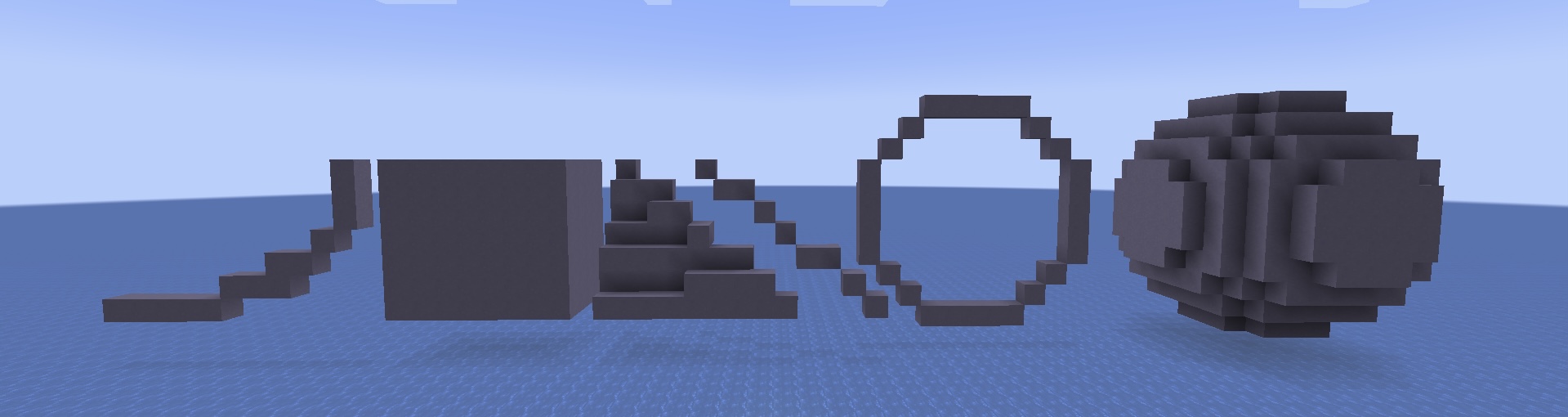
部分模式需要数值(如半径),需在相应的文本框中填写。
印章工具
菜单 / 建造 / 印章工具
在主菜单中可以找到印章工具的按钮,点击它即可进入印章工具菜单。
- 点击 New 按钮,你将退出菜单。
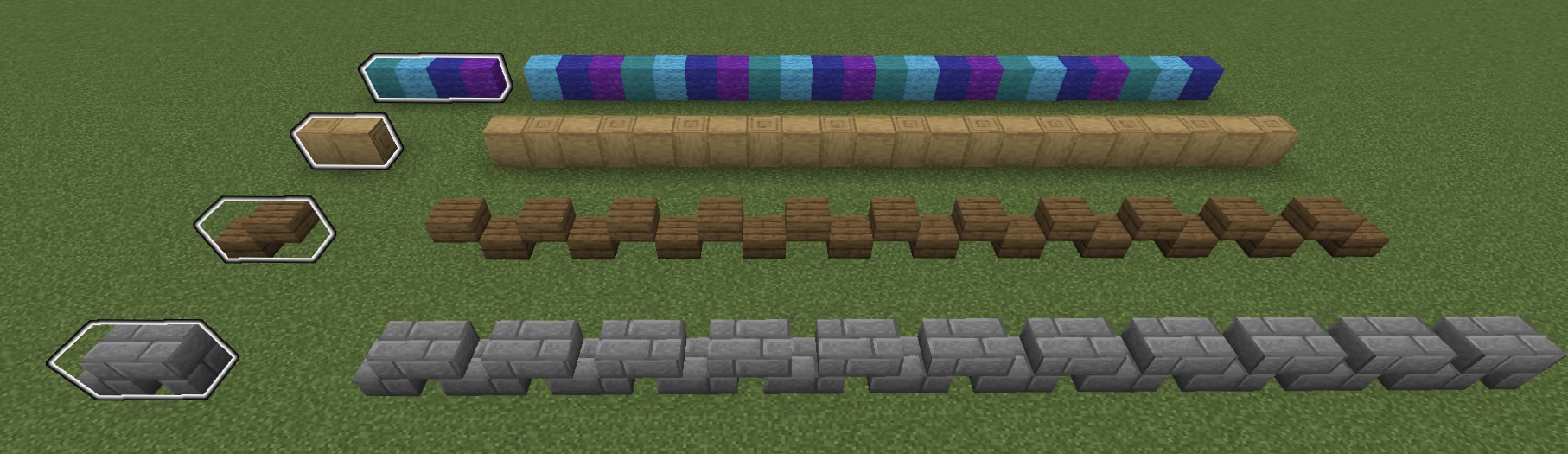
- 使用 Mark(一个物品)依次选择方块。(这套方块在使用印章工具时会循环放置)
- 在文本框中输入此印章的名称并点击 Save。
- 当你需要使用它时,在主菜单中选择已保存的印章并勾选以启用印章。
当使用 Two point connection 模式时,将按照印章顺序进行放置。
辅助功能
菜单 / Aide
Aide 帮助玩家更好地管理 Marks,轻松访问命令方块等特殊物品,并使用高级工具操控世界。
查询与操作
菜单 / Aide / 查询与操作
此部分允许玩家:
- 查询详细的方块/物品元数据。
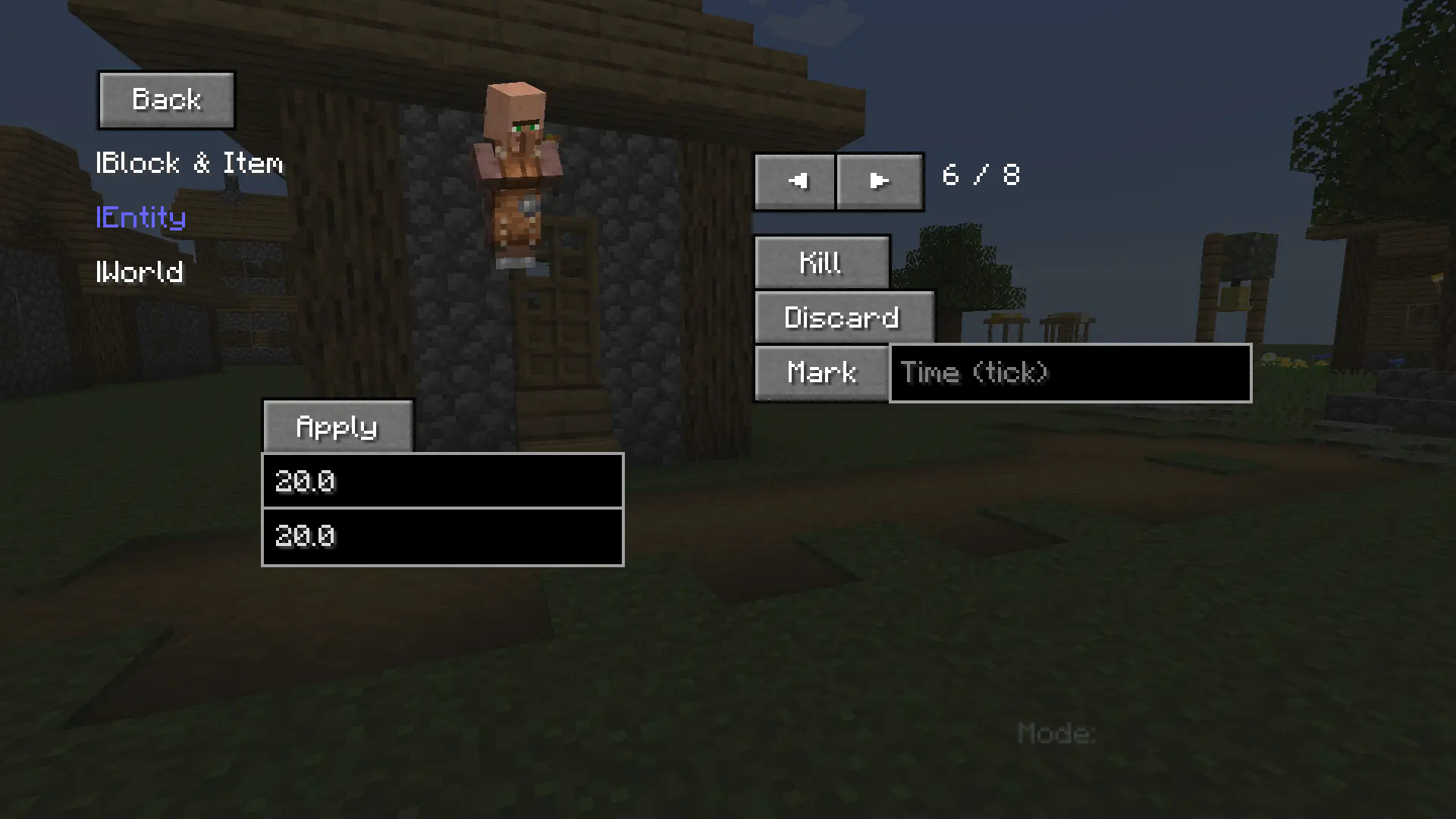
- 检查特定实体的属性 / 操控实体(例如修改最大生命值)。
- 获取世界诊断信息 / 执行高级世界操作。
其他说明
快捷键
- B - 打开菜单。
- V - 在你脚下放置一个方块。
- C - 继承上一个模式。
- G - 退出 预览 并完成放置。
- Backspace - 退出当前模式/预览。
本模组正在持续更新并添加新功能。
- 版本 1.0.3 可能包含错误——请立即报告任何问题。
Godlike Building Powers!
This mod offers a comprehensive suite of building assistance tools that enable godlike creation capabilities. It includes management systems for blocks, items, entities, and world editing. With regular updates introducing new features, the mod continuously enhances construction efficiency and creative possibilities.
Additionally, no commands are required – extremely intuitive to operate.
Building Function
Menu / Build
Use the B key to open the menu, select the placement mode, and place blocks in the game to determine points for batch placement.

Some modes require numerical values such as radius, which need to be filled in the corresponding text box.

Stamp Tool
Menu / Build / Stamp Tool
You can find the button for the stamp tool in the main menu, click on it, and enter the stamp tool menu.
- Click the New button, and you will exit the menu.
- Select blocks in order using the Mark(an item). (this set of blocks will be placed in a loop when using the Stamp Tool)
- Fill in the name of this stamp in the text box and click Save.
- When you need to use it, select the saved stamp and check it in the main menu to enable the stamp.
When using Two point connection mode, it will be placed in stamp order.

Supporting Function
Menu / Aide
Aide helps players better manage Marks, easily access special items like command blocks, and manipulate the world with advanced tools.
Query and Operation
Menu / Aide / Query and Operation
This part enables players to:
- Query detailed block/item metadata.
- Inspect specific entity attributes / Manipulate entities (e.g. modify max health values).
- Retrieve world diagnostics / Execute advanced world operations.

Additional Notes
Shortcut Key
- B - open menu.
- V - place a block under your feet.
- C - inherit the previous mode.
- G - exit preview and complete placement.
- Backspace - exit current mode/preview.
The mod is continuously updating and adding new features.
- The version 1.0.3 may contain bugs - please report any issues immediately.
评论 0
登录后参与评分
还没有评论,来抢沙发吧