
Inventory Tabs 的第四代重写版本,原作者为 CakeWhip,现由 Andrew6rant 继续维护。
Forge 端需要安装 Connector 和 FFAPI。对于创造模式,可以尝试 Sidekick!
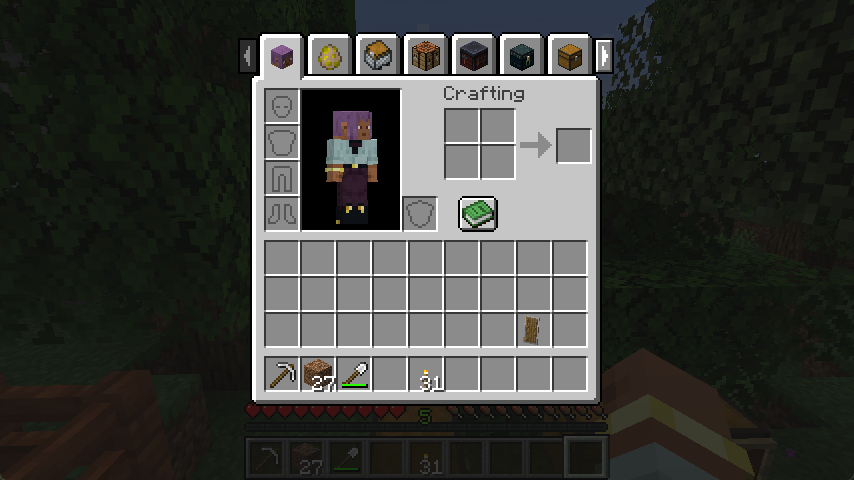
Inventory Tabs 是一个客户端模组,会在屏幕上显示标签页,每个标签页代表附近的方块或实体。
按 tab 键向前切换屏幕,按 shift+tab 向后切换,或者直接点击即可!
功能特性
- 无需离开当前屏幕,即可在工作台、储物空间和背包之间切换。
- 开箱即用,兼容大量模组添加的方块——若出现异常,还可进行配置调整。
- 储物标签页可以使用告示牌、物品展示框进行标注,或在服务端通过铁砧重命名来实现分类整理。
- 只要背包未满,光标上持有的物品堆会带入下一个屏幕。
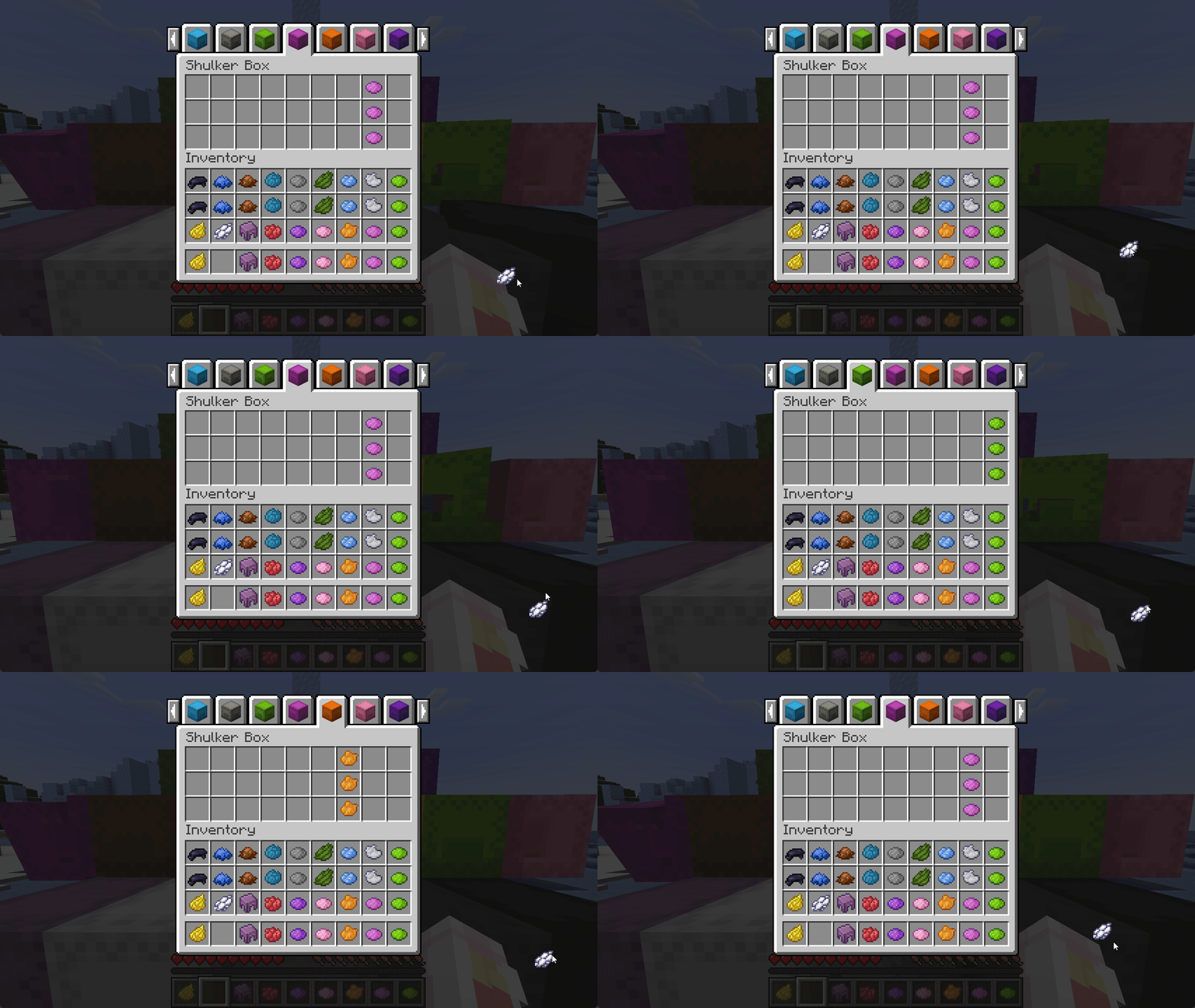
- 容器屏幕已与其他屏幕对齐,不再低 1 像素。
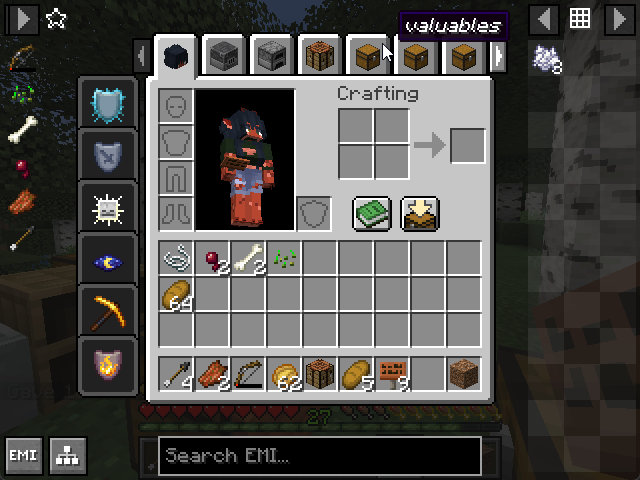
- 与 EMI 完美适配,即使在极高的 GUI 缩放比例下也能正常显示——请使用
Left (Compressed)效果。
反作弊与公平性
Inventory Tabs 不对服务器管理或反作弊系统提供任何保障或防御支持——标签页功能提供了不公平的优势,并且在多人游戏中对外人看来具有可疑性。
值得注意的是,为了便利性,该模组允许一些通常无法实现的操作,例如:
- 骑乘马匹或箱式船时仍可访问完整的玩家背包。
- 无需下车即可进入潜行交互的载具库存界面。
整合包配置
Inventory Tabs 4 从底层设计之初就旨在更友好地服务于整合包。
它通过 config/inventory_tabs.toml 文件进行配置,其中包含注释以提供额外上下文——例如说明每个标签页提供者的作用。
默认情况下,加载世界时会记录有关为您的整合包设置模组的有用信息。若要禁用此日志,请切换 configLogging 选项。
如果某个屏幕上出现了与其不匹配的标签页,可以将其加入黑名单:
[screenOverrides]
	"fwaystones:waystone" = false
如果某个方块生成了不合适的标签页,您可以手动禁用其标签页提供者:
[blockProviderOverrides]
	"cool_mod:incompatible_block" = ""
	"really_cool_mod:*" = ""
或者手动将其覆盖为相关的提供者:
[blockProviderOverrides]
	"#cool_mod:crafting_stations" = "inventory_tabs:block_unique"
	"cool_mod:single_chest" = "inventory_tabs:block_simple"
	"cool_mod:*_cabinet" = "inventory_tabs:block_simple_storage"
	"cool_mod:doubleable_chest" = "inventory_tabs:block_chest"
请务必测试您的配置!这些选项 并非 旨在保证不会崩溃。
覆盖规则同样适用于实体和物品,分别通过 [entityProviderOverrides] 和 [itemProviderOverrides] 进行配置。
如果匹配到太多不合适的方块,您可能希望完全禁用某个提供者的默认匹配逻辑:
[registryProviderDefaults]
	"inventory_tabs:block_simple" = false
block_simple 提供者使用黑名单而非白名单,因此会产生大量误报标签页。默认启用它是为了帮助寻找好/坏的标签页配置。
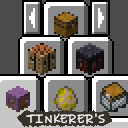
如需完整整合包的示例,请查看 Tinkerer's Quilt Modded 中的配置文件。
模组架构
屏幕上的每个可见标签页都是一个 Tab,它负责自身渲染、知道如何被打开,以及知道何时应从标签页列表中移除(例如当超出范围时)。
这些标签页由 Tab Manager 管理,它本质上就是“标签页屏幕”。它在常规屏幕方法的基础上扩展了自身的渲染、定时更新和鼠标点击处理逻辑。它还负责检查是否应添加新的标签页。
Tab 通过注册的 Tab Providers 添加。基础提供程序如 Vehicle Inventory 检查简单条件并添加一个特殊 Tab。更高级的 Registry Providers 被设计为分配一组特定的 blocks、entity types 或 items,它们负责为这些对象提供 Tab——这在重载时冻结——然后在每一刻搜索玩家周围的那些对象。使用这些泛型,可以创建更简单的具体提供程序(Ender Chests、Unique Block)。
Addons
repositories {
	maven { url "https://repo.sleeping.town/" }
}
dependencies {
   modImplementation "folk.sisby:inventory-tabs:1.2.0"
}
Inventory Tabs 4 的插件可以添加新的 Tab 类型和 Tab 提供程序,并为当前提供程序添加高级匹配逻辑,为其屏幕提供自定义 Tab 布局(包括倒置 Tab),并在特定 Tab 应标记为打开时发出信号。
要查看实际示例,请查看 Portable Crafting!
Afterword
所有模组都建立在许多其他人的工作之上——我们是该模组的第四组维护者!
此版本是部分重写,遵循了 CakeWhip、LiamMCW 和 Andrew6rant 的工作。
本模组包含在 Tinkerer's Quilt 中——这是一个关于重新发现原版的整合包。
我们欢迎更好的方式来实现我们的模组。如果你看到奇怪的东西并有想法,请告诉我们!
Loveletters: Tabs - Atlas - Portable Crafting - Drogstyle
Others: Switchy - Crunchy - Starcaller
A fourth-generation rewrite of Inventory Tabs by CakeWhip, as continued by Andrew6rant.
Requires Connector and FFAPI on forge. For creative mode, try Sidekick!
Inventory Tabs is a client-side mod that displays tabs on screens, each representing nearby blocks and entities.
Tap tab to cycle forward screens, shift+tab to cycle back, or just click around!
Features
- Swap between crafting stations, storage, and your inventory without leaving their screens.
- Works out of the box with many modded blocks - with configuration in case anything goes wrong.
- Storage tabs can be labelled using signs, item frames, or (w/ server) anvil-renaming for organisation.
- Stacks held on your cursor carry over to the next screen as long as your inventory isn't full.
- Container screens are realigned with other screens, instead of being 1 pixel lower.
- Fits on-screen with EMI, even on very high GUI scales - Use
Left (Compressed)effects.
Anti-Cheat & Fairness
Inventory Tabs offers no guarantees or defence against server moderation or anti-cheat - tabs provide an unfair advantage, and look outwardly suspicious to onlookers in multiplayer.
Notably, the mod allows some usually impossible actions for the sake of convenience, e.g.
- The full player inventory can be accessed while riding a horse or chest boat.
- Sneak-interact inventories can be accessed without dismounting from a vehicle.
Modpack Configuration
Inventory Tabs 4 is designed from the ground up to be friendlier to modpacks.
It's configured via config/inventory_tabs.toml, which includes comments providing extra context - like what each tab provider does.
By default, helpful information for setting up the mod for your modpack is logged when loading into a world. Toggle configLogging to disable this.
If tabs are appearing on a screen they don't fit well with, the screen can be blacklisted:
[screenOverrides]
	"fwaystones:waystone" = false
If tabs are being made for an inappropriate block, you can manually disable their tab provider:
[blockProviderOverrides]
	"cool_mod:incompatible_block" = ""
	"really_cool_mod:*" = ""
Or manually override it to a relevant one:
[blockProviderOverrides]
	"#cool_mod:crafting_stations" = "inventory_tabs:block_unique"
	"cool_mod:single_chest" = "inventory_tabs:block_simple"
	"cool_mod:*_cabinet" = "inventory_tabs:block_simple_storage"
	"cool_mod:doubleable_chest" = "inventory_tabs:block_chest"
Make sure you test your configuration! These options are not intended to be crash-proof.
Overrides also work for entities and items, via [entityProviderOverrides] and [itemProviderOverrides] respectively.
If too many inappropriate blocks are being matched, you may want to disable the default matching logic for a provider entirely:
[registryProviderDefaults]
	"inventory_tabs:block_simple" = false
The block_simple provider uses a blacklist instead of a whitelist, so it generates a lot of false-positive tabs. It's enabled by default to help with finding good/bad tabs.
For a full-pack example, check out the config in Tinkerer's Quilt Modded.
Mod Architecture
Each visible tab on the screen is a Tab, which is responsible for rendering itself, knowing how to be opened, and knowing when it should be removed from the list of tabs (e.g. when no longer in range).
These tabs are held by the Tab Manager, which is effectively the "Tab Screen". It adds onto regular screen methods to do its own rendering, ticking, and mouse click handling. It's also responsible for checking if any new tabs should be added.
Tabs are added via registered Tab Providers. Basic providers like Vehicle Inventory check simple conditions and add a special tab. The more advanced Registry Providers are designed to be assigned a specific set of blocks, entity types, or items that they're responsible for providing tabs for - which is frozen at reload time - and then searching for those around the player every tick. Using these generics, simpler concrete providers are made (Ender Chests, Unique Block.)
Addons
repositories {
	maven { url "https://repo.sleeping.town/" }
}
dependencies {
   modImplementation "folk.sisby:inventory-tabs:1.2.0"
}
Addons for Inventory Tabs 4 can add new tab types and tab providers, and add advanced matching logic to current providers, provide custom tab layouts for their screens (including inverted tabs), and signal when specific tabs should be marked as open.
For a practical example, check out Portable Crafting!
Afterword
All mods are built on the work of many others - We're the fourth set of maintainers of this mod!
This version is a partial rewrite, following the work of CakeWhip, LiamMCW, and Andrew6rant.
This mod is included in Tinkerer's Quilt - our modpack about rediscovering vanilla.
We're open to better ways to implement our mods. If you see something odd and have an idea, let us know!
Loveletters: Tabs - Atlas - Portable Crafting - Drogstyle
Others: Switchy - Crunchy - Starcaller
下载 Inventory Tabs
需要联机服务器吗?
稳定流畅、一键部署,几分钟即可和朋友联机开服
最低仅需 8 元/月 即可畅快联机
下载 Inventory Tabs
需要联机服务器吗?
稳定流畅、一键部署,几分钟即可和朋友联机开服
最低仅需 8 元/月 即可畅快联机
下载 Inventory Tabs
需要联机服务器吗?
稳定流畅、一键部署,几分钟即可和朋友联机开服
最低仅需 8 元/月 即可畅快联机
下载 Inventory Tabs
需要联机服务器吗?
稳定流畅、一键部署,几分钟即可和朋友联机开服
最低仅需 8 元/月 即可畅快联机
下载 Inventory Tabs
需要联机服务器吗?
稳定流畅、一键部署,几分钟即可和朋友联机开服
最低仅需 8 元/月 即可畅快联机
下载 Inventory Tabs
需要联机服务器吗?
稳定流畅、一键部署,几分钟即可和朋友联机开服
最低仅需 8 元/月 即可畅快联机
下载 Inventory Tabs
需要联机服务器吗?
稳定流畅、一键部署,几分钟即可和朋友联机开服
最低仅需 8 元/月 即可畅快联机
下载 Inventory Tabs
需要联机服务器吗?
稳定流畅、一键部署,几分钟即可和朋友联机开服
最低仅需 8 元/月 即可畅快联机
下载 Inventory Tabs
下载 Inventory Tabs
修复:
- 在 NeoForge 上启用
configLogging时崩溃
更新日志:
关于这个资源的讨论、问题反馈与使用心得
还没有讨论,来发第一帖吧
你是这个资源的作者?登录后可认领此资源。
相似资源
 模组

一个用于收集生物掉落物的多区块模组。
 模组

显示你正在注视的方块的信息。(适用于 Minecraft 1.16+ 的 Hwyla/Waila 分支)
 模组
使用 JavaScript 编辑配方、添加自定义物品、编写世界事件!
 模组

查看物品与配方
 模组
在游戏画面角落显示附近世界地形、玩家、生物和实体的地图。可创建路径点,帮助你找到标记过的位置。
 模组
AE2:一款流行的自动化与存储模组
评论 0
登录后参与评分
还没有评论,来抢沙发吧