本模组引入了一种全新的物品交换方式,可将物品从背包快速切换到快捷栏。无需复杂的整理规则——只需将物品在背包中垂直排列,每一列的物品就会出现在对应快捷栏槽位上方的替代菜单中。
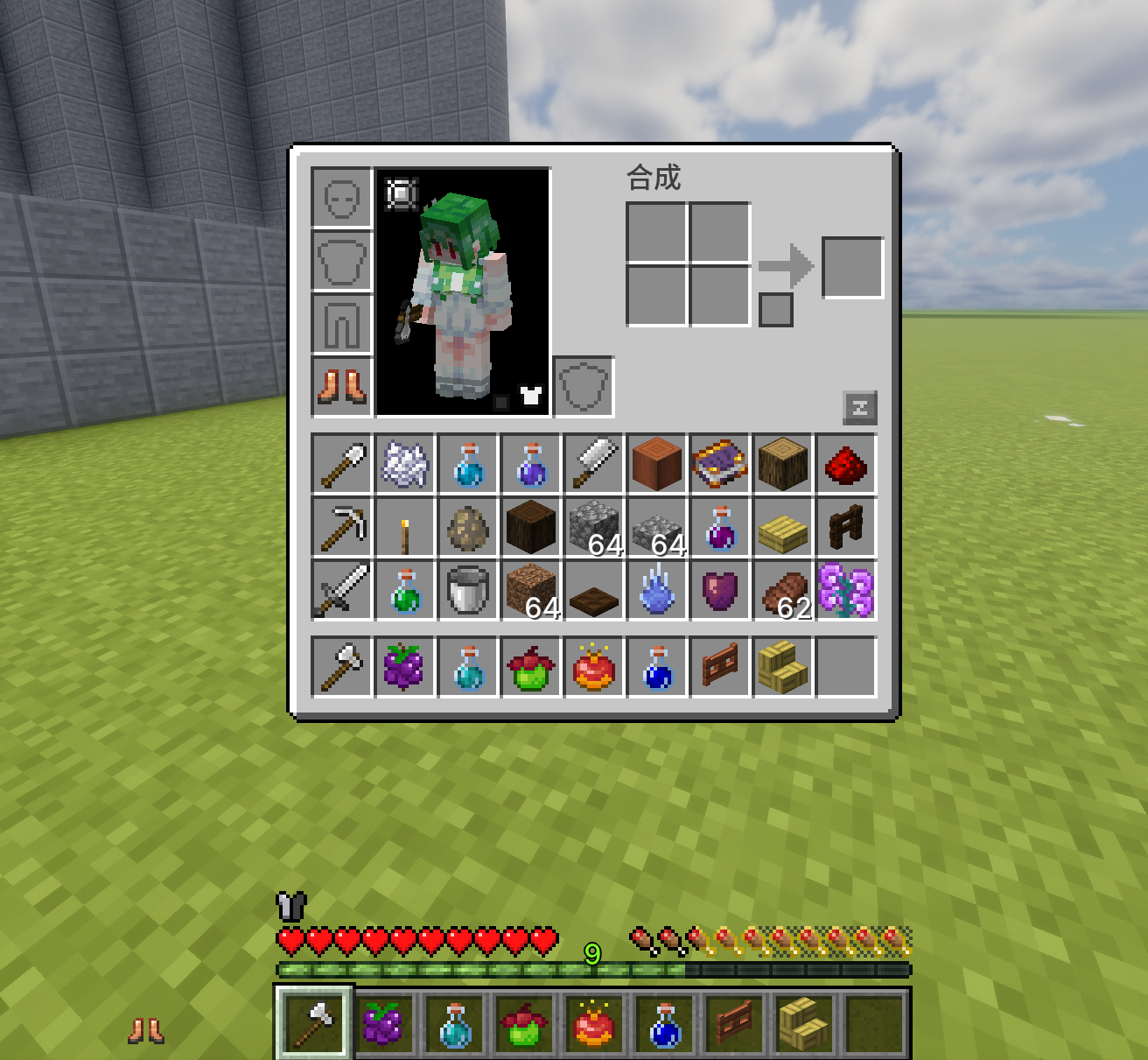
接下来,你只需按住快捷键(默认:左 Ctrl)或长按对应的数字键。这将唤起一个垂直的快捷栏菜单,允许你使用鼠标滚轮选择物品。松开按键后,该物品会立即与主手物品交换位置!

如果你偏好其他样式,可以使用命令
/ivs_swapmode
切换至第二种模式:当垂直快捷栏打开时,滚动鼠标滚轮会使整个垂直列(包括背包中的物品和当前激活的快捷栏槽位)向上或向下循环移动一个槽位。
如果你希望在第一种模式下不显示物品名称,可以通过以下命令关闭此功能:
/ivs_swapname command
如果你希望禁用通过长按数字键来打开垂直快捷栏的功能,可以使用以下命令将其关闭:
/ivs_swapkey_number
命令。
你还可以在配置文件中调整垂直快捷栏的动画效果,并更改数字键所需的长按持续时间!
This mod introduces a brand-new way to swap items from your inventory to your hotbar. There are no complicated sorting rules—simply arrange your items vertically in your inventory, and the items in each column will appear in the alternative menu right above their corresponding hotbar slot.

Next, all you need to do is hold the hotkey (Default: Left Ctrl) or long-press the corresponding number key. This will bring up a vertical hotbar menu, allowing you to select an item using your mouse wheel. Once you release the key, that item will instantly swap places with the item in your main hand!

If you prefer a different style, you can use the command
/ivs_swapmode
to switch to the second mode: when the vertical hotbar is open, scrolling your mouse wheel will cause the entire vertical column (both the inventory items and your active hotbar slot) to cycle up or down by one slot.
If you don't want the item names to be displayed in the first mode, you can toggle it off using the
/ivs_swapname command
If you wish to disable the feature that opens the vertical hotbar by long-pressing number keys, you can turn it off using the
/ivs_swapkey_number
command.
You can also adjust the animation of the vertical hotbar and change the hold duration required for the number keys in the config file!
评论 0
登录后参与评分
还没有评论,来抢沙发吧
