
版本兼容性:
| Create 版本 | NeoForge/Forge | Fabric |
|---|---|---|
| 6.0.9 | 2.1.0 | ❌ |
| 6.0.0 - 6.0.9 | 2.0.5 | ❌ |
| 5.0 | 1.X | 1.X |
功能特性:
- 启用光影包后,使用 Flywheel 实例化渲染 Create 中的实体。
- 支持大多数无需补丁的光影包。
- 支持 PBR(物理基础渲染)。
2.0.3 版本现已完全支持 Create 6.0。
如果您有任何建议或问题,请在 GitHub Issue 页面提出。
undefined
这是什么?
- 当您使用光影包时,Flywheel 会禁用其优化功能。
- 本模组强制启用 Flywheel 的优化功能。
- 对于使用光影包且依赖 Flywheel 的模组用户,本模组可以显著提高 FPS。
- 如果您不使用光影包,本模组将无效,因为 Flywheel 的优化功能默认已启用。
undefined
兼容性
已测试的光影包包括:
- BSL
- Complementary
- Complementary Reimagined
- SEUS renewed
- Sildurs Vibrant Shaders
- AstraLex
- Kapa 5.1
- Nostalgia
- Rethinking Voxels
- SEUS PTGI HRR
还有一些光影包也受支持,但未在上述列表中列出,您可以自行测试。
本模组仅支持 Iris 的特定版本!!!
| Create 版本 | NeoForge/Forge | Fabric |
|---|---|---|
| 6.0.9 | 2.1.0 | ❌ |
| 6.0.0 - 6.0.9 | 2.0.5 | ❌ |
| 5.0 | 1.X | 1.X |
| Iris 或 Oculus | 本模组 |
|---|---|
| >= 1.8.1 | 2.0.0 |
| >= 1.6.13 | 0.2.2 |
| >= 1.6.5 | 0.2.1 |
| >= 1.6.2 | 0.2.0 |
| >= 1.5 and <= 1.6.1 | 0.1.9 |
| >= 1.4 and < 1.5 | 0.1.7~0.1.8 |
| <1.4 | 0.1.6 及以下 |
更新日志
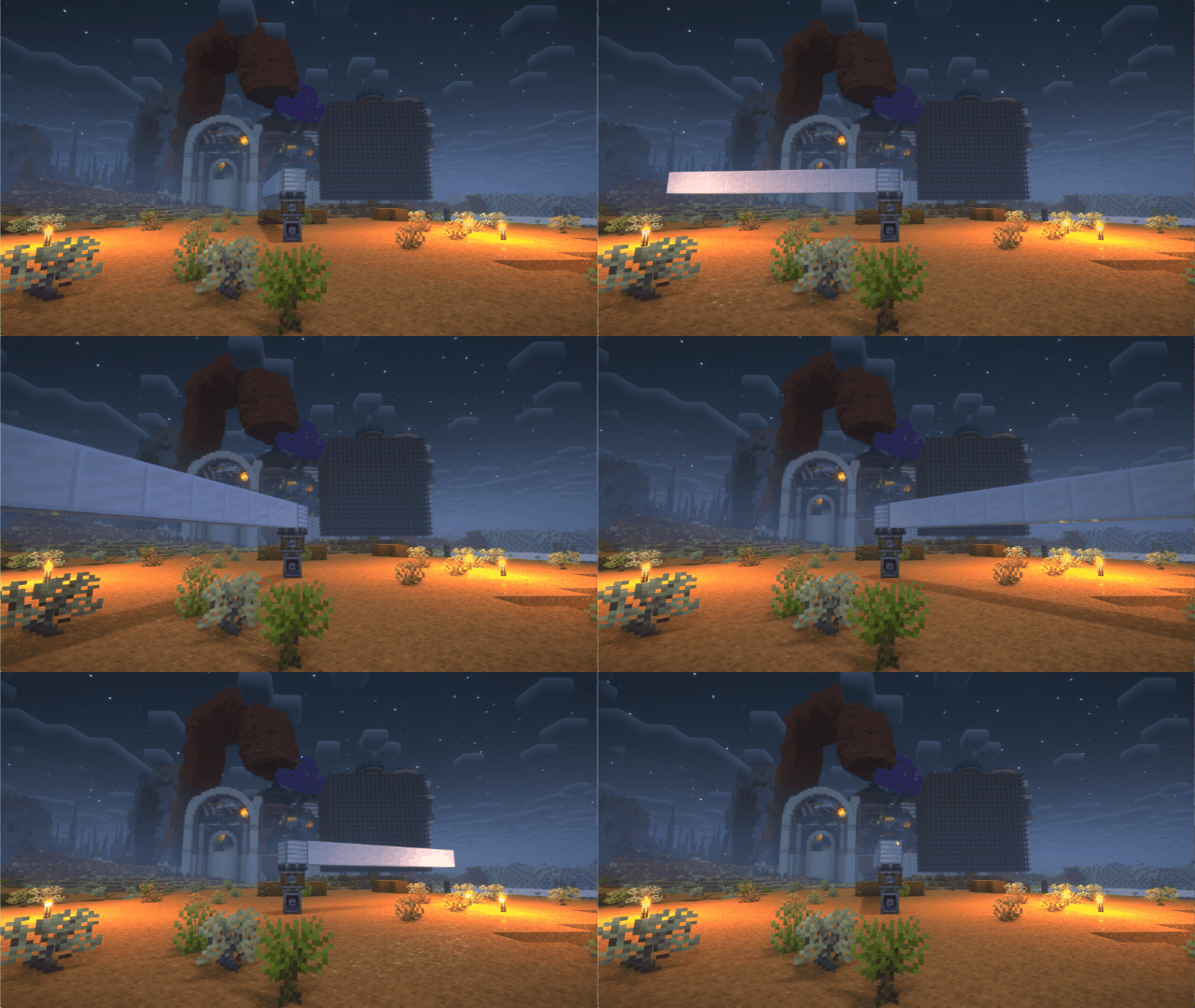
2024/7/28
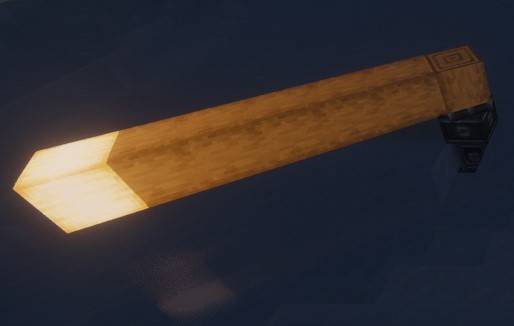
- 修复移动机械结构的光照问题。
- 顶点光照强度被错误地设置为固定值,导致移动机械结构不受光源影响。
- 重构项目架构。
- 现在 Forge 和 Fabric 版本合并为同一个项目,便于后续开发。
- 新的版本号格式。
- 现在版本号从 1.0.0 开始。第一位数字代表主版本,当模组有重大更新时增加;第二位数字代表与 Iris/Oculus 的兼容性,当模组不再兼容旧版 Iris 时增加。
原理
Flywheel 使用一种称为 GPU 实例化的方法来渲染实体。在渲染大量重复实体(例如 Create 模组中的齿轮)时,这种方法非常高效。
然而,当您使用 Iris 并启用光影包(shaderpack)时,此优化会被禁用,因为 Flywheel 需要使用其自身的着色器来渲染这些实体,而在启用光影包后 Flywheel 的着色器将不再有效。
本模组会在启用光影包时自动将 Flywheel 的着色器与光影包中的着色器进行合并,从而使实体能够继续使用实例化(Instancing)方式进行渲染。
当需要渲染大量实体时,原始渲染方法会导致显著的 CPU 瓶颈。这意味着您的 GPU 性能越强,Flywheel 带来的帧数提升就越明显。例如,在我的 RTX 4070 Ti 于 4K 分辨率下,截图中的场景帧数从 26fps 提升至 65fps。
对比
之前

之后
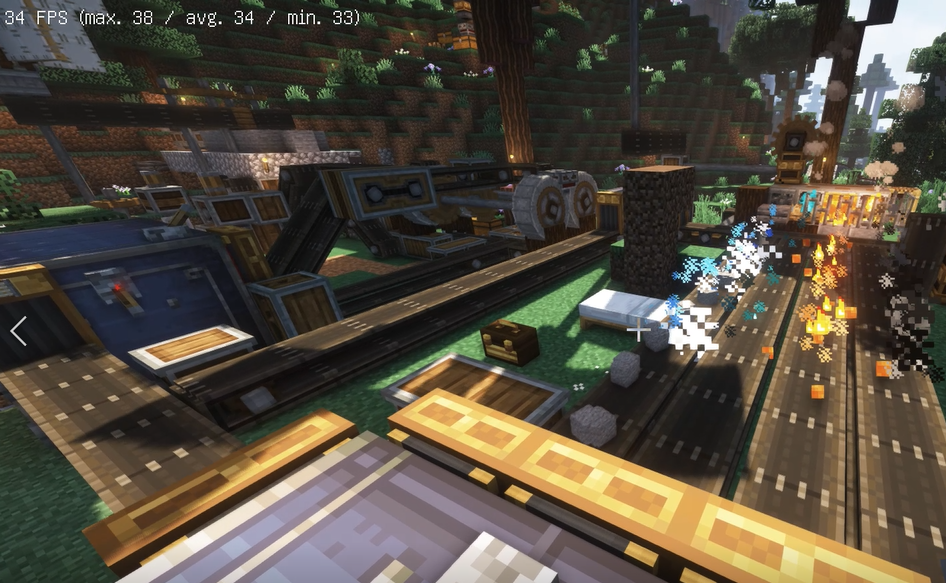
之前
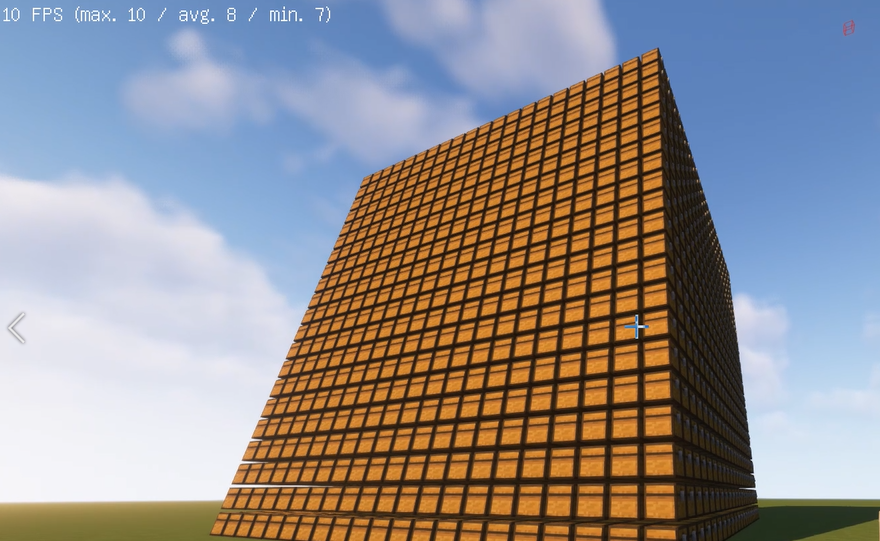
之后
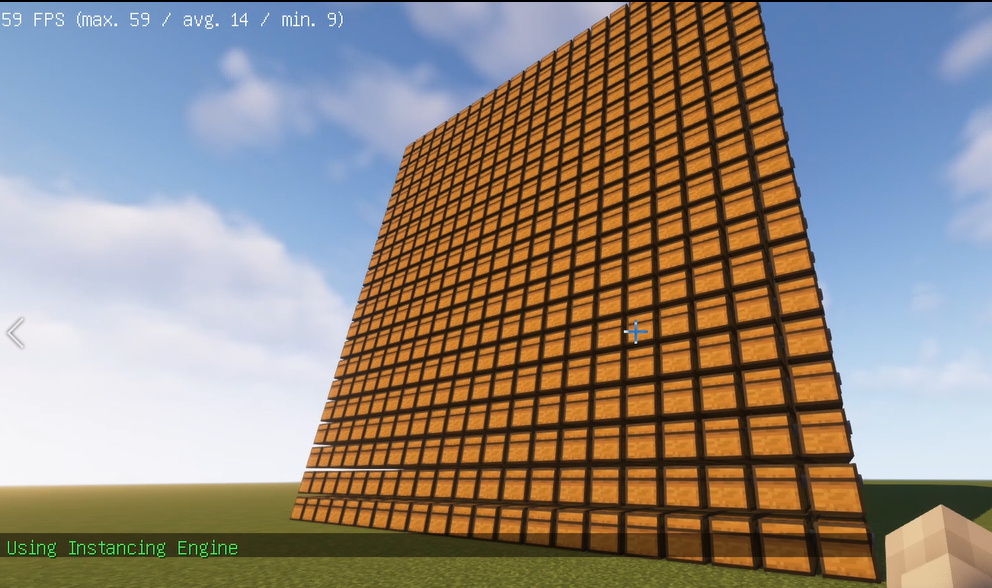
之前
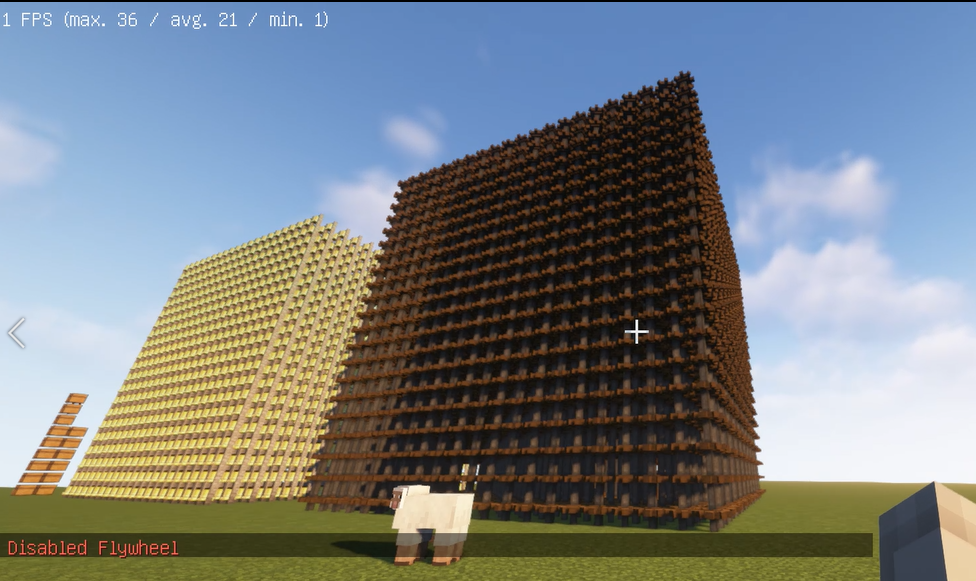
之后
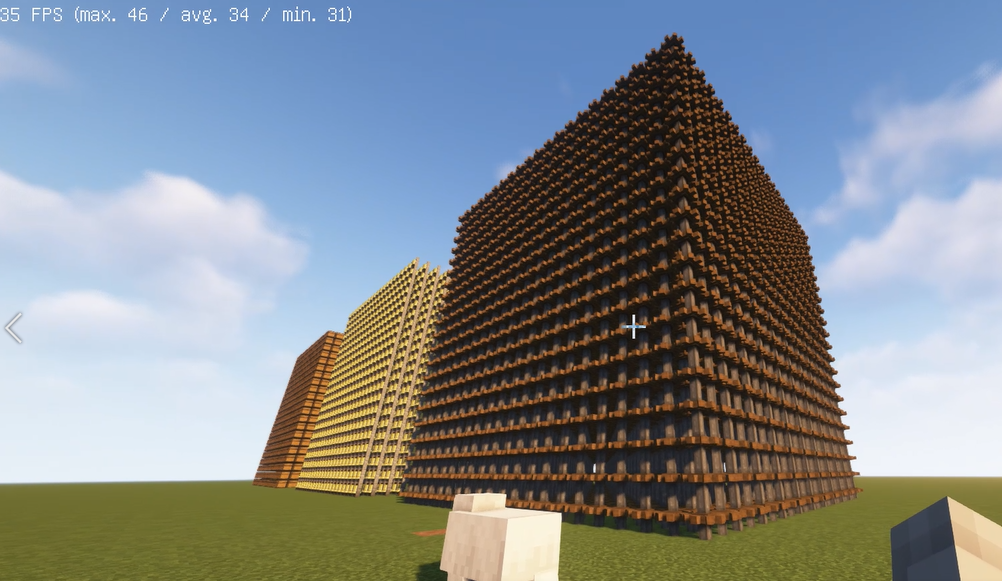
如何使用?
1. 安装 Flywheel(Create 已内置 Flywheel,因此您现在无需单独安装它)和 Iris(如果您使用的是 Forge,则安装 Oculus)。
2. 安装本模组。
Version Compatibility:
| Create Version | NeoForge/Forge | Fabric |
|---|---|---|
| 6.0.9 | 2.1.0 | ❌ |
| 6.0.0 - 6.0.9 | 2.0.5 | ❌ |
| 5.0 | 1.X | 1.X |
Features:
- Render Create's entities using Flywheel Instancing with shaderpack enabled.
- Supports most shaderpacks without patching.
- Supports PBR.
The version 2.0.3 now fully supports Create 6.0.
If you have any suggestions or issues, please raise them on the GitHub issue page.
undefined
What's this?
- Flywheel will disable its optimizations when you are using shaderpacks.
- This mod forces Flywheel’s optimizations to be enabled.
- For those using shaderpacks and mods that depend on Flywheel, this mod can significantly improve fps.
- If you don’t use shaderpacks, this mod has no effect because Flywheel’s optimizations are enabled by default.
undefined
Compatibility
The shaders that have been tested are:
- BSL
- Complementary
- Complementary Reimagined
- SEUS renewed
- Sildurs Vibrant Shaders
- AstraLex
- Kapa 5.1
- Nostalgia
- Rethinking Voxels
- SEUS PTGI HRR
There are some shaderpacks that are also supported, but not listed above, so you can test them yourself.
This mod only supports some specific versions of Iris !!!
| Create Version | NeoForge/Forge | Fabric |
|---|---|---|
| 6.0.9 | 2.1.0 | ❌ |
| 6.0.0 - 6.0.9 | 2.0.5 | ❌ |
| 5.0 | 1.X | 1.X |
| Iris or Oculus | This Mod |
|---|---|
| >= 1.8.1 | 2.0.0 |
| >= 1.6.13 | 0.2.2 |
| >= 1.6.5 | 0.2.1 |
| >= 1.6.2 | 0.2.0 |
| >= 1.5 and <= 1.6.1 | 0.1.9 |
| >= 1.4 and < 1.5 | 0.1.7~0.1.8 |
| <1.4 | 0.1.6 below |
CHANGELOG
2024/7/28
- Fix lighting issues of the moving contraption.
- The vertex light strength was incorrectly set to a fixed value, causing the moving contraption won't be affected by the light source.
- Use architecture to reorganize the project.
- Forge and Fabric forge are now merged into a single project, which is more convenient for future development.
- New version number format.
- Now the version number starts from 1.0.0. The first number represents the major version and will be increased when the mod has a significant update. The second number represents the Iris/Oculus compatibility and will be increased when the mod is no longer compatible with older versions of iris.
Principle
Flywheel uses a method called GPU Instancing to render entities. It is very efficient when rendering a large number of repeating entities (e.g., cogwheels in the Create mod).
However, when you use Iris and enable shaderpack, this optimization is disabled because Flywheel needs to use its own shaders to render these entities, and Flywheel’s shaders will no longer work when you enable shaderpack.
This mod will automatically merge Flywheel’s shaders with the shaders in the shaderpack when shaderpack is enabled, allowing entities to be rendered using Instancing.
When there is a large number of entities to render, there is a significant CPU bottleneck with the original rendering method. This means that the better your GPU is, the more substantial the FPS improvement from Flywheel will be. For example, on my RTX 4070ti at 4K resolution, the scene in the screenshot improved from 26fps to 65fps.
Comparison
Before
After
Before
After
Before
After
How to use it?
1. Install Flywheel(Create has embedded flywheel so you don't need to install it separately now) and Iris (Oculus if you use forge).
2. Install this mod.undefinedundefined

下载 Iris & Oculus Flywheel Compat
需要联机服务器吗?
稳定流畅、一键部署,几分钟即可和朋友联机开服
最低仅需 8 元/月 即可畅快联机
下载 Iris & Oculus Flywheel Compat
需要联机服务器吗?
稳定流畅、一键部署,几分钟即可和朋友联机开服
最低仅需 8 元/月 即可畅快联机
下载 Iris & Oculus Flywheel Compat
需要联机服务器吗?
稳定流畅、一键部署,几分钟即可和朋友联机开服
最低仅需 8 元/月 即可畅快联机
下载 Iris & Oculus Flywheel Compat
需要联机服务器吗?
稳定流畅、一键部署,几分钟即可和朋友联机开服
最低仅需 8 元/月 即可畅快联机
下载 Iris & Oculus Flywheel Compat
需要联机服务器吗?
稳定流畅、一键部署,几分钟即可和朋友联机开服
最低仅需 8 元/月 即可畅快联机
下载 Iris & Oculus Flywheel Compat
需要联机服务器吗?
稳定流畅、一键部署,几分钟即可和朋友联机开服
最低仅需 8 元/月 即可畅快联机
下载 Iris & Oculus Flywheel Compat
需要联机服务器吗?
稳定流畅、一键部署,几分钟即可和朋友联机开服
最低仅需 8 元/月 即可畅快联机
下载 Iris & Oculus Flywheel Compat
需要联机服务器吗?
稳定流畅、一键部署,几分钟即可和朋友联机开服
最低仅需 8 元/月 即可畅快联机
下载 Iris & Oculus Flywheel Compat
需要联机服务器吗?
稳定流畅、一键部署,几分钟即可和朋友联机开服
最低仅需 8 元/月 即可畅快联机
下载 Iris & Oculus Flywheel Compat
需要联机服务器吗?
稳定流畅、一键部署,几分钟即可和朋友联机开服
最低仅需 8 元/月 即可畅快联机
**此版本仅兼容 _Iris_ 1.8.0 及以上版本与 _Sodium_。**
关于这个资源的讨论、问题反馈与使用心得
还没有讨论,来发第一帖吧
你是这个资源的作者?登录后可认领此资源。


评论 0
登录后参与评分
还没有评论,来抢沙发吧