
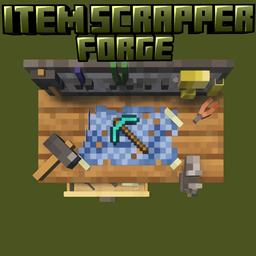
Item Scrapper 模组引入了一种用于拆解物品的专用工作台。通过此模组,玩家将获得一个系统,允许以可配置且沉浸感强的方式将物品分解为其核心组件。
展示视频:Enderverse 的 Top 20 模组展示
展示片段(来自 Enderverse 的视频):来自 Enderverse 视频的简短展示片段
新的数据包系统
Item Scrapper 现在使用基于现代数据包的配置系统!这意味着:
- 更好的模组兼容性 - 其他模组可以提供自己的 Item Scrapper 配置
- 即用的内容包 - 我们为热门模组提供官方包
- 模板生成 - 模组可以生成配置模板,帮助你创建自定义数据包
- 重载 - 使用
/reload 更新配置而无需重启(如果是数据包则有效,如果打包为模组/jar 则无效)
需要内容包
⚠️ 重要提示:你需要一个兼容的内容包/数据包才能使用此模组!如果没有检测到配置,模组会发出警告。
官方内容包可用:
社区内容包可用:
其他选项:
- 整合包特定配置
- 社区创建的数据包
- 自动生成的配置(见下文)
主要功能
拆解工作台
- 多块结构:2x1 拆解台,物品放置在上方
- 物品视觉渲染:在桌面上看到物品以真实位置摆放
- 拆解锤:使用附带的锤子工具分解物品
- 进度系统:视觉效果显示拆解进度,伴有粒子效果和特效
数据包配置系统
- 基于配方的战利品:根据物品合成配方自动生成材料
- 自定义战利品表:使用 Minecraft 的战利品表系统实现独特掉落
- 多配方支持:物品可以引用多个配方以处理复杂材料
- NBT 匹配:同一物品的不同变体(如模组枪械)可以拥有独特的配置
增强的用户体验
- 快捷键支持:按
P(可配置)直接将物品放置到拆解台上
- 智能提示:可配置的物品提示显示拆解信息
- 视觉效果:粒子效果、声音和动画增强拆解体验
- 耐久度系统:物品状态影响材料回收率
高级功能
- 爆炸系统:物品在拆解过程中可能有爆炸几率
- 取整选项:选择如何处理分数材料(标准/向下取整/向上取整)
- 模组集成:内置对 TACZ 枪械和 PointBlank 武器的支持
- 自动生成:为标记的物品自动创建配置
- 调试系统:全面的日志记录用于故障排除
数据包结构
配置存储在你数据包命名空间下的数据包中。每个内容包使用自己的命名空间以避免与其他包冲突。
JAR/模组结构 (lowcodefml):
item-scrapper-pack-example-1.0.0.jar
├── META-INF/
│   └── mods.toml
├── pack.mcmeta
└── data/
    └── item_scrapper_pack_example/    # 你的模组 ID
        └── item_scrapper/             # 目标模组命名空间
            ├── recipes/
            │   ├── iron_sword_result.json
            │   └── iron_pickaxe_result.json
            └── transforms/
                ├── iron_sword_transform.json
                └── iron_pickaxe_transform.json
ZIP/数据包结构:
item-scrapper-example-datapack.zip
├── pack.mcmeta
└── data/
└── item_scrapper_pack_example/    # 你的资源包命名空间
└── item_scrapper/             # 目标模组命名空间
├── recipes/
│   ├── iron_sword_result.json
│   └── iron_pickaxe_result.json
└── transforms/
├── iron_sword_transform.json
└── iron_pickaxe_transform.json
结构说明:
- 第一级:你的内容包的唯一命名空间(防止不同包之间的冲突)
- 第二级:
item_scrapper 命名空间(告知 Item Scrapper 模组加载这些配置)
- recipes/:包含物品的拆解行为配置
- transforms/:包含物品在拆解台上的视觉位置数据
示例:
data/item_scrapper_pack_vpb/item_scrapper/data/item_scrapper_pack_armor_tools/item_scrapper/data/my_custom_pack/item_scrapper/

配方配置
{
  "minecraft:diamond_pickaxe": [
    {
      "lootable": {
        "autoGenerateFromRecipe": true,
"recipeId": "minecraft:diamond_pickaxe",
"returnAmount": {
"min": 25.0,
"max": 35.0
},
"amountForMaxReturn": 1
},
"requiredHits": 4.0,
"explosionChance": 0.0,
"explosionPower": 0.0,
"useDurabilityMultiplier": true,
"roundingType": "STANDARD"
}
]
}
Transform Configuration
{
  "minecraft:diamond_pickaxe": [
    {
      "xLocation": 0.0,
      "yLocation": 0.0,
      "zLocation": 0.0,
      "layingRotation": 0.0,
      "scale": 1.0
    }
  ]
}
Advanced NBT Matching (for modded items)
{
  "tacz:modern_kinetic_gun": [
    {
      "requiredNbt": "{GunId:\"tacz:glock_17\"}",
      "lootable": {
        "autoGenerateFromRecipe": true,
        "recipeId": "tacz:glock_17",
        "returnAmount": {
          "min": 45.0,
          "max": 70.0
        }
      },
      "requiredHits": 2.0
    }
  ]
}
Configuration Options
Recipe Fields
lootable: Defines how materials are generated
autoGenerateFromRecipe: Generate from item's crafting reciperecipeId/recipeIds: Which recipe(s) to use (supports arrays)returnAmount: 返回材料的百分比范围(最小/最大值)amountForMaxReturn: 达到最大效率所需的物品数量lootTable: 备选方案 - 使用自定义的战利品表
requiredHits: 所需的重击次数explosionChance: 爆炸触发的概率百分比(0-100)explosionPower: 若触发时的爆炸强度useDurabilityMultiplier: 是否根据物品耐久度影响产出量roundingType: 如何处理小数部分(STANDARD/FLOOR/CEILING)requiredNbt: 此配置所需的 NBT 数据
变换字段
xLocation: 物品在桌面上 X 轴的位置偏移量yLocation: 物品在桌面上 Y 轴的位置偏移量zLocation: 物品在桌面上 Z 轴的位置偏移量layingRotation: 物品的旋转角度scale: 渲染物品的大小缩放比例requiredNbt: 此变换所需的 NBT 数据
自动生成系统
该模组可以自动为以下内容生成配置模板:
- 物品标签 (Item Tags): 配置
forge:armors、tacz:guns、pointblank:all 等
- 单个物品: 指定具体物品,如
minecraft:diamond_sword
- TACZ 集成: 自动检测并配置枪械配方
- PointBlank 集成: 支持 PointBlank 武器配方的配置
工作原理: 生成的配置文件将放置在 generated_datapacks/item_scrapper_generated/ 目录下作为模板。你需要手动将此文件夹复制到你的世界数据包文件夹中,或将其作为创建自己内容包的基础。
提示: 为了获得即插即用的体验,请使用我们的官方内容包:
VPB Pack | Armor & Tools Pack | TACZ Pack
控制与界面
- 放置物品:
P 键(可配置)- 直接将手持物品放置在拆解机上
- 收集物品:右键点击碎屑机以收集输出,Shift+右键点击以收集全部
- 拆解: 当物品放置在工作台上时,使用拆解锤左键点击
- 配置界面: 通过 Mod Menu 访问客户端设置
客户端自定义
配置视觉和界面选项:
- 渲染限制: 最大渲染物品数量(性能优化)
- 提示框选项: 显示/隐藏拆解信息
- 调试日志: 启用详细的控制台输出
模组集成
TACZ (Timeless and Classics Zero)
- 自动检测枪械配方
- 支持旧版和新版 TACZ 格式
- 基于 NBT 的枪械变体匹配
PointBlank
- 原生支持 PointBlank 武器配方
- 自动提取材料成分
- 完整的模组兼容性
针对数据包/整合包制作者
像我们官方提供的包一样创建您自己的内容包:
开发特性:
- 模板生成: 使用自动生成系统为您的数据包创建起始模板
- 易于集成: 通过创建简单的 JSON 文件添加您模组的物品
- 配方兼容性: 适用于任何使用标准配方格式的模组
- 灵活的系统: 支持带有 NBT 数据的复杂物品
- 性能优化: 高效的加载和缓存系统
入门指南
- 安装模组 - Item Scrapper 核心模组
- 获取内容包 - 选择以下任一选项:
- 合成方块 - 拆解台和解拆锤
- 放置物品 - 按 P 键或右键将物品放置在工作台上
- 开始拆解 - 用锤子敲击物品以分解它们!
进阶技巧
- 多物品处理: 堆叠多个物品以进行批量处理
- 耐久度很重要: 拆解前修复物品以获得更好的产出
- 爆炸安全: 某些物品可能会爆炸——请保持距离!
- 配置模板: 自动生成的配置需要手动复制到
saves/[world]/datapacks/ 才能生效
- 快速测试: 使用
/reload 快速测试配置更改
- 性能: 如果处理大量物品时出现卡顿,请调整渲染限制

特别感谢 Corrineduck, Plazuk, Raph 和 MC7
此模组最初是为 CW 整合包制作的,但任何人都可以使用它。
The Item Scrapper mod introduces a specialized crafting station for scrapping items. With this mod, players gain access to a system that allows dismantling items into their core components in a configurable and immersive way.
SHOWCASE VIDEO: Enderverse's Top 20 Mods Showcase
SHOWCASE CLIP (FROM ENDERVERSES VIDEO): Short Showcase Clip From Enderverses Video
New Datapack System
Item Scrapper now uses a modern datapack-based configuration system! This means:
- Better mod compatibility - other mods can provide their own Item Scrapper configurations
- Ready-to-use content packs - we provide official packs for popular mods
- Template generation - the mod can generate configuration templates to help you create custom datapacks
- Reloading - use
/reload to update configurations without restarting (if its a datapack does not work if its packed as a mod/jar)
Content Pack Required
⚠️ Important: You need a compatible content pack/datapack to use this mod! The mod will warn you if no configurations are detected.
Official Content Packs Available:
Community Content Packs Available:
Other Options:
- Modpack-specific configurations
- Community-created datapacks
- Auto-generated configs (see below)
Key Features
Scrapping Workbench
- Multiblock Structure: 2x1 scrapping table that items are placed on top of
- Visual Item Rendering: See your items laid out on the table surface with realistic positioning
- Scrapping Hammer: Use the included hammer tool to break down items
- Progress System: Visual feedback shows scrapping progress with particles and effects
Datapack Configuration System
- Recipe-Based Loot: Automatically generate materials from item crafting recipes
- Custom Loot Tables: Use Minecraft's loot table system for unique drops
- Multi-Recipe Support: Items can reference multiple recipes for complex materials
- NBT Matching: Different variants of the same item (like modded guns) can have unique configs
Enhanced User Experience
- Keybind Support: Press
P (configurable) to place items directly onto the scrapper
- Smart Tooltips: Configurable item tooltips show scrapping information
- Visual Effects: Particle effects, sounds, and animations enhance the scrapping experience
- Durability System: Item condition affects material recovery rates
Advanced Features
- Explosion System: Items can have explosion chances during scrapping
- Rounding Options: Choose how fractional materials are handled (Standard/Floor/Ceiling)
- Mod Integration: Built-in support for TACZ guns and PointBlank weapons
- Auto-Generation: Automatically creates configurations for tagged items
- Debug System: Comprehensive logging for troubleshooting
Datapack Structure
Configurations are stored in datapacks under your pack's namespace. Each content pack uses its own namespace to avoid conflicts with other packs.
JAR/Mod Structure (lowcodefml):
item-scrapper-pack-example-1.0.0.jar
├── META-INF/
│   └── mods.toml
├── pack.mcmeta
└── data/
    └── item_scrapper_pack_example/    # Your pack's mod ID
        └── item_scrapper/             # Target mod namespace
            ├── recipes/
            │   ├── iron_sword_result.json
            │   └── iron_pickaxe_result.json
            └── transforms/
                ├── iron_sword_transform.json
                └── iron_pickaxe_transform.json
ZIP/Datapack Structure:
item-scrapper-example-datapack.zip
├── pack.mcmeta
└── data/
    └── item_scrapper_pack_example/    # Your pack's namespace
        └── item_scrapper/             # Target mod namespace
            ├── recipes/
            │   ├── iron_sword_result.json
            │   └── iron_pickaxe_result.json
            └── transforms/
                ├── iron_sword_transform.json
                └── iron_pickaxe_transform.json
Structure Explanation:
- First Level: Your content pack's unique namespace (prevents conflicts between different packs)
- Second Level:
item_scrapper namespace (tells Item Scrapper mod to load these configs)
- recipes/: Contains scrapping behavior configurations for items
- transforms/: Contains visual positioning data for items on the scrapping table
Examples:
data/item_scrapper_pack_vpb/item_scrapper/data/item_scrapper_pack_armor_tools/item_scrapper/data/my_custom_pack/item_scrapper/
Recipe Configuration
{
  "minecraft:diamond_pickaxe": [
    {
      "lootable": {
        "autoGenerateFromRecipe": true,
        "recipeId": "minecraft:diamond_pickaxe",
        "returnAmount": {
          "min": 25.0,
          "max": 35.0
        },
        "amountForMaxReturn": 1
      },
      "requiredHits": 4.0,
      "explosionChance": 0.0,
      "explosionPower": 0.0,
      "useDurabilityMultiplier": true,
      "roundingType": "STANDARD"
    }
  ]
}
Transform Configuration
{
  "minecraft:diamond_pickaxe": [
    {
      "xLocation": 0.0,
      "yLocation": 0.0,
      "zLocation": 0.0,
      "layingRotation": 0.0,
      "scale": 1.0
    }
  ]
}
Advanced NBT Matching (for modded items)
{
  "tacz:modern_kinetic_gun": [
    {
      "requiredNbt": "{GunId:\"tacz:glock_17\"}",
      "lootable": {
        "autoGenerateFromRecipe": true,
        "recipeId": "tacz:glock_17",
        "returnAmount": {
          "min": 45.0,
          "max": 70.0
        }
      },
      "requiredHits": 2.0
    }
  ]
}
Configuration Options
Recipe Fields
lootable: Defines how materials are generated
autoGenerateFromRecipe: Generate from item's crafting reciperecipeId/recipeIds: Which recipe(s) to use (supports arrays)returnAmount: Min/max percentage of materials returnedamountForMaxReturn: How many items needed for full efficiencylootTable: Alternative - use a custom loot table
requiredHits: Number of hammer hits neededexplosionChance: Percentage chance of explosion (0-100)explosionPower: Explosion strength if triggereduseDurabilityMultiplier: Whether item condition affects outputroundingType: How to handle fractional amounts (STANDARD/FLOOR/CEILING)requiredNbt: NBT data required for this configuration
Transform Fields
xLocation: X-axis position offset on the tableyLocation: Y-axis position offset on the tablezLocation: Z-axis position offset on the tablelayingRotation: Rotation angle of the itemscale: Size scaling of the rendered itemrequiredNbt: NBT data required for this transform
Auto-Generation System
The mod can automatically generate configuration templates for:
- Item Tags: Configure
forge:armors, tacz:guns, pointblank:all, etc.
- Individual Items: Specify exact items like
minecraft:diamond_sword
- TACZ Integration: Auto-detect and configure gun recipes
- PointBlank Integration: Support for PointBlank weapon recipes
How it works: Generated configs are placed in generated_datapacks/item_scrapper_generated/ as templates. You need to manually copy this folder to your world's datapacks folder or use it as a base for creating your own content pack.
Tip: For plug-and-play experience, use our official content packs instead:
VPB Pack | Armor & Tools Pack | TACZ Pack
Controls & Interface
- Place Item:
P key (configurable) - Place held item directly onto scrapper
- Collect Items: Right-click scrapper to collect output, Shift+Right-click to collect all
- Scrapping: Left-click with Scrapping Hammer when items are on the table
- Config Screen: Access through Mod Menu for client-side settings
Client Customization
Configure visual and interface options:
- Rendering Limits: Max items to render (performance)
- Tooltip Options: Show/hide scrapping information
- Debug Logging: Enable detailed console output
Mod Integration
TACZ (Timeless and Classics Zero)
- Automatic detection of gun recipes
- Support for both old and new TACZ formats
- NBT-based gun variant matching
PointBlank
- Native support for PointBlank weapon recipes
- Automatic ingredient extraction
- Full mod compatibility
For Datapack/Modpack Creators
Create your own content packs just like our official ones:
- VPB Pack - Example of mod-specific configurations
- Armor & Tools Pack - Example of comprehensive vanilla/modded support
- TACZ Pack - Example of complex NBT-based configurations
Development Features:
- Template Generation: Use the auto-generation system to create starting templates for your datapacks
- Easy Integration: Add your mod's items by creating simple JSON files
- Recipe Compatibility: Works with any mod that uses standard recipe formats
- Flexible System: Support complex items with NBT data
- Performance Optimized: Efficient loading and caching system
Getting Started
- Install the mod - Item Scrapper core mod
- Get a content pack - Choose one option:
- VPB Pack for VPB mod items
- Armor & Tools Pack for vanilla/modded equipment
- TACZ Pack for TACZ weapons
- Or use the auto-generation feature to create templates, then manually install them as datapacks
- Craft the blocks - Scrapping Table and Scrapping Hammer
- Place items - Use the P key or right-click to place items on the table
- Start scrapping - Hit items with the hammer to break them down!
Pro Tips
- Multiple Items: Stack multiple items for bulk processing
- Durability Matters: Repair items before scrapping for better yields
- Explosion Safety: Some items may explode - keep your distance!
- Config Templates: Auto-generated configs need to be manually copied to
saves/[world]/datapacks/ to work
- Quick Testing: Use
/reload to test configuration changes quickly
- Performance: Adjust rendering limits if experiencing lag with many items
Special thanks to Corrineduck, Plazuk, Raph and MC7
This mod was originally made for the CW modpack but anyone can use it.

 模组

 模组
 模组

 模组

 模组
 模组

评论 0
登录后参与评分
还没有评论,来抢沙发吧