
想知道我在不在电脑前时如何游玩和测试我的模组?我使用一款免费且必不可少的工具——StarDesk。这是一款将你的 PC 画面串流到手机和平板上的出色应用,游戏运行极其流畅,宛如原生体验。无论你是想远程调试代码,还是随时随地畅玩 Minecraft,我都强烈推荐它。只需点击下方的横幅即可下载,这将帮助支持我未来的更新!
这是什么?
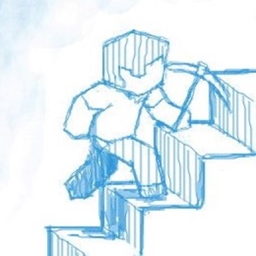
一款客户端模组,允许你通过按下按键(默认为 G)在平滑跨越方块、自动跳跃或禁用两者之间进行切换。这可以在设置中轻松更改。此外,还有一个配置文件让你选择启动时的初始模式。
本模组由 Kingdom Break 整合包 的创作者 Artemis(其 Discord 用户名)委托制作。如果你有模组创意需要开发者,欢迎联系我。
支持
请将所有错误报告、问题反馈和功能请求提交至 问题追踪器,或使用我的 Discord 服务器 并在相应频道中反馈。评论区仅用于关于模组的评论或简单提问。
在报告错误、问题或功能请求之前,请先阅读 常见问题解答 (FAQ)。
需要服务器吗?
你是这个资源的作者?登录后可认领此资源。
相似资源
 模组

玉Jade ?
Snownee
显示你正在注视的方块的信息。(适用于 Minecraft 1.16+ 的 Hwyla/Waila 分支)
实用前置
247
 模组

物品管理器Just Enough Items (JEI)
mezz
查看物品与配方
前置实用
229
 模组
Xaero的小地图
thexaero
在游戏画面角落显示附近世界地形、玩家、生物和实体的地图。可创建路径点,帮助你找到标记过的位置。
冒险交通
196
 模组
KubeJS
Lat
使用 JavaScript 编辑配方、添加自定义物品、编写世界事件!
前置实用
181
 模组
Applied Energistics 2
shartte
AE2:一款流行的自动化与存储模组
存储科技
165
 模组
开放派对与认领Open Parties and Claims
thexaero
添加区块认领和玩家组队功能,并与 Xaero's Minimap 和 World Map 集成
前置实用
153
评论 0
登录后参与评分
还没有评论,来抢沙发吧